
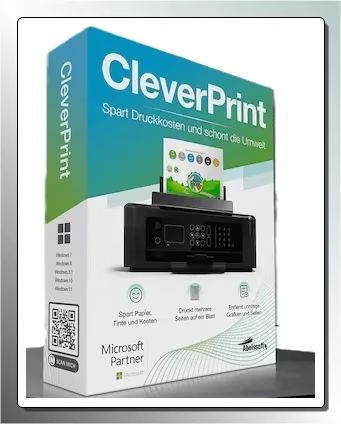
🎁 CLEVERPRINT GIVEAWAY · OCTOBER 2026 · WORTH €39.95
Stop paying for pages you never needed to print.
Abelssoft CleverPrint sits between Windows and your printer, so you can squeeze several pages onto one sheet, drop unwanted pages and images, lighten the toner and save to PDF before anything hits paper. A free giveaway edition is available right now — here’s how to grab and activate it.

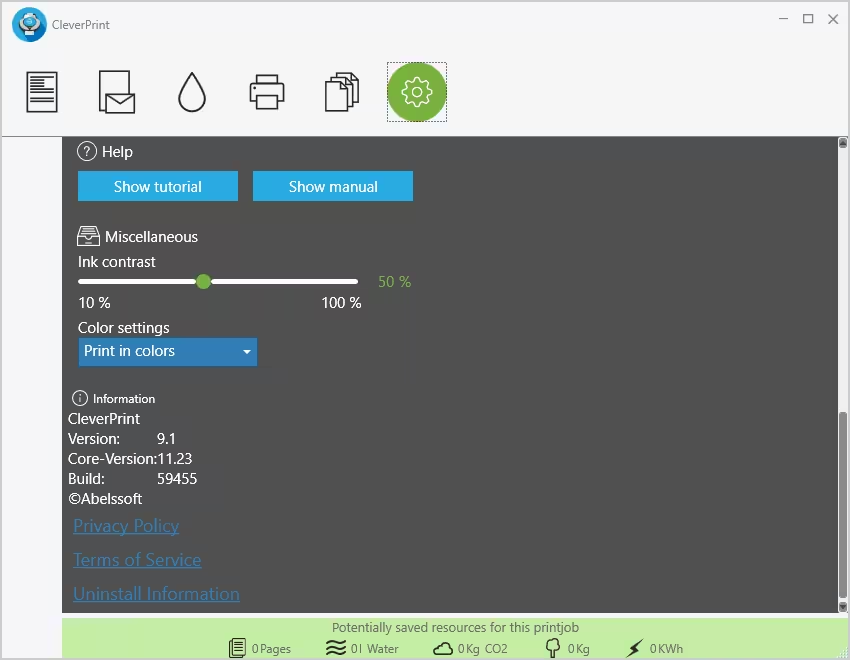
CleverPrint’s main window: preview, page list and a running tally of what each print job costs.
⚡ Quick Read
- What it is: a virtual printer and print optimiser for Windows by German developer Abelssoft.
- The offer: free full-featured giveaway edition (Build 59455) via ComputerBild, activated with a free email unlock.
- Normal price: €39.95 on Abelssoft’s store (latest retail release: CleverPrint 9, v9.9.3).
- Works on: Windows 11, 10, 8.1, 8 and 7, with any printer Windows can use.
- Best for: home users, students and small offices tired of buying ink and toner.
- Catch: giveaway licences are for personal use and don’t include upgrades to newer versions.
Why Use Abelssoft CleverPrint to Cut Printing Costs?
Ink and toner are some of the most expensive consumables most of us buy — and a big share of what we print is waste. Web pages come out with ads and banners, a two-page document spills onto a third sheet with one line on it, and a full-colour graphic eats a cartridge for no good reason.
Abelssoft CleverPrint fixes that by acting as a smart middle step. You print to CleverPrint instead of directly to your printer, see every page in a preview, clean it up, and only then send it to your real printer — or save it as a PDF and skip the paper entirely.
With more offices moving to paperless work, CleverPrint is a practical middle ground for anyone who still has to print. It also shows a live counter at the bottom of the window with the cost of the job and the wood, water, CO2 and energy it uses, which makes the savings easy to see.
Key Features of Abelssoft CleverPrint
Print Multiple Pages on One Sheet
Put 1, 2, 4 or 8 pages on a single sheet of paper. For handouts, notes, drafts and long web articles, this alone can cut paper use dramatically.
Remove Unwanted Pages and Graphics
Leave out pages you don’t need — like that last page with just a URL footer — and strip images from a print job. CleverPrint can also filter promotional images out of web printouts.
Toner and Ink Saver
Lighten a print job before it goes to the printer, so your cartridges last longer while text stays readable.
Built-in PDF Printer
Convert any print job to PDF, PNG, JPG and other formats. Handy for saving receipts, invoices and web pages without printing a single page.
Booklet Mode, Letterheads and Watermarks
Print in booklet layout so the sheets can be folded and stapled, or add a letterhead or watermark to a document without touching the original file.
Climate Savings Calculator
The built-in calculator tracks how much water, wood, CO2 and energy you’ve saved, so you can see the impact of greener printing over time.

Arrange pages, remove the ones you don’t need and preview the result before printing.
How Does CleverPrint Save Money on Printing?
CleverPrint installs as a virtual printer. When you click Print in Word, Chrome, Edge or any other app and pick CleverPrint, the job opens in CleverPrint’s window instead of going straight to your printer. From there you can:
- Preview every page exactly as it will print.
- Remove pages and images you don’t need.
- Combine several pages on one sheet or switch to booklet mode.
- Lighten the output with the toner saver.
- Send it to your real printer — or save it as a PDF or image instead.
Because it works at the printer level, it works with every program that can print and with all standard inkjet and laser printers.
How to Get Abelssoft CleverPrint Full Version for Free
[New Giveaway]: ComputerBild is offering the giveaway version (Build 59455) of CleverPrint for free.
- Visit the giveaway page: CleverPrint – COMPUTER BILD Edition (the page is in German).
- Click the “Download” button and save the installer.
- Run the installer and complete the setup.
- Launch CleverPrint. If you’ve already activated another Abelssoft giveaway on this PC, it unlocks automatically — you’re done.
The CleverPrint COMPUTER BILD Edition download page.
First-time Abelssoft users: activate with your email
- On first launch you’ll see an “Activation” window.
- Enter your first name, last name and email address, accept the terms, and click “Get free unlock email now”.
- Open the email from Abelssoft (software@abelssoft.net) and click the confirmation link.
- That’s it — CleverPrint is now the full version.
⚠️ Giveaway terms: Abelssoft giveaway editions are licensed for personal, non-commercial use, don’t include free upgrades to newer versions or free support, and signing up subscribes you to Abelssoft’s newsletter (you can unsubscribe any time). An internet connection is needed for activation. Giveaways can end without notice, so grab it while it’s live.
System Requirements
| Requirement | Details |
|---|---|
| Operating system | Windows 11, 10, 8.1, 8, 7 (32-bit and 64-bit) |
| Printer | Any printer installed in Windows (inkjet or laser) |
| Internet | Required once for email activation |
| Developer | Abelssoft GmbH, Germany |
Giveaway Version vs. Paid Full Version
| Feature | Giveaway edition | Paid full version (€39.95) |
|---|---|---|
| Multi-page, booklet, toner saver, PDF printer | Included | Included |
| Price | Free | €39.95 |
| Usage | Personal, non-commercial | Unlimited |
| Updates and new versions | Not included | 6 months free |
| Email support | Not included | Free |
Pros and Cons
| 👍 What we like | 👎 What to watch |
|---|---|
| Works with every Windows app and printer | Giveaway edition gets no version upgrades |
| Up to 8 pages per sheet plus booklet mode | Personal use only under giveaway terms |
| Built-in PDF/JPG/PNG printer | Email registration and newsletter sign-up required |
| Strips images and ads from web printouts | Windows only — no Mac version |
| Live cost and eco-savings counter | Adds one extra step before every print |
Frequently Asked Questions
Is Abelssoft CleverPrint free?
CleverPrint normally costs €39.95, but the COMPUTER BILD giveaway edition is free. You only need to register with a valid email address to unlock it.
Does CleverPrint work on Windows 11?
Yes. Abelssoft lists support for Windows 11, 10, 8.1, 8 and 7.
Will CleverPrint work with my printer?
Yes. It installs as a virtual printer, so it works with any printer Windows can use, including inkjet and laser models.
Can CleverPrint save print jobs as PDF?
Yes. Its integrated PDF printer converts any print job to PDF, PNG, JPG and other formats.
What’s the difference between the giveaway and the paid version?
The features are the same. The paid version adds 6 months of free updates, free email support and allows unrestricted use, while the giveaway is for personal use and doesn’t include upgrades.
I already used an Abelssoft giveaway. Do I need to register again?
Usually not. If another Abelssoft giveaway is already activated on your PC, CleverPrint unlocks automatically.
Want more free tools for documents? Try our novaPDF Lite free license for another virtual PDF printer, the Abelssoft Easy PDF giveaway, or our list of the best free PDF editors for Windows. More Abelssoft freebies: EasyBackup 2026 and CheckDrive 2026, or browse all our free software giveaways.
📊 Techno360 Verdict
Grab it if you print at home or in a small office
CleverPrint does one simple job well: it stops waste before it reaches the printer. Multi-page layouts, page and image removal, the toner saver and the built-in PDF printer together can noticeably stretch your ink, toner and paper.
The giveaway edition is personal-use only and won’t upgrade to future versions, but for a free full-featured copy of a €39.95 tool, it’s an easy recommendation.
Updated October 2026. Pricing, features and system requirements are from Abelssoft’s official CleverPrint page; giveaway terms are Abelssoft’s standard terms for giveaway editions.