
🎁 Free Giveaway · Windows & Mac · Tested 26 Oct 2026
Get a free Aiarty Video Enhancer V2.1 licence and upscale, denoise and deblur your videos with offline AI
Aiarty is giving away full licences for Aiarty Video Enhancer V2.1. I registered and activated the giveaway on both a Windows 11 laptop and a Mac — here is exactly how it works, what you get, and what’s held back for the paid V3 release.
⚡ Quick Read
- Software: Aiarty Video Enhancer V2.1 (giveaway build) by Digiarty
- Platforms: Windows and macOS — separate codes for each
- Licence: Full V2.1 features, 1 computer, no free updates
- How: Enter your email on the giveaway page → get the code by email → activate
- Deadline: Time-limited; Aiarty hasn’t published a fixed end date
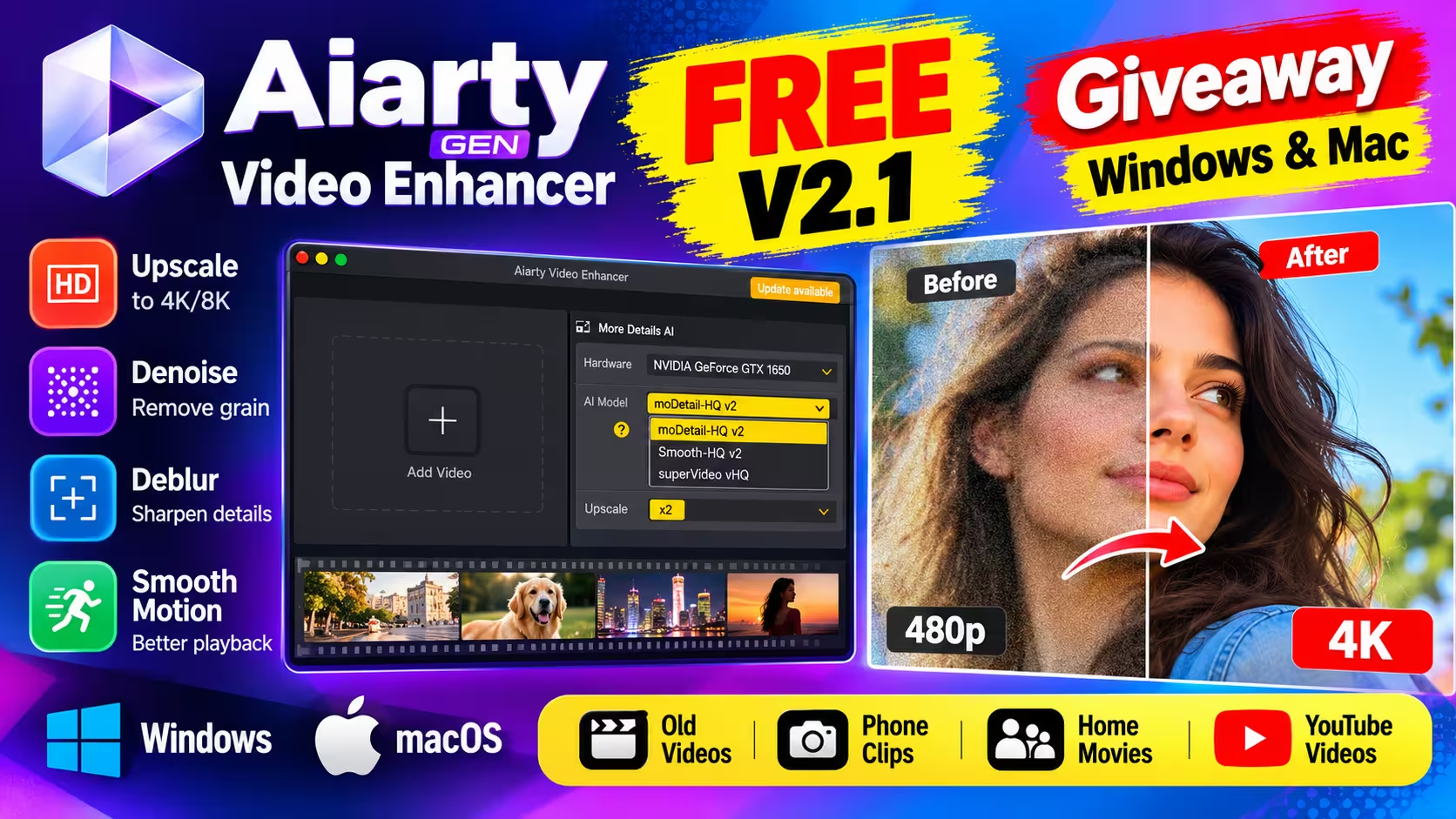
What Is Aiarty Video Enhancer?
Aiarty Video Enhancer is a desktop AI tool from Digiarty Software that upscales, denoises and deblurs low-quality footage. Everything runs locally on your own computer, so your videos are never uploaded to a server. It’s aimed at people with grainy phone clips, soft old home movies, low-light shots or low-resolution YouTube uploads they want to sharpen up.
The current paid release is V3.x, but this giveaway unlocks the older V2.1 build with all of its features — a good way to get a capable AI video enhancer without paying.
What You Get in the V2.1 Giveaway Version
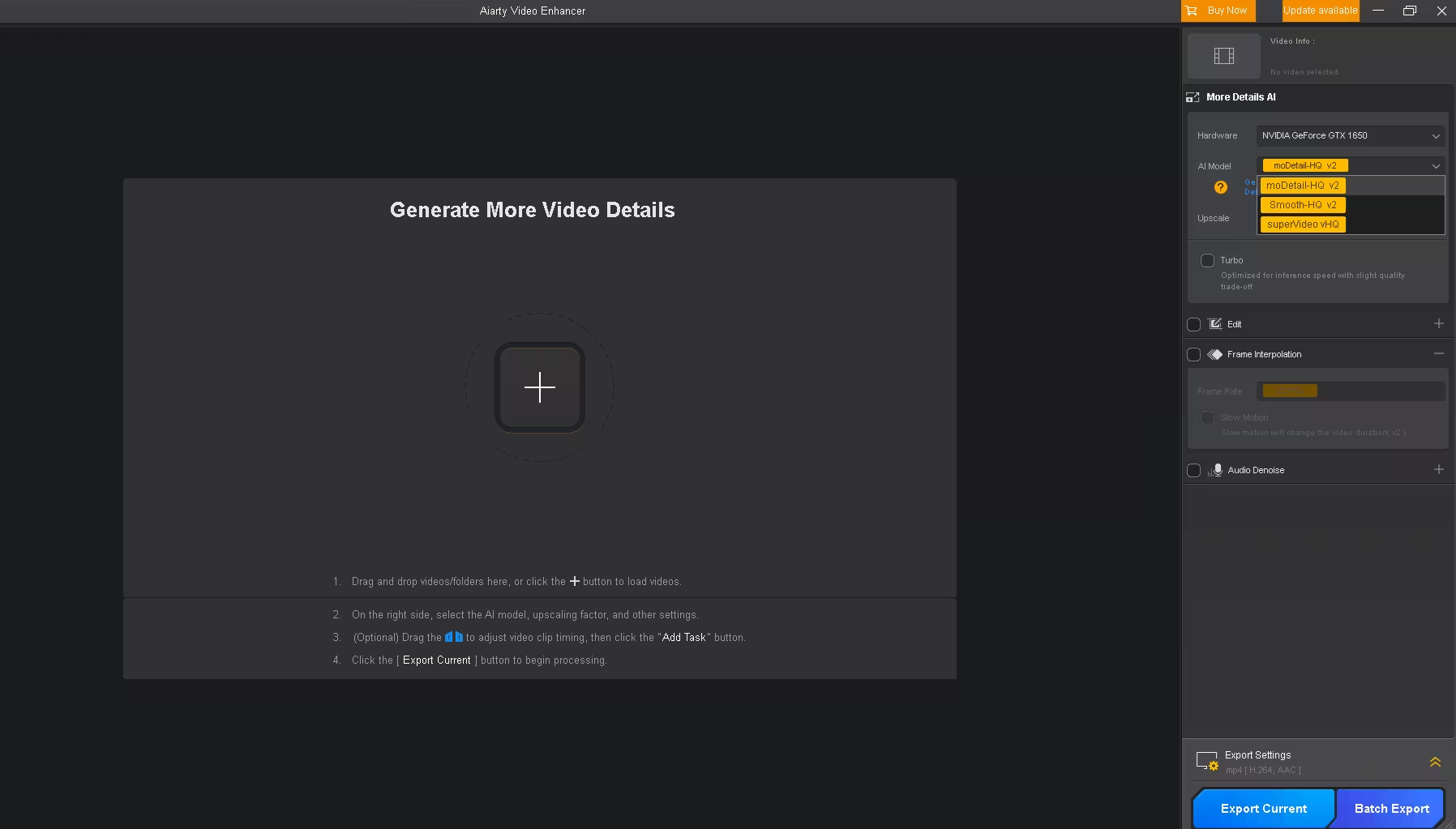
After activating V2.1, these are the modules I could see in the app on both Windows and Mac:
- Three AI models: moDetail-HQ v2 (more detail and sharpness — the app notes it’s better for hair and outdoor plants), Smooth-HQ v2 (more faithful, natural restoration) and superVideo vHQ (Aiarty’s model for grainy, low-light footage)
- AI upscaling with a selectable upscale factor, e.g. x2
- Turbo mode — faster processing with a slight quality trade-off
- Frame Interpolation for smoother playback and an optional slow-motion mode
- Audio Denoise to clean up background noise
- Edit tools plus Export Current and Batch Export; default output is MP4 (H.264, AAC)
Giveaway V2.1 vs Full Version (V3.x)
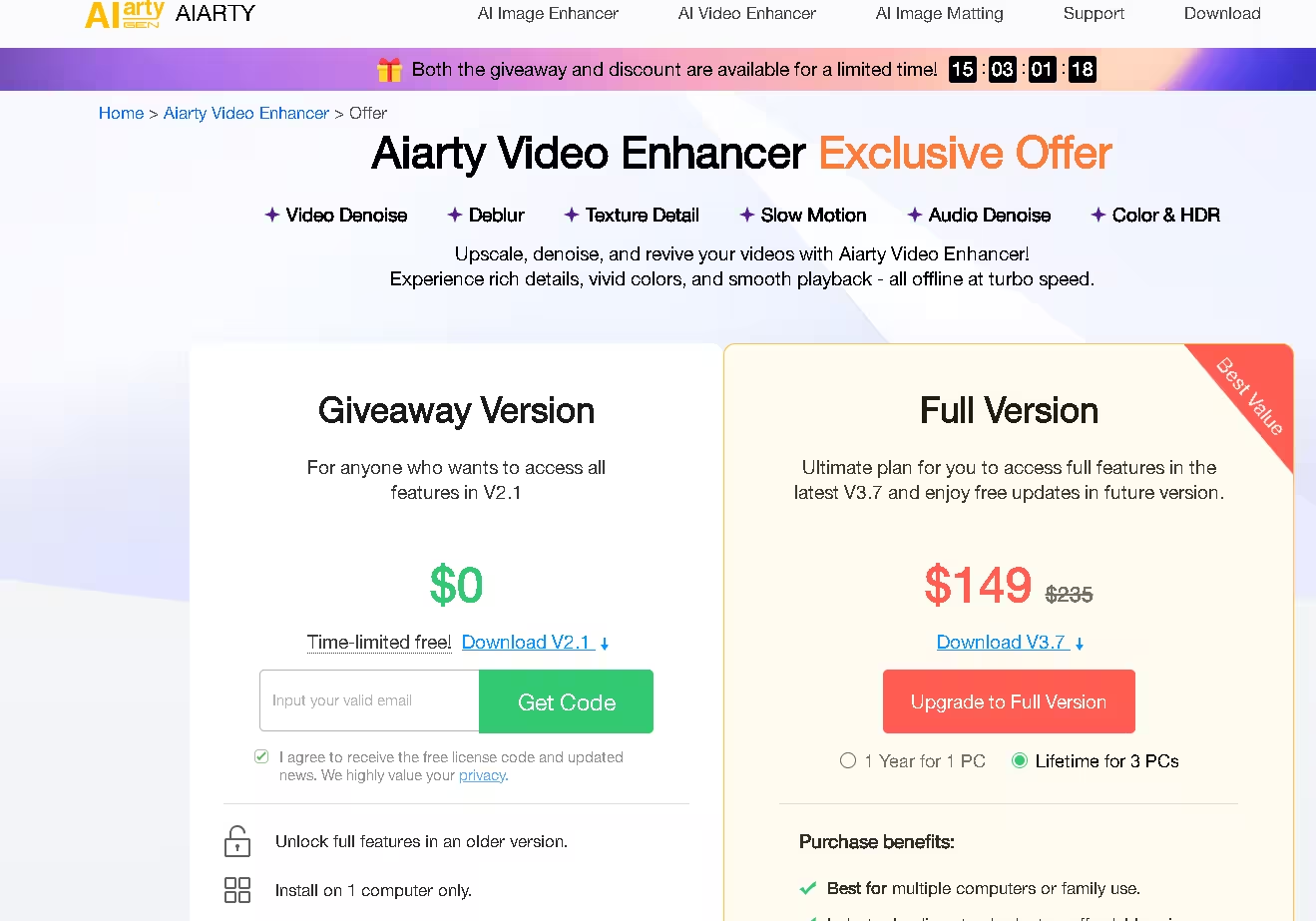
According to Aiarty’s offer page, the giveaway unlocks the full feature set of V2.1 only. Here’s how it compares with the paid licence:
| Feature | Giveaway (V2.1) | Full Version (V3.x) |
|---|---|---|
| Price | $0 | Lifetime (3 PCs) $149 on the offer page |
| Computers | 1 | 1 (yearly) or 3 (lifetime) |
| Free updates | No | Yes |
| AI models | V2.1 models (moDetail-HQ v2, Smooth-HQ v2, superVideo vHQ) | Latest models (moDetail-HQ v3, Smooth-HQ v3, superVideo vHQ) |
| Enhancement Strength control | No | Yes |
| Colour correction / SDR→HDR | No | Yes |
| Step Mode (lower VRAM use) | No | Yes |
🎁 How to Get Aiarty Video Enhancer V2.1 Free License
Step 1: Request your licence code
Open the official giveaway page, type your email address in the box and click Get Code.
⚠️ Important — Windows and Mac codes are different: In my testing, opening the giveaway page on a Windows PC sends you a Windows licence code, and opening it on a Mac sends you a Mac code. Request the code from the same type of computer you’ll install the software on. A Windows code won’t activate the Mac app, and vice versa.
Step 2: Check your inbox
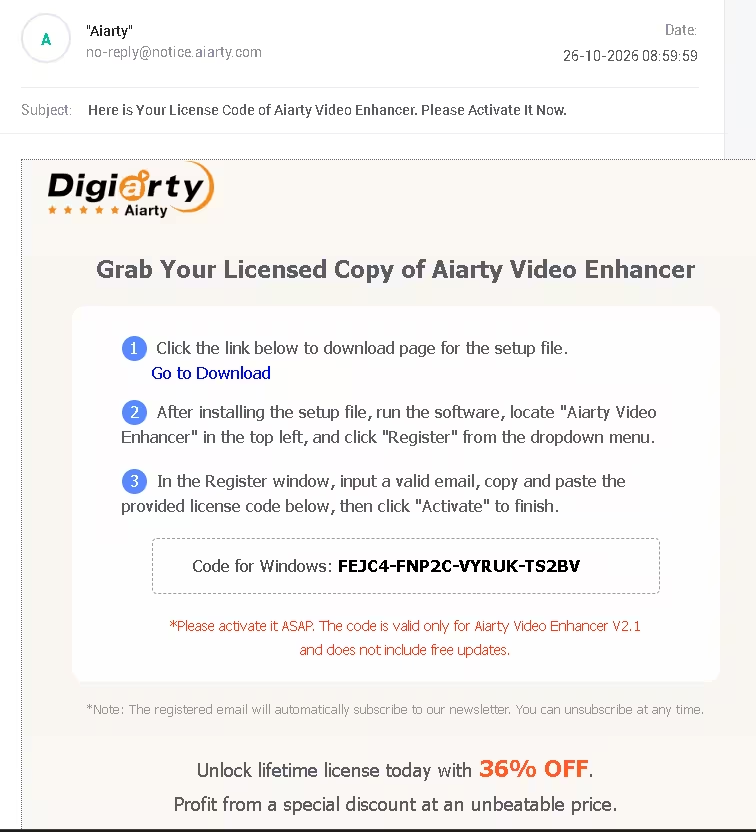
Look for an email from Aiarty (no-reply@notice.aiarty.com) with the subject line about your licence code. It arrived within a minute for me. Check your spam or promotions folder if you don’t see it. The email also states that the code is valid only for V2.1 and doesn’t include free updates.
Step 3: Download the V2.1 giveaway installer
Use the giveaway-specific installer below. The regular download on Aiarty’s main site is the latest V3.x build, which the giveaway code won’t unlock.
⬇️ Download for Windows ⬇️ Download for Mac
Step 4: Install, launch and activate
Install the software and open it. An activation window appears on launch. Enter the email address you used on the giveaway page and paste the licence code from the email, then click Activate. You should see an “Activation successful” message.
If you closed the activation window, you can reopen it from the Aiarty Video Enhancer menu in the top-left corner → Register, as described in Aiarty’s email.
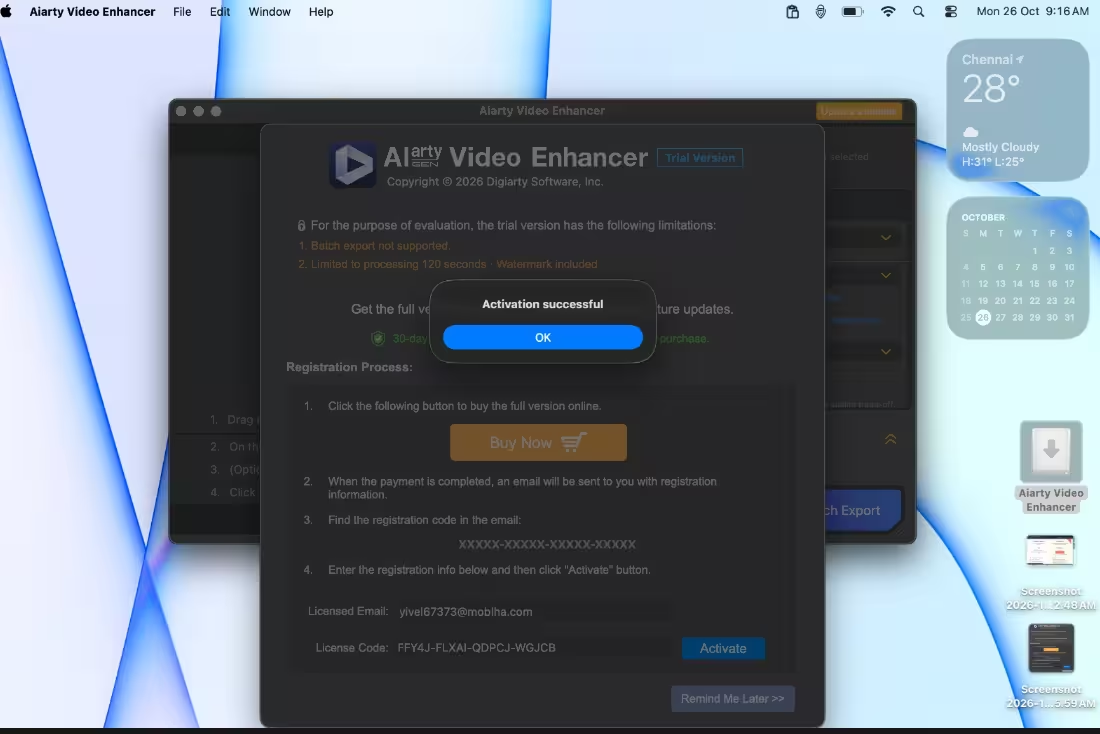
That’s it — the full V2.1 feature set is now unlocked. Drag a video into the window, choose an AI model and upscale factor on the right, and click Export Current.
💻 System Requirements
Aiarty’s tech-specs page lists these minimums for the current release; Aiarty doesn’t publish separate figures for V2.1:
- Windows: Windows 10 64-bit or later, 8 GB RAM (16 GB recommended). GPU acceleration uses DirectML on AMD, Intel and NVIDIA graphics with DirectX Feature Level 12.0; dedicated cards need at least 4 GB VRAM.
- Mac: macOS 13.0 or later, Intel or Apple Silicon, 8 GB RAM or more. Intel Macs need a dedicated GPU with 4 GB VRAM or more.
- Input formats: MP4, MKV, MOV, AVI, WebM, WMV, TS/M2TS, FLV, VOB and many more
My Windows test laptop — a Ryzen 5 4600H with an NVIDIA GeForce GTX 1650 (4 GB) and 8 GB RAM on Windows 11 — was detected correctly, with DirectML supported on both its AMD integrated graphics and the GTX 1650.
Who Is This Giveaway For?
- Anyone restoring old family videos or digitised VHS footage
- YouTubers and social media creators who want sharper uploads
- People cleaning up grainy low-light or night-time phone clips
- Users who want offline AI processing without uploading private videos
📊 Verdict
This is a straightforward, working giveaway: request a code, install the special V2.1 build and activate. It worked first time on both Windows and Mac in my tests. You’re getting an older version with no updates and no strength control, colour tools or HDR, but the core AI upscaling, denoising, frame interpolation and audio cleanup are all there — and free.
👍 Pros: Free full V2.1 licence, Windows and Mac, offline processing, three AI models. 👎 Cons: One computer only, no updates, newer V3 models and colour/HDR tools excluded.
Frequently Asked Questions
Is the Aiarty Video Enhancer giveaway really free?
Yes. You only need to give an email address; there’s no payment step. Signing up also subscribes that email to Aiarty’s newsletter, which you can unsubscribe from at any time.
Can I use the same code on Windows and Mac?
No. Codes are platform-specific. Visit the giveaway page from the computer you’ll install on — Windows gets a Windows code, Mac gets a Mac code.
Can I update the giveaway version to V3?
No. The licence is valid only for V2.1 and doesn’t include free updates. Ignore the in-app “Update available” prompt, as the newer build won’t accept the giveaway code.
I didn’t receive the email. What should I do?
Check spam, promotions and updates folders for a message from no-reply@notice.aiarty.com. If it still hasn’t arrived, request again with a different email address.
Does the activated version have a watermark or 120-second limit?
Those limits apply to the unregistered trial. Aiarty says the giveaway licence unlocks the full V2.1 feature set once activated.
Developer page: Aiarty Video Enhancer · For more free software, see our Freebies section and more video enhancer tools.