


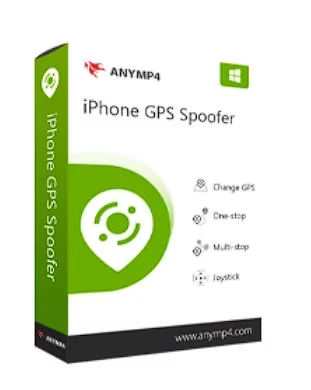
AnyMP4 iPhone GPS Spoofer is a sophisticated software that can change or fake your iPhones GPS coordinates.
It lets you fool location-based apps, games, and websites into thinking you’re somewhere else by setting up a fake location and generating a fake route.
The software is simple, quick, and convenient to use, and it is compatible with both Windows and MacOS.
When Is a GPS Spoofer for iPhone Necessary?
An iPhone GPS spoofing tool can be useful in a variety of situations where you need to fake your location using an iPhone.
Some examples of when you might need a GPS spoofing tool are:
- If you want to play Pokémon GO or another location-based game on your iPhone without actually leaving the house, you can do so with the help of a GPS spoofer. You can catch rare Pokémon and gain access to in-game functions that normally require you to be physically present.
- Installing apps that are region-locked: It can be inconvenient if the apps you want to use are only available in a specific region.You can trick the app into thinking you’re somewhere else by using a GPS spoofer.
- A GPS spoofer can be helpful for testing location-based apps, whether you’re a developer or a tester. It’s a convenient way to see how your app performs in various environments without leaving your desk.
- Share fake locations on social media to trick your friends.
Notably, Apple does not offer any GPS spoofing apps in the App Store, so if you want to install one, you may need to jailbreak your device first. AnyMp4’s desktop iPhone location spoofing tool is useful in these circumstances.


About AnyMP4 iPhone GPS Spoofer:
Have you had enough of having your iPhones real-world location broadcast to your social networks and other apps?
Maybe the answer lies in the AnyMp4 iPhone GPS Spoofer. With the tap of a finger on the map, you can quickly and easily set your iPhone’s location to a false one.
In order to switch to a vertical orientation on your iPhone, simply plug your device into the software using the USB cable.
We can program your iPhone to follow a customized route that you create by selecting the starting, passing, and ending locations on the map. In addition, you can modify the route’s duration to set a custom speed for your iPhone. You can also choose how many times your iPhone moves along with the virtual route.


Key features of AnyMP4 iPhone GPS Spoofer:
- It’s user-friendly, meaning that even those who aren’t particularly savvy with technology can figure out how to use it.
- The software is versatile, letting you simulate a walk or drive, alter your location, or create a fictitious route.
- The software is quick and precise, allowing you to change your GPS location so that it looks like you’re somewhere else.
- “Manage History” allows you to view and alter your iPhone’s recorded movements.
- You can collect routes if you’ve set some and would like to use them again.
- Simple Site Selection: To select a virtual location for your iPhone, simply click on the site on the map.
- No Time Limits: You can pause the app whenever you like while moving your iPhone’s location.
AnyMP4 iPhone GPS Spoofer Giveaway[Windows]:
Visit this giveaway page.
Enter your name and email address and hit the “Get Free Registration Code” button.
In seconds, you will receive a license code via email from “registration@anymp4.com.” Put this code away for later use.
Download the software from the developer page:https://download.anymp4.com/
Install the software and unlock the full version with your registration code.


