
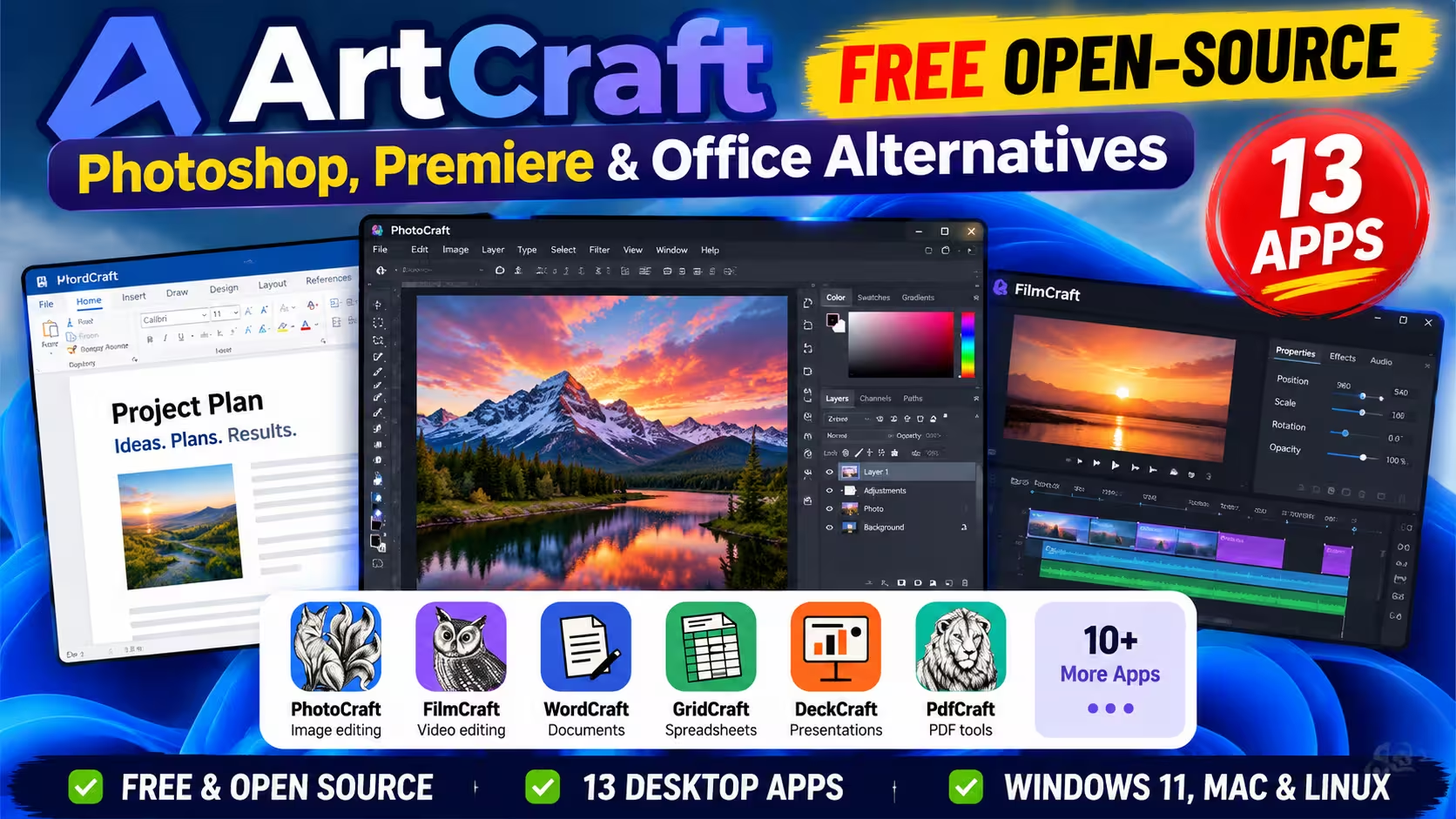
🧪 INSTALLED & TESTED ON WINDOWS · 16 OCT 2026 · ALL 13 APPS
Photoshop-style editing without a subscription, with some big caveats
We installed every one of ArtCraft’s 13 Crafting Apps on a Windows PC. Here’s what each one looks like, what actually works today, and how to install the suite safely.
ArtCraft is a new open-source project that wants to be your free Photoshop alternative, and a lot more besides. Its image editor, PhotoCraft, is joined by twelve sister apps for video, PDFs, page layout, documents, spreadsheets, slides, audio and CAD. All of them are free to download, and all of the code is public.
The project has been one of the biggest free-software stories of October 2026, so we installed the whole suite on a Windows PC to see how much of it is real. Short version: every app opens and looks remarkably like the software it copies, but most of the suite is still unfinished.
⚡ QUICK READ
- What it is: 13 free, open-source desktop apps, written in Rust, that copy the layout of Adobe, Microsoft and other paid tools.
- Our test: all 13 apps installed through the ArtCraft Launcher and opened on our 64-bit Windows PC. No administrator rights needed.
- Usable today: only PhotoCraft, PdfCraft and FigCraft are labelled early alpha. The other ten are marked “in development”.
- Price: the apps are free. Optional AI image, video and audio credits in the separate ArtCraft studio cost from $8 a month.
- Heads-up: the website still hands out Launcher 0.3.2. Accept the update to 0.4.1 when it opens, or FigCraft won’t be listed.
- Our take: worth a test drive with copies of your files. Not a replacement for paid software yet.
What is ArtCraft?
ArtCraft is the name of a small studio that sells an AI image and video app. Its “Crafting Apps” are a separate family of free desktop programs, each built to feel familiar to people who already use a well-known paid tool. The PhotoCraft README calls it a clean-room reimplementation of Adobe Photoshop, and promises that if you know Photoshop, you already know PhotoCraft.
- Developer: Brandon Thomas, founder of ArtCraft. According to PetaPixel, he was previously CEO of Storyteller.ai and a software engineer at Square.
- How it was built: written from scratch in Rust. Thomas says he used Anthropic’s Claude Opus 5.5 AI model to write the code.
- Licence: dual MIT or Apache 2.0, with the source code on GitHub under the storytold account.
- Platforms: Windows, macOS and Linux. Twelve of the 13 apps (all except FilmCraft) also compile to a web version.
- Popularity: the PhotoCraft repository had about 63,400 GitHub stars when we checked on 16 October 2026.
Thomas has said Adobe’s fee for cancelling an annual plan early is what pushed him to start. Adobe agreed to a $150 million settlement with the US government over its subscription practices earlier in 2026, while denying wrongdoing.
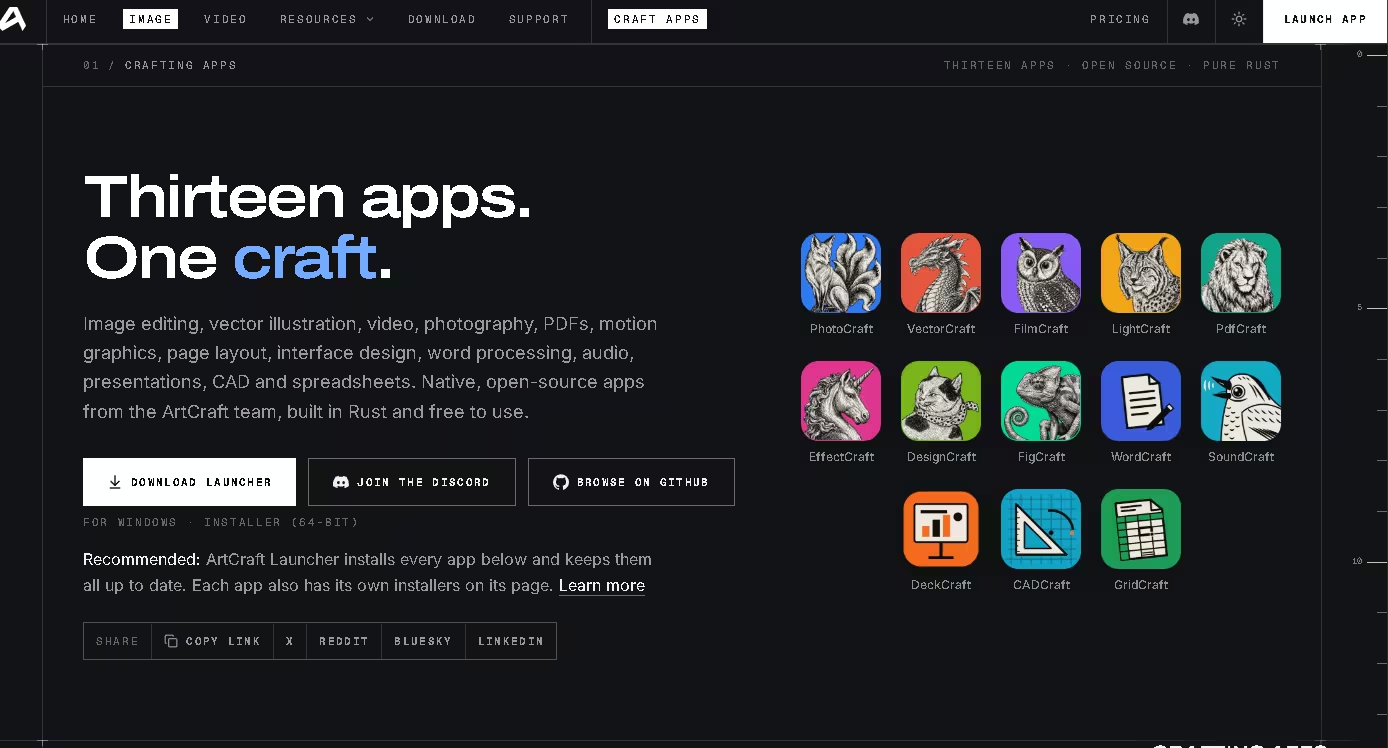
ArtCraft apps: which ones can you use now?
The official Crafting Apps page lists 13 apps. Only three carry the “early alpha” label; the rest are marked “in development”, so expect them to be rough. The versions below are the ones our Launcher offered on 16 October 2026.
| App | What it does | Closest paid equivalent | Status | Version in Launcher |
|---|---|---|---|---|
| PhotoCraft | Image editing | Adobe Photoshop | Early alpha | 0.9.0 |
| PdfCraft | Read, organise, sign and protect PDFs | Adobe Acrobat | Early alpha | 0.8.0 |
| FigCraft | Interface design and prototyping | Figma | Early alpha | — |
| VectorCraft | Vector illustration | Adobe Illustrator | In development | 0.11.0 |
| FilmCraft | Video editing, colour and sound | Adobe Premiere Pro | In development | 0.8.0 |
| LightCraft | Photo library and RAW developer | Adobe Lightroom | In development | 0.8.0 |
| EffectCraft | Motion graphics and visual effects | Adobe After Effects | In development | 0.10.0 |
| DesignCraft | Page layout and publishing | Adobe InDesign | In development | 0.8.0 |
| WordCraft | Word processing | Microsoft Word | In development | 0.7.0 |
| GridCraft | Spreadsheets and data analysis | Microsoft Excel | In development | — |
| DeckCraft | Presentations and slide shows | Microsoft PowerPoint | In development | 0.7.0 |
| CADCraft | CAD and drafting | AutoCAD | In development | — |
| SoundCraft | Audio recording, editing and mixing | Avid Pro Tools | In development | — |
“—” means the version wasn’t visible in our Launcher screenshot. The “closest paid equivalent” column is partly our reading: the first Launcher build we installed labelled several apps “Like Adobe Photoshop”, “Like Adobe Acrobat” and so on, but the updated Launcher dropped those labels. Some early news coverage called the PDF app “PrintCraft”; it’s PdfCraft now.
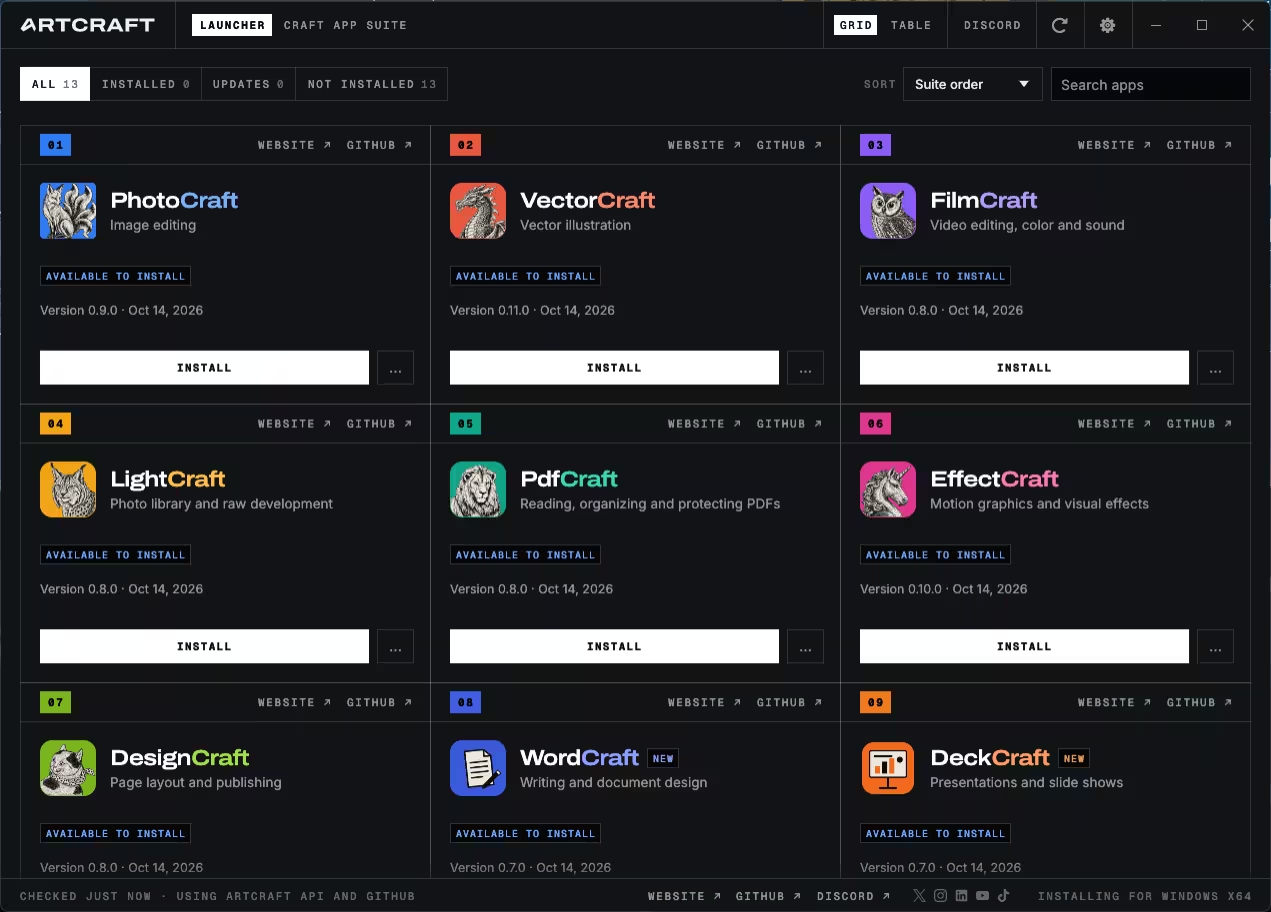
What we saw when we opened all 13 apps
We installed the whole suite through the Launcher on a 64-bit Windows PC and opened each app. Every one launched. This was a first-look test: we explored each app’s start screen and main workspace, but we haven’t yet run file-compatibility or stress tests.
| App | What we saw on first launch |
|---|---|
| PhotoCraft | A Photoshop-style workspace: tools down the left, a brush options bar (Mode, Opacity, Flow, Smoothing), and Color, Adjustments and Layers/Channels/Paths panels on the right. |
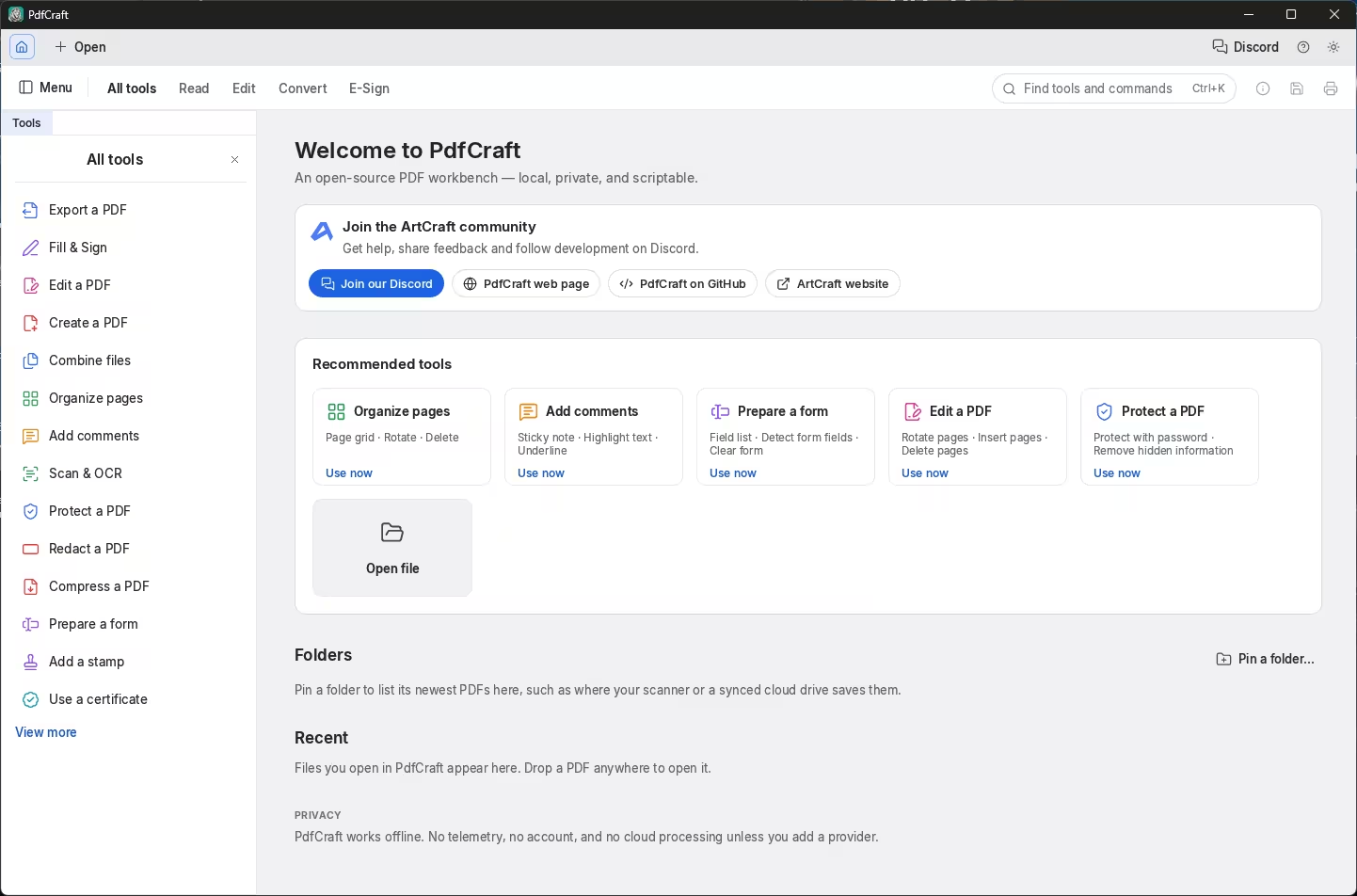
| PdfCraft | An Acrobat-style “All tools” list: Fill & Sign, Combine, Organize, Scan & OCR, Protect, Redact, Compress, Prepare a form and certificates. |
| FigCraft | Templates for a mobile app, landing page, dashboard and design system, a “join with a code” option for collaboration, and PNG/JPG/SVG/PDF export. |
| FilmCraft | Opened a bundled demo project with a multi-track timeline, program monitor, Essential Graphics panel and a loudness (LUFS) meter. |
| LightCraft | A sample photo library with star ratings, a histogram with camera data, and Light, Curve, Color, Effects and Detail controls. |
| VectorCraft | A start screen with Letter, A4, web, phone, postcard and social-post presets. |
| EffectCraft | Version 0.10.0, with New Composition, a demo project, footage import and templates. |
| DesignCraft | Page presets from Letter to A6, plus business card, postcard and a sample magazine. |
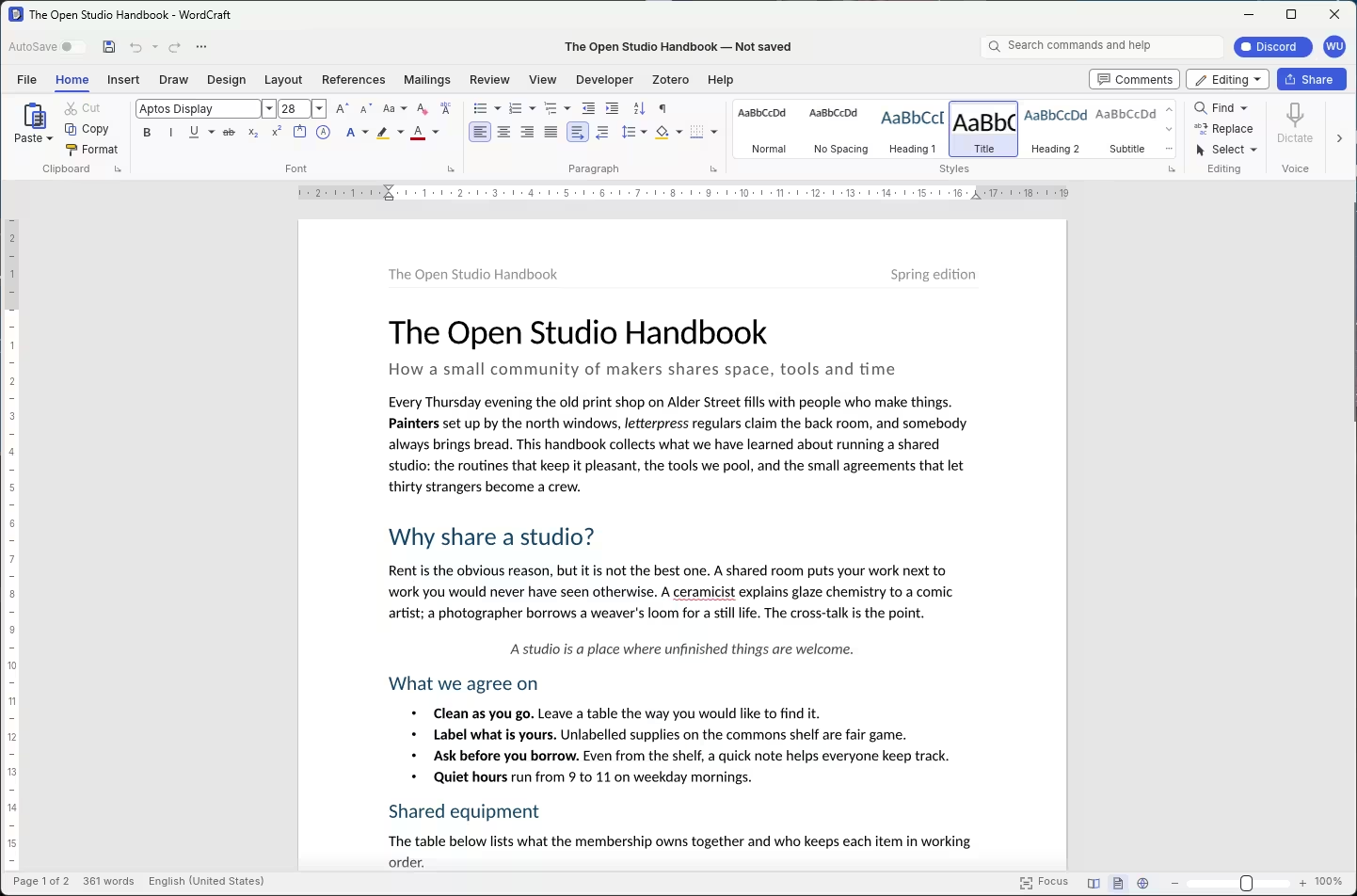
| WordCraft | A sample document open under a full Word-style ribbon, including References, Mailings, Review and a Zotero tab, with live spell-check. |
| GridCraft | An Excel-style ribbon with Formulas, Data, Conditional Formatting, Format as Table and Cell Styles. |
| DeckCraft | A start screen with a blank deck and five built-in themes, plus a Present button. |
| CADCraft | AutoCAD-style Drafting and Modeling tool sets, a command line, Layers and Properties panels, and Model/Layout tabs. |
| SoundCraft | A DAW Edit window with Shuffle/Spot/Slip/Grid modes, tempo and meter rulers, and a MIDI editor. |
The resemblance to the originals is striking, often down to menu names and panel layouts. That’s the whole pitch, and it’s also the source of the project’s legal questions (more on that below).
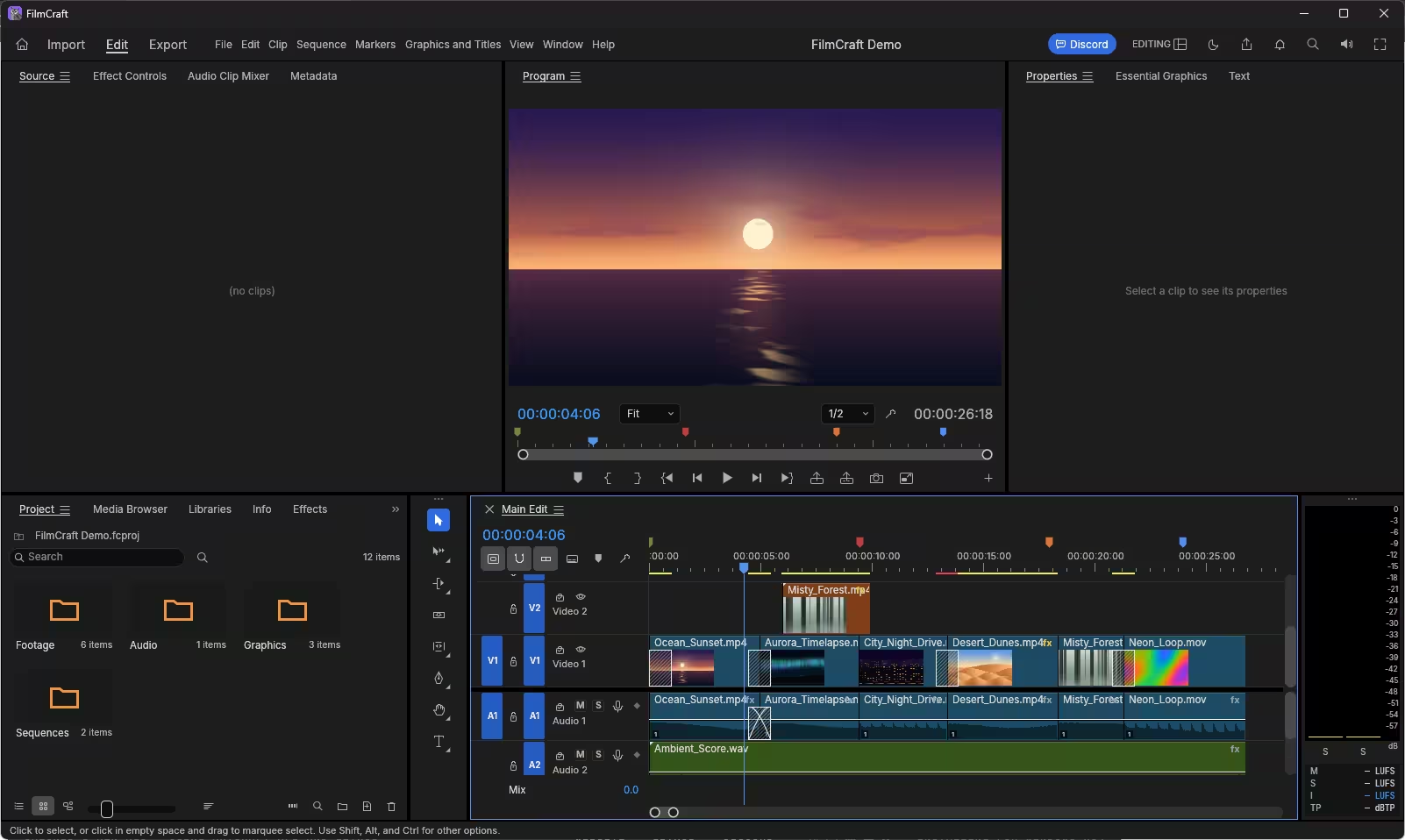
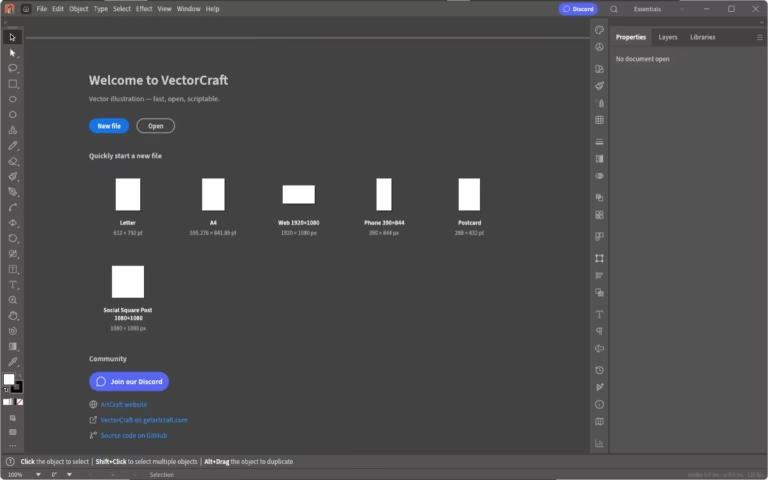
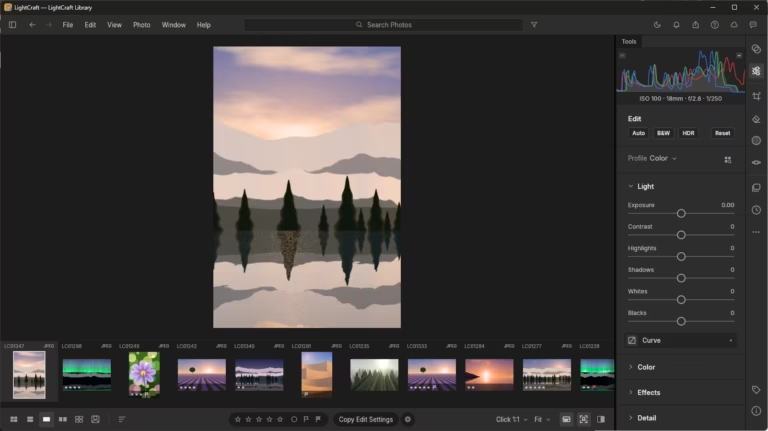
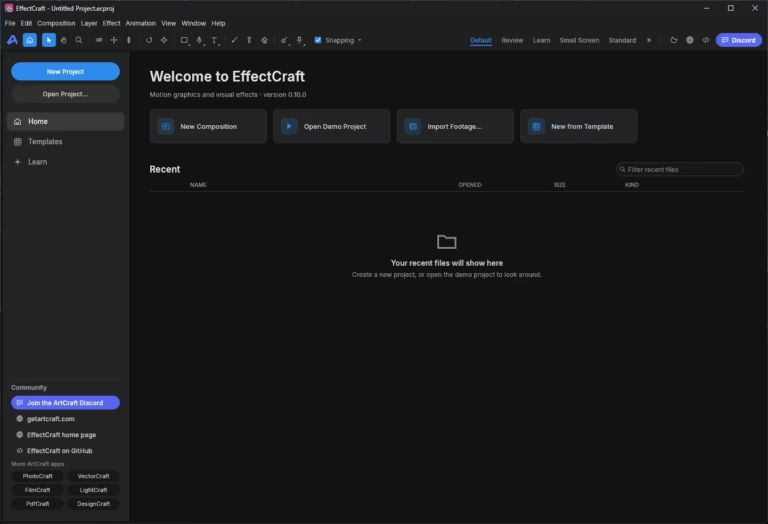
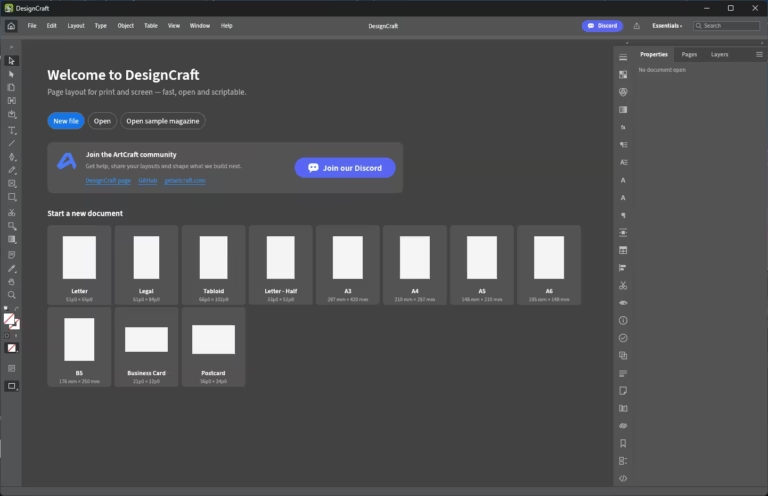
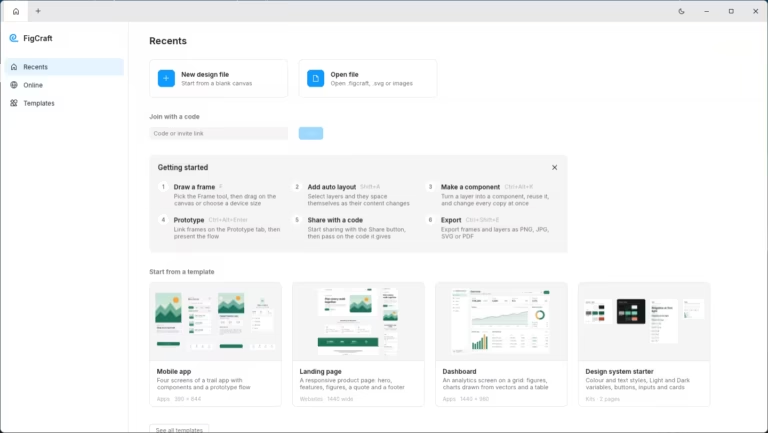
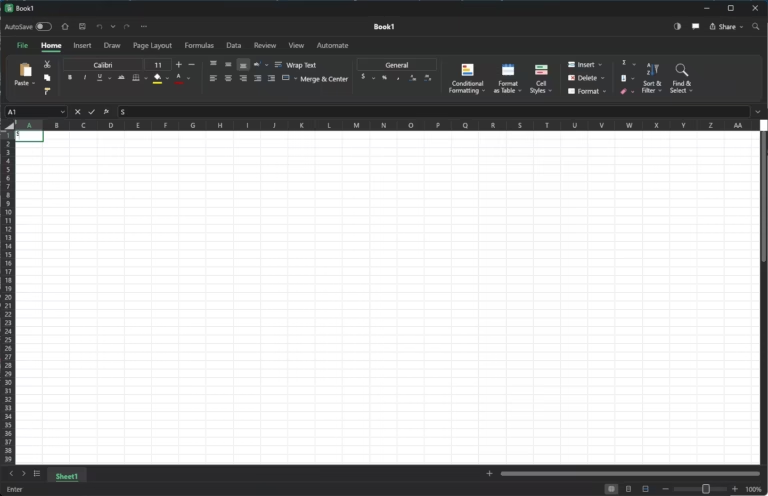
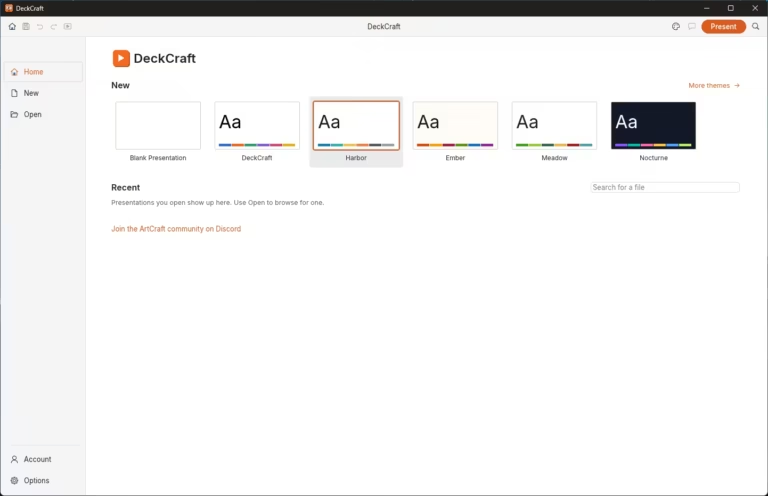
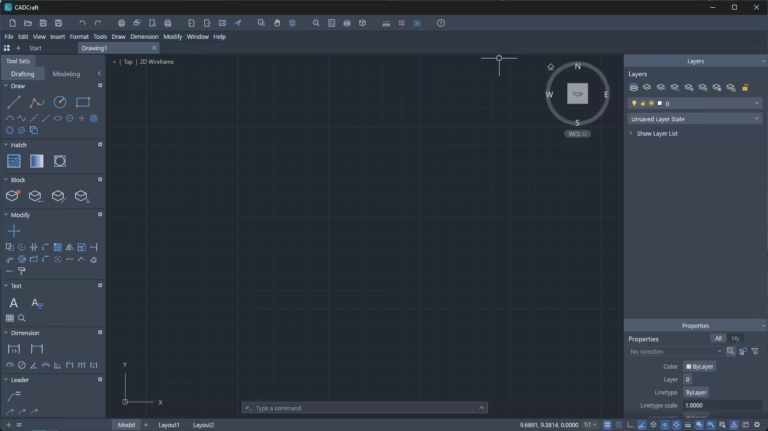
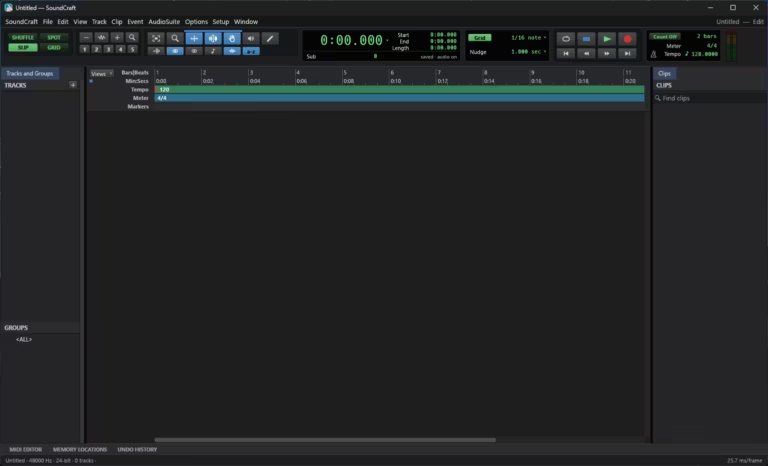
The rest of the suite on our Windows PC, from VectorCraft to SoundCraft.
PhotoCraft: a free Photoshop alternative in early alpha
PhotoCraft is the furthest along of the 13 apps. On our PC it opened to a workspace any Photoshop user will recognise. The features below come from the developer’s own documentation; we haven’t benchmarked them.
- Real PSD files: opens and saves layered PSD and PSB documents. The developer says re-saving keeps the same render for 307 of 309 files in a public PSD test set. That’s a render match, not an identical file: the README notes that re-saved files are rewritten.
- Familiar tools: layers, masks, 16 adjustment layers, layer styles, smart objects with smart filters, editable type, vector shapes and a pressure-sensitive brush engine.
- Filters with live preview: blurs, sharpening, distortions, Liquify and more, previewed on the canvas inside your selection.
- On-device selection: Select Subject and Object Selection run on your PC, with no cloud upload and no account.
- Serious colour support: 8-, 16- and 32-bit editing in RGB, CMYK, Lab and Grayscale, with ICC colour management and soft proofing.
- Native and GPU-accelerated: the canvas runs on DirectX 12, Vulkan, Metal or WebGPU. It isn’t an Electron wrapper.
- New in v0.9.0: loads and saves Photoshop Actions (.atn) files. PhotoCraft can also open Affinity, Krita and Paint.NET documents.
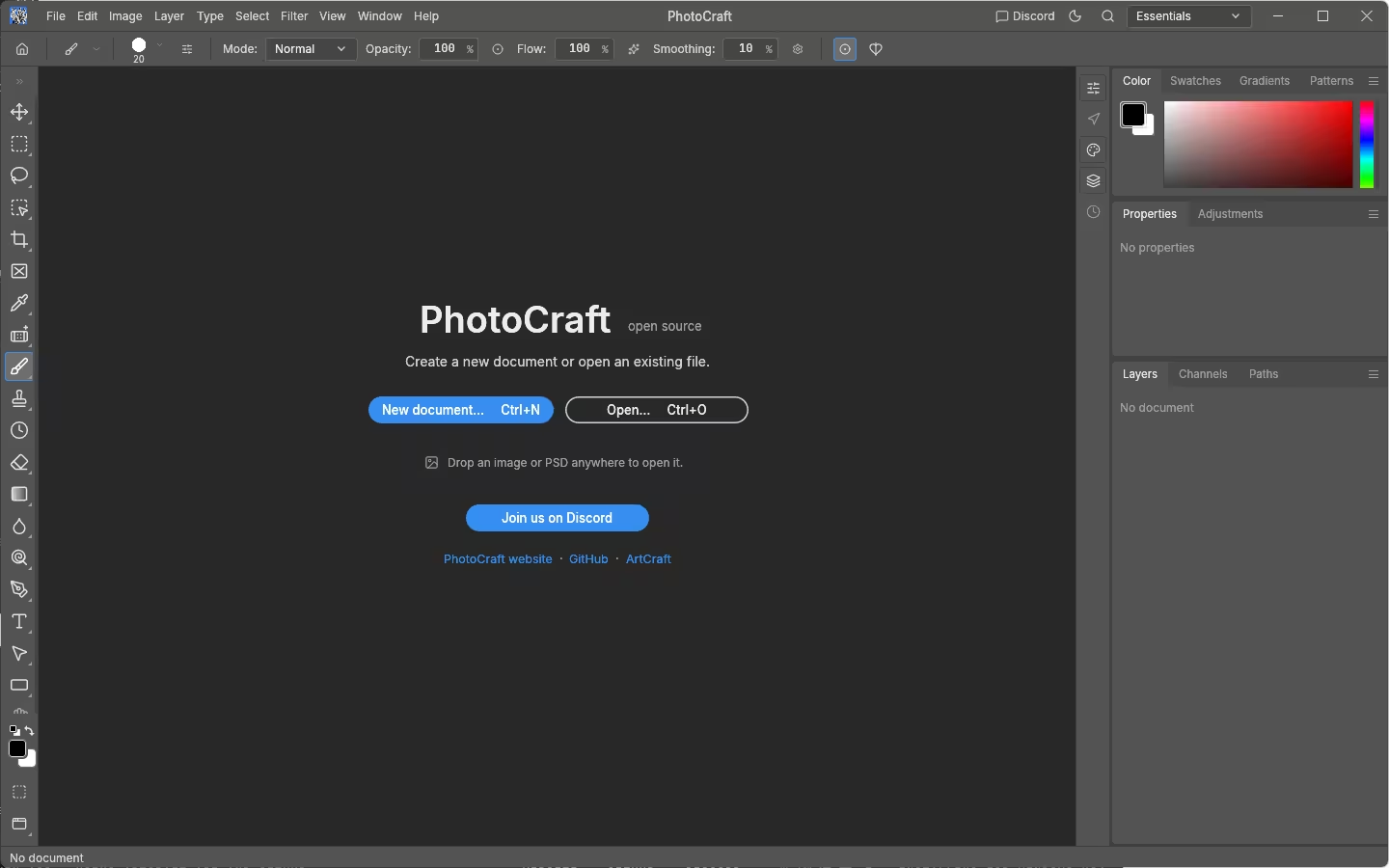
⚠️ In the developers’ own words: PhotoCraft is not yet a Photoshop replacement for daily professional work. The gaps they list include AI and generative features, some missing tools, typography depth, pro workflows and Photoshop plug-in compatibility.
PdfCraft: a free Acrobat-style PDF workbench
PdfCraft is one of the three early-alpha apps, and for many readers it may be the most immediately useful. Its tool list covers the everyday jobs people pay Acrobat for: filling and signing forms, combining files, reorganising pages, OCR on scans, password protection, redaction and compression. The welcome screen also states that PdfCraft works offline, with no telemetry, no account and no cloud processing unless you add a provider.
WordCraft: a free Microsoft Word alternative
WordCraft is still labelled “in development”. Our Launcher offered version 0.7.0, while WordCraft’s web page was still linking version 0.5.0 when we checked, which is one more reason to install through the Launcher. On our PC it opened a sample document under a ribbon that closely follows Word’s, down to References, Mailings and a Zotero citation tab. Here’s what the official page says it can do:
- Opens and saves .docx natively. It also imports and exports .odt, .rtf, .html, .md and .txt, and exports PDFs with selectable text.
- A familiar ribbon, a live Styles gallery, tables, lists and mail merge.
- Track changes, margin comments, document comparison, and spelling and grammar checks that work offline.
- Tables of contents, footnotes, indexes, captions, and citations in APA, MLA, Chicago and IEEE styles.
Its sister apps GridCraft (spreadsheets) and DeckCraft (presentations) also opened fine on our PC, with Excel- and PowerPoint-style layouts, but both are in development, so the Office side of ArtCraft is less mature than the Adobe-style apps.
Built for automation
Every Crafting App can be driven from a command-line tool, a JSON control channel or an MCP server, so scripts and AI agents can operate them. The developers say PhotoCraft exposes more than 500 commands this way, and WordCraft 389.
How to download and install ArtCraft on Windows 11
Windows builds come as MSI installers for 64-bit (x64), ARM64 and 32-bit (x86) PCs, plus portable ZIPs that need no installation. ArtCraft doesn’t publish minimum hardware requirements. Here’s exactly what happened on our PC.
- Open the official getartcraft.com/apps page and click Download Launcher. The button is labelled “For Windows · Installer (64-bit)”. Snapdragon and other ARM laptops can get ARM64 builds of each app from its page on getartcraft.com.
- Run the setup file. On 16 October 2026 the site gave us ArtCraft Launcher 0.3.2. The installer says it installs for your account only, so you don’t need administrator rights.
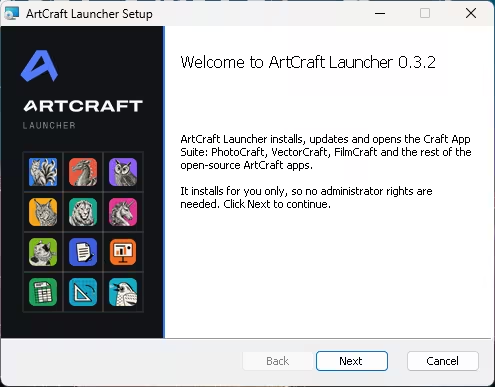
ArtCraft says its Windows installers are code-signed, and the Launcher’s v0.3.2 release note says Windows builds are signed again. If Windows SmartScreen or your antivirus still warns you, don’t click past it. Check that the file came from getartcraft.com or github.com/storytold. App release pages also include a SHA256SUMS.txt file for checking downloads.
- Open the Launcher. Ours immediately offered Launcher 0.4.1. Click Update and restart. Version 0.4.1 (released 13 October) adds FigCraft: before the update our Launcher listed 12 apps, and afterwards it listed all 13.
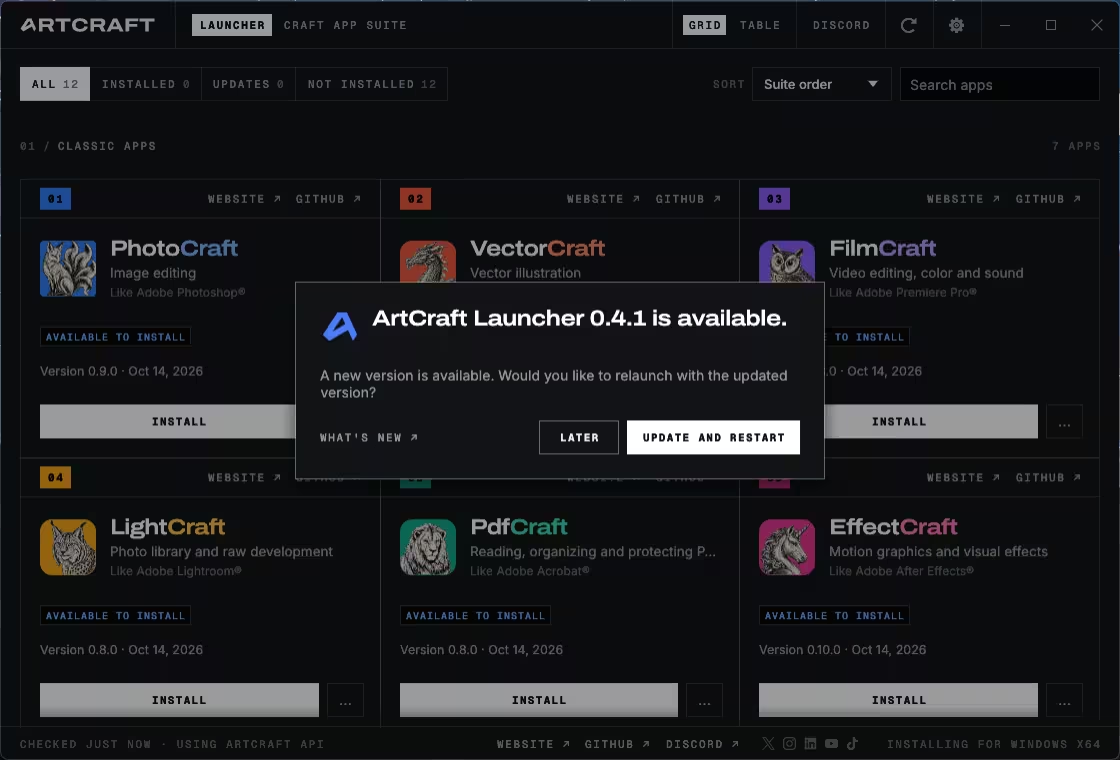
- Click Install next to the apps you want. The Launcher detects your system (ours showed “Installing for Windows x64”), shows each app’s version, and has filters for installed apps and updates.
- Prefer a single app? Each app’s page on getartcraft.com has its own standalone installer and portable ZIP.
Several unofficial “ArtCraft download” pages have already appeared. Stick to getartcraft.com and github.com/storytold.
ArtCraft AI studio: the paid part, in your browser
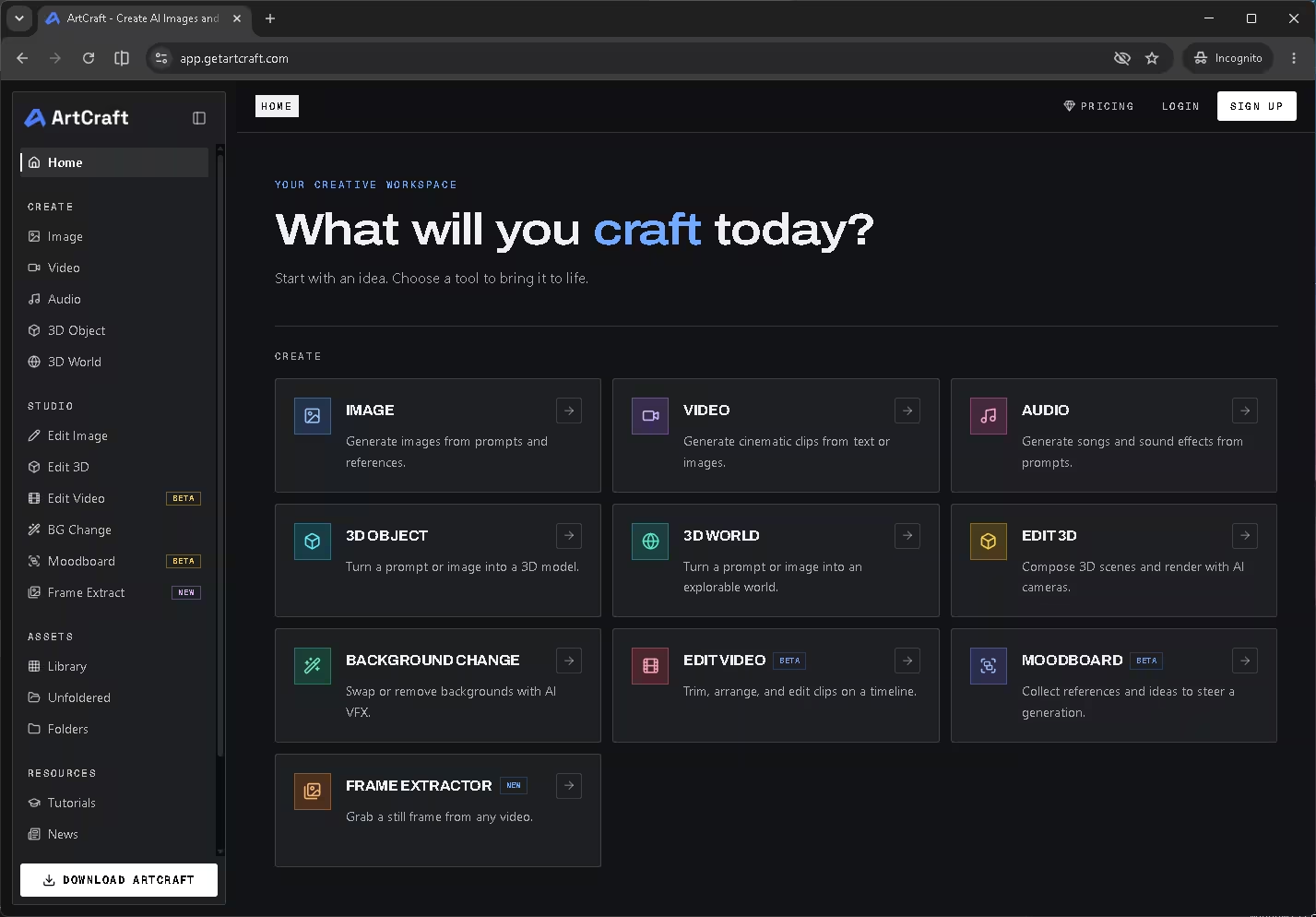
Don’t confuse the Crafting Apps with app.getartcraft.com. That’s ArtCraft’s separate AI studio, and it’s how the project makes money. In the browser it offers AI tools to generate images, video and audio, turn a prompt or image into a 3D object or explorable 3D world, swap backgrounds, and edit video clips (in beta). It needs an account, and generation uses credits from plans that start at $8 a month. The desktop Crafting Apps don’t require any of this.
Is ArtCraft safe and legal?
Safety: the code is public, the Windows installers are signed, the Launcher installs without admin rights, and the apps work on local files. But this is alpha software. Work on copies of important files, and don’t use it for client work you can’t afford to redo.
The legal questions are about the project, not about you. We aren’t aware of any legal action against ArtCraft or its users. Here’s where things stand:
- Clean-room claim: the project says the apps were built from public specifications and observed behaviour, with no Adobe code, shaders or assets. CineD points out that this claim hasn’t been independently verified.
- Look and feel: PetaPixel and HotHardware note that Adobe holds thousands of patents, and copying an interface closely can raise patent or trade-dress questions. Having used all 13 apps, we can confirm the resemblance is close.
- Adobe’s position: as of mid-October 2026, Adobe had not commented publicly, CineD reports. Each project says it isn’t affiliated with or endorsed by Adobe.
This is a summary of public reporting, not legal advice.
ArtCraft limitations: what you should know
- Every app is either early alpha or still in development.
- Early users have reported glitches and trouble with basic features, according to Vice and other early coverage.
- The website currently hands out an older Launcher (0.3.2) that has to update itself before it lists every app.
- Thomas first promised full feature parity with Adobe within a month, then walked that back to a matter of months.
- There are no published minimum system requirements.
- AI image, video and audio generation is a separate paid service.
Pros and cons
| 👍 Pros | 👎 Cons |
|---|---|
| Free core apps, no subscription | Early alpha or in development; expect bugs |
| All 13 apps installed and opened in our test | Unresolved legal questions around the interface |
| No admin rights needed to install | No Photoshop plug-in compatibility yet |
| Opens PSD and DOCX files natively | Office-style apps lag behind the Adobe-style ones |
| Native and GPU-accelerated, not Electron | Website still links an older Launcher |
| Familiar layouts, so little to relearn | AI generation costs extra |
ArtCraft vs GIMP, Krita and LibreOffice
ArtCraft’s big advantage is familiarity: it looks and behaves like the tools you already know, and it opens their files. The established free tools win on stability. For work you need to rely on today, GIMP or Krita for images, darktable for RAW photos and LibreOffice for documents are still the safer picks. We compare them in our roundup of 11 free open-source apps that replace paid software and our list of the 35 best free PC programs.
Need a PDF tool that’s more finished than PdfCraft? See our guide to the best free PDF editors for Windows with no watermarks.
Verdict: should you try ArtCraft?
📊 OUR VERDICT
Yes, as a test drive. Installing all 13 apps took a few clicks and no admin rights, and every app opened looking uncannily like the software it copies. ArtCraft is the most ambitious free alternative to Photoshop and Office we’ve seen in years.
Start with PhotoCraft or PdfCraft, work on copies of your files, and keep GIMP, Krita or LibreOffice for anything that matters. ArtCraft is changing fast, so it’s worth checking back as the apps head towards beta.
Frequently asked questions
Is ArtCraft really free?
Yes. The 13 Crafting Apps are free and open source under the MIT or Apache 2.0 licence, with no subscription. Only the separate ArtCraft AI studio for image, video and audio generation sells paid plans, starting at $8 a month.
Do I need administrator rights to install ArtCraft?
No. In our test, the ArtCraft Launcher installer said it installs for the current user only, so no administrator rights were needed.
Can PhotoCraft open Photoshop PSD files?
Yes. PhotoCraft opens and saves layered PSD and PSB files. The developer says re-saved files keep the same render for 307 of 309 files in a public test set, but complex documents may still show differences.
Can WordCraft open Microsoft Word documents?
Yes. WordCraft opens and saves .docx files natively and can export PDFs. It’s still in development, though, so check complex documents carefully.
Does ArtCraft work on Windows 11?
Yes. We installed and opened all 13 apps on a 64-bit Windows PC through the ArtCraft Launcher. Code-signed installers are also available for ARM64 and 32-bit Windows, plus portable ZIP versions.
Who made ArtCraft?
Developer Brandon Thomas, founder of ArtCraft and previously CEO of Storyteller.ai. He says he wrote the apps in Rust using Anthropic’s Claude Opus 5.5 AI model.
Is ArtCraft better than GIMP or LibreOffice?
Not yet. ArtCraft looks more like Adobe and Microsoft software, but it’s alpha-stage. GIMP, Krita and LibreOffice are far more stable for everyday work.
Is it safe to download ArtCraft?
Download it only from getartcraft.com or github.com/storytold. The Windows installers are code-signed. If Windows still shows a security warning, check the file’s source and checksum rather than bypassing the warning.
Sources: Techno360 hands-on test on Windows, 16 October 2026 · ArtCraft Crafting Apps · PhotoCraft on GitHub · ArtCraft Launcher releases · WordCraft · ArtCraft pricing · PetaPixel · HotHardware · CineD.