


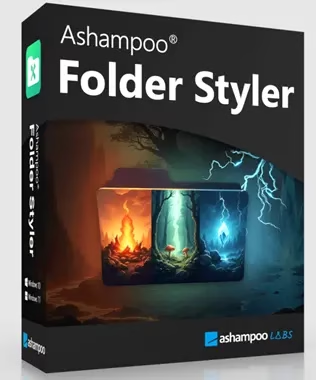
Are you finding the standard yellow Windows folder icons a bit uninspiring? It’s time to revamp your desktop into a vibrant, organized workspace with Ashampoo Folder Styler! And the best part? You can still grab the full version for free right now — verified working as of September 2026.
🎁 Still Live: Ashampoo Folder Styler’s full version is normally $20. Using the verified coupon link below, it’s $0 — no catch, just a limited-time Ashampoo promotion.
⚡ 30-Second Summary
- What it does: Replaces plain Windows folder icons with 130+ custom styles, colors, and overlays
- Normal price: $20 (lifetime license)
- Giveaway price: $0 via coupon link — confirmed active September 2026
- Works on: Windows 10 and Windows 11
- Time to claim: Under 3 minutes with a free Ashampoo account
✨ What Is Ashampoo Folder Styler?
Ashampoo Folder Styler is an easy-to-use tool that lets you change the style and look of Windows folder icons. It improves your Windows experience. Folders can be easily turned into eye-catching icons with its user-friendly UI.


This Ashampoo tool is built for anyone who wants a folder system that’s easier to scan at a glance — color-code project folders, mark priority files, or just make your desktop look less generic.

Key Features
| Feature | What It Does |
|---|---|
| 130+ Icon Library | Ready-made folder icon sets to apply in one click |
| Intuitive Editor | Personalize folders with custom overlays and colours |
| Drag-and-Drop | Apply any design to a folder instantly |
| Batch & Subfolder Support | Save time styling multiple folders at once |
| One-Click Reset | Revert any folder back to its default Windows icon |
- Personalize your folders by changing their colours and icons.
- Simplify your workflow by attractively organising your files.
- Backed by Ashampoo’s 25 years of experience in the software industry.
- Over 22 million users worldwide, with 500,000+ monthly downloads.


✅ Is the Giveaway Still Legit?
Yes. We re-checked the coupon link directly on Ashampoo’s own site in September 2026: the page still shows the $20 license struck through with a $0 / 100% off price using the coupon code below. This is Ashampoo’s standard promotional model — a temporary coupon-unlocked giveaway rather than a permanently free app, so it’s worth claiming before the offer rotates out.
🆓 How to Get the Full Version Free — Step by Step
- Visit the giveaway page: https://www.ashampoo.com/en-us/folder-styler — confirm the price shows $0 before continuing.
- Click the “Get”/”Download” button to download the installer.
- Run the installer and follow the on-screen instructions to complete installation.
- Once installed, open the Ashampoo app and either log in with your existing Ashampoo account or create a new one (free, no payment details needed).
- After logging in, install Folder Styler (found under the “Collection” tab) and unlock the full version — your license activates automatically.
Frequently Asked Questions
Is the Ashampoo Folder Styler giveaway still active?
Yes — as of September 2026 the coupon link above still unlocks the full $20 version for $0. Ashampoo giveaways can close without notice, so grab it while the price shows $0.
Is Ashampoo Folder Styler safe to download?
Yes. It’s distributed directly from Ashampoo’s own site, and the installer is also mirrored by third-party download portals like ComputerBILD, which scan files before hosting them.
Do I need an Ashampoo account to claim the free version?
Yes. You need a free Ashampoo account to redeem the coupon and activate the license inside the Ashampoo app.
Does Ashampoo Folder Styler work on Windows 11?
Yes, it runs on Windows 10 and Windows 11 and applies custom icons and colors to standard Windows folders.
Can I revert my folders back to the default yellow icons?
Yes, Folder Styler lets you reset any folder back to its original Windows icon with one click from the same interface.
🏁 Final Verdict
Start customizing your Windows PC with Ashampoo Folder Styler’s full version — still available for free right now — and add personality, color, and clarity to your file system. Whether you’re managing professional projects, personal memories, or creative assets, this is a low-effort way to make your desktop genuinely easier to navigate. Grab it while the $0 coupon is still live.


