


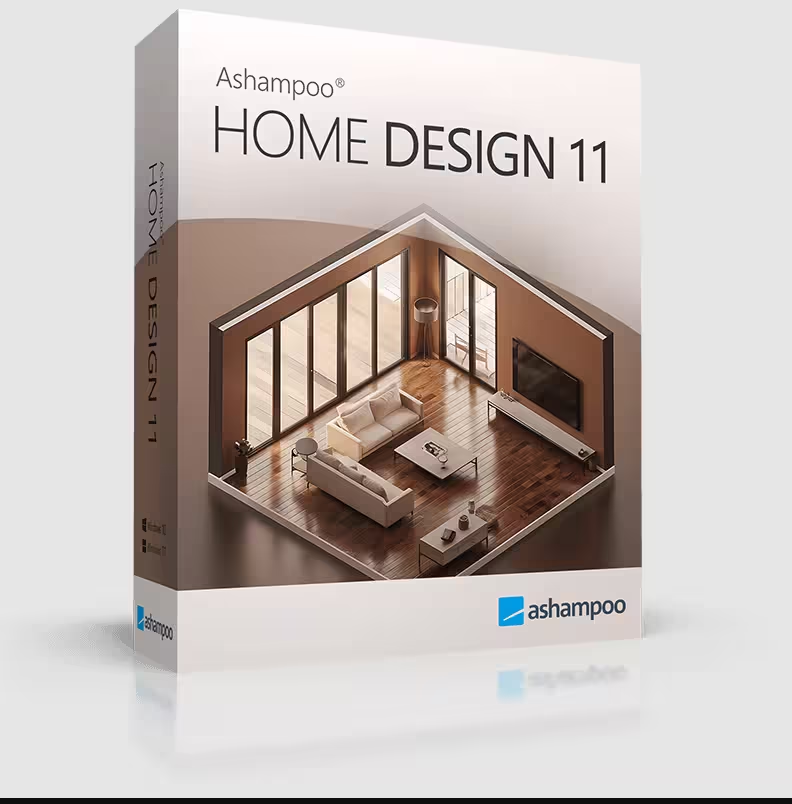
If you’ve ever sketched your dream living room on a napkin or argued with your spouse about where the sofa really fits, Ashampoo Home Design 11 is about to make your life a whole lot easier — and right now, you can grab the full version completely free.
Ashampoo just launched a limited-time giveaway for the brand-new Home Design 11 (normally $70, currently discounted to $28 on their store). Unlike last year’s Home Design 10 offer — which was a 1-year license — this 2026 promotion ships with a proper 1-computer lifetime license, free updates within v11, and free tech support. That’s a serious upgrade. Below is the exact step-by-step to claim your key, plus a hands-on review of what’s new in version 11.

Design, remodel and furnish your entire home in stunning 3D. Lifetime license, free v11 updates, and free tech support — yours at zero cost while the giveaway lasts.
🖥️ 1 PC · Lifetime
⚙️ Windows 10/11
- ✓Product: Ashampoo Home Design 11 v11.0.0 — full retail edition
- ✓Regular price: $70 USD (currently $28 on Ashampoo’s store)
- ✓Your cost: $0.00 — just your email address
- ✓License type: 1-computer lifetime license (not a trial, not yearly)
- ✓Includes: Free v11 updates + free technical support
- ✓Download size: 1.7 GB · Platform: Windows 10/11 (64-bit)
- ✓Best for: Home renovators, interior planners, DIYers, hobbyist architects
What is Ashampoo Home Design 11?
Ashampoo Home Design 11 is a Windows-based 3D home planning and CAD application developed by Ashampoo GmbH & Co. KG — a 25+ year veteran German software house with over 22 million users worldwide. It’s built for homeowners, interior designers, real-estate enthusiasts, and DIY renovators who want to plan, remodel or virtually furnish a home before lifting a hammer.
You start with a blank 2D floor plan or a guided Building Wizard, drop in walls, doors, windows, roofs and stairs, then watch your design come alive in a fully navigable 3D view — complete with realistic lighting, shadows, textures and a virtual walkthrough mode.

What’s New in Ashampoo Home Design 11 (vs. Home Design 10)
If you already grabbed last year’s Home Design 10 giveaway, version 11 is a genuine upgrade — not just a version bump. Here’s what’s changed:
- Millions of new 3D objects: v11 now imports SketchUp and Collada (.dae) models natively. That instantly unlocks every free model on the 3D Warehouse — generic and brand-specific.
- Smarter photovoltaic planner: Roof-mounted solar systems are now configured with auto-detection — point at a roof side and the software calculates module layout, tilt and orientation automatically.
- Improved ribbon UI: The toolbar groups (File · Building · 2D & Layout · 3D Functions · Construction · Terrain · Edit · View · Help · My Ashampoo) are reorganised for fewer clicks.
- Faster 3D rendering: Light and shadow simulation now runs noticeably smoother on mid-range GPUs (tested on a GTX 1650 Ti — fluid 1080p walkthroughs).
- Expanded object catalog: Six categories — 2D, Exterior, Building Components, Interior, People, Misc — each with significantly more items than v10.
- Lifetime license (vs. v10’s 1-year): The biggest win for giveaway hunters.
Key Features at a Glance

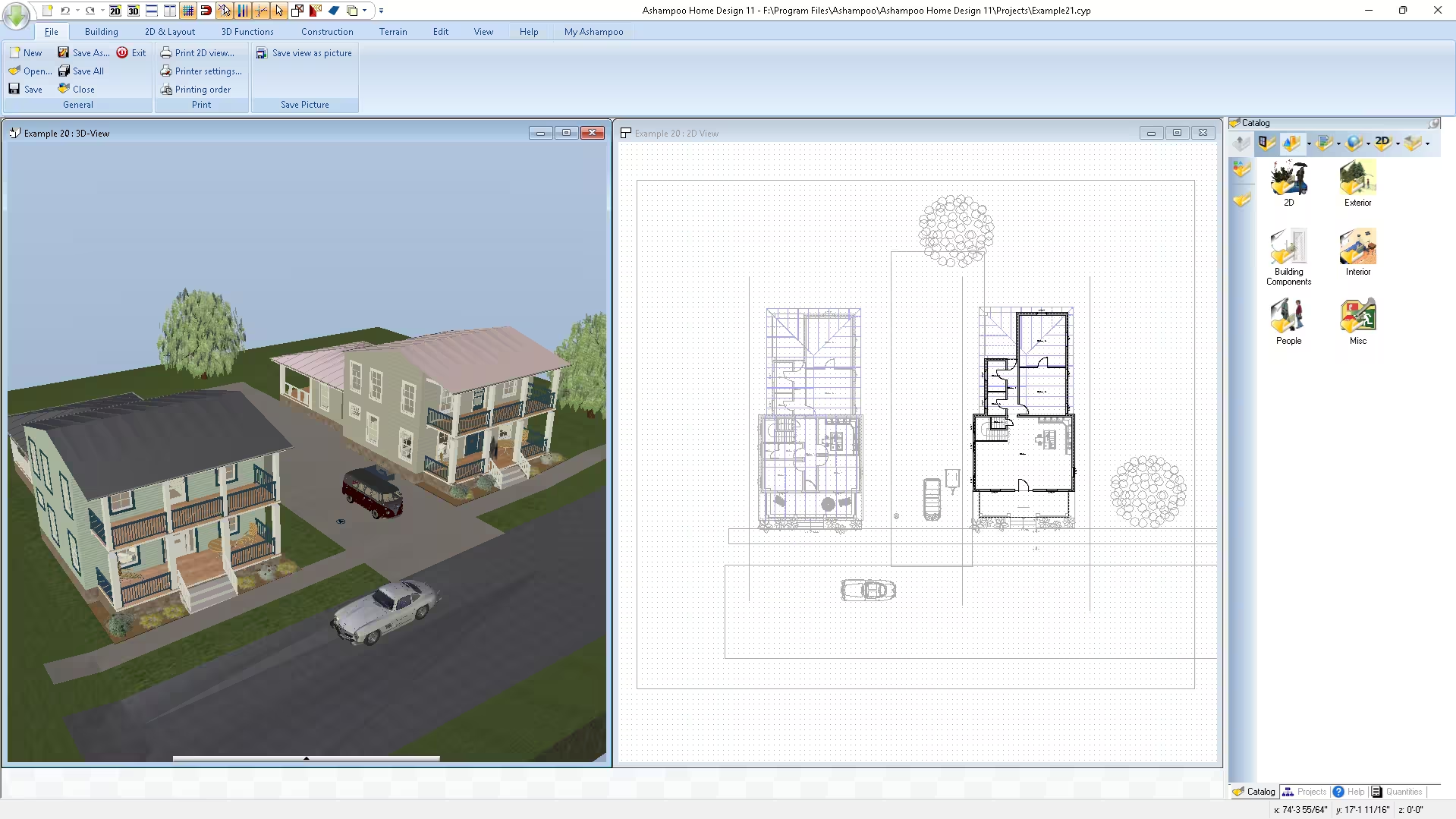
1. Full 2D + 3D Design Workflow
Switch instantly between an accurate 2D floor plan view and a photorealistic 3D walkthrough. Draw walls with polygon and line tools, then jump into 3D to inspect angles, light and clearances.
2. Drag-and-Drop Object Catalog
The side panel houses ready-made furniture, fixtures, exterior props, plants, vehicles and even people — drag any item into your scene and it scales correctly to your floor plan. Combined with v11’s SketchUp/Collada import, you effectively have an endless library.
3. Photovoltaic & Solar Planning
Plan a roof-mounted PV system in minutes — pick modules from the catalog, point at a roof side, and the program computes layout, tilt, orientation and module count for you. Brilliant for anyone considering solar.
4. Virtual Walkthroughs with Realistic Lighting
Move freely through your future home in 3D, with day/night light simulation and surface materials that respond to it. It’s the closest thing to a real walkthrough before construction.
5. Auto Calculations (No Math Required)
Angles, lengths, areas, volumes — the software does the geometry while you focus on aesthetics. Surface areas auto-update as you reshape walls, which is invaluable when estimating paint, flooring or tiles.
6. Multi-Floor & Multi-Building Projects
Design multi-story homes, duplexes, or even small neighbourhoods. Each floor is editable independently and the 3D view stitches them seamlessly.
7. High-Quality Export & Print
Save 2D views as images, export 3D scenes, or send plans to print — perfect for sharing with contractors, architects, or family before signing off on a remodel.
How to Get Ashampoo Home Design 11 Free Lifetime License — Step by Step
The whole process takes about 5 minutes. Make sure you complete activation while the giveaway is live — Ashampoo doesn’t publish an exact end date.

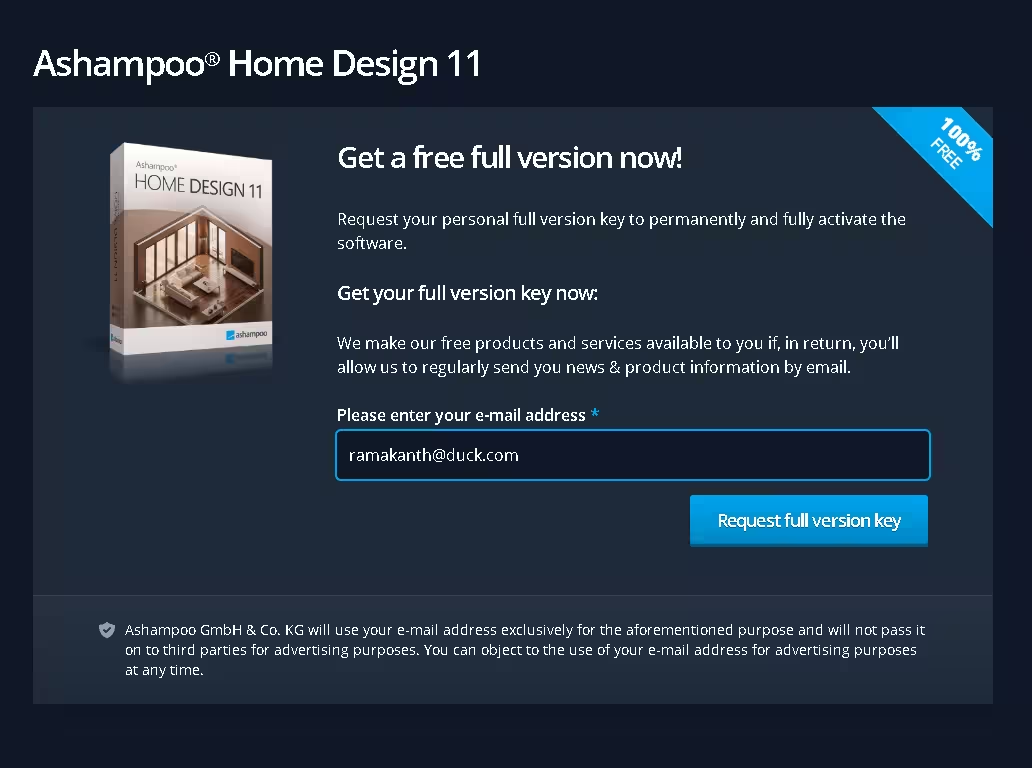
- 1Visit the official giveaway page — Open the Ashampoo Home Design 11 giveaway page on the official Ashampoo website.
- 2Enter your email address — Type a valid email and click the “Request full version key” button. (Use a real address — Ashampoo will email a confirmation link.)
- 3Confirm your email — Open the verification email from Ashampoo and click the confirmation link. First-time users will also be prompted to register a free myAshampoo account.
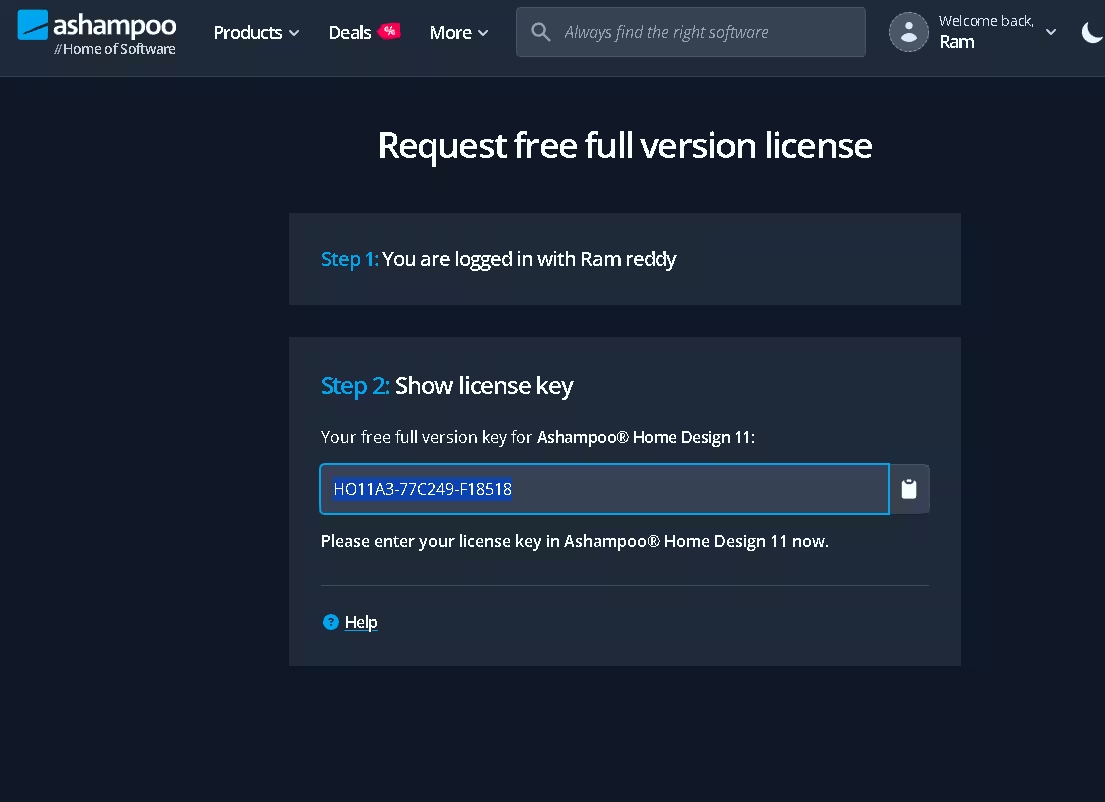
- 4Log in and copy your license key — Sign in to your Ashampoo account; the giveaway page will now show “Step 2: Show license key” with your unique full-version key. Copy it.
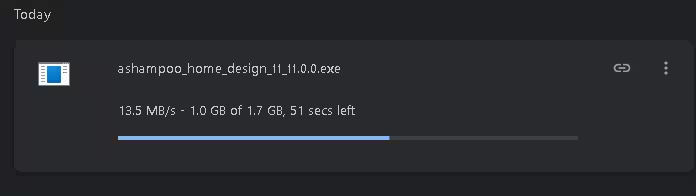
- 5Download the installer — Download the installer from Ashampoo.com or grab the offline installer (1.7 GB) directly from Ashampoo’s CDN: ashampoo_home_design_11_11.0.0.exe
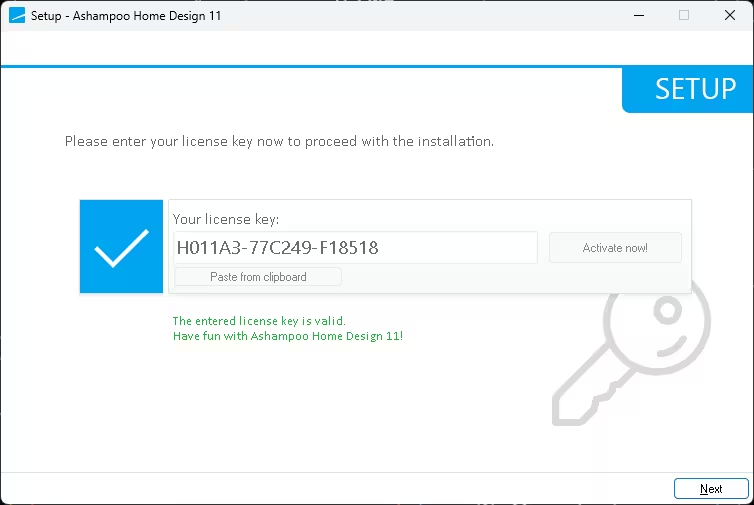
- 6Install and activate — Run the installer. When the setup screen asks for a key, paste your license code and click “Activate now!”. You’ll see “The entered license key is valid. Have fun with Ashampoo Home Design 11!”
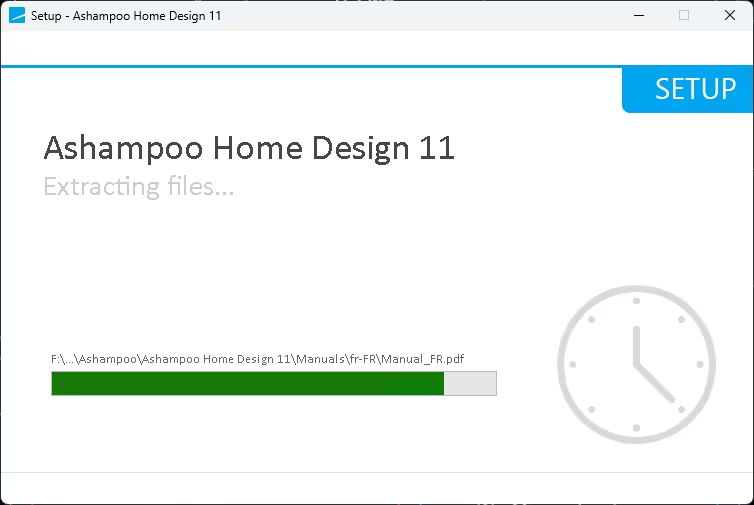
- 7Click Next and finish setup — The installer extracts the program (about 60 seconds on an SSD) and you’re ready to design.



License Terms & Conditions
| License scope | 1-computer lifetime license |
|---|---|
| Updates | Free updates within the same major version (v11) |
| Technical support | Included, free of charge |
| Activation requirement | Must be activated before the giveaway offer ends |
| Commercial use | Personal / non-commercial use recommended for the giveaway key |
System Requirements & Technical Details
| Developer | Ashampoo GmbH & Co. KG (Germany) |
|---|---|
| Version | 11.0.0 |
| Operating System | Windows 10 / Windows 11 (64-bit only) |
| Processor | Intel or AMD, 2 GHz dual-core or faster |
| RAM | 4 GB minimum · 8 GB recommended for smooth 3D rendering |
| Graphics | OpenGL 3.3-compatible GPU (dedicated GPU recommended) |
| Storage | 2 GB free disk space (1.7 GB installer) |
| Internet | Required for activation & v11 updates |
| Languages | English, German, French, Italian, Spanish, Dutch, and more |
Ashampoo Home Design 11 vs. Popular Alternatives
- vs. SketchUp Free: Home Design 11 is built specifically for residential planning — no learning curve, instant photorealistic 3D. SketchUp Free is more general-purpose and lives in the browser.
- vs. Sweet Home 3D (Free, open-source): Sweet Home 3D is free but limited in 3D realism, object variety and roof tools. Home Design 11 is a complete CAD package.
- vs. RoomSketcher: RoomSketcher is browser-based with paid tiers; Home Design 11 is a desktop app that works offline and includes solar planning out of the box.
- vs. Live Home 3D / Planner 5D: Home Design 11 ships with more accurate calculations (areas, volumes, angles) and dedicated photovoltaic planning — strong for serious DIY renovators.
- vs. Ashampoo Home Design Pro 11: The Pro edition adds advanced CAD precision tools, professional terrain modelling and commercial-use rights. For most homeowners, the giveaway edition is more than enough.
Who Should Use Ashampoo Home Design 11?
- Homeowners planning a renovation — visualise before you demolish.
- First-time home buyers — check if your furniture actually fits the new floor plan.
- Interior design hobbyists — experiment with layouts, materials and colours risk-free.
- Real-estate agents — produce simple 3D walkthroughs for listings.
- DIY solar enthusiasts — plan a roof-top PV array before talking to installers.
- Students of architecture or interior design — affordable hands-on CAD practice.
Ashampoo Home Design 11 is one of the most generous Ashampoo giveaways of 2026. You’re getting a $70 professional 3D home-planning application for free, with a lifetime license, free v11 updates, and free tech support — terms that are unusually customer-friendly for a giveaway. The new SketchUp/Collada import alone makes it worth installing, and the photovoltaic planner is a feature most paid competitors charge extra for.
If you’ve ever wanted to mock up a remodel, plan a new build, or just see if that L-shaped couch will actually fit, claim this key today. It costs you nothing and could save you thousands in renovation mistakes.
👍 Pros
- Lifetime license (not a trial)
- Realistic 3D walkthroughs
- Huge object catalog + SketchUp import
- Smart photovoltaic planner
- Beginner-friendly with wizards
- Free updates + tech support
👎 Cons
- Windows-only (no Mac/Linux)
- 1.7 GB download — slow connections
- Email confirmation required
- UI looks slightly dated vs. SaaS rivals
Frequently Asked Questions (FAQ)
Is Ashampoo Home Design 11 really free?
Yes. Through the official Ashampoo giveaway, you can claim a free full-version lifetime license for Ashampoo Home Design 11 (regularly $70). The license is valid for one PC, includes free updates within v11, and comes with free technical support.
Does the free license expire after one year like Home Design 10?
No. Unlike last year’s v10 promotion, the Ashampoo Home Design 11 giveaway is a 1-computer lifetime license. You can use it indefinitely on the activated PC as long as you claim it before the giveaway period ends.
What’s new in Ashampoo Home Design 11 compared to v10?
Version 11 adds native SketchUp and Collada (.dae) import (millions of new 3D models), a smarter photovoltaic planner with automatic roof detection, faster 3D rendering, a refined ribbon UI and an expanded object catalog spanning 2D, exterior, building components, interior, people and miscellaneous categories.
Is Ashampoo Home Design 11 available for Mac or Linux?
No — it’s a Windows-only application requiring 64-bit Windows 10 or Windows 11. Mac and Linux users would need to run it inside a Windows VM (Parallels, VMware Fusion, etc.).
Do I need CAD or design experience to use it?
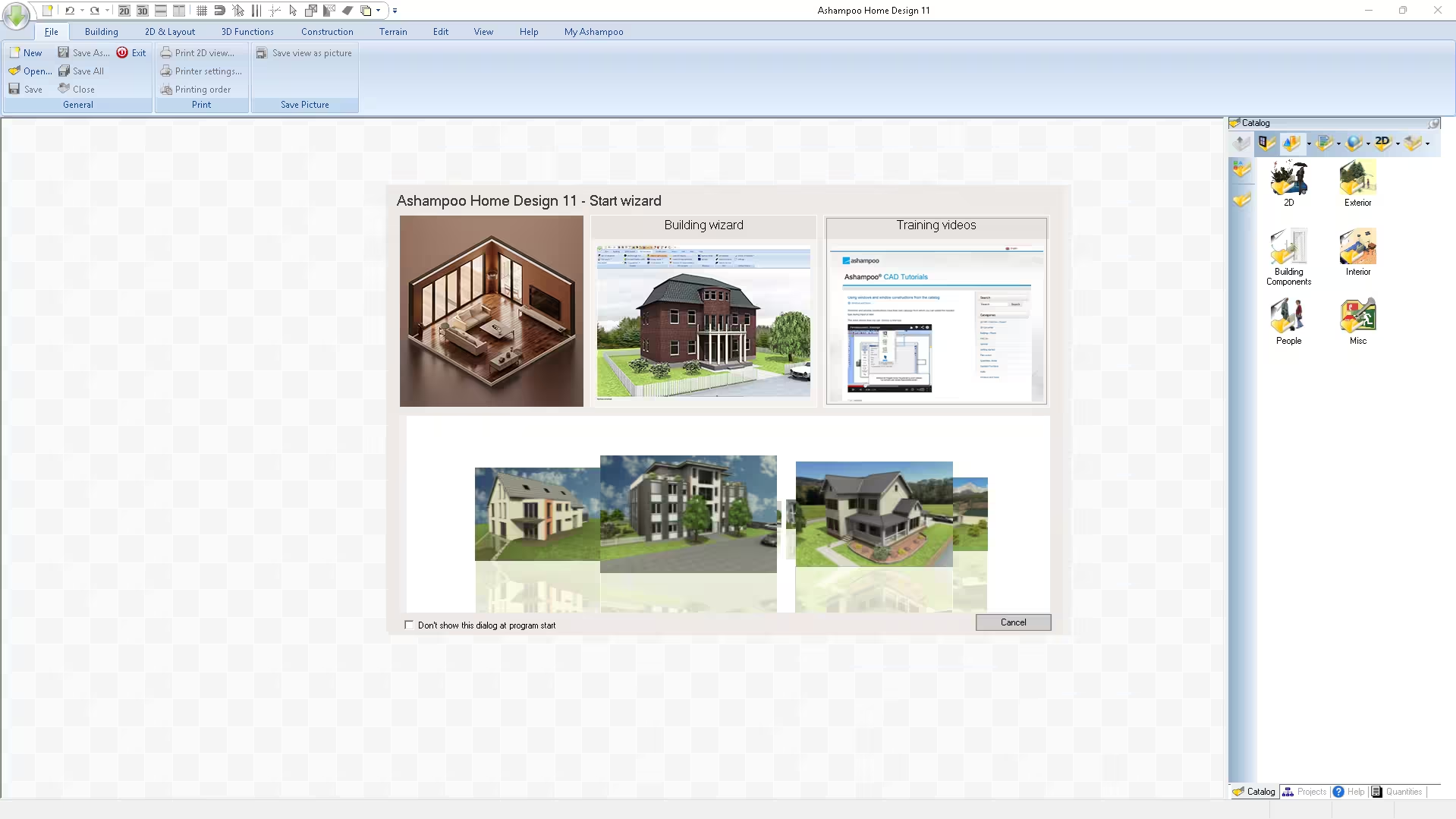
Not at all. The built-in Start Wizard offers three paths — empty floor plan, Building Wizard, or video tutorials. Drag-and-drop catalogs and auto-calculations let absolute beginners design a complete home in under an hour.
Can I use Ashampoo Home Design 11 for commercial projects?
The giveaway license is intended for personal, non-commercial use. Freelancers and professionals should purchase a regular license, or upgrade to Ashampoo Home Design Pro 11 for advanced CAD tools and commercial rights.
How long is the Ashampoo Home Design 11 giveaway valid?
The giveaway is time-limited. Ashampoo doesn’t publish an exact end date, but their lifetime-license promotions typically run for two to four weeks. Claim and activate your license today to avoid missing out.
What if I lose my license key later?
Don’t worry — your license is permanently linked to your myAshampoo account. Log in any time at ashampoo.com/login and retrieve the key from your account dashboard.
Conclusion
Ashampoo Home Design 11 is genuinely one of the best free software deals available in May 2026. A polished, full-featured 3D home design suite — normally $70 — yours forever for the price of an email confirmation. Whether you’re planning a renovation, designing a new build, or just nerding out on virtual interior design, this is a no-brainer install.
👉 Claim your free Ashampoo Home Design 11 lifetime license here before the giveaway expires.
For complete product details, screenshots and the full feature list, visit the official Ashampoo Home Design 11 product page.


