


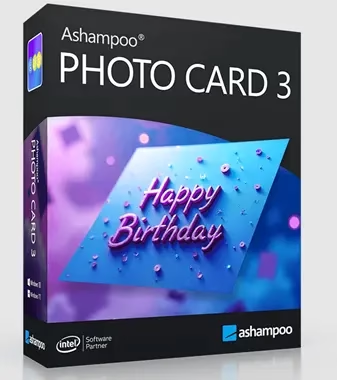
🎁 Ashampoo Photo Card 3 – Free Full License (Limited-Time Giveaway)
Ashampoo Photo Card 3 turns your photos into gorgeous, ready-to-send greeting cards in minutes. It normally costs $19.99, but for a limited time you can grab a full, genuine license for free – courtesy of a promotional giveaway run with ComputerBild. Here’s exactly how to claim yours.
⚡ Quick Read
- What you get: A full, genuine Ashampoo Photo Card 3 license (regular price $19.99)
- How to claim: Register on the ComputerBild giveaway page, then copy your license key from the “Show License” tab in your free Ashampoo account
- Cost: $0 – only a valid email address is required, no credit card
- Works on: Windows 10 / 11 (64-bit); admin rights and a one-time internet connection are needed to activate
- Time limit: Ashampoo/ComputerBild giveaways run for a limited window and can close without notice, so claim your key today
How to Get Ashampoo Photo Card 3 for Free
Follow these steps exactly – the license is issued through ComputerBild’s official promotion page, then activated inside the Ashampoo app.
- Open the giveaway page: Visit the official Ashampoo giveaway registration page and enter your email address, then click “Request full version key.”
- Check your Ashampoo account: Log in (or create a free account if you’re new to Ashampoo) and open the “Show License” section to reveal your license code. Copy it.
- Download the installer: Get the setup file from ComputerBild’s download page, or use the direct download link.
- Activate: Run the installer. When prompted, paste in the license key and click “Activate now!”
- Finish up: Complete the installation and start designing – the full version is now unlocked, no payment required.


About Ashampoo Photo Card 3
Ashampoo Photo Card 3 is a lightweight Windows program built for one job: turning ordinary photos into polished digital greeting cards. Its drag-and-drop interface covers everything from importing a picture (or snapping one on your webcam) to customizing text and sending the finished card – no design skills needed.


Get started by launching the app and choosing your photo source – a webcam snapshot or an image from your drive. Pick a frame from the right-hand panel, then use the circular hotspots to resize and reposition your photo in the live preview. Turn on transform mode to fine-tune the perspective.
Built-in editing sliders let you adjust brightness, contrast, and saturation, plus mirror or flip the image, so every card looks its best before you hit send.

Key Features
- Fast results: Choose a photo or webcam shot, pick a template, edit the text, and send – it’s one of the quickest ways to make a custom card.
- A template for every occasion: Weddings, birthdays, Christmas, and more, backed by a built-in clipart library for near-endless combinations.
- Integrated photo editor: Adjust size, brightness, contrast, and color saturation, mirror or flip images, and correct perspective – all without leaving the app. One-click optimization handles quick fixes.
- Flexible sharing: Email your card, share it directly, or print a traditional paper card to hand-deliver the surprise.
- Webcam support plus a variety of themed templates (extra theme packs are available as in-app purchases).
System Requirements
- OS: Windows 11 or Windows 10 (64-bit)
- Permissions: Full administrator rights are required to install and use the program
- Internet: A connection is required once, to activate the license (the program checks in periodically afterward)
✅ Our Verdict
At its regular $19.99 price, Photo Card 3 is already reasonable for how much design work it saves. Free, it’s an easy yes for anyone who sends a lot of birthday, holiday, or thank-you cards and wants a polished result without opening Photoshop. Just remember this is a promotional key tied to your Ashampoo account, not a boxed retail copy – register with an email you actually check.
Frequently Asked Questions
Is this Ashampoo Photo Card 3 giveaway legitimate?
Yes. The key is issued through Ashampoo’s own registration system as part of a promotion run with ComputerBild, and the installer is hosted on ComputerBild’s official download servers.
Is the license a one-time free version or a subscription?
It’s a full, standalone license for Photo Card 3 – not a subscription and not a time-limited trial. Once activated, the software keeps working as the full version.
Do I need to pay anything or enter card details?
No. You only need a valid email address and a free Ashampoo account to receive and activate the license key.
What if the giveaway page shows an error or the key doesn’t work?
Giveaway campaigns like this run for a limited time and can be pulled without notice once the promotional period ends. If the registration page stops issuing keys, the offer has likely expired – check back on Techno360 for the next free software giveaway.
Can I use the license on more than one PC?
Ashampoo licenses are typically tied to your Ashampoo account and validated per activation. Stick to the terms shown on the registration and license pages for your specific key.


