


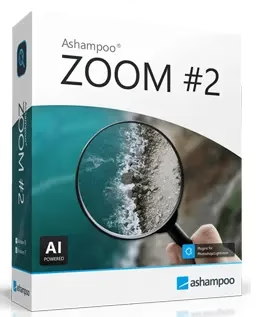
Ashampoo Zoom #2 is an AI-powered Windows program that lets you blow up pictures by up to 20,000% while keeping edges sharp and reducing artifacts. It’s normally priced at $39.99, but a free full-license giveaway is currently live through ComputerBild — a handy option if you often work with screenshots, product photos, or old prints for print, web, or restoration work.


What Is Ashampoo Zoom #2?
Ashampoo Zoom #2 is a Windows program that uses deep-learning algorithms to make photos look bigger and better instead of relying on the usual pixel interpolation. It’s built for photographers, designers, and content creators who need big, clear pictures for high-resolution screens, prints, and marketing materials.
- Uses Deep Learning Zoom Technology SSSP (Super Symmetric Smart Patches) to fix textures and structures in bigger pictures.
- Made for huge enlargements, with claims of up to 20,000% scaling while still trying to get clear, useful results.
- Great for posters, banners, web graphics, fine art prints, and detailed cuts from photos that are already there.


Key Features
- SSSP AI engine: rather than merely stretching pixels, it learns picture structures to produce realistic new detail.
- Flexible quality controls: with five different quality settings and five different gamma anti-aliasing levels, you can select between quick previews and high-quality final products.
- Blur correction: integrating blur correction allows for intelligent reconstruction of contours, ensuring that edges remain sharp even when scaled by enormous factors.
- Artifact reduction: eliminates blockiness while keeping crucial information in noisy or heavily compressed JPEGs.
- RAW support: with RAW capability for more than a thousand cameras, professional workflows can directly import images without having to convert them to JPEG.
- 14 presets/templates: portraits, landscapes, graphics, and other typical image kinds can be optimized for scale automatically.
System Requirements
| Requirement | Minimum |
|---|---|
| Operating system | 64-bit Windows 11 or Windows 10 only |
| Processor | Intel i3 or similar AMD processor |
| Memory | 8 GB RAM |
| Graphics | DirectX-compatible graphics card |
Since AI upscaling requires a lot of processing power, having more RAM and a more powerful CPU or GPU would greatly accelerate batch workloads and extreme enlargements.
How to Get Ashampoo Zoom #2 for Free (Step-by-Step)
[Update – New Giveaway Version]:
Today the ComputerBild webpage is offering the new giveaway version of Ashampoo Zoom #2 for free.
- Visit this ComputerBild webpage: https://www.computerbild.de/download/Ashampoo-Zoom-2
- Click the “Download” button, run the installer and complete the installation process (install the Ashampoo App).
- Launch the Ashampoo app and log in with your Ashampoo account credentials (email & password). New users can create a free Ashampoo account.
- After logging in to your account in the Ashampoo app, click the “Get” button and install Zoom #2 (the software is also found under the “Collection” tab).


[Previous Giveaway]:
Download the giveaway version installer by clicking the JETZT RUNTERLADEN button.
https://www.snapfrog.de/danke-foto?key=a257b21c6252b724b0d3b966febb7ec0
Is the Ashampoo Zoom #2 Giveaway Safe?
Yes. The giveaway is distributed through ComputerBild, a well-known German tech publication, and activation happens through Ashampoo’s own official app rather than a third-party keygen or cracked installer. You’ll need a free Ashampoo account to claim the license, but no credit card is required. Like most software giveaways, the free-license window is time-limited, so it’s worth grabbing while the promotion is live.
Pros and Cons
- Pros: genuinely free full license during the promo, no watermark, RAW file support, strong artifact reduction, and an offline desktop app with no per-image cloud fees.
- Cons: Windows-only with no macOS or Linux version, requires an Ashampoo account, and extreme enlargements (10,000%+) still need a capable CPU/GPU to process quickly.
Best Alternatives to Ashampoo Zoom #2
- Topaz Gigapixel AI — a premium, subscription-based upscaler widely regarded as a quality benchmark, though considerably more expensive than Zoom #2.
- Icecream Photo Enlarger — a free, lightweight Windows tool for simpler upscaling needs without deep AI-driven detail reconstruction.
- Let’s Enhance — a browser-based, subscription upscaler that needs no installation, useful if you’re not on Windows.
- waifu2x — a free, open-source upscaler best suited to illustrations and anime-style art rather than photographs.
Frequently Asked Questions
Is Ashampoo Zoom #2 really free?
For a limited time, yes — it’s being offered as a free full license through ComputerBild’s giveaway program instead of its regular $39.99 price.
Does Ashampoo Zoom #2 work on Mac?
No, it currently supports only 64-bit Windows 10 and Windows 11.
How much can Ashampoo Zoom #2 enlarge a photo?
Ashampoo advertises enlargements of up to 20,000%, though real-world results depend on the original image quality and your hardware.
Do I need an internet connection to use it?
You’ll need one to download, activate, and log in to your Ashampoo account, but the actual upscaling runs locally on your PC.
Final Verdict
Ashampoo Zoom #2 is a solid pick if you regularly need to enlarge photos, screenshots, or scans without losing sharpness, and getting it for free removes the biggest reason to hesitate. Grab the giveaway license while it’s active, and keep Topaz Gigapixel AI in mind as a paid step-up if you ever outgrow it.