


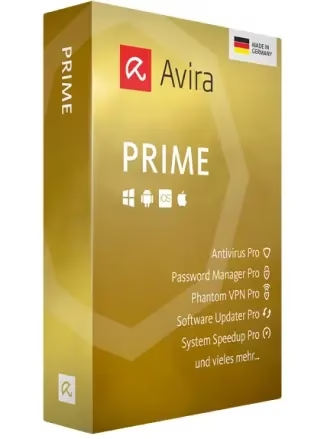
Last updated: 16 August 2026. We re-tested every Avira Prime free license promo link on this page today – the 90-day Avira Prime giveaway is still live and still free.
Looking for an Avira Prime free license in 2026? Cybersecurity is no longer optional – it is essential. Avira Prime, the all-in-one security suite from the veteran German security brand, is still handing out a 90-day free license that unlocks every premium feature: real-time antivirus protection, an unlimited VPN, a password manager, a software updater and a full set of PC tune-up tools.
No credit card is required, nothing auto-renews, and the license simply expires on its own after three months. If you want to stay protected afterwards, Avira Prime is currently discounted by 45% for the first year.
Avira Prime Free License 2026: At a Glance
| Offer | Avira Prime free for 90 days (3 months) |
| What you get | Every Avira premium app – antivirus, unlimited VPN, password manager, system speed-up, software updater, identity scanner |
| Platforms | Windows, macOS, Android, iOS and browser extensions |
| Devices | Up to 25 devices on the top paid plan |
| Credit card required? | No – the license ends automatically |
| Price after the trial | From ₹351/month, or ₹2,031 for the first year (45% off, renews at ₹3,693/year). Pricing varies by country. |
| Money-back guarantee | 60 days on paid plans |
| Status | Working – verified 16 August 2026 |
What is Avira Prime?
In an era of escalating cyber threats, safeguarding your digital footprint is non-negotiable. Avira Prime is Avira’s top-tier bundle: instead of buying antivirus, VPN, a password manager and a PC cleaner separately, one subscription unlocks all of them across every device you own.


Avira Prime is an all-in-one security suite offering:
- Real-time malware, phishing and ransomware protection.
- Unlimited VPN (Avira Phantom VPN Pro) for anonymous browsing.
- Advanced password manager with data-breach alerts.
- System optimization and PC cleaning tools.
- Automatic software and driver updates.
- Priority VIP customer support.
Why Choose Avira Prime in 2026?
Unlike basic antivirus software, Avira Prime covers PC, Mac, Android and iOS under one license, making it a cost-effective choice for multi-device households. Its integrated VPN secures public Wi-Fi, while the performance booster declutters devices for faster operation.
- Comprehensive antivirus & real-time protection – cloud-based scanning detects and blocks malware, ransomware and phishing attempts in real time across Windows, Mac and Android, backed by a firewall, web protection and email protection on Windows.
- Unlimited VPN for privacy – browse anonymously with Avira Phantom VPN Pro, which encrypts your traffic, includes a kill switch and hides your IP address. Ideal for streaming and public Wi-Fi.
- Password manager & dark web monitoring – store credentials securely and get alerted if your email address shows up in a data breach.
- Smart Scan in one click – a single scan checks security, privacy and performance issues (outdated apps, weak passwords, junk files, tracking cookies) and fixes them.
- Cross-platform flexibility – protect up to 25 devices with a single subscription, ideal for families and small businesses.
Avira Prime Free License vs. Paid Plans: What’s the Catch?
There is no catch. The free 90-day trial grants full access to Avira Prime’s features, after which the license expires automatically – no card on file, no hidden fees and nothing to cancel.
For continuous protection afterwards, Avira Prime is currently 45% off the first year. In India the plans work out to roughly ₹351 per month or ₹2,031 for the first year (renewing at ₹3,693/year), with a two-year option at ₹6,868 and a 60-day money-back guarantee. Prices differ by region and currency, so check the checkout page for your country.


How to Claim Your Avira Prime Free License (Step by Step)
- Visit a promo page – open any one of the official Avira campaign pages below (all four were verified working on 16 August 2026):
Link 1 / Link 2 / Link 3 / Link 4 - Submit your email – enter a valid email address and click “Email me Avira Prime” (or “Send Me” on the localized pages).
- Confirm & create your account – you will receive an email from Avira. Click the confirmation link labelled “Accept and Install” and set a password to create your Avira account.
- Download & install – once the account is created, download the pre-activated Avira Prime app for your device:
- Log in at my.avira.com/dashboard/subscriptions
- Select “Devices” → your OS → “Download Prime”
- Install the pre-activated Prime app on Windows, Mac, Android or iOS.
Note: You can install the Avira Phantom VPN module as a standalone application without installing the entire security suite.


What You Get on Each Platform
Windows (6 apps)
- Antivirus Pro
- Phantom VPN Pro
- Identity Scanner Pro
- System Speedup Pro
- Software Updater Pro
- Password Manager Pro
macOS (4 apps)
- Antivirus Pro
- Phantom VPN Pro
- Identity Scanner Pro
- Password Manager Pro
Android (6 apps)
- Antivirus Security
- Phantom VPN Pro
- Identity Scanner Pro
- Optimizer Pro
- AppLock+ Pro
- Password Manager Pro
iOS (3 apps)
- Phantom VPN Pro
- Identity Scanner Pro
- Password Manager Pro
Is the Avira Prime Free License Still Working in 2026?
Yes. We opened each of the four campaign pages listed above on 16 August 2026 and every one of them still loads the “Get all Avira premium features free for 3 months” form. Avira rotates these landing pages from time to time, so if one link stops responding in your country, simply try the next one – the Spanish and Italian pages hand out the same English app after sign-up.
Tips to Get the Most Out of Your 90 Days
- Install Prime on every device in the household – the same account covers Windows, Mac, Android and iOS.
- Run Smart Scan on day one to clear junk files, outdated drivers and weak passwords in a single pass.
- Turn on the VPN kill switch before using airport or cafe Wi-Fi.
- Import your browser-saved passwords into Password Manager Pro and enable breach alerts.
- Set a calendar reminder for day 85 so you can decide whether to upgrade before protection lapses.
Avira Prime Free License: FAQ
Do I need a credit card for the 90-day trial?
No. Avira asks only for an email address. There is no payment method on file and nothing renews automatically when the 90 days are over.
How many devices does the free license cover?
You can sign in to the same Avira account on your PC, Mac, phone and tablet during the trial. Paid plans are sold in 5-device and 25-device tiers.
Can I use it if I already have an Avira account?
The promo is aimed at new sign-ups. If your address has already redeemed a Prime trial, use a different email address or check whether an offer is showing in your Avira dashboard.
What happens when the 90 days end?
Prime features switch off and the apps fall back to Avira Free Security, which still gives you basic antivirus and a limited VPN. You keep your account and your saved passwords.
Is Avira Prime safe and worth it?
Avira consistently scores near the top in independent AV-Test and AV-Comparatives detection results, and Prime bundles the VPN, password manager and tune-up tools that usually cost extra elsewhere. At 45% off the first year it is one of the better value all-in-one suites.
Does Avira Prime work on Windows 11?
Yes. Avira Prime supports current versions of Windows 11 and 10, macOS, Android and iOS.
Final Verdict
Ninety days of a full premium security suite – antivirus, unlimited VPN, password manager and PC tune-up – for nothing more than an email address remains one of the best free software deals around in 2026. There is no card to enter and no subscription to cancel, so there is very little reason not to grab it. Claim the license using any of the links above, and bookmark this page – we re-check the offer regularly and update it whenever Avira changes the campaign.


