
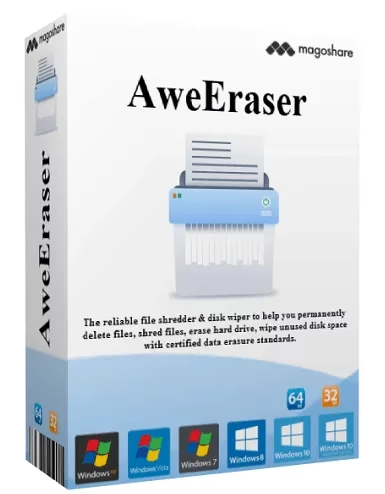
Offer Status: 🟢 ACTIVE — This giveaway expires in 3 days. Grab your free AweEraser 5.3 license (worth $49) before it’s gone.
Platform: Windows 11 / 10 / 8 / 7
Developer: Magoshare
License Type: Full version, personal use (1 year)
Disclaimer: This is an official promotional giveaway provided by Magoshare. We do not host cracked or unauthorized software. The license key provided is for personal, non-commercial use only.
What Is AweEraser — And Do You Actually Need It?
When you delete a file on Windows, it does not actually disappear. The operating system simply marks that space as “available” — the original data stays on the drive until something else overwrites it. Anyone with basic data erasure knowledge or free recovery software can pull those files right back.
That is where AweEraser 5.3 by Magoshare comes in. It is an all-in-one file shredder and disk wiper for Windows that overwrites your deleted data using certified military-grade algorithms — making recovery essentially impossible, even with professional forensic tools.
If you are selling your old laptop, wiping a work PC before returning it to your company, or simply cleaning up sensitive personal files, this tool does the job properly. The built-in Windows “delete” just does not cut it for these situations.
How to Claim Your Free AweEraser 5.3 License (Step-by-Step)
Follow these steps carefully to activate your free 1-year license before the promotion ends.
Share this giveaway on any network. One click unlocks the download links and codes below.
A new tab opens to share this page. Come back here — your content unlocks automatically.
AweEraser 5.3 — Pros and Cons
| ✅ What We Liked | ⚠️ What Could Be Better |
|---|---|
| Supports 5 certified erasure standards (including DoD 7-pass and Peter Gutmann 35-pass) | Trial version limits erasure to 20 files/folders |
| Works with HDDs, SSDs, USB drives, SD cards, and external hard drives | No Mac support on this Windows version |
| Built-in Privacy Cleaner wipes browser history, cookies, and cached data | Interface can feel a bit basic compared to premium competitors |
| Powerful uninstaller removes apps and all leftover files in one shot | No real-time protection or scheduling features |
| Clean, easy-to-navigate dashboard — no technical knowledge required | Disk Tools section is fairly minimal |
How AweEraser 5.3 Actually Works
Data erasure software like AweEraser does not just delete files — it overwrites the storage sectors those files occupied with random data, multiple times if needed. Once overwritten using a standard like DoD 5220.22-M or Peter Gutmann’s 35-pass algorithm, recovery becomes technically impossible for any known software.
AweEraser gives you three main erasure modes to cover different scenarios:
- Erase Files: Select individual files and folders and permanently shred them. No trace, no recovery possible.
- Erase Hard Drive: Wipes an entire HDD or SSD — useful before selling or donating a machine. Works on USB drives and memory cards too.
- Erase Free Space: This is a clever one — it targets only the empty space on your drive (where old deleted files still secretly live) without touching your existing files.

The “Erase Free Space” mode securely wipes previously deleted data from your drive without touching any of your existing files.
A Look at the Interface
AweEraser uses a clean sidebar-style layout. All the main tools — Erase Files, Erase Hard Drive, Erase Free Space, Disk Tools, Internet Cleaner, and Uninstaller — sit in the left panel. You pick a tool, configure your settings in the main area on the right, and hit the button. That is really all there is to it.

The AweEraser main window — clean sidebar navigation makes it easy to pick the right erasure tool without digging through menus.
AweEraser 5.3 vs Free Alternatives
Is it worth using when free tools like Eraser or BleachBit exist? Here is a straightforward comparison:
| Feature | AweEraser 5.3 (Pro) | Eraser (Free/Open Source) | Windows Built-in Format |
|---|---|---|---|
| File Shredding | ✅ One-click, GUI-based | ✅ Manual, context menu | ❌ Not available |
| Erase Free Space | ✅ Yes | ✅ Yes | ❌ No |
| Full Disk Wipe | ✅ Yes (HDD + SSD) | ⚠️ Limited | ✅ Basic (1-pass) |
| Privacy/Browser Cleaner | ✅ Yes (multi-browser) | ❌ No | ❌ No |
| Erasure Standards | DoD, Peter Gutmann 35-pass, AR380-19 | DoD, Gutmann | Single overwrite only |
| Ease of Use | Beginner-friendly GUI | Requires some setup | Very basic |
| Uninstaller Tool | ✅ Yes (batch uninstall) | ❌ No | ❌ No |
Bottom line: If you are comfortable with command-line tools and open-source software, Eraser gets the job done. But if you want everything in one clean interface — file shredding, disk wiping, privacy cleaning, and a proper uninstaller — AweEraser is a better all-round package, especially at zero cost during this giveaway.
Key Features at a Glance
- Permanently shreds files and folders — leaves no trace for data recovery software to find
- Full disk wipe compatible with HDDs, SSDs, USB flash drives, SD cards, memory cards, and external drives
- Erase Free Space mode overwrites “empty” sectors without touching your existing files
- Supports 5 certified erasure standards: HMG Infosec Standard 5, DoD 5220.22-M, U.S. Army AR380-19, Peter Gutmann 2-pass, and Peter Gutmann 35-pass
- Internet Cleaner removes browser history, cookies, passwords, and cached data across multiple browsers
- Batch uninstaller removes programs along with all leftover registry entries and associated files
- Full erasure history log to review what was wiped and when
Conclusion
AweEraser 5.3 is a solid, no-fuss data erasure tool for Windows. It covers everything from shredding individual files to wiping an entire drive before you sell it — all without needing any technical background. The free space eraser is genuinely useful for anyone who regularly deletes files but has never cleaned those ghost remnants off their drive.
At $49, the full license is fairly priced for what it offers. Getting it completely free for a year through this giveaway is a no-brainer. Just remember — this offer expires in 3 days, so activate your key now before the window closes.