
Microsoft Defender (built-in), Bitdefender Free,
Avast One Basic, Malwarebytes Free, Avira Free Security,
AVG AntiVirus Free, Panda Free Antivirus,
ZoneAlarm Free Firewall, TotalAV Free Antivirus, and
Kaspersky Free (available in India & most regions outside the US). All tested,
all genuinely free, and all capable of protecting your Windows 10/11 PC against modern threats.
Cyber threats in 2026 are more sophisticated than ever — AI-generated phishing emails, polymorphic
ransomware, zero-day exploits, and stealthy spyware are all aimed squarely at everyday Windows
users. The good news? You do not need to pay a single rupee to stay protected.
At Techno360, we evaluated over a dozen free security tools—testing their
real-time protection rates, system performance impact, ease of use, and extra features — to bring
you the definitive list of the best free security software for Windows PCs in 2026.
Whether you’re running Windows 10 or the latest Windows 11 build, there’s a free option here
for every type of user.
Contents
- 1 Why Free Security Software Still Matters in 2026
- 2 Best Free Security Software for Windows PC in 2026 — Ranked
- 2.1 1. 🛡️ Microsoft Defender (Windows Security) — Best Built-In Option
- 2.2 2. 🦷 Bitdefender Antivirus Free for Windows — Best Lightweight Protection
- 2.3 3. 🚀 Avast One Basic — Best Feature-Rich Free Antivirus
- 2.4 4. 🦅 Avira Free Security for Windows — Best for Older / Budget PCs
- 2.5 5. 🔵 Malwarebytes Free — Best On-Demand Malware Removal Tool
- 2.6 6. 🟠 AVG AntiVirus Free — Best for Beginners
- 2.7 7. 🐼 Panda Dome Free Antivirus — Best for USB Drive Protection
- 2.8 8. 🔥 ZoneAlarm Free Firewall — Best Free Firewall for Windows
- 2.9 9. 🟢 TotalAV Free Antivirus — Best Intuitive Interface for Beginners
- 2.10 10. 🔴 Kaspersky Free — Best Detection Engine (with Important Regional Caveats)
- 2.11 How to Choose the Right Free Security Software
- 3 Quick Comparison Table
- 4 Pro Tips: Getting Maximum Protection for Free in 2026
- 5 Free Antivirus to Avoid in 2026
- 6 Frequently Asked Questions (FAQs)
- 7 Our Verdict: Which Free Security Software Should You Choose?
Why Free Security Software Still Matters in 2026
Microsoft’s built-in Windows Security (Defender) has matured significantly and
now scores competitively in third-party lab tests from AV-TEST and AV-Comparatives.
However, it still lacks advanced layers like behavioural ransomware shields, phishing link
scanners for browsers, vulnerability assessors, and secure DNS — features that dedicated free
tools now offer out of the box.
Free security software in 2026 also benefits from the same AI-trained detection engines used in
premium editions. The main trade-off is the number of bonus features (VPN, password managers,
identity monitoring), not the core protection quality. For the majority of home users, a carefully
chosen free tool is entirely sufficient.
Best Free Security Software for Windows PC in 2026 — Ranked
1. 🛡️ Microsoft Defender (Windows Security) — Best Built-In Option
Best for: Users who want zero-setup protection on Windows 10 & 11
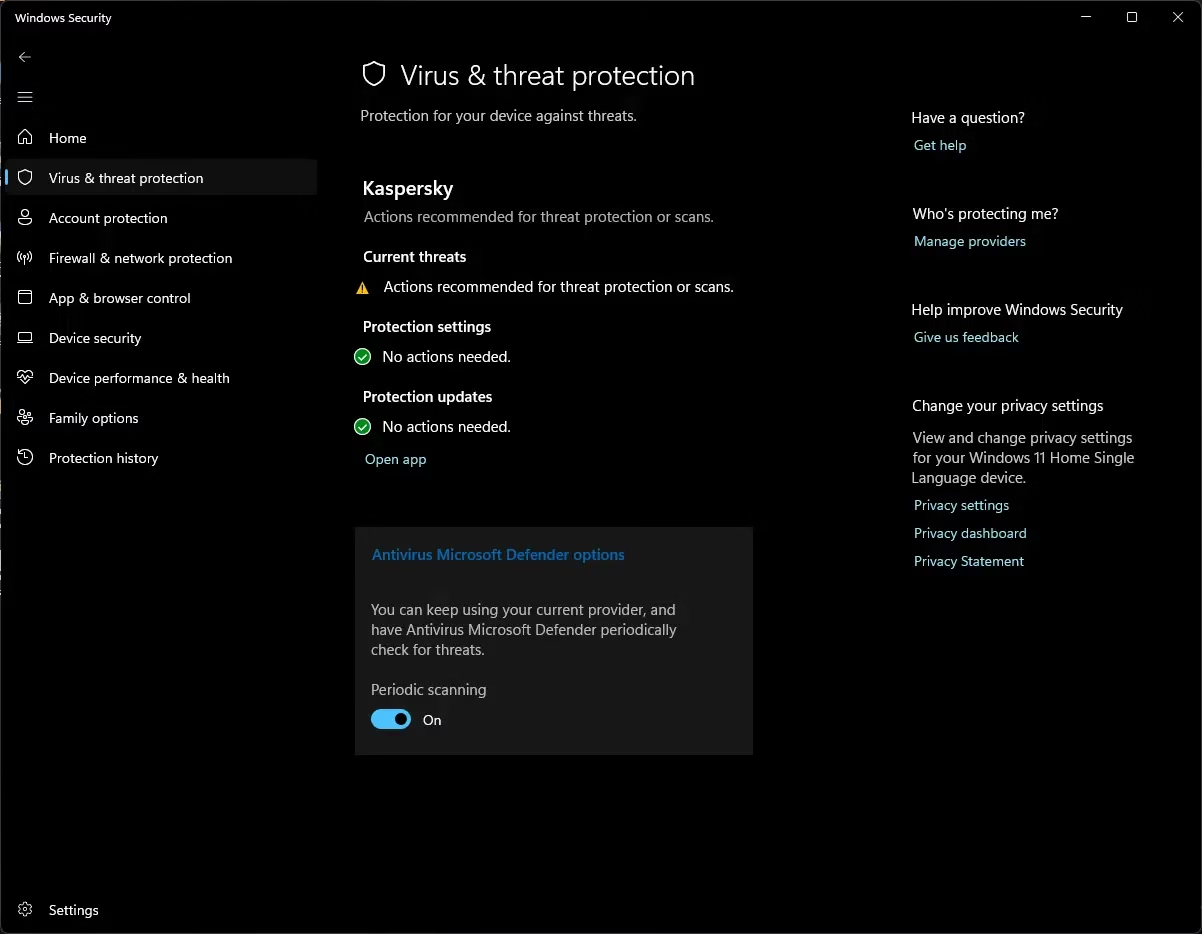
If you haven’t installed any third-party antivirus, Microsoft Defender is already running in the
background — and in 2026, that’s not a bad thing at all. Independent lab AV-TEST consistently
awards Defender a near-perfect score for protection, and it now integrates ransomware protection,
controlled folder access, and a basic SmartScreen phishing filter.
It’s seamlessly woven into Windows Settings, receives updates through Windows Update, and has zero
performance footprint on modern hardware. The biggest downside remains its lack of a browser
extension for non-Edge browsers and no dark web monitoring.
- ✅ Completely free and pre-installed
- ✅ Real-time protection & ransomware folder guard
- ✅ SmartScreen phishing protection (Edge)
- ❌ Limited browser protection on Chrome/Firefox
- ❌ No password manager or VPN
Platform: Windows 10 / 11 | Cost: Free (built-in)
2. 🦷 Bitdefender Antivirus Free for Windows — Best Lightweight Protection
Best for: Users who want top-tier detection with minimal system impact
Bitdefender’s free tier has earned the “Best in Test” title from multiple independent security labs
for years running, and 2026 is no different. Its malware detection rates are exceptional, its
ransomware protection is reliable, and critically, it doesn’t slow down your PC even during full
scans. Bitdefender quietly monitors in the background without pop-up notifications or upsell
banners every five minutes.

The free version is deliberately minimal—you get on-demand and real-time scanning, web threat
protection, and up to 200 MB/day of VPN (useful for quick checks). Advanced features like
multi-layer ransomware protection, parental controls, and unlimited VPN require upgrading.
But as a pure antivirus engine, Bitdefender Free is arguably the most powerful free option available.
- ✅ Industry-leading malware detection (AV-TEST certified)
- ✅ Ultra-light on system resources
- ✅ Includes 200 MB/day free VPN
- ❌ Very limited feature set beyond core scanning
- ❌ No firewall or privacy tools
Platform: Windows 10 / 11 | Download: bitdefender.com
3. 🚀 Avast One Basic — Best Feature-Rich Free Antivirus
Best for: Users who want extras like Wi-Fi scanner and privacy tools for free
Avast has long been one of the most popular free antivirus choices globally, and its rebranded
Avast One Basic in 2026 brings a refreshed interface alongside its trusted
AI-powered detection engine. Avast’s strength lies in the sheer breadth of features available
even on its free tier: a Wi-Fi network inspector, a browser cleanup tool, a software updater hint,
and a basic performance dashboard.
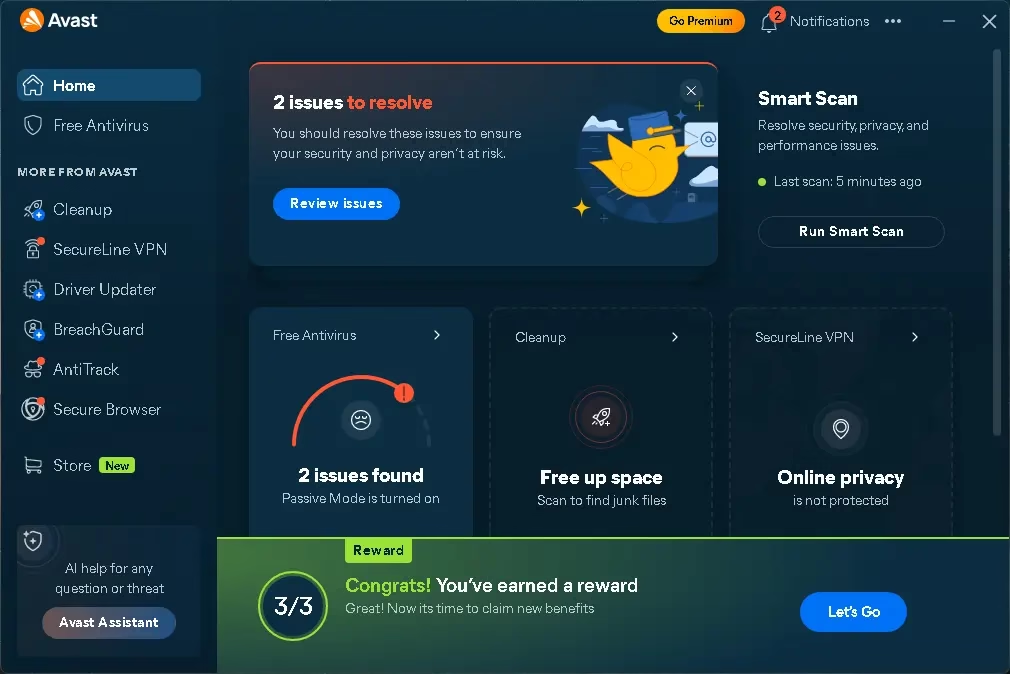
Real-time protection catches viruses, ransomware, spyware, and adware before they can execute.
Web Shield blocks malicious URLs in real time, while Email Shield (on desktop clients) screens
attachments.
- ✅ Broad real-time protection against multiple threat types
- ✅ Wi-Fi network scanner
- ✅ Trusted by 435+ million users worldwide
- ❌ Free VPN has been discontinued
- ❌ Interface pushes upgrades frequently
- ❌ Historical privacy concerns (now addressed)
Platform: Windows 10 / 11 | Download: avast.com
4. 🦅 Avira Free Security for Windows — Best for Older / Budget PCs
Best for: Users on older hardware or budget laptops
Avira’s free security suite punches well above its weight. Its cloud-based scanning engine keeps
your PC’s local resource usage to a minimum — a real advantage on machines with 4 GB of RAM or
ageing CPUs. Beyond antivirus, Avira Free Security also bundles a software updater
(flags outdated apps that attackers love to exploit), a basic VPN (500 MB/month),
and a privacy manager that shows which apps have camera/mic access.
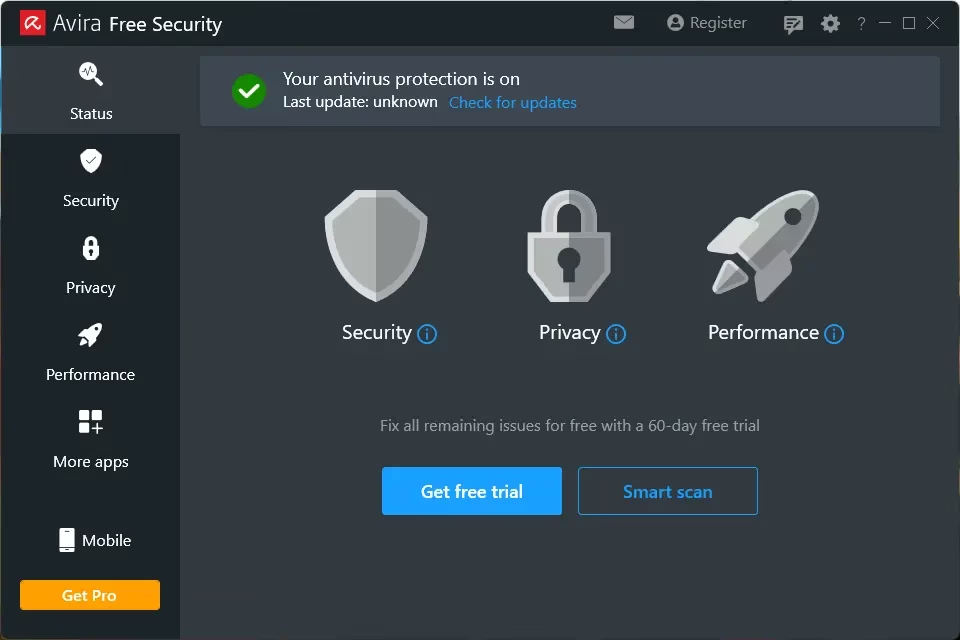
The suite’s detection engine is tested by AV-TEST and consistently scores 6/6 for protection.
Installation prompts you to add the Avira Safe Shopping browser extension (optional but useful).
Avira is perhaps the most well-rounded free security suite when you consider the combination of
Antivirus, system tools, and privacy features are included in a single installer.
- ✅ Cloud-based scanning — very light on resources
- ✅ Software updater catches vulnerable apps
- ✅ Privacy manager for camera/mic permissions
- ✅ Great for older PCs and laptops
- ❌ VPN is very limited (500 MB/month)
- ❌ Some features spread across multiple apps
Platform: Windows 10 / 11 | Download: avira.com
5. 🔵 Malwarebytes Free — Best On-Demand Malware Removal Tool
Best for: Second-opinion scanning and malware removal after infection
Malwarebytes occupies a unique space in the free security landscape. It is not primarily a
replacement for a traditional antivirus — it’s the tool you reach for when you suspect something
has already slipped through. The free version performs exceptionally thorough on-demand scans,
detecting PUPs (potentially unwanted programs), rootkits, adware, and advanced malware that
traditional antivirus engines sometimes miss.
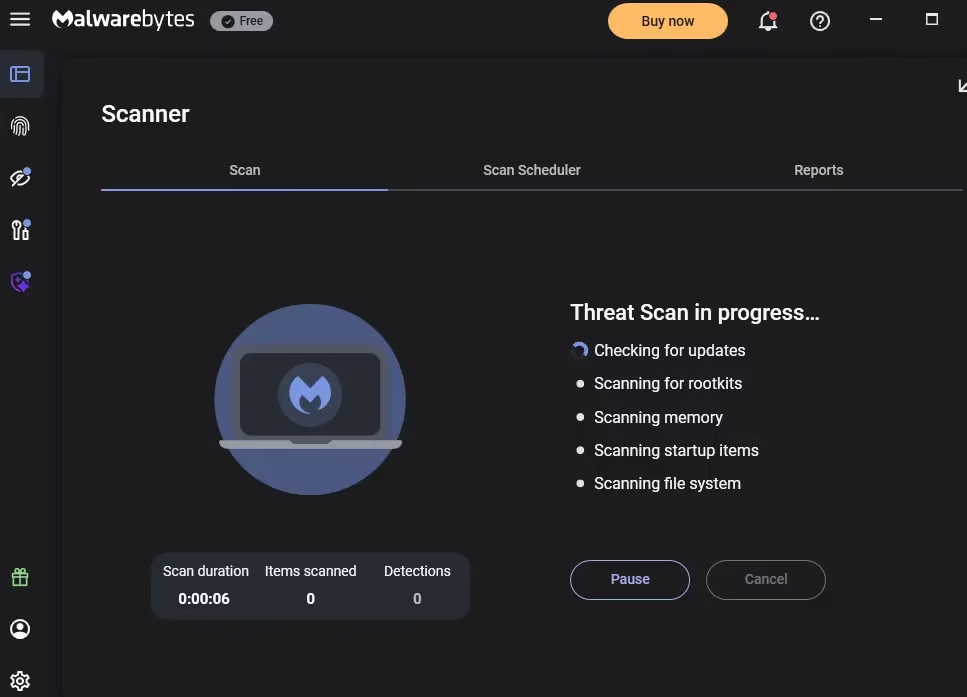
The free edition lacks real-time protection (that requires upgrading to Premium), so it works best
alongside Microsoft Defender or another real-time solution. Think of it as your second line of
defence — a forensic tool that cleans up what others miss. In independent evaluations,
Malwarebytes consistently removes malware that has already established persistence on a system.
- ✅ Exceptional malware removal capabilities
- ✅ Detects PUPs, rootkits, and adware
- ✅ Lightweight, portable scanner
- ❌ No real-time protection in the free version
- ❌ Best used alongside another real-time antivirus
Platform: Windows 10 / 11 | Download: malwarebytes.com
6. 🟠 AVG AntiVirus Free — Best for Beginners
Best for: First-time antivirus users who want a simple, clean interface
AVG, now owned by the same parent company as Avast (Avast Software), uses a similar detection
engine but wraps it in a noticeably cleaner, simpler interface. Where Avast feels feature-heavy,
AVG Free keeps things straightforward — scan buttons are large, statuses are clear, and the
Software doesn’t overwhelm you with options.
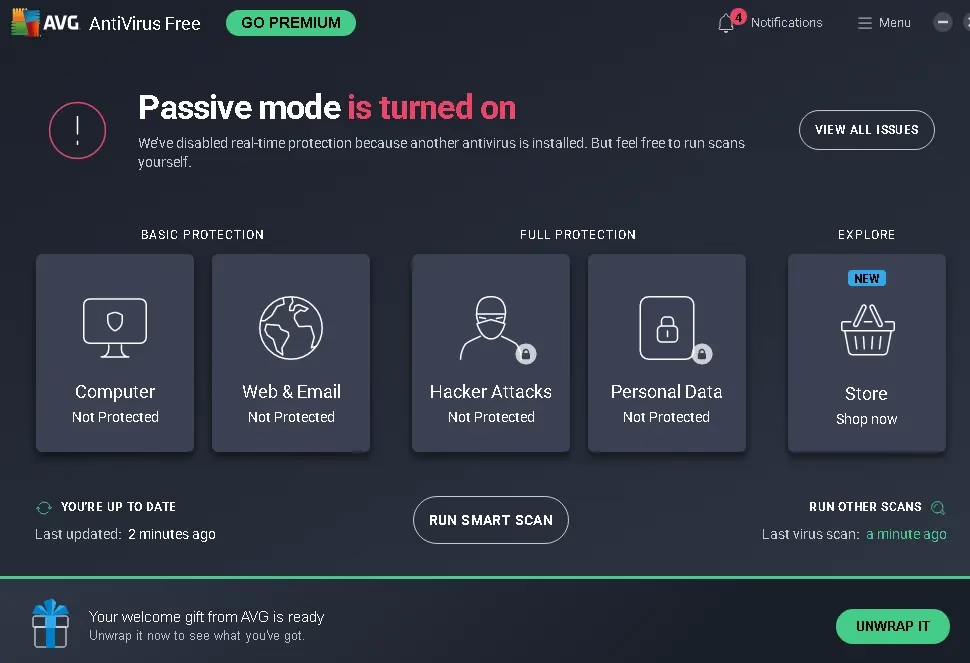
Real-time file protection, web protection, and email scanning are all present in the free tier.
AVG also includes a basic hacker protection feature that monitors your PC’s behaviour for
suspicious activity. Performance impact during background monitoring is minimal; full scans on
budget systems can take longer but run without significantly affecting usability.
- ✅ Clean, beginner-friendly interface
- ✅ Real-time file, web & email protection
- ✅ Behavioral hacker protection alerts
- ❌ Same privacy parentage as Avast
- ❌ No firewall or VPN in free tier
Platform: Windows 10 / 11 | Download: avg.com
7. 🐼 Panda Dome Free Antivirus — Best for USB Drive Protection
Best for: Users who frequently use USB drives and share PCs
Panda Dome Free Antivirus is a solid and somewhat underrated option in 2026. Its cloud-based
engine is fast and accurate, and it earns consistent approval from independent testing labs.
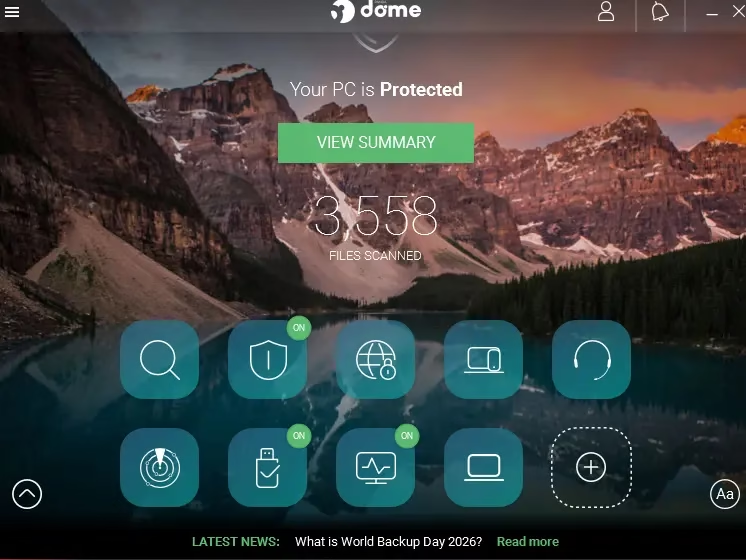
The standout feature in Panda’s free tier is its USB Protection mode—it
automatically scans any USB drive connected to your PC and can even immunise USB sticks to
prevent malware from spreading through them. This is particularly valuable in shared office
environments or households with multiple PCs.
A free VPN (150 MB/day) is also included. The interface can feel a bit cluttered compared to
AVG or Bitdefender are both solid options, and the tool is light on system resources.
- ✅ USB protection and immunisation
- ✅ Cloud-based, resource-friendly scanning
- ✅ Free VPN (150 MB/day)
- ❌ Interface feels dated and somewhat messy
- ❌ Limited extras beyond core antivirus
Platform: Windows 10 / 11 | Download: pandasecurity.com
8. 🔥 ZoneAlarm Free Firewall — Best Free Firewall for Windows
Best for: Users who want advanced firewall control beyond Windows Firewall
Windows has a built-in firewall, but ZoneAlarm’s free offering gives you significantly more
control and visibility over what’s happening on your network. It monitors all inbound and outbound
connections, lets you set custom rules per application, and alerts you to suspicious network
behaviour — things the default Windows Firewall does silently in the background without telling you.
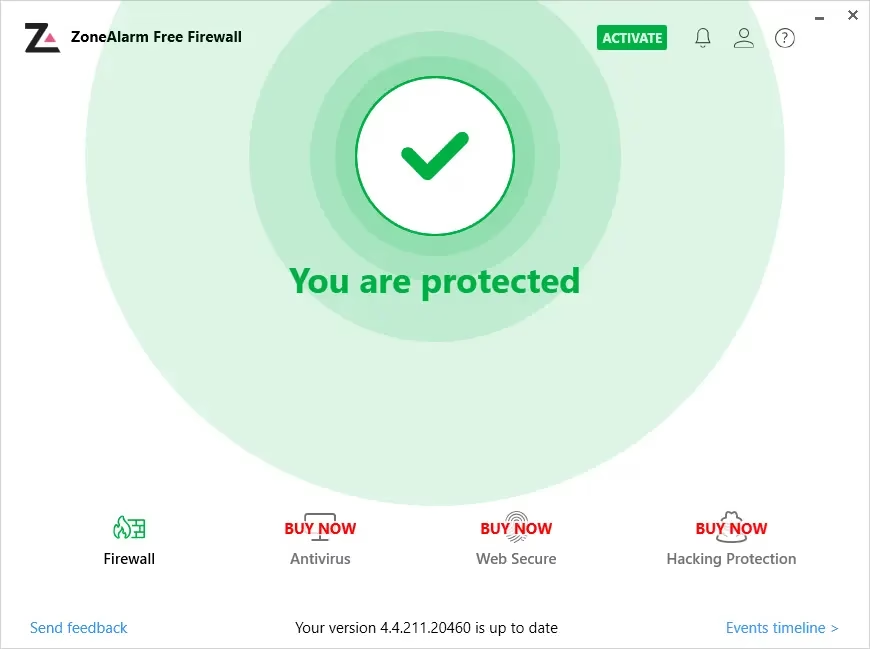
ZoneAlarm Free Firewall in 2026 also bundles an antivirus component (powered by Kaspersky’s
The engine in older builds is now transitioning to its own engine. It’s a niche pick—most users
don’t need this level of firewall control—but for network-aware users, developers, and small
Home labs fill a real gap.
- ✅ Advanced inbound/outbound firewall control
- ✅ Per-application connection rules
- ✅ Identity protection alerts
- ❌ Interface can feel complex for casual users
- ❌ Antivirus detection rates are average compared to Bitdefender/Avast
Platform: Windows 10 / 11 | Download: zonealarm.com
9. 🟢 TotalAV Free Antivirus — Best Intuitive Interface for Beginners
Best for: Non-technical users who want a polished dashboard and easy navigation
TotalAV is one of the more visually polished free antivirus offerings in 2026. Its dashboard is
clean, modern, and purpose-built for users who find traditional antivirus UIs overwhelming. The
free tier includes on-demand malware scanning, a basic data breach checker that alerts you if
your email has appeared in known data leaks, and a simple system tune-up section that flags
Junk files and startup items are slowing down your PC.
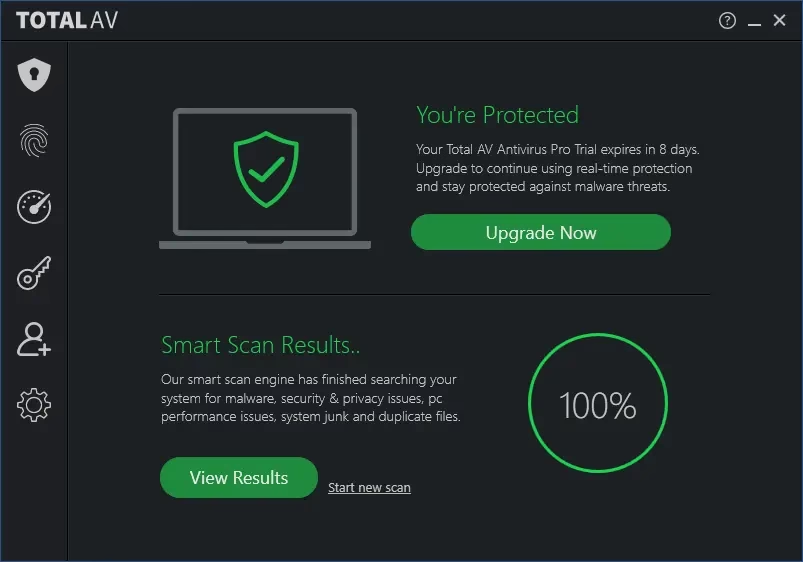
The critical caveat with TotalAV Free is the absence of real-time protection —
this is reserved for paying subscribers. That makes it less suitable as a standalone security
tool, but an excellent companion scanner alongside Windows Defender. In independent tests, its
on-demand detection rates are strong, and the data breach alerting feature provides genuine
value is unavailable in most other free tiers.
Always run it alongside Microsoft Defender or another real-time antivirus for full coverage.
- ✅ Best-in-class UI — intuitive for first-time users
- ✅ Data breach checker (email exposure alerts)
- ✅ System tune-up scanner (junk & startup optimizer)
- ✅ Strong on-demand malware detection rates
- ❌ No real-time protection in the free version
- ❌ Aggressive upgrade prompts throughout the interface
Platform: Windows 10 / 11 | Download: totalav.com
10. 🔴 Kaspersky Free — Best Detection Engine (with Important Regional Caveats)
Best for: Indian and non-US users who want enterprise-grade detection for free
US Department of Commerce banned Kaspersky from providing software updates and sales in the
United States. Any existing Kaspersky installation in the US will no longer
receive threat database updates, making it ineffective. Indian users and most other
regions are fully supported — Kaspersky remains downloadable from the
Kaspersky India Free Antivirus page
or the Global Downloads page.
Kaspersky’s detection engine has consistently ranked at the very top of AV-TEST and
AV-Comparatives has benchmarks for well over a decade. Even the free version inherits this
world-class engine. In 2026, Kaspersky’s free offering is essentially a lite build of its
Kaspersky Standard plan, providing real-time protection against malware and
ransomware, a limited data leak checker, and a free VPN capped at 200 MB/day.

🌍 Availability & How to Get It
The standalone “Kaspersky Free” installer has become harder to find directly on
the main website, which now prominently features 30-day free trials of paid plans (Standard,
Plus, Premium). However, the path to the free version is straightforward:
- Download the Standard Trial from the official site.
- Use it fully featured for 30 days.
- When the trial expires, simply decline the renewal prompt—the software
automatically reverts to a basic free mode with core real-time protection intact.
On Android and iOS, a “limited free version” is explicitly available through
the Play Store / App Store, offering manual antivirus scanning and anti-theft features including
a device locator (“Where Is My Device”).
🔐 The Privacy Question
Kaspersky is a Russian-origin company, and this has raised geopolitical concerns—particularly
in the US and some EU countries. Kaspersky has addressed these concerns through its
Global Transparency Initiative, which relocated data processing to data centres
in Switzerland and opened its source code to third-party audits. For Indian
users, there is no regulatory restriction, and many security professionals continue to rate
Kaspersky’s technical capabilities as best-in-class. That said, users who handle highly
sensitive data may prefer a non-Russian-origin alternative.
Download the Kaspersky Standard 30-day trial, use it fully, then decline renewal. The software
reverts to a capable free mode—no credit card required if you choose the trial-without-payment
option.
- ✅ Industry-leading malware detection engine (AV-TEST certified)
- ✅ Real-time protection included in free mode
- ✅ Free VPN (200 MB/day)
- ✅ Basic data leak checker
- ✅ Fully available in India and most global regions
- ⚠️ Russian-origin company — data processed in Switzerland (transparency initiative)
- ❌ Not available / not updated in the United States (DoC ban, Sep 2024)
- ❌ Free installer harder to find — trial-to-free route required on desktop
Platform: Windows 10 / 11, Android, iOS
Download (India): kaspersky.co.in
|
Global: kaspersky.com/downloads
How to Choose the Right Free Security Software
| Feature Priority | Recommended Choice |
|---|---|
| Maximum Protection | Bitdefender Free/Kaspersky |
| Zero Configuration | Microsoft Defender |
| Extra Features | Avast Free |
| Low System Impact | Bitdefender/Kaspersky or Microsoft Defender |
| Secondary Scanning | Malwarebytes Free |
| Beginner-Friendly | TotalAV or AVG Free |
Pro Tip: Running two real-time antivirus programs simultaneously causes conflicts and system slowdowns. Choose one primary antivirus (Bitdefender/Kaspersky, AVG, or Microsoft Defender) and use Malwarebytes as an on-demand secondary scanner
Quick Comparison Table
| Software | Real-Time Protection | Free VPN | Firewall | System Impact | Best For |
|---|---|---|---|---|---|
| Microsoft Defender | ✅ | ❌ | ✅ (basic) | Very Low | Zero-setup users |
| Bitdefender Free | ✅ | ✅ (200MB/day) | ❌ | Very Low | Lightweight protection |
| Avast One Basic | ✅ | ❌ | ❌ | Low | Feature-rich free AV |
| Avira Free Security | ✅ | ✅ (500MB/mo) | ❌ | Very Low | Older PCs |
| Malwarebytes Free | ❌ | ❌ | ❌ | Very Low | Malware removal |
| AVG AntiVirus Free | ✅ | ❌ | ❌ | Low | Beginners |
| Panda Free Antivirus | ✅ | ✅ (150MB/day) | ❌ | Low | USB protection |
| ZoneAlarm Free Firewall | ✅ (basic) | ❌ | ✅ (advanced) | Medium | Network control |
| TotalAV Free | ❌ | ❌ | ❌ | Low | Beginners + breach alerts |
| Kaspersky Free ⚠️ | ✅ | ✅ (200MB/day) | ❌ | Low | India/global users (not US) |
⚠️ Kaspersky Free is not available / not updated in the United States as of September 2024 (US DoC ban). Fully supported in India and most other regions.
Pro Tips: Getting Maximum Protection for Free in 2026
🔒 Layer Your Security (It’s Free)
The most effective free security setup is a layered one. Combine Microsoft Defender (real-time
background protection) with Malwarebytes Free (periodic on-demand scans). This catches threats
that each tool individually might miss, without any cost.
🌐 Use a Hardened Browser
Most infections in 2026 originate from browser-based attacks—malicious ads, fake download
buttons, and phishing pages. Pair your antivirus with a browser extension like
uBlock Origin (Chrome/Firefox/Edge) and Bitwarden (free
password manager) to block threats at the browser level before your antivirus ever needs to
intervene.
⚙️ Enable Controlled Folder Access
Windows 11 and 10 include a built-in ransomware guard called “Controlled Folder.”
Access (part of Microsoft Defender). Go to Windows Security → Virus & Threat
Protection → Ransomware Protection and enable it. Most users have this feature turned off by
default — enabling it takes 10 seconds and provides significant protection against
file-encrypting ransomware.
🔁 Keep Software Updated
Avira’s free software updater and Patch My PC (free) can flag outdated applications on your PC.
Unpatched apps—especially browsers, PDF readers, and media players — are among the most common
entry points for attackers in 2026.
Free Antivirus to Avoid in 2026
Not all “free” antivirus tools are safe. Some are actually malware in disguise, while others
bundle toolbars, act as browser hijackers, or sell your browsing data. Avoid these categories:
- ❌ Unknown brands with no AV-TEST or AV-Comparatives certification
- ❌ Tools downloaded from third-party app repositories rather than the official vendor site
- ❌ Any tool that asks for credit card details for a “free” scan
- ❌ Apps with no visible privacy policy or GDPR disclosure
- ❌ Outdated tools (no updates since 2023 or earlier) — threat databases go stale quickly
Frequently Asked Questions (FAQs)
Is Microsoft Defender enough in 2026?
For most casual users, yes—Microsoft Defender handles everyday threats well and scores
competitively in independent tests. However, it lacks phishing protection on non-Edge browsers.
has no dark web monitoring and offers no VPN. Adding Malwarebytes Free for periodic second
Scans significantly strengthen your defense.
Can I run two free antivirus programs at the same time?
You should not run two real-time antivirus programs simultaneously—they will conflict, slow
your PC, and can even cause false positives on each other. The exception is running a real-time
tool (like Defender or Bitdefender) alongside Malwarebytes Free, which does not have real-time
protection in its free version and is designed specifically as a complement.
Which free antivirus uses the least system resources?
Bitdefender Free and Avira Free Security are the lightest options, both using cloud-based
scanning to minimise local CPU and RAM usage. Avira is particularly well-suited for older PCs
with 4 GB RAM or slower CPUs.
Do free antivirus programs protect against ransomware?
Some do. Microsoft Defender includes Controlled Folder Access (when enabled). Bitdefender Free
offers basic ransomware protection. Avast One Basic detects and blocks most known ransomware
strains. For stronger ransomware defence, consider enabling Windows’ built-in Controlled Folder
Access feature regardless of which antivirus you use.
Is Kaspersky Free safe to use in India in 2026?
Yes — Kaspersky Free remains fully available and officially supported in India and most global
regions outside the United States. Kaspersky’s Global Transparency Initiative routes all data
processing through its Switzerland-based data centres, and its source code is open to
third-party security audits. The US Department of Commerce ban (effective September 29, 2024)
applies only to the United States. Indian users can download it directly from
kaspersky.co.in.
Does TotalAV Free provide real-time protection?
No — TotalAV’s free version is an on-demand scanner only, without real-time background
protection. This makes it best suited as a companion tool alongside Microsoft Defender (which
provides real-time protection) rather than as a standalone security solution. TotalAV Free
does offer useful extras like a data breach checker and a system tune-up scanner that aren’t
common in other free tiers.
How do I get Kaspersky Free on Windows without a paid trial?
The standalone Kaspersky Free installer is harder to find directly on the main website in 2026.
The recommended route: download the Kaspersky Standard 30-day free trial (no credit card
required if you select the trial-without-payment option), use it for 30 days, then simply
decline the subscription renewal prompt. The software automatically reverts to a basic free
mode with real-time protection, a capped 200 MB/day VPN, and core malware scanning intact.
Which is the best free security software for Windows 11 in 2026?
For Windows 11 users, Bitdefender Free is our top recommendation for its
exceptional detection rates and near-zero performance impact. Pair it with Malwarebytes Free for
on-demand cleanup scans, and you’ll have a robust, entirely free security setup.
Our Verdict: Which Free Security Software Should You Choose?
Here’s our bottom-line recommendation for 2026:
- Best single free antivirus: Bitdefender Free — top-tier
detection, almost zero impact on performance, clean interface. - Best combination setup (free): Microsoft Defender (real-time)
+ Malwarebytes Free (periodic scans) + uBlock Origin
(browser protection). - Best for older PCs: Avira Free Security — cloud scanning keeps
resource usage minimal. - Best for USB threat prevention: Panda Free Antivirus.
- Best free firewall: ZoneAlarm Free Firewall.
- Best for first-time users / intuitive UI: TotalAV Free —
pair with Microsoft Defender for real-time coverage. - Best raw detection engine (India & global users): Kaspersky Free
— lab-certified #1 detection rates; data processed in Switzerland.
Not recommended for US users.
Free security software in 2026 is genuinely good — but remember, the best security
habits are still human ones: don’t click suspicious links, keep Windows and your apps updated,
use unique passwords with a password manager, and enable two-factor authentication wherever
possible. No antivirus, free or paid, compensates for careless browsing.
Have a favourite free security tool we missed? Drop it in the comments below. And if you found
this guide useful, share it with a friend who’s still running their PC unprotected! 🔐


Discover more from Techno360
Subscribe to get the latest posts sent to your email.
You must be logged in to post a comment.