

In 2026, the question is no longer whether to learn to code — it’s where to start. AI tools are everywhere, yet the demand for developers who understand programming fundamentals has never been higher. Whether you’re a student, a career switcher, or a professional looking to automate your workflow, finding the best websites to learn to code is the first and most important step.
This guide is built around your goal — not just a generic platform list. We cover the best coding websites by goal (jobs, kids, AI, freelancing), free courses that include real certificates, a head-to-head free vs. paid breakdown, and a time investment comparison. If you’ve seen other “top coding sites” articles, this one goes deeper.
Is Coding Worth It in the AI Era? (Honest Answer for 2026)
This is the most-asked question in 2026, and it deserves a direct answer rather than marketing fluff. Here’s the honest breakdown:
✅ Yes, coding is still worth it because:
- AI tools need human oversight. Tools like Cursor, Claude Code, and GitHub Copilot generate code — but they also generate bugs. You need fundamentals to catch and fix them.
- AI is coded in Python. Machine learning, data science, and LLM fine-tuning all run on Python and mathematics. You can’t build AI without coding.
- Coding literacy = career insurance. From finance to healthcare to creative fields, coding is becoming a baseline professional skill across industries.
- Demand keeps growing. Software developer roles remain among the top 10 most in-demand jobs globally through 2030, even factoring in AI productivity gains.
⚠️ Real risks to consider:
- Skipping fundamentals and relying purely on AI code creates dangerous dependency — you can’t debug what you don’t understand.
- Not all roles are safe. Repetitive scripting and data entry automation jobs are shrinking. Problem-solving and system-design roles are growing.
- Language choice matters. Some languages are becoming less relevant (basic VBA, Flash-era ActionScript). Python, JavaScript, SQL, and Rust are strong bets.
💡 Reality Check: Studies consistently show that 90% of online learners quit before completing a coding course. The top reason? No structured path and no project to build. That’s exactly what this guide is designed to fix — we match you to the right platform for your specific goal.

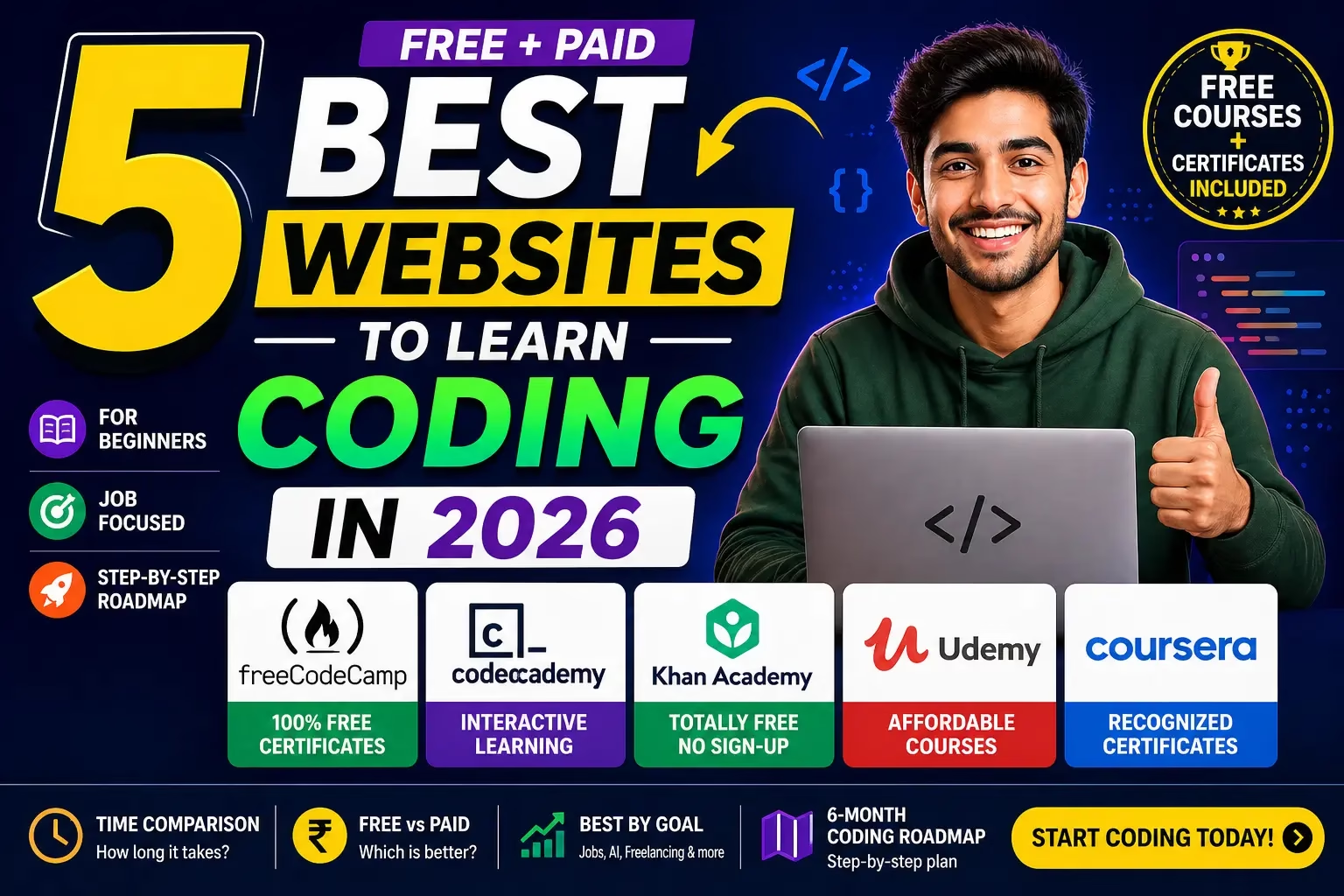
Quick Pick: Which Coding Website Should You Use?
Not sure where to begin? This one-glance decision box covers 90% of learners:
| Your Situation | Best Platform | Cost |
|---|---|---|
| 🆓 Absolute beginner, zero budget | freeCodeCamp | Free |
| 👶 Complete beginner, want hand-holding | Codecademy | Free / ~$15/mo |
| 🧒 School kid or young learner | Khan Academy | Free |
| 🔧 Want to master a specific framework fast | Udemy (on sale) | ~₹499–₹799 |
| 🏆 Need a job-ready certificate | Coursera | ~$25/mo or audit free |
| 🤖 Want to work in AI / data science | Coursera + freeCodeCamp | Free to ~$25/mo |
| 💼 Career switch in 6 months | freeCodeCamp + Udemy | Free + ~₹799 |
| 🎨 Freelancing (web design/dev) | Codecademy + Udemy | ~$15/mo + ₹799 |
🚀 Our Top Picks at a Glance:
👉 Absolute beginner → freeCodeCamp — Free, deep, certified
👉 Want guided structure → Codecademy — Interactive & beginner-friendly
👉 Need job certificate → Coursera — Google & IBM credentials
👉 Want cheap deep skills → Udemy — Best value during sales
👉 School kid or absolute beginner → Khan Academy — 100% free, always
Full Platform Comparison: Free vs Paid Coding Websites (2026)
Before diving into individual reviews, here is a complete head-to-head breakdown across every factor that matters — including the brutal truth about what each platform lacks:
| Factor | freeCodeCamp | Codecademy | Khan Academy | Udemy | Coursera |
|---|---|---|---|---|---|
| Cost | Free | Free / $15/mo | Free | ~₹499–₹799/course | Free audit / $25/mo |
| Certificate | ✅ Free | ✅ Paid only | ❌ None | ✅ Completion | ✅ Accredited |
| Employer recognition | Medium | Low–Medium | None | Low | High ⭐ |
| Beginner-friendly | Medium | High ⭐ | High ⭐ | Varies | Medium |
| Interactive / hands-on | ✅ Projects | ✅ In-browser IDE | ✅ Exercises | ❌ Video-heavy | ❌ Video-heavy |
| Structured curriculum | ✅ Strong | ✅ Strong | Medium | ❌ No structure | ✅ Strong |
| Best for AI/ML | ✅ Python ML path | ⚠️ Basic only | ❌ | ✅ Many courses | ✅ deeplearning.ai |
| Best for kids | ⚠️ Adult-oriented | ⚠️ Teen+ | ✅ All ages | ❌ | ❌ |
| Offline access | ❌ | ❌ | ✅ App available | ✅ App download | ✅ App download |
| Time to job-ready | 6–12 months | 6–9 months | Foundation only | Varies by course | 3–9 months |
| Risk factor 2026 | Low ✅ | Low ✅ | Low ✅ | ⚠️ Merger pending | ⚠️ Merger changes |
⚠️ 2026 Industry Note: According to multiple industry reports, Coursera and Udemy announced a significant business consolidation in December 2025, with the transaction expected to close in the second half of 2026. The full impact on platform pricing, course availability, and instructor payouts is still developing. We recommend purchasing Udemy courses during sales and downloading offline copies where possible. (Source)

Best Coding Websites for Beginners (2026)
If you are starting from absolute zero, the wrong platform will kill your motivation in week two. The following platforms are the best coding websites for beginners in 2026 — ranked by how gently they ease you in without dumbing things down:
1. freeCodeCamp — Best Free, Full-Stack Platform Overall
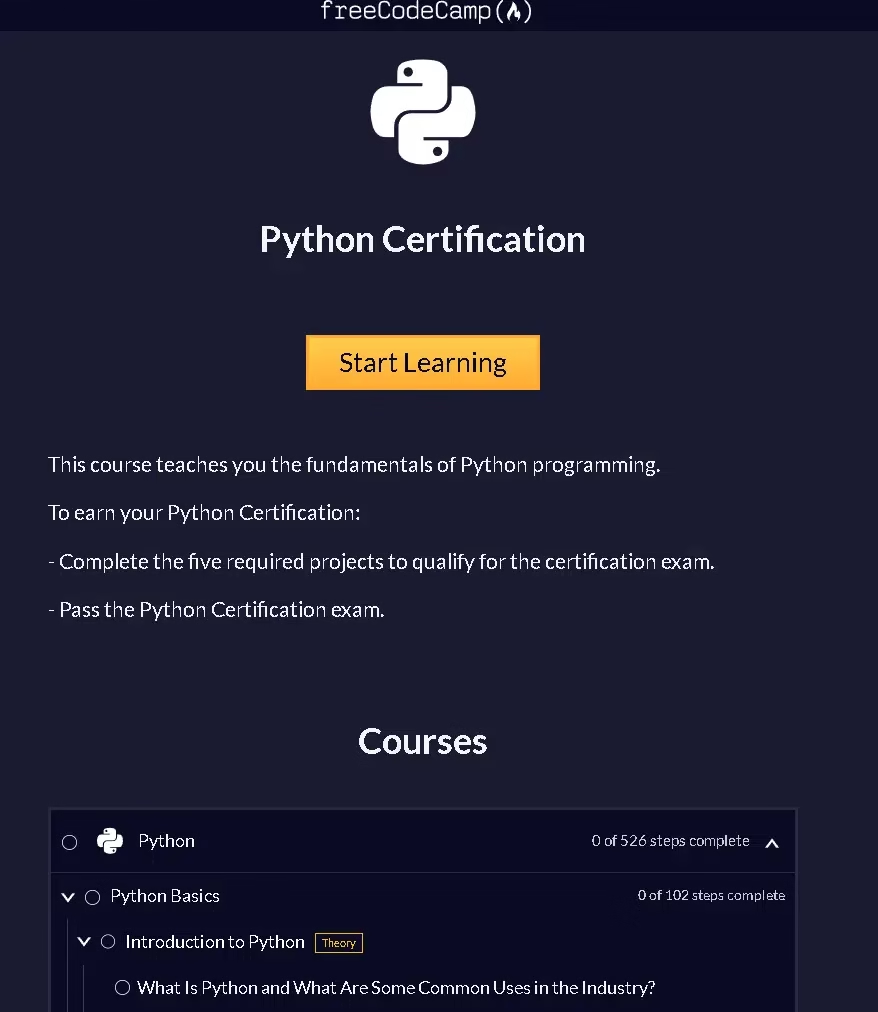
freeCodeCamp is a non-profit platform and the single best place to learn to code online at zero cost in 2026. Its curriculum is structured, deep, and project-driven—and every certification is completely free. More than 40,000 graduates have reported getting developer jobs after completing freeCodeCamp paths.
Unlike platforms that just show you syntax, freeCodeCamp requires you to build five qualifying projects per certification. Those projects become your portfolio — the actual evidence employers look for.
What You Can Learn
- Responsive Web Design (HTML, CSS) — free certificate
- JavaScript Algorithms and Data Structures — free certificate
- Front End Libraries (React, Redux, Sass, Bootstrap) — free certificate
- Back End Development and APIs (Node.js, MongoDB) — free certificate
- Data Analysis with Python — free certificate
- Machine Learning with Python — free certificate
- Relational Databases (PostgreSQL, SQL) — free certificate

Pros and Cons
✅ 100% free — no hidden tiers
✅ Recognized free certifications
✅ Project-based — builds a real portfolio
✅ Huge community (forums, Discord, local study groups)
✅ YouTube channel with free video courses
✅ Covers AI/ML paths
❌ Entirely self-paced — requires discipline
❌ No live instructor or mentorship
❌ Interface is functional, not flashy
❌ Can take 300–1,000+ hours per full path
❌ Less beginner-friendly than Codecademy
💰 Cost: Free — always. No subscription required.
⏱ Time Investment: ~300 hrs per certification path (e.g., Responsive Web Design); full full-stack track: 1,000+ hrs over 6–12 months.
Our Verdict: freeCodeCamp is the best coding platform for learners on a zero budget. The certifications are genuinely respected, and the curriculum takes you from beginner to full-stack developer without spending a rupee. If you can commit the hours, nothing else comes close for free.
2. Codecademy — Best Interactive Experience for Beginners
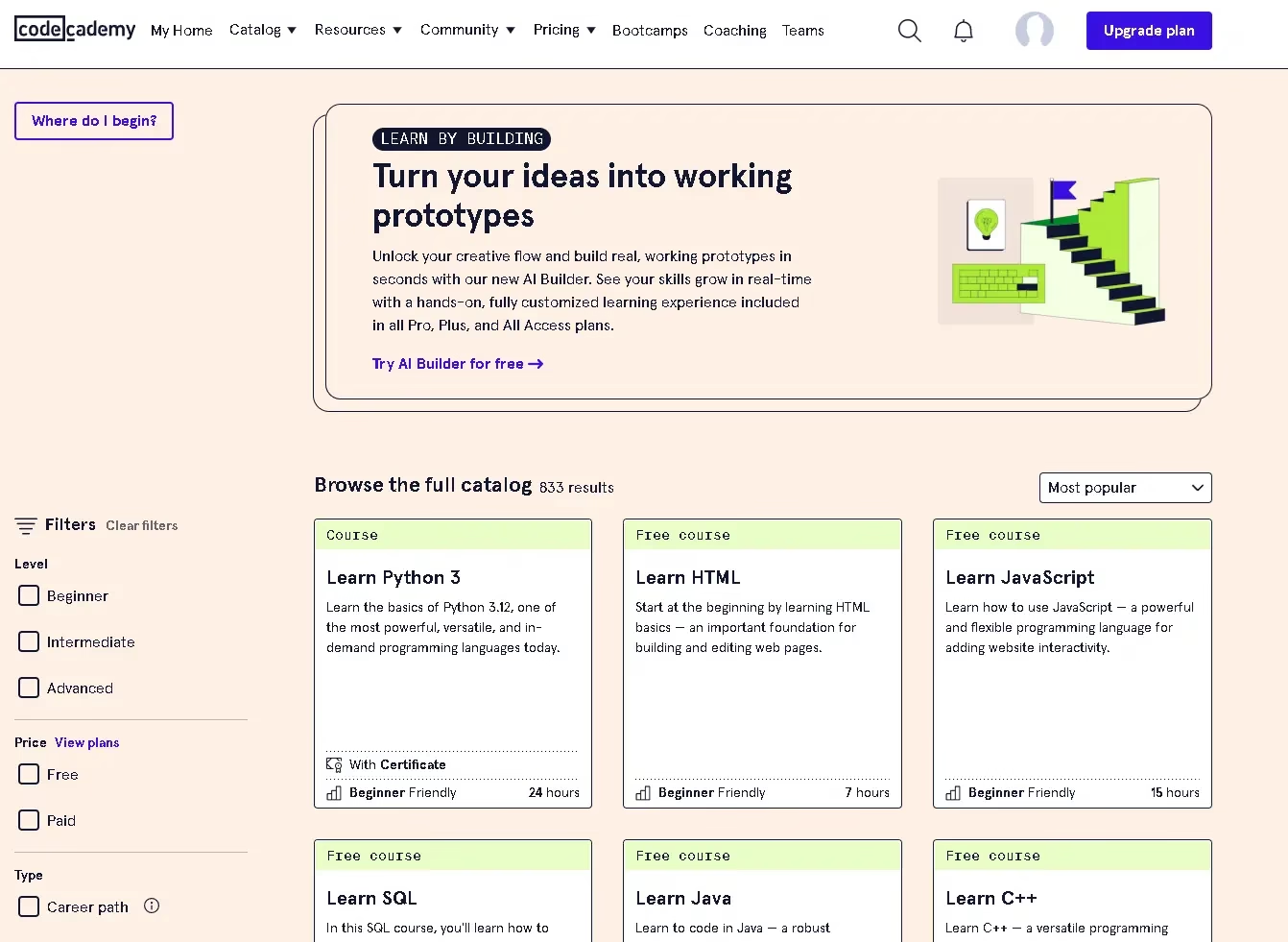
Codecademy pioneered in-browser coding and remains the most beginner-friendly paid platform in 2026. You write real code from your very first lesson — no terminal, no installation, no setup frustration. With over 50 million learners and courses in 15+ programming languages, Codecademy is the smoothest on-ramp into programming that exists.
The key differentiator is immediacy. Most platforms ask you to watch a video, then try the code. Codecademy makes you write the code right inside the lesson — instant feedback, instant corrections. For complete beginners, this is the most motivating way to learn.
What You Can Learn
- Web Development: HTML, CSS, JavaScript, React, Node.js
- Python — general programming and data science
- SQL and database fundamentals
- Java, C++, C#, Swift, Ruby
- Machine Learning and AI basics
- DevOps, Git, and cybersecurity fundamentals
- Career Paths: Web Developer, Data Scientist, ML Engineer

Pros and Cons
✅ No installation needed — code in browser
✅ Most beginner-friendly platform available
✅ Structured career-path learning tracks
✅ Instant feedback and hints
✅ Community of 50M+ learners
✅ Free tier has genuinely useful content
❌ Advanced content locked behind Pro plan
❌ Can feel overly hand-holding for self-starters
❌ Certificates carry less employer weight than Coursera
❌ All courses in English only
❌ Less depth than freeCodeCamp for job prep
💰 Cost: Free tier available. Codecademy Plus is approximately $14.99/month on an annual plan.
⏱ Time Investment: ~50–100 hrs to complete a beginner language track (e.g., Python); 6–9 months for a full career path.
Our Verdict: Codecademy is the ideal starting point for complete beginners. Master fundamentals here, build confidence, then move to freeCodeCamp for project depth or Udemy for specific technology deep-dives.
3. Khan Academy — Best for Kids and Absolute Beginners
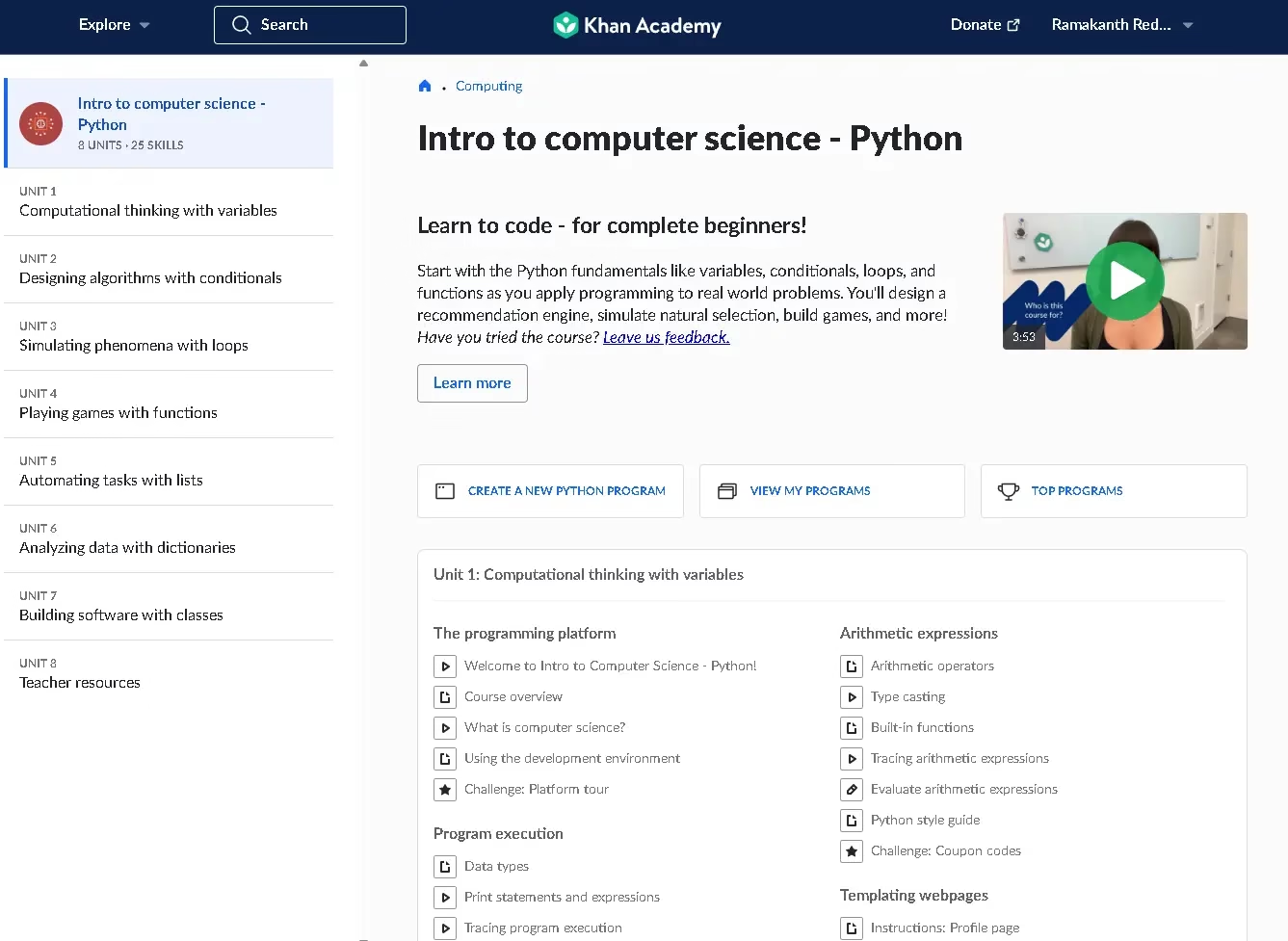
Khan Academy is the only other completely free platform in this list, backed by a non-profit mission to provide free quality education to everyone worldwide. While its coding catalog is narrower than freeCodeCamp, it is the gentlest, most approachable introduction to programming that exists — perfect for school students, younger learners, and adults who find other platforms too intimidating.
What You Can Learn
- Intro to JavaScript — Drawing and Animation
- Intro to HTML/CSS — Making Webpages
- Intro to SQL — Querying and Managing Data
- Computer Science Theory — Algorithms, Cryptography
- Computing and the Internet (how the web works)
- Hour of Code — Quick beginner starter modules

Pros and Cons
✅ 100% free — no account needed to explore
✅ Best platform for school-age learners
✅ Gamified with badges and progress tracking
✅ Available in multiple regional languages
✅ Excellent computer science theory foundation
❌ Limited coding content vs freeCodeCamp
❌ Not suitable for professional development goals
❌ No professional certificates
❌ More theory-heavy, fewer real-world projects
❌ Outgrown quickly by motivated learners
💰 Cost: 100% free — always.
⏱ Time Investment: 20–60 hrs to complete core computing tracks. Foundation only — not a standalone job-prep path.
Our Verdict: Khan Academy is the perfect first step for younger learners or anyone who wants a no-pressure introduction to coding with zero commitment. Once you’ve outgrown it — and you will within a few weeks — move to freeCodeCamp or Codecademy for structured depth.
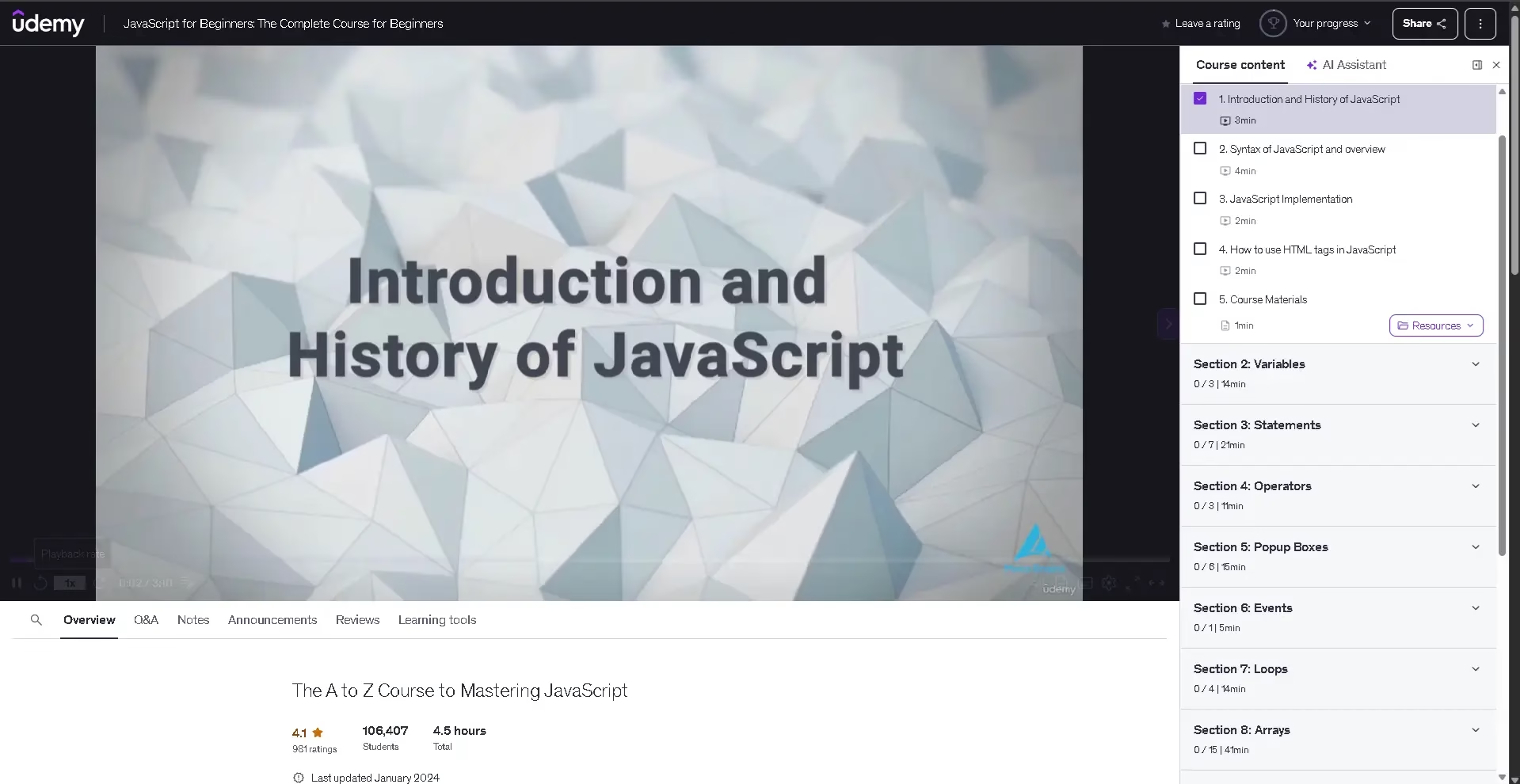
4. Udemy — Best for Affordable Deep-Dives into Specific Technologies
Udemy is the world’s largest online course marketplace — over 210,000 courses covering virtually every programming language, framework, and technology in existence. The key to using Udemy effectively in 2026 is learning to filter: look for courses with 4.5+ star ratings, 10,000+ enrolled students, and a last update within the past 12 months.
Udemy’s biggest advantage is its permanent sale pricing model. Courses listed at $80–$200 regularly go on sale for $10–$15 (roughly ₹499–₹799), making it the most affordable deep-dive resource available anywhere.
⚠️ Important 2026 Update — Merger Impact: Coursera and Udemy announced a major business consolidation in December 2025, with the transaction expected to close in the second half of 2026. According to industry coverage, Udemy’s consumer revenue had already fallen to its lowest point since 2019 before this announcement. The future of course pricing, instructor payouts, and platform access remains uncertain. Recommendation: Purchase courses during sales and enable offline download before the merger closes.
What You Can Learn
- Full-stack web development (HTML, CSS, JavaScript, React, Node.js)
- Python (data science, Django, Flask, automation)
- Mobile development (Flutter, React Native, Android, iOS)
- Cloud computing (AWS, Azure, GCP certification prep)
- Cybersecurity and ethical hacking
- Machine learning and AI with Python
- Game development (Unity, Unreal Engine, Godot)

Pros and Cons
✅ 210,000+ courses — unmatched variety
✅ One-time purchase, lifetime access
✅ Extremely affordable during sales (~₹499)
✅ 30-day refund policy — low financial risk
✅ Best in class for framework-specific deep dives
❌ Quality varies wildly between instructors
❌ Mostly passive video format — lower retention
❌ No structured curriculum — easy to get lost
❌ Completion certificates have low employer value
❌ Platform future uncertain (Coursera merger 2026)
💰 Cost: Individual courses ~₹499–₹799 during sales. Pro subscription ~$16.58/month.
⏱ Time Investment: 10–40 hrs per course depending on topic depth. No structured long-term path — you build your own curriculum.
Our Verdict: Udemy is a supplementary platform — not a primary learning path. Use it to go deep on a specific framework (React, Django, Unity) after you have your fundamentals from freeCodeCamp or Codecademy. Always buy during a sale. Never pay full price.
5. Coursera — Best for Career-Recognized Certifications
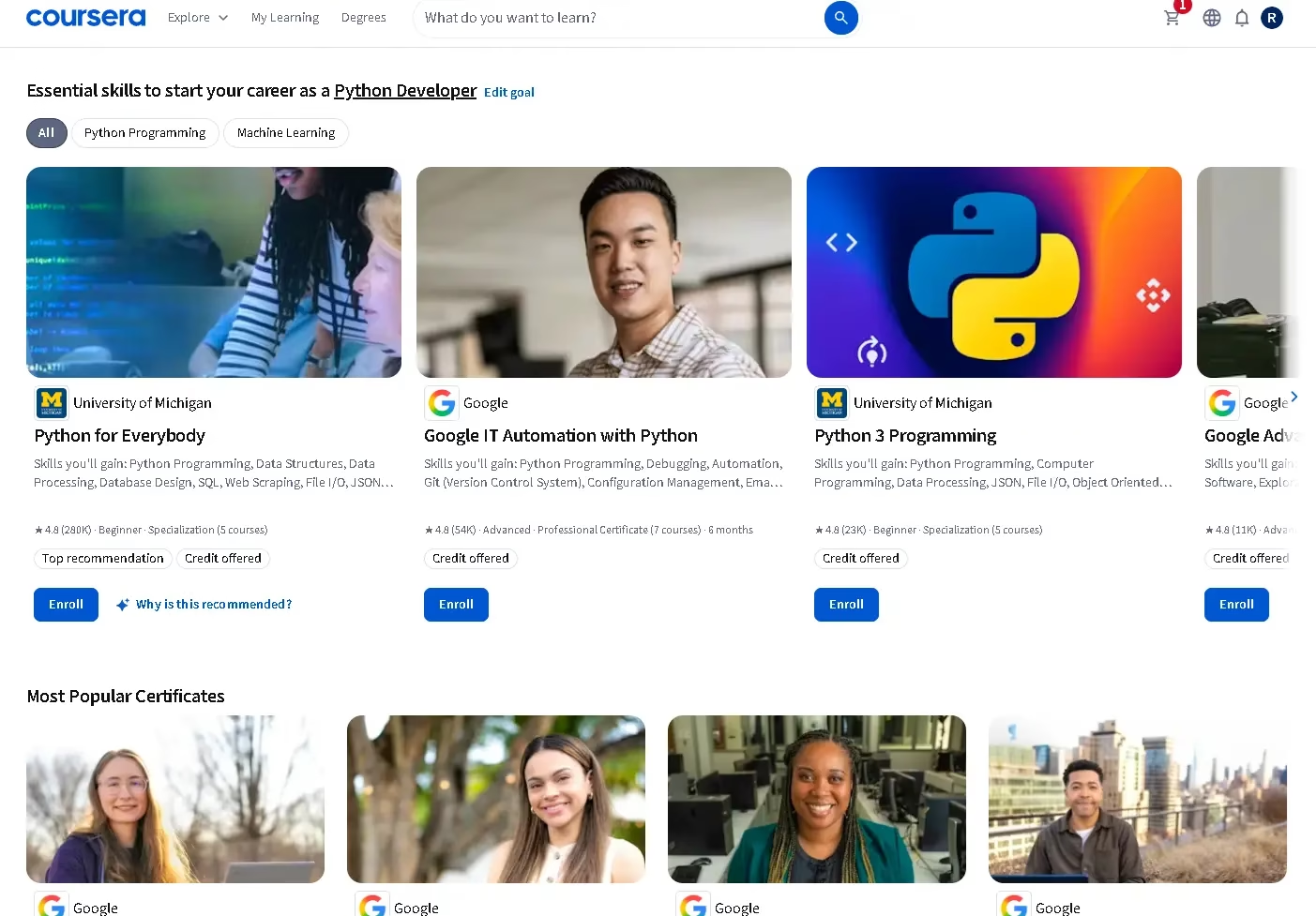
Coursera partners with top universities (Stanford, Michigan, Duke, and IIT Bombay) and leading tech companies (Google, IBM, Meta, Amazon AWS) to deliver the most employer-recognized coding certificates available online. If you are a career changer or someone who needs credentials that hiring managers actually take seriously, Coursera is in a class of its own.
The platform’s Google Professional Certificates (Data Analytics, Cybersecurity, IT Support, UX Design) and IBM Data Science Professional Certificate are among the most cited credentials on LinkedIn profiles of successful career changers in tech.
What You Can Learn
- Web Development — Meta Front-End Developer Certificate
- Python for Everybody — University of Michigan (beginner-friendly)
- Data Science and Machine Learning — IBM, Stanford, deeplearning.ai
- Cloud Computing — AWS, Google Cloud, Azure
- Cybersecurity — Google Cybersecurity Certificate
- IT Support — Google IT Support Professional Certificate
- Full computer science bachelor’s/master’s degrees from partner universities

Pros and Cons
✅ Highest employer-recognized certificates online
✅ Free audit option on most courses
✅ Financial aid available for eligible learners
✅ Full online degrees from partner universities
✅ Structured specializations with clear outcomes
✅ Covers AI, ML, cloud, and cybersecurity deeply
❌ Certificates require payment to unlock
❌ Primarily passive video-lecture format
❌ Less hands-on/interactive than Codecademy
❌ Platform undergoing changes (Udemy merger)
❌ Some specializations follow fixed deadlines
💰 Cost: Free to audit. Coursera Plus at ~$25/month (annual) for full access. Individual certificates: ~$39–$99/month.
⏱ Time Investment: 3–6 months for a Google or IBM professional certificate (~10 hrs/week). University degrees: 2–4 years.
Our Verdict: Coursera is the best choice when a credential is the goal. The Google and IBM professional certificates are genuinely career-changing, especially for switchers entering tech from non-technical fields. Always audit a course for free first to check if the style suits you before paying.
Best Coding Website Based on Your Goal (2026)
Every platform has a sweet spot. Here is the goal-based breakdown that platforms like GeeksforGeeks and Coursera’s blog skip — because it’s actually useful:
🎯 Goal: Get a Developer Job in 6 Months
| Step | Platform | What to Do | Time |
|---|---|---|---|
| 1. Foundation | freeCodeCamp | Complete Responsive Web Design + JavaScript certifications | Month 1–3 |
| 2. Framework depth | Udemy (on sale) | Pick one: React, Node.js, or Django deep-dive course | Month 3–4 |
| 3. Portfolio projects | freeCodeCamp | Complete 3 qualifying projects for your certification | Month 4–5 |
| 4. Credential | Coursera | Audit Meta Front-End Certificate or IBM Full-Stack Certificate | Month 5–6 |
Estimated Cost: ₹799 (one Udemy course on sale) + $0 freeCodeCamp + optional Coursera certificate fee
🤖 Goal: Work in AI / Machine Learning
| Step | Platform | What to Do | Time |
|---|---|---|---|
| 1. Python foundation | freeCodeCamp or Codecademy | Python basics, data structures, functions | Month 1–2 |
| 2. Data + ML fundamentals | Coursera | IBM Data Science certificate or deeplearning.ai Machine Learning Specialization | Month 2–5 |
| 3. Practice projects | freeCodeCamp | Complete Data Analysis with Python and Machine Learning with Python certifications | Month 4–6 |
🧒 Goal: Teaching a Child to Code
| Age Group | Best Platform | Starting Point |
|---|---|---|
| Ages 6–10 | Scratch (MIT) + Khan Academy | Visual block-based coding; Hour of Code modules |
| Ages 11–14 | Khan Academy | Intro to JavaScript + HTML/CSS drawing projects |
| Ages 15–17 | Codecademy (free tier) → freeCodeCamp | Python or web development track; start building real projects |
| Ages 18+ | freeCodeCamp + Coursera | Full career-focused path with portfolio and certification |
💼 Goal: Freelancing (Web Design / Development)
| Skill | Platform | What to Learn |
|---|---|---|
| HTML/CSS foundation | freeCodeCamp | Responsive Web Design certification (free) |
| JavaScript + React | Udemy | The Complete JavaScript Course or React bootcamp (buy on sale) |
| WordPress / CMS | Udemy | WordPress development course (~₹499 on sale) |
| Portfolio + credibility | Codecademy / personal projects | Build 3–5 client-ready project sites |
Free Coding Courses with Certificates in 2026 (No Cost)
One of the most-searched queries in India in 2026 is “free coding courses with certificate” — and the good news is that genuine options exist. Here’s what’s actually free (including the certificate), not just the course:
| Platform | Certificate | Cost | Employer Value | Best For |
|---|---|---|---|---|
| freeCodeCamp | Responsive Web Design, JavaScript, Python ML, and 6 more | $0 — free forever | Medium — growing recognition | Full-stack developers, portfolio builders |
| Google via Coursera (financial aid) | Google IT Support, Google Cybersecurity, Google Data Analytics | $0 with financial aid approval | High ⭐ — top employer recognition | Career changers targeting IT/data roles |
| IBM via Coursera (financial aid) | IBM Data Science, IBM AI Engineering, IBM Full Stack | $0 with financial aid approval | High ⭐ — widely cited on LinkedIn | AI, data science, cloud careers |
| Microsoft via edX (audit) | Certificate requires payment; audit is free | $0 audit / ~$99 certificate | High for Microsoft tech stack | Azure, .NET, TypeScript learners |
| Harvard CS50 via edX | Free certificate of completion (non-verified) | $0 course / ~$149 verified cert | High ⭐ — globally respected | CS fundamentals, Python, web |
💡 India-specific tip: To apply for financial aid on Coursera, go to the course page → click “Enroll for Free” → select “Financial Aid Available.” Applications are usually approved within 15 days. This unlocks the full Google and IBM certificates at zero cost — one of the best deals in online education available to Indian learners.
Best Programming Languages to Start Learning in 2026
Choosing the right platform is only half the decision. You also need to pick the right first language. Here’s the short version — with honest career context:
| Language | Best For | Difficulty | Job Demand 2026 | Where to Learn |
|---|---|---|---|---|
| Python | AI, data science, automation, backend | Easy ✅ | Very High ⭐ | freeCodeCamp, Coursera, Udemy |
| JavaScript | Web development (front + back end) | Medium | Very High ⭐ | freeCodeCamp, Codecademy, Udemy |
| HTML/CSS | Web design, frontend, freelancing | Easy ✅ | High | freeCodeCamp, Codecademy, Khan Academy |
| SQL | Data analysis, databases, business intelligence | Easy–Medium | Very High ⭐ | freeCodeCamp, Khan Academy, Coursera |
| Java | Android, enterprise software, backend | Medium–Hard | High | Codecademy, Udemy, Coursera |
| C / C++ | Systems programming, embedded, competitive coding | Hard | Medium | Coursera (IIT/Stanford), Udemy |
Our recommendation for most beginners in 2026: Start with Python if your interest is AI, automation, or data. Start with JavaScript + HTML/CSS if your goal is web development or freelancing. Both have massive community support, abundant free resources, and strong job markets.
6-Month Coding Roadmap for Beginners (2026)
The number one reason learners quit is not difficulty — it’s the absence of a structured path. Here is a practical month-by-month roadmap you can follow starting today, using only free or very low-cost resources:
| Month | Focus | Platform | Target Outcome |
|---|---|---|---|
| Month 1 | HTML + CSS basics | freeCodeCamp or Codecademy (free) | Build 3 static web pages |
| Month 2 | JavaScript fundamentals | freeCodeCamp | Complete JS algorithms challenges; earn Responsive Web Design certificate |
| Month 3 | Python or React (choose one) | Udemy (on sale, ~₹499) or freeCodeCamp | Build one real mini project (weather app, to-do list, etc.) |
| Month 4 | Project building + Git/GitHub | freeCodeCamp projects + YouTube | 3 portfolio projects live on GitHub |
| Month 5 | Database basics (SQL) + APIs | freeCodeCamp (Back End cert) or Khan Academy (SQL) | Build a backend project with a database |
| Month 6 | Certificate + job preparation | Coursera (Google/IBM cert, audit or financial aid) + LinkedIn profile | Portfolio live, certificate earned, LinkedIn updated, 10 applications sent |
📥 Download the Free PDF Version:
We’ve packaged this 6-month roadmap into a printable PDF with weekly task checklists, recommended YouTube channels, and platform-specific shortcuts.
👉 [LINK] Download the Free 6-Month Coding Roadmap PDF →
Risks and Trade-offs Every Learner Should Know
💡 Reality Check: Research consistently shows that active learning — writing and running code yourself — increases retention by up to 75% compared to passive video watching. Platforms like freeCodeCamp and Codecademy are designed for this. Udemy and Coursera are video-heavy. Choose accordingly.
- AI over-reliance: Using AI code generators without fundamentals creates dangerous dependency. When the code breaks in production, you won’t know how to fix it. Learn the fundamentals first — then use AI as a productivity multiplier.
- Motivation collapse: Studies show 90% of self-paced learners quit within the first 4 weeks. The fix: commit to a structured path (like the 6-month roadmap above), set weekly goals, and join a community (freeCodeCamp forums or Discord).
- Platform uncertainty — Udemy/Coursera merger: The announced consolidation in December 2025 introduces real uncertainty for Udemy learners. Buy courses during sales, download offline copies, and don’t depend on a single platform.
- Language chasing: Switching languages every month (“JavaScript this week, Python next week”) is one of the top reasons beginners stall. Pick one, finish the fundamentals, then branch out.
- Certificate ≠ job: A certificate alone rarely gets you hired. Employers want to see what you’ve built. Combine certifications with 3–5 real portfolio projects to make a competitive application.
Final Verdict: Which Coding Website Should You Start With Today?
Here is the one-line answer for each type of learner:
- 🆓 Zero budget, serious about coding? → freeCodeCamp. Best free certifications, deepest curriculum, no cost — ever.
- 👶 Complete beginner who needs hand-holding? → Codecademy free tier first, then upgrade to Pro for career paths.
- 🧒 Child or teenager learning for the first time? → Khan Academy → Codecademy → freeCodeCamp as they grow.
- 🔧 Need a specific skill fast? → Udemy on sale. Always check last update date and rating before buying.
- 🏆 Career changer needing employer recognition? → Coursera — Google or IBM professional certificate. Apply for financial aid if budget is tight.
- 🤖 Targeting AI or data science? → Python on freeCodeCamp → deeplearning.ai or IBM on Coursera.
The only wrong move is spending more time choosing a platform than actually writing code. Pick the one that matches your budget and goal, open it today, and write your first line of code this week. The fundamentals you build now are the foundation for every AI tool you use for the rest of your career.
Have questions about which platform to pick? Drop them in the comments below—we answer every one. 👇
Frequently Asked Questions
freeCodeCamp and Khan Academy are the two best completely free websites to learn to code in 2026. freeCodeCamp offers a full-stack web development curriculum with free certifications. Khan Academy covers programming fundamentals, including JavaScript, HTML, CSS, and SQL at no cost and is especially well-suited for younger learners.
Yes. AI tools like Cursor and GitHub Copilot generate code, but you need programming fundamentals to review, debug, and adapt that output. Without fundamentals, you can use AI but not build with it. Coding knowledge also opens careers in AI, machine learning, and data science — the fastest-growing fields in tech.
Yes, freeCodeCamp offers multiple completely free certifications, including Responsive Web Design, JavaScript Algorithms, and Machine Learning with Python. Google’s professional certificates on Coursera are also available at no cost through Coursera’s financial aid program, which Indian learners are eligible to apply for.
For beginners in India, freeCodeCamp is the top free choice with a structured curriculum and recognized certifications at zero cost. Codecademy is ideal for interactive, hand-held learning. Udemy offers deep-dive courses during frequent sales at around ₹499–₹799. Coursera is best for employer-recognized certificates from Google or IBM, available free through financial aid.
Yes, especially for complete beginners. Codecademy’s browser-based interactive environment lets you write real code from your very first lesson with no setup required. The free tier is genuinely useful. Codecademy Plus (approximately $14.99/month on an annual plan) unlocks career paths, projects, and certificates.
Python is the best first programming language for most people in 2026 — beginner-friendly, widely used in AI and data science, and in very high demand. JavaScript is the best first choice for web development. HTML and CSS are the natural starting point for anyone who wants to build websites or get into freelancing.
With consistent daily practice of 1–2 hours, most beginners can grasp programming fundamentals in 3 to 6 months. Reaching job-ready proficiency in web development or data science typically takes 6 to 12 months of focused study combined with real portfolio project building.
Udemy remains usable in 2026 and is still one of the best places for affordable deep-dive courses. However, the announced business consolidation with Coursera — reported to be pending regulatory approval — introduces some platform uncertainty. The safest approach is to buy courses during sales, enable offline downloads, and supplement with stable platforms like freeCodeCamp.


