
Windows File Explorer gets the job done — but honestly, it has barely changed in years. It still lacks tabs (until recently), speed, flexibility, and the modern workflows that power users expect in 2026. If you manage large libraries of files, work across multiple drives, or simply want a faster and smarter experience, you need a better Windows File Explorer alternative.
The good news? A new generation of file managers for Windows is redefining how we manage files—with better performance, smarter features, dual-pane layouts, and sleek modern UIs. In this guide, we have tested and ranked the 5 best Windows File Explorer alternatives in 2026 so you can pick the right one for your workflow.
Contents
- 1 What to Look for in a Windows File Explorer Alternative
- 2 🥇 1. Files App — The Best Free Windows File Explorer Alternative in 2026
- 3 ⚡ 2. OneCommander — Fast, Minimal & Highly Customizable File Manager
- 4 🌐 3. Spacedrive — The Future-Forward Cross-Platform File Manager
- 5 🧪 4. Sigma File Manager — Lightweight, Fast-Evolving Open-Source Explorer
- 6 🚀 5. File Pilot — Ultra-Lightweight Speed-First File Manager
- 7 🤔 Which Windows File Explorer Alternative Should You Choose?
- 8 ⚠️ The Real Cost of Switching File Managers (Most People Ignore This)
- 9 Frequently Asked Questions (FAQ)
- 10 🏁 Final Verdict: Best Windows File Explorer Alternative in 2026
What to Look for in a Windows File Explorer Alternative
Before diving into the list, here are the key features that separate a great file manager from a mediocre one:
- Performance: Fast folder loading and smooth navigation, even with thousands of files
- Dual-pane layout: Move and copy files between two locations side by side.
- Tab support: Open multiple folders in one window without clutter
- Search speed: Locate files instantly without relying on Windows Search
- Cloud & network integration: Access OneDrive, Google Drive, FTP, and network drives natively
- Customization: Themes, keyboard shortcuts, and layout options
- Stability: Reliable enough for daily use, not just a cool experiment
With these criteria in mind, here are the 5 best modern Windows File Explorer alternatives you should try right now.
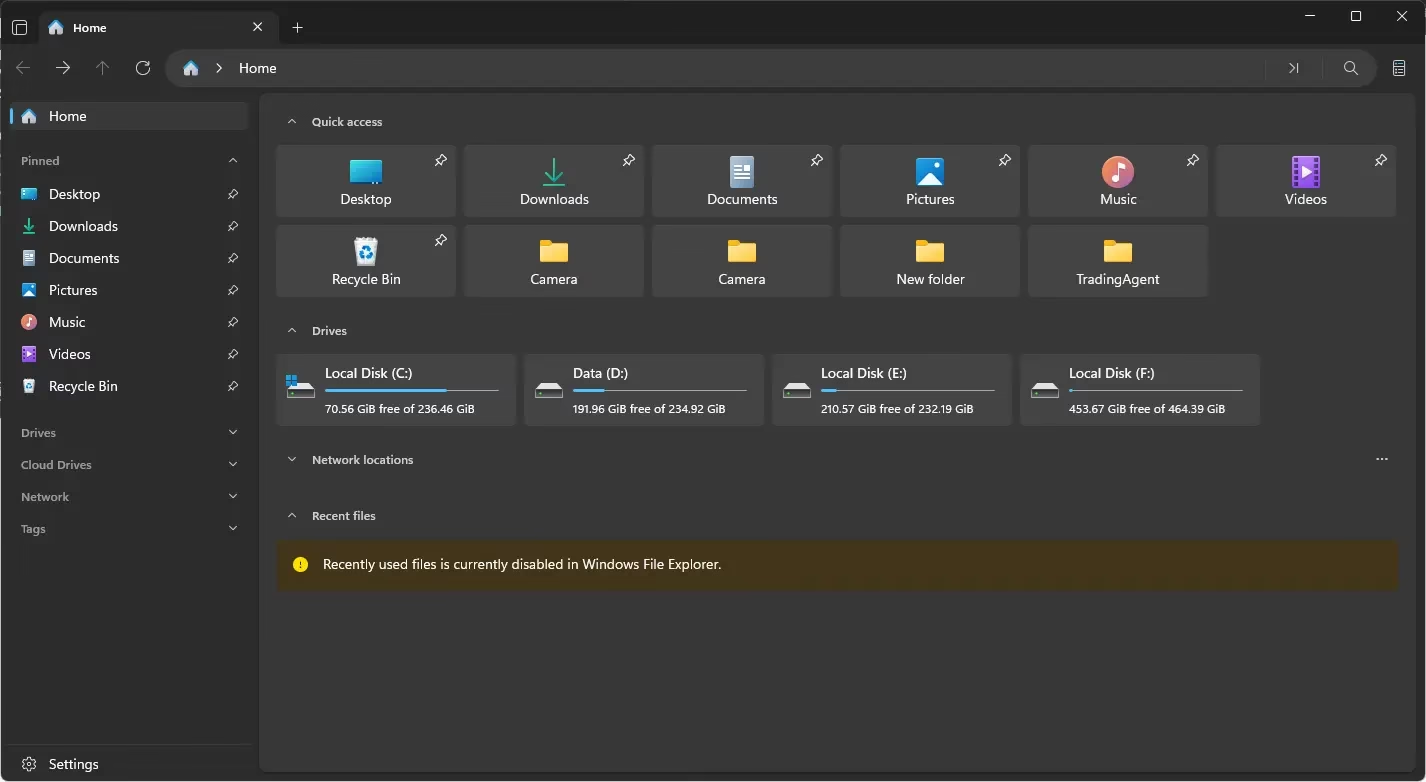
🥇 1. Files App — The Best Free Windows File Explorer Alternative in 2026
If you want something that feels like a native Windows 11 upgrade, Files is the top pick. Built with Fluent Design that perfectly matches Windows 11, this open-source file manager delivers both stunning aesthetics and serious power — completely free.
Files App is actively developed and regularly updated, making it one of the most polished free Windows File Explorer replacements available today. It feels like the file manager Microsoft should have shipped with Windows 11.
🔑 Key Features of Files App
- Modern tabbed interface with dual-pane mode
- Built-in ZIP and archive support
- PowerToys Peek integration (quick file preview with spacebar)
- Cloud storage integration (OneDrive, Google Drive, iCloud)
- FTP and SFTP support for remote file access
- Git repository integration for developers
- Rich context menu and customizable keyboard shortcuts
⚡ Why Files App Stands Out
Unlike most alternatives, Files App is not just a faster file manager—it is a complete daily productivity tool. The combination of a polished Windows 11 design, cloud integration, and developer-friendly features makes it the most well-rounded option on this list. Moreover, it is entirely free and open-source.
✅ Best for: Users who want a polished, free, all-in-one Windows File Explorer replacement that feels native to Windows 11.
You can get the Files app from the official website for free. For $14.99, you can purchase it from the Microsoft Store if you would like to contribute to its development.
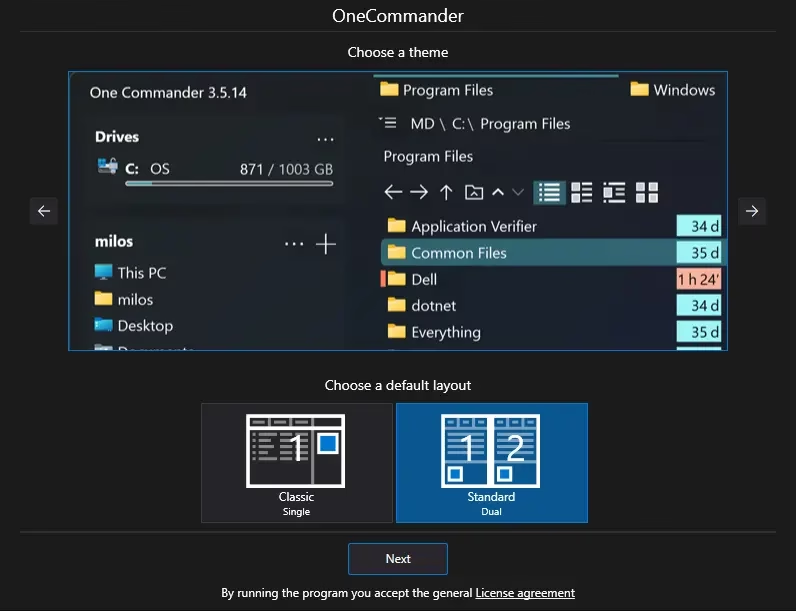
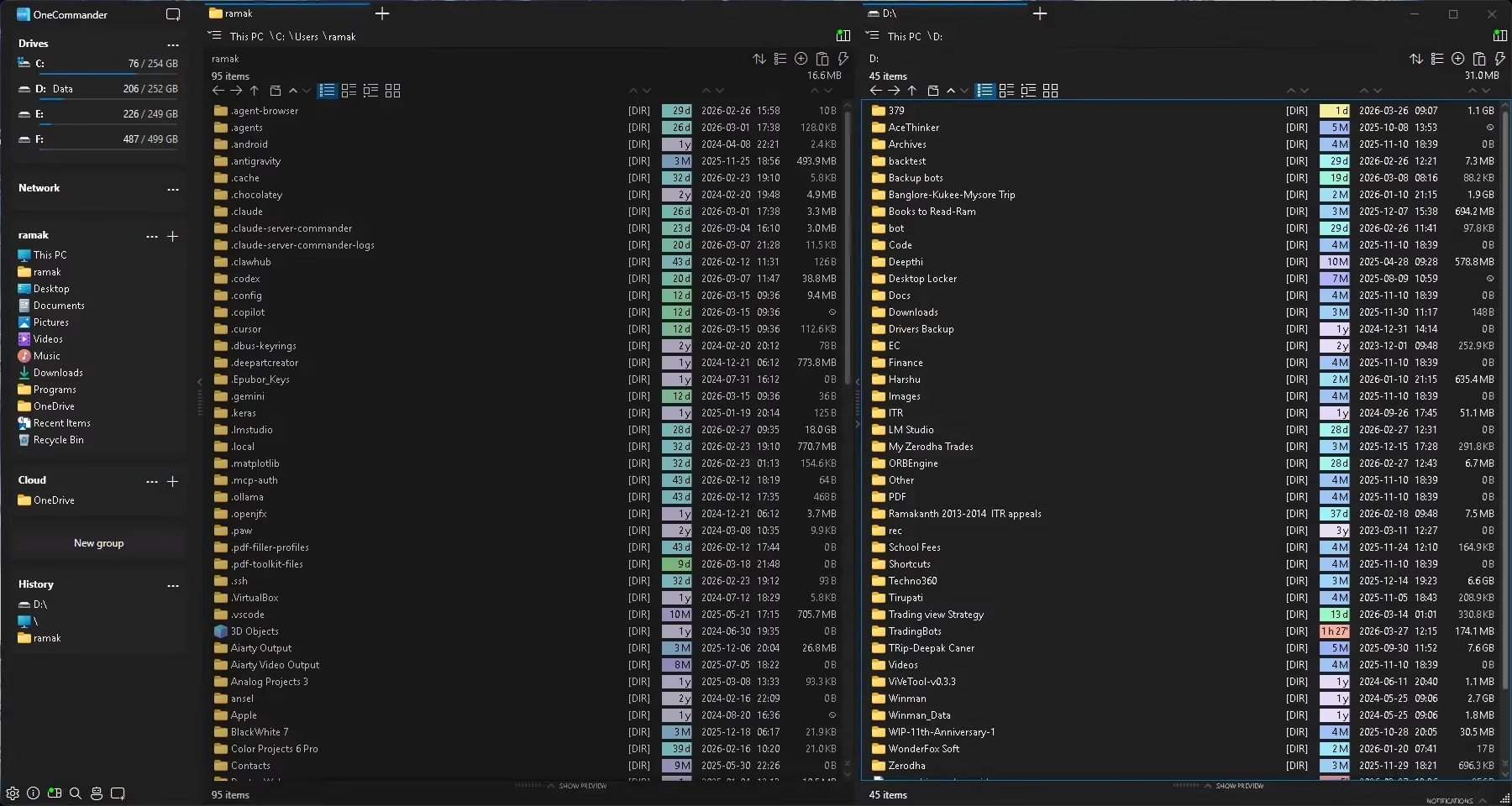
⚡ 2. OneCommander — Fast, Minimal & Highly Customizable File Manager
Speed matters — and OneCommander delivers it exceptionally well. It is consistently ranked among the fastest file managers available for Windows, combining a clean interface with deep customization options that power users will appreciate.
OneCommander takes a different approach to file navigation by offering a column-based view (similar to macOS Finder), which makes browsing nested folder structures significantly more intuitive than traditional tree views.
🔑 Key Features of OneCommander
- Dual-pane layout with full tab support
- Column view navigation (similar to macOS Finder)
- Built-in file previews for images, documents, and media
- Batch renaming with full RegEx support
- Script execution via PowerShell and Python
- File Automator for bulk automated tasks
- Highly customizable themes and color schemes
⚡ Why OneCommander Stands Out
OneCommander offers a rare combination of blazing-quick performance and powerful automation tools. Furthermore, its column view is a genuinely superior way to navigate deep folder structures. If you frequently manage complex file hierarchies, this tool will noticeably improve your efficiency.
✅ Best for: Power users who want maximum speed, advanced automation, and full workflow control.
Download the software from https://www.onecommander.com/download
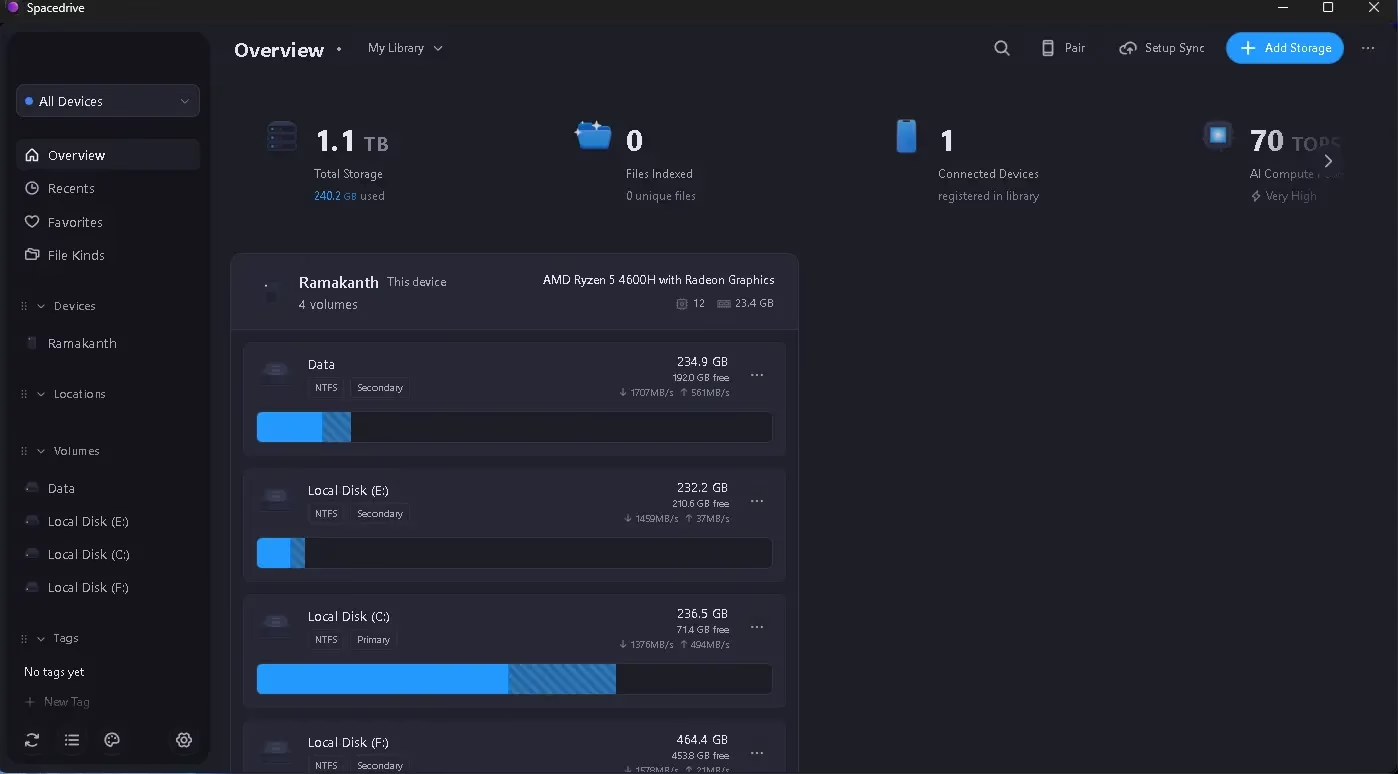
🌐 3. Spacedrive — The Future-Forward Cross-Platform File Manager
Spacedrive is not just another file manager — it is a bold vision for what file management should look like in a multi-device world. Built on a Virtual Distributed Filesystem (VDFS), Spacedrive unifies all your devices, external drives, and cloud storage into one seamless interface.
While most alternatives only improve on Explorer’s basic interface, Spacedrive rethinks the entire concept of where files live and how you access them. It is cross-platform, meaning your files are equally accessible on Windows, macOS, and Linux.
🔑 Key Features of Spacedrive
- Virtual Distributed Filesystem (VDFS) for unified file access
- Multi-device syncing and browsing in one place
- Cross-platform support (Windows, macOS, Linux)
- Unified library view across local and cloud storage
- Open-source and privacy-focused architecture
⚠️ Honest Reality Check
Spacedrive is still in early alpha as of 2026, so you should expect occasional bugs and missing features. However, the core concept is genuinely revolutionary. If you are an early adopter who wants to experience the future of file management, it is absolutely worth installing alongside your main file manager.
✅ Best for: Tech enthusiasts and early adopters who manage files across multiple devices and platforms.
Download the software from https://github.com/spacedriveapp/spacedrive/releases
🧪 4. Sigma File Manager — Lightweight, Fast-Evolving Open-Source Explorer
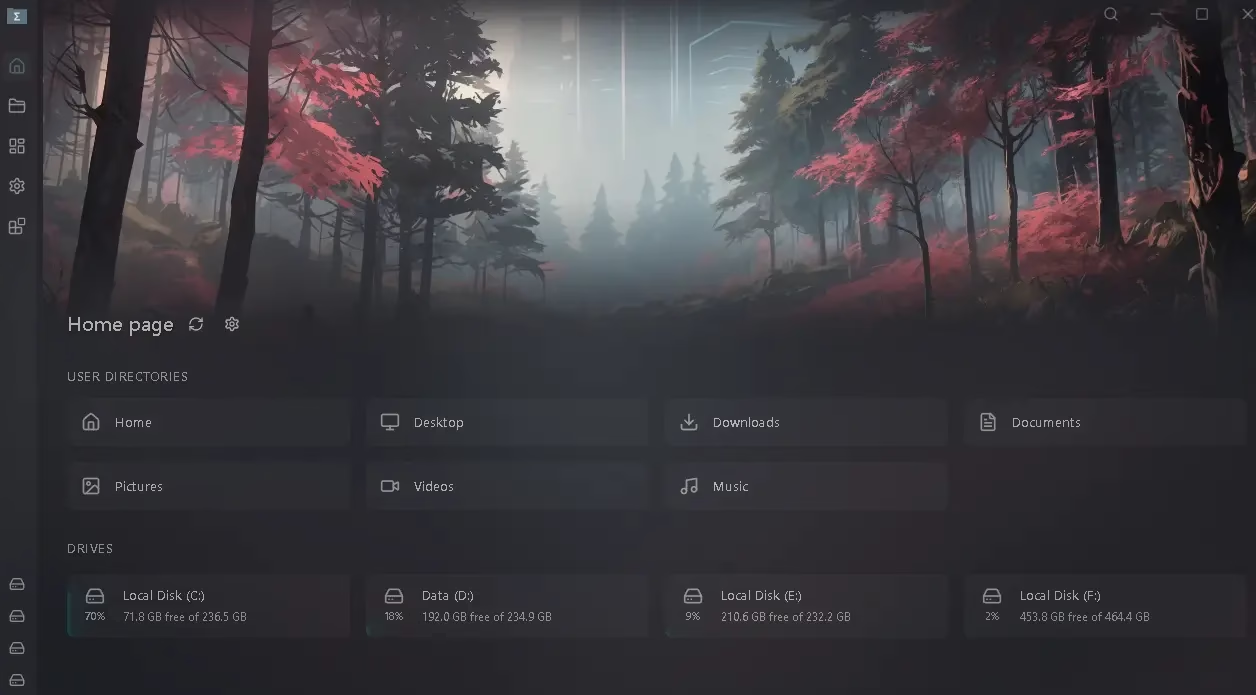
Sigma File Manager is undergoing a massive transformation in 2026 — and it is absolutely worth watching. The development team recently completed a major shift from the Electron framework to Tauri, which has dramatically reduced memory usage and improved overall performance.
What makes Sigma stand out is its focus on organized, distraction-free workflows. Features like integrated Markdown note-taking and dedicated workspaces make it feel less like a traditional file browser and more like a productivity environment built around your files.
🔑 Key Features of Sigma File Manager
- Ultra-fast indexed search that handles massive datasets
- Dedicated workspaces for organized, project-based workflows
- Built-in Markdown note-taking linked to folders
- File protection system to lock critical files from accidental deletion
- Multi-tab and dual-pane layout support
- Lightweight Tauri-based architecture (low RAM usage)
⚠️ Important Trade-off
Sigma File Manager v2 is still in alpha as of early 2026, which means it is not yet feature-complete. However, it has made remarkable progress. If you enjoy following and supporting actively developed open-source tools, Sigma is one of the most exciting projects in this space.
✅ Best for: Developers and tinkerers who want cutting-edge open-source tools with workspace-oriented file management.
Download the Sigma File Manager from https://github.com/aleksey-hoffman/sigma-file-manager/releases/download
🚀 5. File Pilot — Ultra-Lightweight Speed-First File Manager
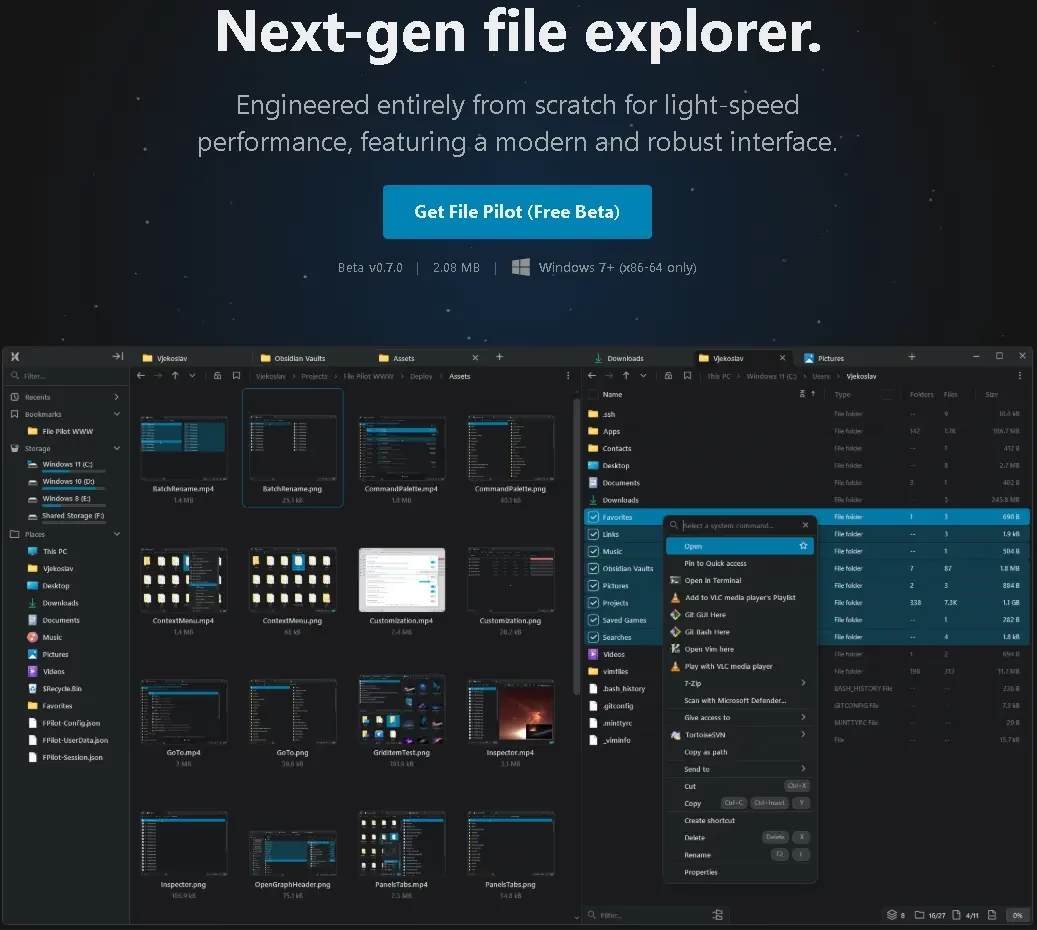
If raw performance is your absolute top priority, File Pilot is in a league of its own. At just 2.1 MB, it is one of the smallest yet fastest file managers ever built for Windows — and that tiny size does not come at the cost of features.
File Pilot is built specifically for users who value keyboard-driven navigation and near-instant response times. Every interaction is optimized for speed, from folder loading to search results.
🔑 Key Features of File Pilot
- Near-instant folder loading with minimal RAM usage
- Advanced split-panel view for side-by-side file management
- Go To ultra-fast fuzzy search for instant file location
- Powerful batch renaming tools
- Full keyboard navigation and shortcut control
⚠️ Downsides to Consider
- Still in beta—some edge-case bugs may appear
- Limited Unicode filename support
- Will transition to a paid model in a future release
✅ Best for: Hardcore speed-focused users and keyboard-first power users who want the fastest possible file browsing experience.
Download the File Pilot app from https://filepilot.tech/download
🤔 Which Windows File Explorer Alternative Should You Choose?
With five strong options, the right choice depends entirely on your specific needs. Here is a quick comparison breakdown to help you decide:
| File Manager | Best For | Cost | Stability |
|---|---|---|---|
| Files App | Best overall free replacement | Free | Stable |
| OneCommander | Speed + deep customization | Free / Pro | Stable |
| Spacedrive | Multi-device unified access | Free | Alpha |
| Sigma File Manager | Open-source + workspaces | Free | Alpha |
| File Pilot | Absolute speed & lightweight | Free (now) | Beta |
In summary: if you want one recommendation, go with Files App or OneCommander—they offer the best balance of stability, features, and performance for most users right now.
⚠️ The Real Cost of Switching File Managers (Most People Ignore This)
Before you switch, it is important to understand that changing your file manager comes with a learning curve and transition cost. Specifically, you should consider the following:
- You will initially lose muscle memory built around Windows Explorer’s layout
- Some third-party shell integrations or right-click menu items may not carry over
- Several tools on this list are still in alpha or beta, so stability is not guaranteed
Therefore, if Windows File Explorer already works fine for your basic needs, upgrading may not deliver a meaningful benefit. However, if you regularly move large files, work with multiple drives or cloud services, or need automation and batch processing—then switching to one of these alternatives can dramatically improve your daily productivity.
Frequently Asked Questions (FAQ)
Is there a better file manager than Windows File Explorer?
Yes. Several modern alternatives significantly outperform Windows File Explorer in speed, features, and usability. Files App and OneCommander are the most recommended replacements for everyday users, while File Pilot is the best choice for maximum performance.
Are these Windows File Explorer alternatives free?
Most of them are free. Files App, Spacedrive, and Sigma File Manager are fully free and open-source. OneCommander has a free version with an optional Pro upgrade. File Pilot is currently free but will eventually move to a paid model.
Do these file managers work on Windows 10?
Yes, most alternatives on this list are compatible with both Windows 10 and Windows 11. The Files app and OneCommander officially support Windows 10. However, for the best experience—especially with the Files app’s Fluent Design—Windows 11 is recommended.
Can I use a third-party file manager as my default?
You can use any of these tools as your primary file manager by simply launching them instead of Windows Explorer. However, Windows does not natively allow you to replace Explorer as the system-level default. You can, though, pin your preferred file manager to the taskbar and use it for all your day-to-day file management needs.
🏁 Final Verdict: Best Windows File Explorer Alternative in 2026
Windows Explorer is not bad — but it is undeniably outdated. These modern alternatives prove that file management on Windows can be faster, smarter, more powerful, and far more enjoyable.
To summarize our top picks for 2026:
- 🥇 Files App — Best overall free Windows File Explorer alternative
- ⚡ OneCommander — Best for power users who need speed and automation
- 🌐 Spacedrive — Most innovative concept for multi-device file access
- 🧪 Sigma File Manager — Best open-source tool with workspace organization
- 🚀 File Pilot — Fastest and lightest option available
Tried any of these? Drop a comment below and let us know which Windows File Explorer alternative works best for your workflow. And if you found this guide helpful, consider sharing it with a fellow Windows power user!


Discover more from Techno360
Subscribe to get the latest posts sent to your email.