



Using the internet can be risky, but the Cloudflare WARP software claims to make it safer and more private. For private browsing, parental control, and security, this multi-platform app is a game-changer.
What makes WARP so special? Let’s find out.
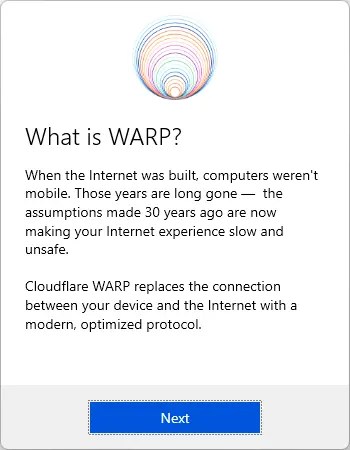

What is Cloudflare WARP?
WARP is simply a sophisticated DNS resolver with VPN capabilities that give people more command over their online activities. As proof of CloudFlare’s dedication to internet security, WARP is available on platforms such as Windows, Linux, macOS, iOS, and Android.
With WARP, users can customize their connection settings to block malicious software and adult content, making it ideal for those who want to surf the web anonymously and with peace of mind.

Key Features of WARP:
- Secure Browsing: To bypass your ISP’s logging of your DNS requests, WARP changes your DNS to 1.1.1.1, providing an additional degree of anonymity.
- Enhanced Privacy: By redirecting your traffic through a private server, WARP’s VPN feature hides your IP address and keeps you anonymous when you surf the web.
- Malware and Adult Content Blocking: Successfully blocking malware and adult content is one of WARP’s notable qualities. Because of this feature, it is a fantastic option for parents who wish to keep their children safe while they are online.
- Customizable Settings: Users can personalize the program according to their needs by adjusting DNS protocols, adding exceptions, and managing logs.
- Cross-Platform Compatibility: WARP offers consistent protection on all of your devices because it is available on multiple operating systems. These platforms include Windows, Linux, macOS, iOS, and Android.
Understanding DNS and WARP Modes
- 1.1.1.1 Mode: This simple configuration switches your domain name system (DNS) to Cloudflare’s server, which outperforms most ISP-provided DNS servers in terms of speed and privacy.
- 1.1.1.1 with WARP: By encrypting your traffic and redirecting it through Cloudflare’s infrastructure, this option enhances security, similar to a VPN.
Why Choose Cloudflare WARP?
- Speed: Faster web browsing without sacrificing security is possible using WARP.
- Ease of Use: Anyone may manage their internet security with ease thanks to the easy UI.
- Cost-Free: WARP is free, making high-level internet security available to everyone.


Installation and Setup
To harness the full potential of WARP:
- Visit one.one.one.one to download the application suitable for your device.
- Install the app, and connect to WARP, by clicking the icon on the Windows taskbar.
- Depending on your security requirements, choose either the 1.1.1.1 or 1.1.1.1 with WARP modes.
- Make any required adjustments to the DNS protocols or parental control settings.

Conclusion
The Cloudflare WARP app is a must-have for individuals who value their online privacy and security. Thanks to its DNS resolution and VPN-like features, WARP ensures users’ privacy and security while they surf the web.
If you value your privacy or are a parent concerned about your children’s safety online, WARP provides a powerful, free, and easy-to-use solution. Protect your online identity and activities with WARP, by Cloudflare.
Official Webpage: https://one.one.one.one/


