


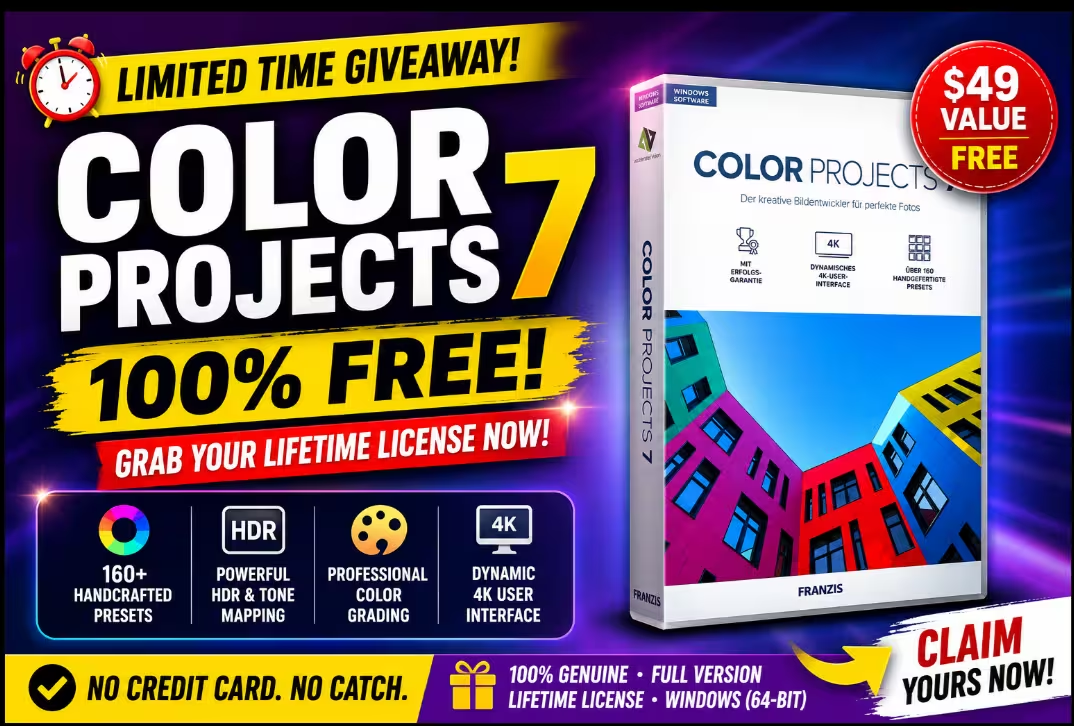
COLOR projects 7 — Get the Full Version for Free (Lifetime License!)
Franzis is handing out genuine, no-strings-attached lifetime licenses for their acclaimed photo color editor. Over 160 handcrafted presets, RAW support, and a dynamic 4K interface — absolutely $0.
Quick Read — What You Need to Know
- What: COLOR projects 7 by Franzis — a dedicated Windows photo color-grading tool
- Price: Completely free via official Franzis giveaway (lifetime license)
- How to claim: Register email → confirm link → download installer → activate with serial
- Limitations: Non-commercial use, 1 PC, no future upgrades or tech support
- Key highlight: 160+ handcrafted presets across 10 style categories + 4K UI
- Giveaway link: reg.franzis.de (official Franzis registration portal)
Professional photo color-grading software with a price tag of zero — that’s not something you come across every Tuesday. But right now, Franzis, the German software house behind the well-regarded Projects series, is running a generous giveaway for COLOR projects 7, and the license you’ll walk away with is a fully functional, permanent one.
No subscription. No watermarks on export. No trial countdown ticking in the corner. Just a clean, full-featured color editor sitting on your PC whenever you need it. If you’ve ever wanted a dedicated tool for transforming flat photos into mood-drenched, expressive images — this is the moment to act.


What Exactly Is COLOR projects 7?
COLOR projects 7 is a standalone Windows photo editor built around one core idea: giving your images the color story they deserve. While apps like Photoshop demand you know your way around curves and blend modes, COLOR projects 7 hands you a library of over 160 hand-crafted presets organized into 10 style categories — Natural, Surreal, Landscape, Architecture, Portrait, Artistic, Drawings, Photo Style, Kirlian, and more.
The workflow is intentionally efficient. You open an image, browse presets (each one previewed with your actual photo), apply the look that resonates, and then fine-tune everything on the right-hand panel using the expert tools. The interface scales beautifully to 4K monitors and stays responsive throughout.
It handles RAW files natively, supports batch processing for those busy editing sessions, and includes a film emulation engine for that analog warmth photographers obsess over. It’s the kind of software that makes a noticeable difference in under five minutes.
160+ Handcrafted Presets
10 organized style categories for portraits, landscapes, architecture, artistic looks, and beyond.
Dynamic 4K Interface
UI scales crisply on high-resolution displays — no fuzzy icons, no squinting required.
RAW File Support
Edit straight from your camera’s RAW output for maximum tonal range and quality.
Film Emulation Engine
Recreate the look of classic analog film stocks with precise color science.
Selective Masking Tools
Apply edits only to specific regions — skies, skin, backgrounds — without affecting the whole image.
Expert Fine-Tune Panel
Adjust tonal values, colour channels, and photo film looks with detailed parameter sliders.


Giveaway at a Glance
| Detail | Info |
|---|---|
| Software | COLOR projects 7 (Standard Edition) |
| Publisher | Franzis GmbH (Germany) |
| Normal Price | ~$79 USD |
| Giveaway Price | $0 — Completely Free |
| License Type | Lifetime (permanent activation) |
| Platform | Windows 8.1 / 10 / 11 (64-bit) |
| Giveaway Availability | Limited — ends without notice |
| Upgrades Included | No — version 7 only |
| Tech Support | Not included |
| Commercial Use | Not permitted (personal use only) |
How to Claim Your Free License — Step by Step
The whole process takes less than five minutes. Follow along:
Visit the Official Franzis Giveaway Page
Head over to the registration portal — reg.franzis.de. You’ll land on a clean page asking for your email address.
Enter Your Email & Hit Send
Type your email into the field, tick the consent checkbox agreeing to data storage terms, complete the reCAPTCHA, and press the SEND button. That’s it for this step.


Confirm Your Email (Check Spam!)
Within a couple of minutes, an email lands from registrierung@sw.franzis.de with the subject “Registrierungsbestätigung: COLOR projects 7”. Click the confirmation link inside.


Copy Your User ID & Registration Key
Clicking the link takes you to the Franzis portal, where your unique User ID and Registration Key (serial number) are displayed. Copy both and keep them somewhere safe — you’ll need the key to activate the software.


Download & Install the Software
Grab the installer directly from Franzis: download the zip file, extract it, and inside the folder named WIN COLOR #7 DE_EN you’ll find COLOR #7 DE_EN Setup.exe. Run it and complete the installation wizard.


Activate with Your Serial Number
Launch COLOR projects 7 — it opens in trial mode. When the licence dialog appears, enter your name (or blog/company name) in the first field, then paste your registration key into the serial number section. Click Activate.


Official Franzis giveaway portal — no payment required
Seeing It in Action
Once activated, the real fun begins. The left-side panel houses all your presets, organized into browsable categories. Click any thumbnail, and the effect is applied to your photo in real time in the central viewer. The right-hand panel switches between a streamlined Finalise mode and a deeper Expert mode, where you get access to the intelligent colour space (SCA) selector, film emulation options, the optimisation assistant, denoising controls, and masking tools.

What’s particularly impressive is the magnifying glass comparison panel in the top-right corner, which lets you see the before/after of any edit at a glance without toggling views. It’s a small touch that saves a lot of back-and-forth during a session.

Who Should Grab This?
If you already own a high-end editor like Lightroom Classic or DxO PhotoLab and you’re deeply embedded in those workflows, you might not find yourself switching over. But as a free addition to your toolkit? It earns its place without a second thought.
A Few Things Worth Knowing
Transparency matters, so here are the honest limitations of this giveaway license:
- Single PC only — you can activate on one computer.
- Personal/non-commercial use — don’t use it for client work you’re being paid for.
- No upgrade path — when COLOR projects 8 arrives, you’ll need to buy that separately.
- No official support — Franzis won’t handle support tickets for giveaway users.
- Windows only — Mac users, this one’s not for you.
None of those should stop you from claiming it. For personal photography and content creation, this license is completely sufficient — and completely permanent.
COLOR projects 7 Giveaway — Absolutely Worth Claiming
Franzis has built a genuinely capable colour editor in COLOR projects 7. The sheer volume of quality presets alone would justify a price tag, and the 4K-ready interface, RAW support, and film emulation engine push it well above what most free tools offer. Claiming a lifetime license costs you nothing but two minutes of your time.
The giveaway is time-limited and won’t be around forever — don’t overthink it. Register, activate, and add a solid photo tool to your Windows setup right now.
✅ Lifetime License
✅ No Watermarks
✅ 160+ Presets
✅ RAW Support
⚠️ No Upgrades
⚠️ Windows Only
Direct link to official Franzis giveaway page · Limited availability
Frequently Asked Questions
Final Word
Free software giveaways happen all the time, but ones that hand over a fully capable, no-expiry license from a reputable European publisher are genuinely rare. COLOR projects 7 is not a stripped-down trial or a feature-locked freebie — it’s the real thing, and Franzis is simply using it as a promotional vehicle to introduce new users to their software family.
Whether you’re a keen amateur photographer, a blogger who wants nicer images without a Lightroom subscription, or simply someone who likes having good tools on their PC — this giveaway is worth five minutes of your time. Go claim it before the quota fills up.