


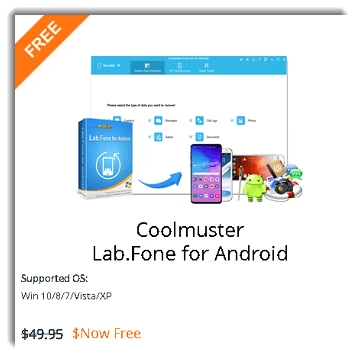
Coolmuster Lab.Fone for Android is a powerful Android data recovery software for Windows that helps users recover lost, deleted, or corrupted data from Android phones, tablets, and SD cards. Whether you’ve accidentally deleted photos, contacts, messages, or documents, this tool offers a reliable way to get your data back.
If you’ve accidentally erased or lost important data from your Android device or an external SD card, this app can help you recover it with just a few clicks.
This straightforward app also lets you back up both deleted and existing data from an Android device to the computer in case of data loss.
What is Coolmuster Lab.Fone for Android?
Coolmuster Lab.Fone for Android is a dedicated data recovery tool designed for Windows PCs. It scans your Android device’s internal memory, SIM card, and external SD card to locate and restore lost files. The software supports recovery of contacts, SMS messages, call logs, photos, videos, audio files, and documents in formats like JPG, PNG, MP4, DOCX, PDF, and more.
As of 2026, the latest version supports Android 6 through Android 17 and is compatible with 6,000+ Android phones and tablets, including Samsung, Huawei, Google Pixel, Xiaomi, OPPO, Vivo, Sony, Motorola, LG, HTC, and more.
Key Features of Coolmuster Lab.Fone for Android (2026)
- Recover 10+ File Types: Contacts, SMS, call logs, WhatsApp messages, photos, videos, audio, and documents.
- Two Scanning Modes: Quick Scan and Deep Scan (raw scanning) for different data loss scenarios.
- Preview Before Recovery: View recoverable files before saving them to your PC.
- SD Card Recovery: Recover data from both internal memory and external SD cards.
- Backup Existing Data: Back up current (non-deleted) data from Android to PC as well.
- Android 15 Compatible: Fully updated to support the latest Android OS versions.
- 6,000+ Devices Supported: Works with virtually all major Android brands and models.
- Export Formats: Contacts and SMS can be exported as HTML or XML for easy viewing and printing.
Simple Enough to Configure
The Windows PC software Coolmuster Lab.Fone for Android is easy to install. A pop-up window will appear asking for your permission to install the Coolmuster Android Assistant app on your phone when you launch the program and connect your Android phone to your PC via USB cable.
To scan and recover data, install the Android app on your phone. Enable USB debugging from Developer Options on your Android device for the best results.


How to Recover Lost Files with Coolmuster Lab.Fone for Android
The program offers two types of scanning modes:
- Quick Scan – Faster scan for recently deleted files.
- Deep Scan – Thorough scan for older or hard-to-find deleted data.
Select the type of scan and click the “Continue” button.
If your Android phone is rooted, you will see a pop-up window on your phone asking for Superuser permission. Click “Grant” or “Allow” on the device to proceed.
Unrooted Android phone users can click the “Continue” button to scan undeleted data on the device. Note: Deep recovery of deleted files from internal storage requires root access, which is a limitation of this program.
After the scan completes, the program displays all recoverable items including contacts, messages, call logs, photos, videos, audio, and documents. Select the files you want to restore and click the Recover button.
Rooted vs. Unrooted Android: What’s the Difference?
This is an important point for users to understand before downloading:
- Rooted Android phones: Full recovery capability — deleted contacts, SMS, photos, videos, and documents can all be retrieved from internal memory.
- Unrooted Android phones: Limited to backing up existing (non-deleted) data and recovering files from the SD card. Deep recovery of deleted files from internal storage is not available without root.
If your phone is not rooted, consider alternatives like FoneLab Android Data Recovery or Tenorshare UltData for Android, which offer better rootless recovery support.
Coolmuster Lab.Fone for Android: What Data Can It Recover?
| Data Type | Supported Formats |
|---|---|
| Photos | JPG, PNG, BMP, HEIC |
| Videos | MP4, 3GP, M4V |
| Audio | MP3, AAC, WAV, OGG |
| Documents | PDF, DOCX, XLSX, EPUB |
| Contacts | HTML, XML |
| SMS / MMS | HTML (Bubble view) |
| Call Logs | HTML, XML |
Coolmuster Lab.Fone for Android Free 1-Year License Giveaway
A one-year license for this software normally costs $49.95, but with the giveaway link below, you can get it for free.
Steps to claim your free license:
- Visit the giveaway page: Coolmuster.com/giveaway/lab-fone-for-android.html
- Enter your name and email address and click the “Submit” button.
- The giveaway page will display your license code — copy it.
- Download the installer (19.1 MB) from this link.
- Install the software and launch the program.
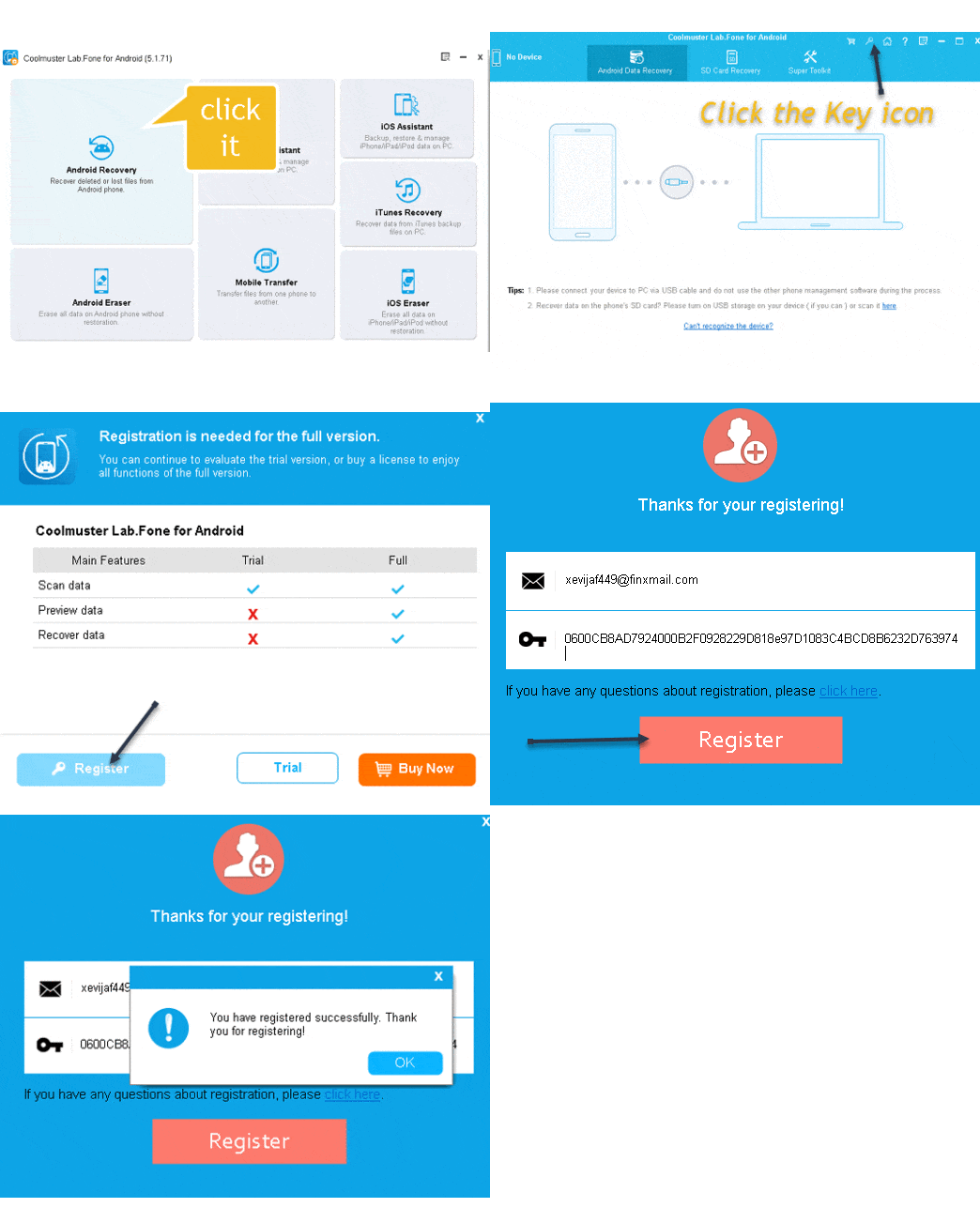
- Click “Android Recovery” on the main screen.
- Click the key icon on the top-right menu, then click “Register”.
- Enter your email address and license code to activate the product.

Coolmuster Lab.Fone for Android: Pros and Cons
Pros:
- Supports 6,000+ Android devices and tablets
- Compatible with Android 6 to Android 15 (2026)
- Preview files before recovering
- Recovers a wide range of file types
- Simple, clean user interface
- Also backs up existing data (not just deleted files)
- Available on Microsoft Store
Cons:
- Deep deleted-file recovery requires a rooted Android device
- Limited functionality for unrooted phones
- Paid software (free only via giveaway)
Alternatives to Coolmuster Lab.Fone for Android
If you’re looking for other Android data recovery tools with free licenses, check out these articles on Techno360:
- FoneLab Android Data Recovery Free 1 Year License – Supports rootless recovery from 6,000+ devices.
- Stellar Data Recovery for Android Free License – Industry-trusted recovery with Android 16 support.
- Tenorshare UltData Android Data Recovery Free License – Recover data without rooting your phone.
- Apeaksoft Android Data Recovery Free License – Lightweight and easy to use.
- Coolmuster Android SMS + Contacts Recovery Free for 1 Year – Dedicated SMS and contacts recovery from Coolmuster.
- MobiKin Doctor for Android Free License – Another popular Android recovery solution for Windows.
Final Verdict
Coolmuster Lab.Fone for Android is a capable Android data recovery solution for Windows users — especially if your phone is rooted. With support for Android 15 and 6,000+ devices as of 2026, it remains relevant and up-to-date. If you have a rooted Android, this is a solid free tool worth grabbing during the giveaway. However, if your device is unrooted, you’ll get more value from alternatives like FoneLab or Tenorshare UltData that offer stronger rootless recovery capabilities.


