


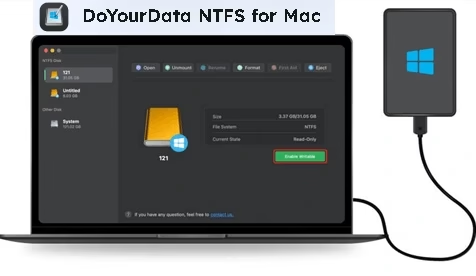
If you’ve been looking for Mac software that lets you write to NTFS drives, DoYourData NTFS for Mac is your best bet. Create writable NTFS drives on your Mac in no time at all with this user-friendly program. It provides unrestricted access to NTFS volumes, allowing you to write data to them, edit/save, move, update, remove, add, copy, cut, or paste files onto them.
About DoYourData NTFS for Mac:
Unfortunately, macOS does not support the NTFS file system, which is based on Windows. On Macs, the NTFS drive can only be read-only.


The solution is to use the NTFS for the Mac program, which will allow you to remove all the limits. DoYourData NTFS for Mac is a user-friendly NTFS for the Mac program; to enable write access to your Mac’s NTFS drives, simply click the Enable Writable button.
With this NTFS driver from DoYourData, you can do more than other NTFS for Mac tools: rename, move, replace, edit, add, change, save, write to, and delete files on NTFS drives without formatting. Works with any drive formatted with the NTFS standard, including external hard drives, solid-state drives, USB flash drives, memory cards, and more.


DoYourData is compatible with all Apple’s silicon chips (T2, M1/M2/M3), Intel-based Macs, and the latest version of macOS (macOS Sequoia). Mounting and unmounting NTFS disk drives, fixing damaged disk drives, formatting USB flash drives and SD cards, ejecting external devices in safe mode, and much more are all within its purview.
The fact that it addresses all NTFS drive issues is an important feature. When you encounter difficulties such as “Can’t delete files from an external-internal drive” or “You don’t have permission to write data to the drive,” this function can help you resolve the problem without harming your data.
Key Features:
- Created to assist you in resolving the issue of your Mac’s default read-only access to NTFS drives and enabling write access.
- Writing, editing, saving, moving, altering, erasing, adding, copying, cutting, and pasting files are just some of the many actions it can carry out on NTFS drives.
- If you’re having trouble mounting or removing files from an external NTFS thumb drive, or if you can’t copy files from your Mac to the disk, this program can help.
- It offers a simple way to ease mounting and unmounting NTFS external drives on Mac, so you may access them easily when needed and safely disconnect them when not in use.
- Fixing broken internal drives and corrupt SD cards is another one of its significant advantages.
- Using the Format function, you can format a removable drive into several formats, such as NTFS, ExFAT, Mac OS Extended, APFS, and more.


DoYourData NTFS for Mac Free License:
Download the software for your Mac from the developer page: https://www.doyourdata.com/
Click “Activation” on the app’s primary interface after installation.
In the pop-up window that appears, input the license code that was provided below. Finally, click the “Activate” button.
M484Z-8NPRI-B4EHI-XZCZX-GKCY1


