


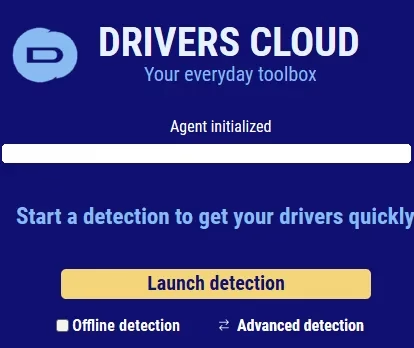
Keeping your computer’s drivers up-to-date is crucial for getting the best performance and avoiding issues. However, manually checking for driver updates can be tedious and time-consuming. That’s where Drivers Cloud comes in – it’s a free tool that makes updating drivers quick and easy.
Why Update Your PC’s Drivers?
Updating drivers on personal computers is crucial for several reasons. First, it improves the hardware’s efficiency so that it operates smoothly. Users may face frustration because of poor performance, lag, and crashes caused by outdated drivers. When you update your computer’s drivers, you boost its performance and responsiveness.
Second, keeping drivers up-to-date allows fixing any problems with the computer’s performance or stability. Trying to complete tasks while dealing with connection problems or subpar visuals can be incredibly frustrating. Hardware updates have the potential to eliminate such issues, leaving users with a trouble-free and satisfying experience.
Finally, current drivers improve the system’s security, giving users more comfort. Updates can protect your machine from online dangers by patching any security holes that may be found. Users who regularly update their drivers don’t have to worry about harmful software like viruses and trojans when they’re using the internet.


Introducing Drivers Cloud – A Free and User-Friendly Solution
This is a free program that simplifies installing the latest drivers on a computer running Windows or Linux. The program inspects your PC’s hardware and checks your driver versions against its extensive database.
The software gives a complete system health overview and guides you to the right updates with just one tap.
This app stands out from the competition owing to its user-friendliness, thoroughness of scan, extensive database, safety measures, and efficiency.
The interface is simple enough for non-technical users, and a system scan and driver download just takes a few clicks. DriversCloud further guarantees your safety by only providing drivers from official and trusted sources.


Key Benefits of Using Drivers Cloud
- Ease of use – a simple, streamlined process
- Accurate scanning for precise identification of outdated drivers.
- Extensive database of drivers to match a wide range of hardware
- Enhanced security by using only official driver sources
- Saves time by automating system driver updates
- The website and detection agent never access your private or sensitive information.
- The website offers content in 7 languages: English, French, German, Spanish, Portuguese, Russian, and Arabic.
- Completely free tool
Step-By-Step Guide to Updating Drivers:
- Visit the official website of the app, scroll down, and click on the “Manual Installation” button.
- Download the installer or agent, run the installer, and complete the installation process.
- Run the tool and click “Launch Detection”. It will scan your hardware and drivers.
- Once the scan is done, the website will list the drivers that need updates.
- If you want to get the suggested drivers, just click the “Download” button.
- The Drivers Cloud app will open again and download the recommended drivers for your PC for you.
- After downloading the drivers, the folder containing the installation files will open. Install each one.


Conclusion:
Keeping your PC’s drivers up to date is essential for optimal performance, stability, and security. Drivers Cloud is a valuable tool that simplifies the process, saving you time and headaches. Remember to always create a restore point before performing any updates and only install drivers from trusted sources.


