


Your Eyes Are Begging for a Break — EyeRest Actually Listens
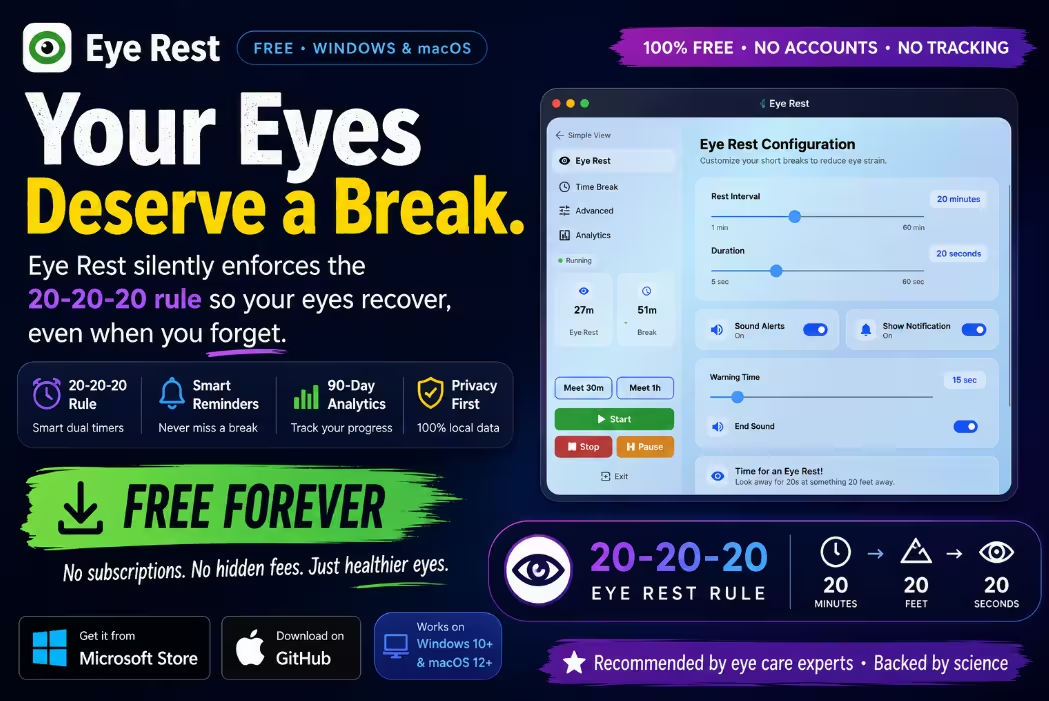
This free app silently enforces the science-backed 20-20-20 rule on Windows and macOS — so your eyes recover, even when you forget to take breaks.
Backed by the American Academy of Ophthalmology
| ✅ | EyeRest is a 100% free desktop app for Windows and macOS that reminds you to follow the 20-20-20 rule — no accounts needed. |
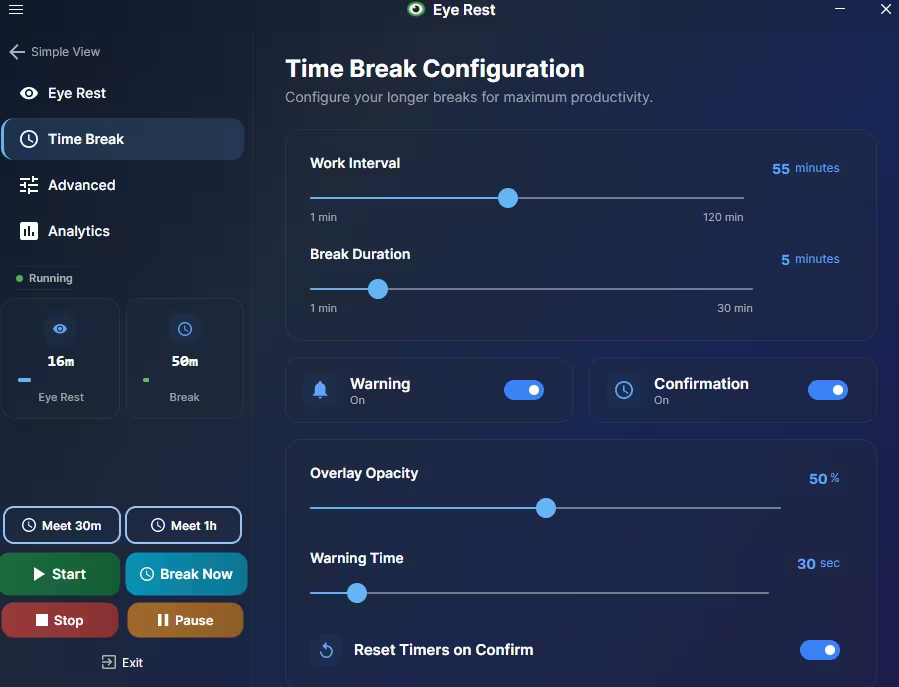
| ✅ | It runs a dual-timer system: a 20-second micro-break every 20 minutes, plus a longer 5-minute rest every 55 minutes. |
| ✅ | Smart idle detection pauses the timer when you step away — no wasted breaks, no annoying pop-ups while you’re already resting. |
| ✅ | 90-day analytics show your break compliance weekly — making healthy habits visible and motivating. |
| ✅ | Zero data collection — everything stays on your machine. No cloud, no subscriptions, no tracking. |
You probably don’t notice it until 6 PM. That tight feeling behind your eyes. The words on screen starting to blur. The dull headache that wasn’t there at noon. Welcome to computer vision syndrome — and if you spend hours at a screen every day, you almost certainly know it by feel even if you’ve never heard the name.
Here’s the uncomfortable truth: a 2024 systematic review published in the Journal of Optometry found that roughly 69% of regular screen users worldwide experience digital eye strain symptoms. That’s over 2 billion people quietly suffering through tired, dry, aching eyes every single day.
The fix is surprisingly simple — and a tiny free app called EyeRest automates it for you completely. In this review, we’ll break down exactly how it works, what makes it different from basic reminder apps, and whether it’s actually worth installing on your PC or Mac.

👀 Why Your Eyes Hurt After a Long Screen Session
Before diving into the app itself, it helps to understand why screens are so rough on your eyes in the first place.
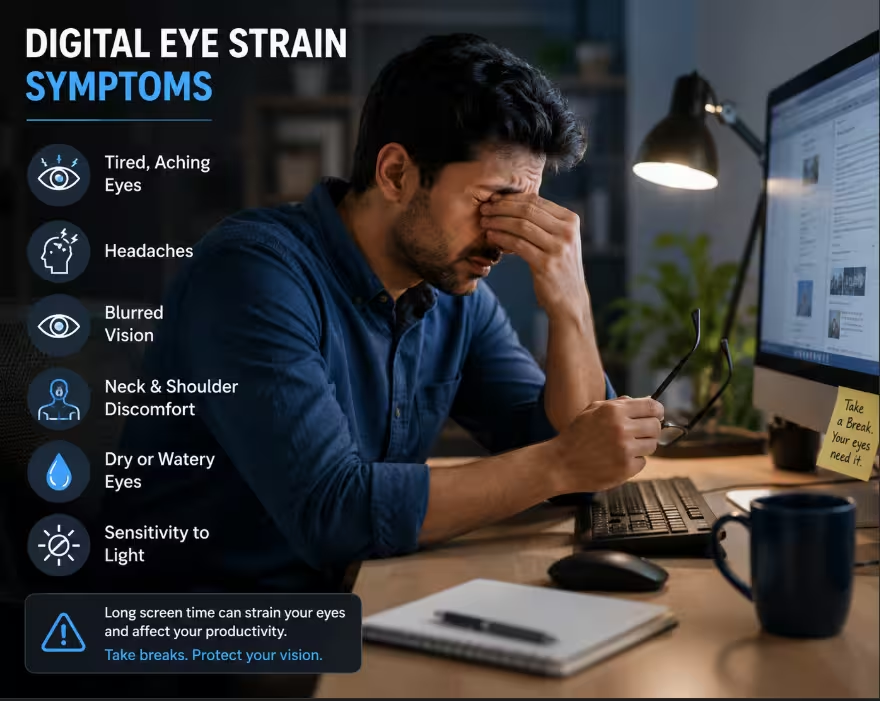
When you focus on a screen, two things happen that your eyes really don’t like. First, your ciliary muscles — the tiny muscles that control your lens shape — lock into a fixed near-focus position for extended periods. This sustained tension is exhausting, much like holding a weight at arm’s length. Second, and this is the kicker, your blink rate crashes.
⚠️ Research published in the New England Journal of Medicine by Tsubota and Nakamori found that the normal resting blink rate of around 22 blinks per minute drops to just 7 per minute during screen use — a 68% reduction. Fewer blinks = faster tear film evaporation = dry, gritty, irritated eyes.
The cluster of symptoms this causes — dry eyes, blurred vision, headaches, neck strain, and difficulty re-focusing — is what the American Optometric Association officially calls Computer Vision Syndrome (CVS), or more commonly, digital eye strain.
🔵 The Blue Light Myth (And What Actually Helps)
The American Academy of Ophthalmology states there is currently no credible evidence that blue light from screens damages the eyes. A 2023 Cochrane systematic review of 17 randomised controlled trials reinforced this — blue-light glasses probably make no meaningful difference to eye strain symptoms.
What does work? Taking regular, properly timed screen breaks. Specifically, the 20-20-20 rule — which EyeRest was built entirely around.
⏱️ The 20-20-20 Rule Explained (And Why It’s So Effective)
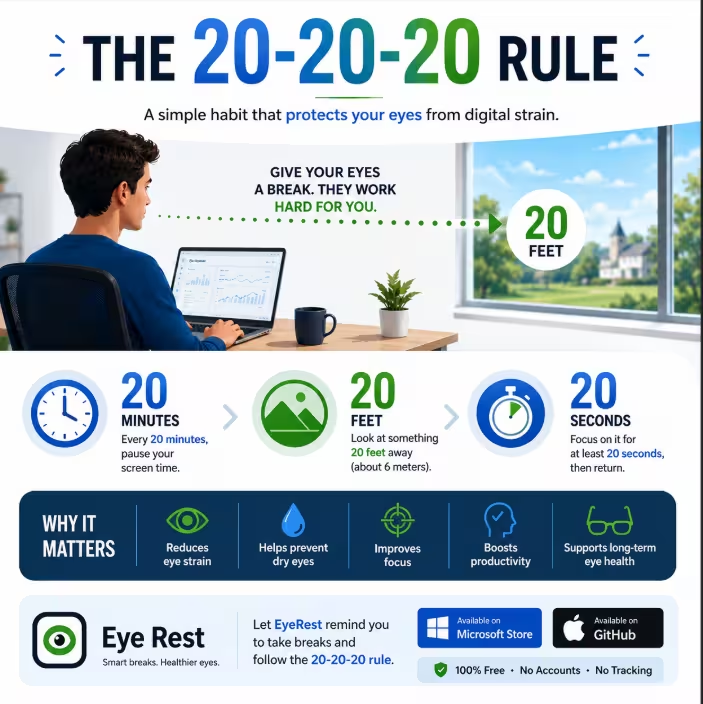
Created by optometrist Dr. Jeffrey Anshel · Endorsed by the American Academy of Ophthalmology · Proven by a 2023 clinical trial in Contact Lens and Anterior Eye
The rule works because 20 seconds is roughly the minimum time your ciliary muscles need to fully relax from near-focus tension. A 2023 peer-reviewed clinical trial confirmed it significantly reduces dry eye symptoms and overall eye strain when paired with automated reminders. The biggest reason people don’t follow the rule isn’t that they don’t know about it — it’s that they forget. That’s the exact problem EyeRest was designed to solve.

🖥️ What Is EyeRest? A Quick Overview
EyeRest is a lightweight desktop application available for Windows 10/11 (via the Microsoft Store) and macOS 12 or newer (via GitHub), including native support for both Intel and Apple Silicon Macs. It’s completely free, open-source, and requires no account creation or personal information of any kind.
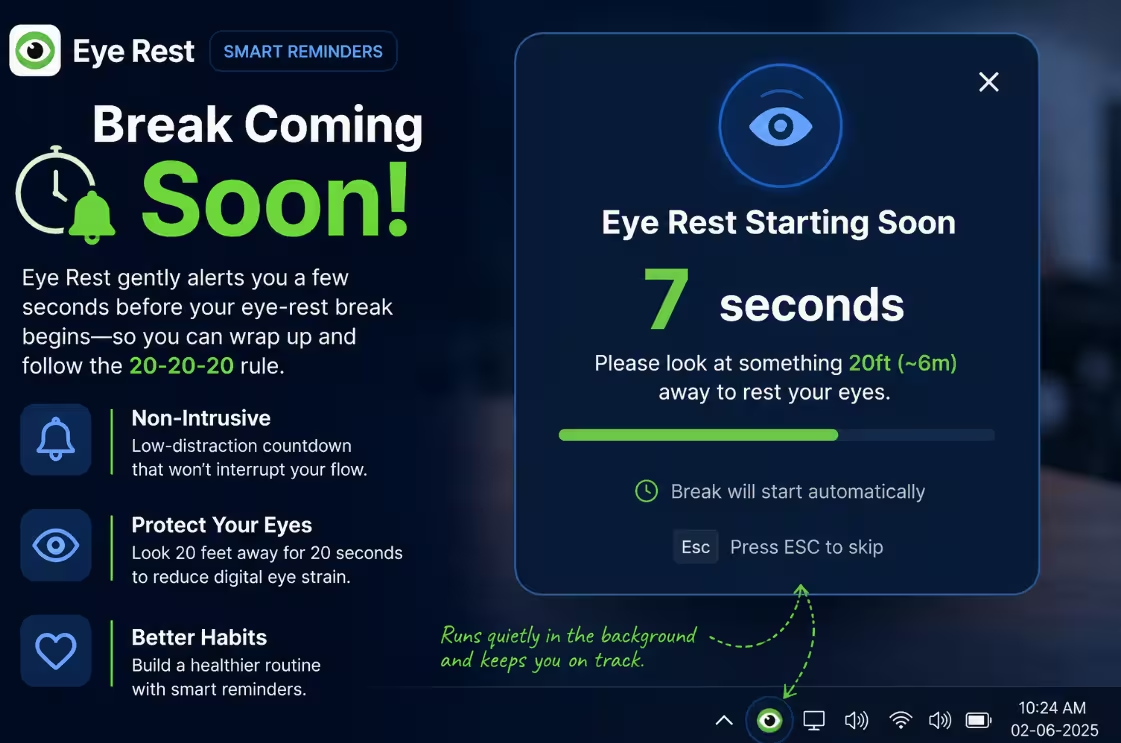
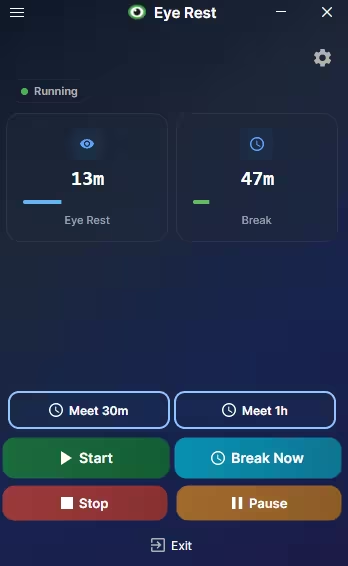
Once installed, it lives in your system tray (or Mac menu bar) and works entirely in the background. You just get on with your work, and EyeRest handles the rest — appearing with a gentle, dismissible overlay whenever a break is due.

⚙️ EyeRest Features: What Sets It Apart from Basic Reminder Tools
1. Dual-Timer Break System
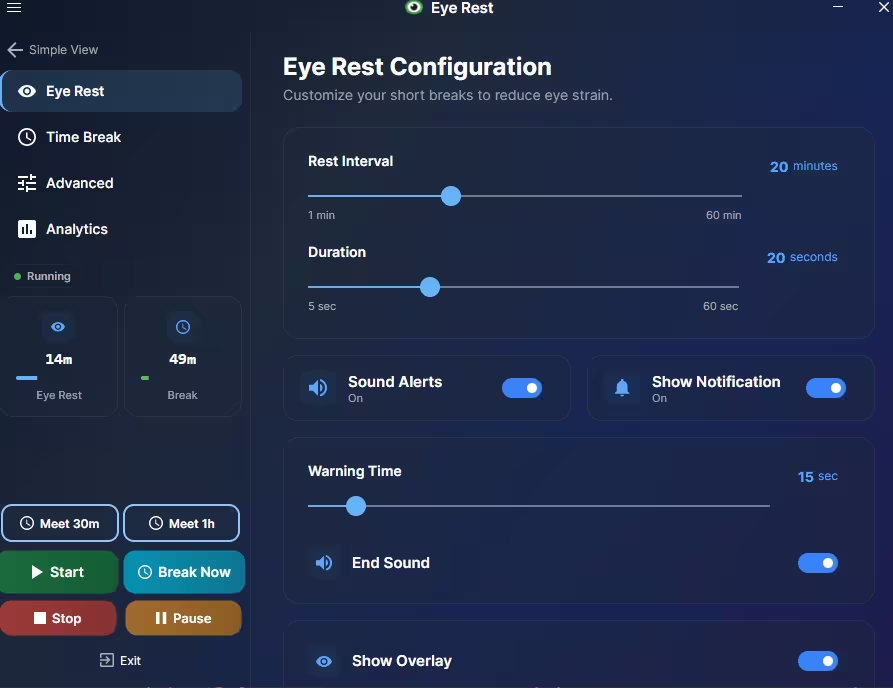
Most reminder apps run a single repeating timer. EyeRest runs two simultaneously. Every 20 minutes, it triggers a quick 20-second eye-rest micro-break — the core 20-20-20 cycle. Every 55 minutes, it prompts a longer 5-minute deep-rest break. This layered approach matches what OSHA itself recommends for healthy screen work patterns.
2. Smart Idle Detection and Auto-Pause
EyeRest detects when you’re away from your computer and automatically pauses both timers. They only resume when you return to the keyboard. No wasted break time, no missed reminders when you’re actually at your desk.
3. Multi-Monitor Support
EyeRest shows the break overlay on every connected monitor simultaneously, so there’s no “sneaking around” to a second screen while ignoring the reminder on your primary display.
4. 90-Day Break Analytics
EyeRest tracks your break compliance and presents it as visual charts covering the past 90 days. You can see your weekly trends, identify your worst days, and watch your compliance percentage tick upward over time.
5. Non-Intrusive Overlay Design
The break reminder can be dismissed with a single click. It tells you what to do (look at a distant point, breathe, blink) rather than just flashing a vague “take a break” notification.
6. Complete Privacy — All Data Stays Local
EyeRest collects absolutely nothing. All break history, analytics, and settings are stored exclusively on your local device. No cloud sync, no telemetry, no third-party data sharing.
7. Light and Dark Themes, Cross-Platform Polish
The app ships with both light and dark UI themes, with a clean, modern interface that doesn’t feel like an afterthought — the design is intentional and unobtrusive.

⬇️ How to Download and Set Up EyeRest (Takes 2 Minutes)
On Windows
Head to the Microsoft Store and search for EyeRest, or visit eyerest.net for a direct link. Install it like any Store app — no fiddling required.
On macOS
Download from GitHub (linked from the official site), open the file, and drag EyeRest into your Applications folder. You may need to allow it in Security & Privacy settings on first launch.
💡 After opening EyeRest for the first time, it immediately begins the 20-minute timer cycle. Adjust intervals in Preferences if needed, then it disappears quietly into your menu bar or system tray and starts doing its job.

👥 Who Will Benefit Most from EyeRest?
Practically anyone with a regular screen habit will notice the difference within a few weeks — but these groups will feel the impact most immediately:
Remote Workers
Who routinely hit 8–10 hour screen days and end up with afternoon headaches they’ve written off as “normal.”
Students & Academics
Spending long hours reading, writing, or coding — especially during exam seasons.
Developers & Designers
Who enter deep focus states and genuinely lose track of time for hours at a stretch.
Gamers
On extended sessions — EyeRest’s non-intrusive design means you can dismiss breaks without breaking concentration.
Parents
Who want to install a sensible screen break habit on family computers used by children.

❓ Frequently Asked Questions About EyeRest
What is the 20-20-20 rule and does it actually work?
Every 20 minutes of screen use, look at something 20 feet away for 20 seconds. Developed by Dr. Jeffrey Anshel and endorsed by the American Academy of Ophthalmology. A 2023 peer-reviewed clinical study in Contact Lens and Anterior Eye confirmed it significantly reduces eye strain and dry eye symptoms — especially when users have an automated tool to enforce the timing.
Is EyeRest completely free to use?
Yes, entirely. EyeRest is free forever with no subscription tiers, no premium features locked behind a paywall, and no in-app purchases. The project is also open-source — auditable by anyone on GitHub.
No. All analytics, break history, and configuration data are stored locally on your device only. Nothing is transmitted to external servers, cloud platforms, or third parties of any kind.
Which operating systems does EyeRest support?
EyeRest supports Windows 10 and Windows 11 (Microsoft Store) and macOS 12 Monterey and newer, with native builds for both Intel and Apple Silicon Macs. Download links available at eyerest.net.
Can I customise the break intervals in EyeRest?
Yes. Both the 20-minute short-break cycle and 55-minute long-break cycle are adjustable in the app’s settings. The defaults are well-calibrated to established eye care guidance and work well for most users straight out of the box.
▸ 100% free with no hidden costs
▸ Science-backed 20-20-20 rule built-in
▸ Smart idle detection stops false breaks
▸ 90-day compliance analytics
▸ Full multi-monitor support
▸ Zero data collection — fully private
▸ Open-source and actively maintained
▸ macOS install requires a manual step
▸ No Linux version yet
▸ No mobile companion app
5 / 5 — Outstanding Freeware
EyeRest is one of those rare free tools that solves a real, daily problem with zero friction and zero compromise. The dual-timer system, idle detection, and 90-day analytics put it streets ahead of basic notification-based alternatives. If you spend more than 4 hours a day at a screen, install it today — your eyes will thank you by next week.
Start Protecting Your Eyes Today — It Takes Under 2 Minutes
EyeRest is free, private, and works silently in the background. Download it from the Microsoft Store (Windows) or GitHub (macOS) and let it build the break habit for you.
Found this useful? Share it with a colleague who’s always complaining about eye fatigue. 👁️