


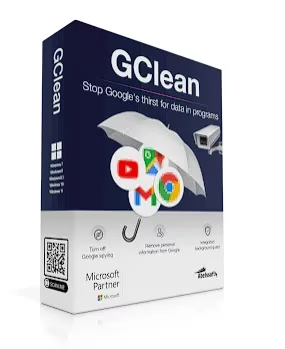
GClean 2026 (also called Google Clean) is a handy Windows utility from Abelssoft that helps you take back control of your privacy when using Google services. If you’ve ever felt uneasy about how much data Google collects while you browse, search, or watch videos, this tool was built for people like you. It finds and removes tracking cookies, clears browser traces, and quietly blocks Google apps from sending your data to third-party marketing companies.
Best of all, you can grab the GClean 2026 full version for free through the giveaway offer — no credit card required, just a quick email registration.


What Is GClean 2026 (Google Clean)?
Every time you use a free Google service — whether it’s Gmail, YouTube, Maps, or just a regular search — you’re handing over a piece of yourself. Google stores your browsing history, your preferences, your location, and a lot more. It then uses this information to serve targeted ads and share behavioral data with marketing partners.
GClean tackles this problem head-on. It scans your computer for all installed Google software and lets you stop data transmission with a single click. Think of it as a privacy shield that sits between you and Google’s data collection machinery.


Many people are genuinely worried about sharing personal data with companies they can’t fully trust. GClean gives you a practical way to reduce your digital footprint without giving up Google entirely. You can still use Search, Gmail, and YouTube — just with far less of your data being tracked and stored.
About GClean 2026
GClean 2026 can detect and clean data from a wide range of Google products, including Search, Gmail, Maps, YouTube, Chrome, Analytics, Toolbar, Desktop Search, Earth, Updater, and Picasa.
For Google Chrome specifically, GClean can:
- Clear your browsing history
- Wipe your download list
- Delete all cookies
- Clear the cache
- Remove saved form data
- Forget saved passwords
When a Google service attempts to plant a new tracking cookie, the built-in G-Radar feature quietly detects it and blocks the attempt. GClean also answers the question of how to stop Google from collecting your browsing data in the background.

The software doesn’t just delete what’s already there — it actively prevents more data from being collected. G-Radar runs quietly in the background and checks after every browsing session to see if anything in your browser settings has been changed without your knowledge.
GClean 2026 Key Features
- Protects Against Google Surveillance — Stops Google from tracking your activity across services
- Disables Background Data Traffic — Cuts off data transmission in various Google applications
- Eliminates All Google Traces—Removes cookies, cache, history, and leftover files from your computer
- Automatic Trace Watcher (G-Radar) — Identifies and removes new application traces automatically after each session
- Blocks Data Leaks — Stops Google apps from silently sending data in the background
- Google Delete Request — Submit a request directly to Google to remove your personal pages or profiles from search results (social media profiles, photo albums, etc.)
- GRadar Cookie Detection — Detects and removes Google cookies or unnecessary tracking files as soon as they appear
- Up-to-Date Browser Support — Works with the latest versions of Chrome, Edge, Firefox, Opera, and Safari
- Comprehensive Chrome Backups — Creates backups of your Chrome profile before cleaning, saving the last five versions
- Wide Windows Compatibility — Supports Windows 7, 8, 8.1, 10, and 11
Installation and UI
Installing GClean 2026 is quick and takes just a few minutes. During setup, you’ll be asked to close any open browsers — this lets GClean apply its privacy rules properly from the start. Once installed, the interface feels clean and modern, with everything clearly labeled so you don’t need any technical background to use it.
GClean works seamlessly with the latest browser and Google service versions. One especially useful addition in recent versions is the ability to request removal of your personal web pages from Google’s search index — so your social media profiles, photo albums, and personal pages won’t show up in search results if you don’t want them to.
If you’re looking for similar tools to boost your browser privacy, you might also want to check out O&O BrowserPrivacy, which destroys browser traces securely across multiple browsers. And if you want to learn how Chrome’s own built-in security works, our guide on enabling Enhanced Protection in Google Chrome is worth reading too.
Get Google Clean 2026 Full Version for Free
[New Giveaway Version (Build 72552)]:
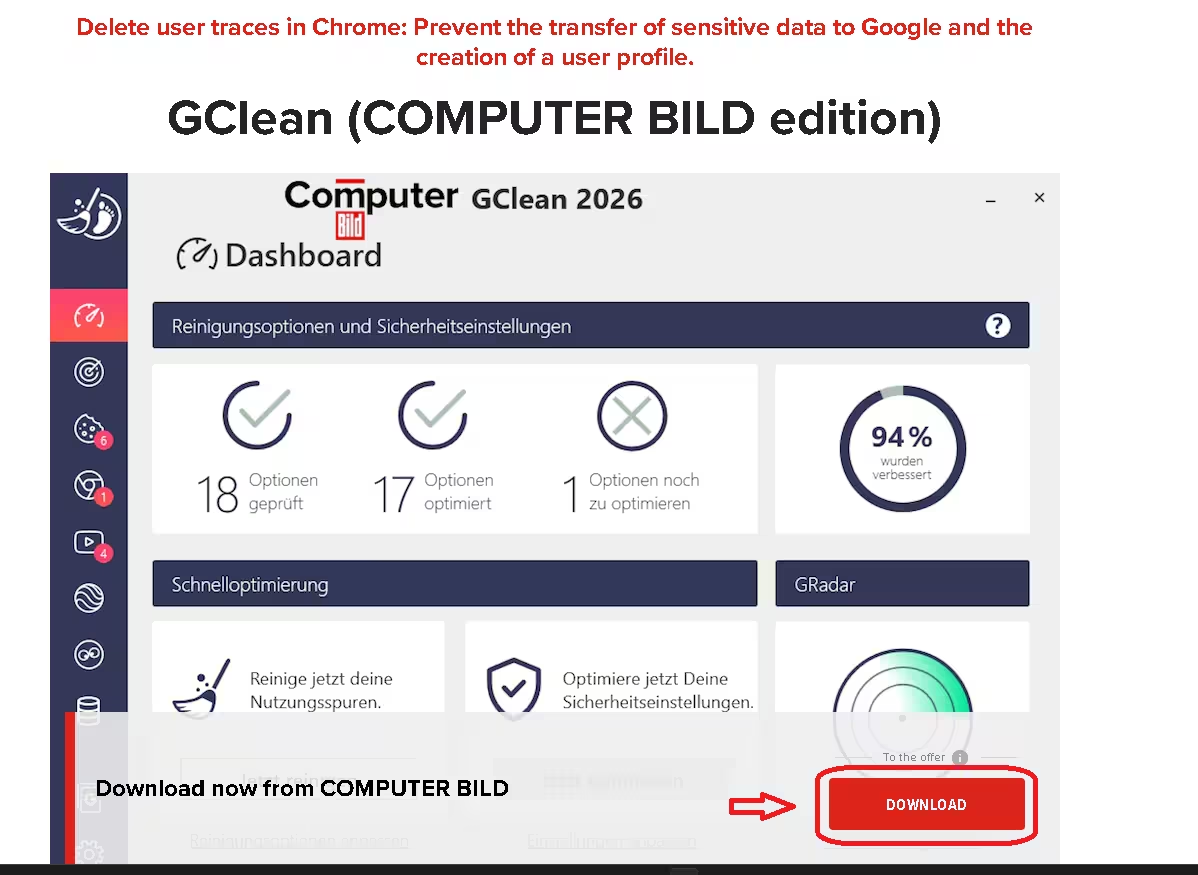
Today ComputerBild webpage is offering GClean 2026 for free as part of thier 30 year celebration.
Visit the giveaway page page and click the “Download” button to download the installer.
Giveaway page:https://www.computerbild.de/download/GClean-COMPUTER-BILD-Edition

How to Activate GClean 2026 for Free
- Download and install GClean using above giveaway link.
- On the first launch, open the Activation window
- Enter your first name, last name, and email address
- Click “Get free unlock email now”
- Check your inbox for an email from software@abelssoft.net and click the confirmation link
- That’s it—GClean 2026 is now fully unlocked at no cost
Note: If you’ve previously installed other Abelssoft giveaway products on the same PC, the registration step may be skipped automatically.


System Requirements
- Operating System: Windows 7, 8, 8.1, 10, or 11
- Supported Browsers: Google Chrome, Microsoft Edge, Mozilla Firefox, Opera, Apple Safari
- File Size: ~14 MB
- License: Free (via giveaway) or paid full version from Abelssoft
[Previous Giveaway(Build 72297)]
Abelssoft regularly offers GClean as a giveaway, letting you get the full version at no cost. Download the giveaway version installer from any of these links:
[Download Link 1] [Download Link 2] [Download Link 3]
Is GClean 2026 Worth Using?
If you use Google services daily and care even a little about your online privacy, GClean is genuinely worth trying. The G-Radar feature alone is something most privacy tools don’t offer — it actively watches for changes in your browser settings and cleans up tracking traces automatically after each session, without you having to think about it.
The Google Delete Request feature is also a standout. Being able to ask Google directly to remove your personal pages from search results — straight from within the app — is something that many users will find very useful.
The fact that you can get the full version completely free through the giveaway makes it even easier to recommend. Give it a try and see how much data GClean actually finds on your system — the results might surprise you.