Last updated: April 2026.
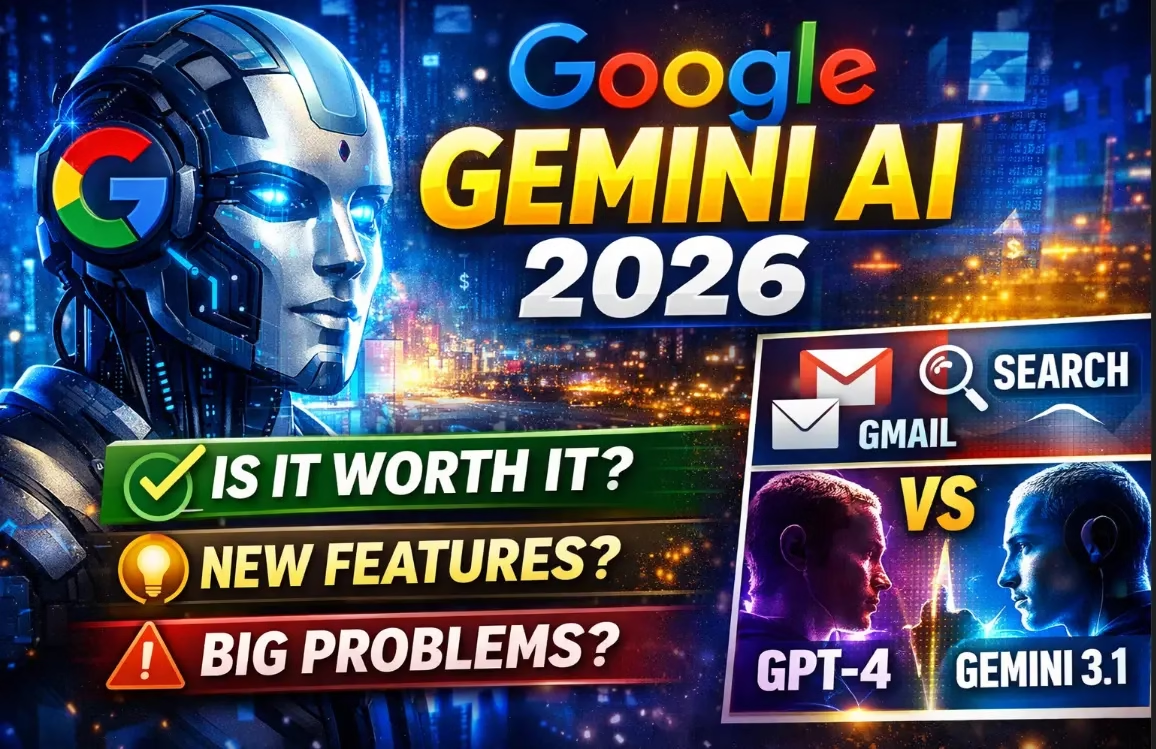
Google Gemini isn’t just another AI chatbot — it’s quietly replacing how Search, Gmail, Maps, and even your Android phone work. If you’re not using it yet, this guide tells you exactly what you’re missing and whether it’s actually worth your time.
In 2026, Google Gemini AI has evolved from a simple chatbot into a full AI ecosystem that powers billions of Google interactions every day. But beyond the marketing headlines, the real question is:
Is Gemini actually worth using — or just another overhyped AI tool?
This complete guide cuts through the noise. We cover what Gemini is, every major feature that actually matters, honest limitations, pricing broken down clearly, real-world use cases, and a direct comparison with ChatGPT — so you can decide for yourself.

What Is Google Gemini AI?
Google Gemini AI is Google DeepMind’s flagship multimodal artificial intelligence platform that understands and generates text, images, audio, video, and code — deeply integrated into Google Search, Gmail, Maps, Docs, Sheets, and Android.
Gemini was built as a natively multimodal system from the ground up. Unlike older AI tools that bolt image or audio support onto a text model, Gemini processes all formats simultaneously in a single model architecture. It is also uniquely grounded in real-time Google Search data, which reduces hallucinations and keeps answers accurate and current in ways most competitors cannot match.
Originally launched as Bard in 2023 and rebranded as Gemini in February 2024, the platform has grown dramatically. By 2026, Google AI has over 350 million active users worldwide, and the Gemini 3 model series represents a genuine generational leap in reasoning, multimodal understanding, and agentic capabilities.
The key difference: Gemini is not a standalone AI product — it is woven into the Google products billions of people already use daily. That integration is its biggest strength, and its biggest limitation.

Google Gemini AI Models in 2026 — Explained
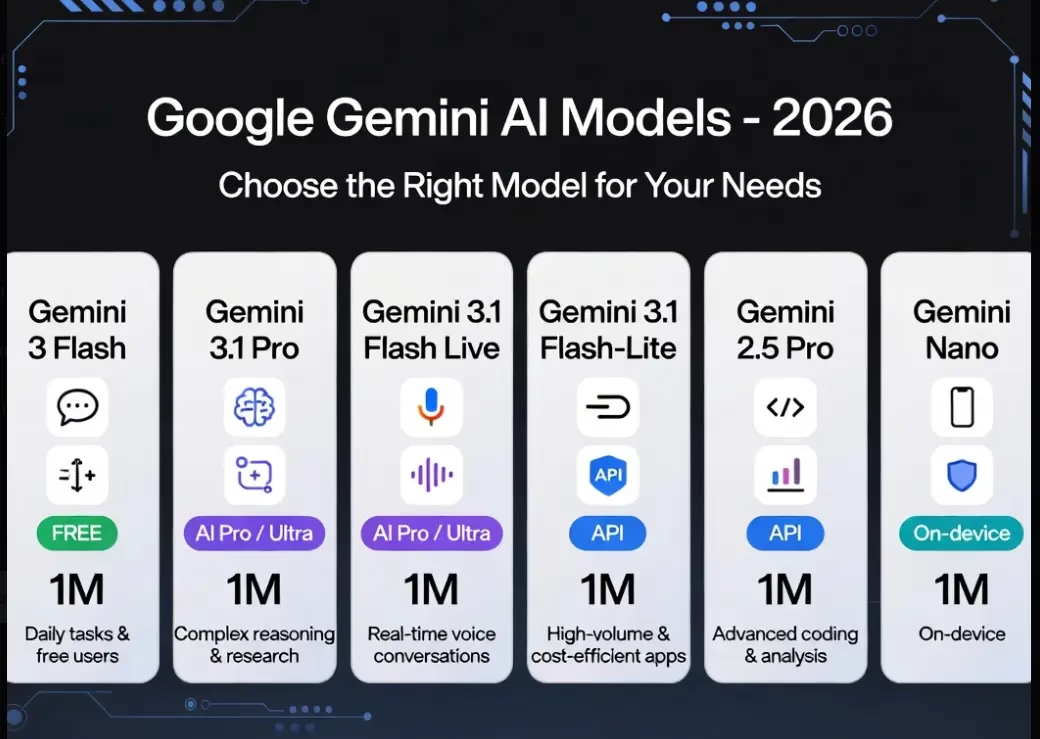
The Gemini model family spans from lightweight on-device models to frontier-class reasoning engines. Here is a clear breakdown of every model available in 2026:
| Model | Best For | Context Window | Access |
|---|---|---|---|
| Gemini 3 Flash | Daily tasks, free users | 1M tokens | Free (default) |
| Gemini 3 Pro / 3.1 Pro | Complex reasoning, coding, research | 1M tokens | AI Pro / Ultra |
| Gemini 3.1 Flash Live | Real-time voice AI, hands-free | 1M tokens | AI Pro / Ultra |
| Gemini 3.1 Flash-Lite | High-volume, cost-efficient apps | 1M tokens | API (paid) |
| Gemini 2.5 Pro | Advanced coding and analysis | 1M tokens | API (paid) |
| Gemini Nano | On-device AI for Pixel / Android | On-device | Built-in (Android) |
Reality check: Most users only encounter Gemini 3 Flash on the free plan — but the real capability jump comes with Gemini 3.1 Pro. It tied GPT-5.4 for the #1 spot on the Artificial Analysis Intelligence Index across 339 models as of February 2026.
Top Google Gemini AI Features That Actually Matter
1. Personal Intelligence — Your AI That Knows Your Life
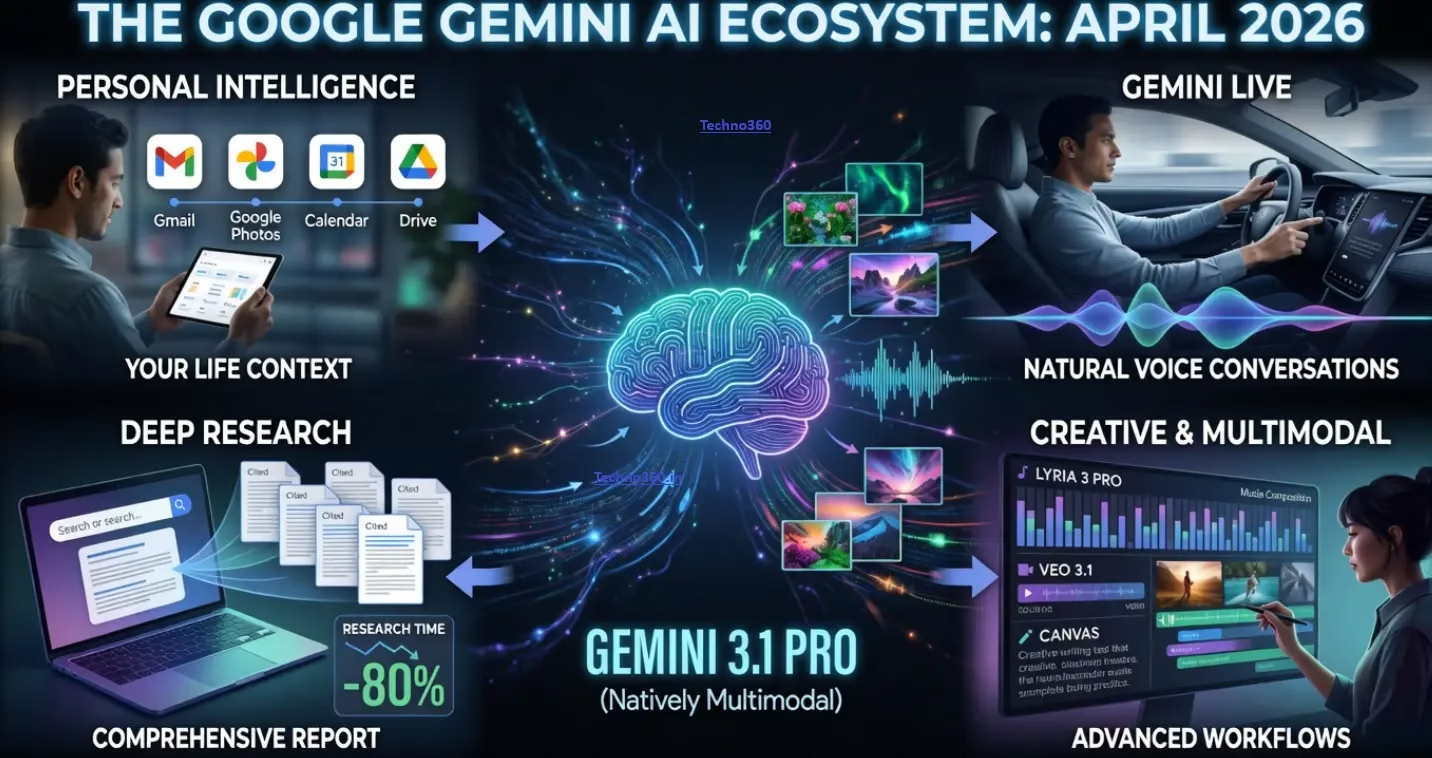
Personal Intelligence is Gemini’s most transformative 2026 feature and the one that genuinely separates it from every competitor. It connects Gemini to your Gmail, Google Photos, YouTube history, Google Drive, and Google Search — giving it context about your actual life, not just the conversation in front of it.
What this means in practice:
- Ask Gemini to summarise unread emails before a meeting
- Get travel plans based on bookings already in your inbox
- Receive meal suggestions tied to your past shopping and preferences
- Find documents across Drive without remembering filenames
Launched in beta for paid US subscribers in January 2026, Personal Intelligence expanded to all free-tier users in the United States on March 17, 2026. International expansion is ongoing. You stay in full control — privacy settings let you choose exactly which apps connect to Gemini.
This is where Gemini beats every competitor. No other AI platform has this depth of integration into your existing digital life.
2. Deep Research — Massive Time Saver
Deep Research lets Gemini autonomously plan and execute multi-step research tasks, analysing hundreds of web sources in real time and generating comprehensive, fully-cited reports. What would take a human researcher several hours is completed in minutes.
Use case for bloggers, students, and traders: Research time drops by 60–80%. Use it for competitor analysis, market deep-dives, or building background for long-form content. The output is cited and structured — not a hallucinated summary.
AI Pro subscribers get higher usage limits; AI Ultra unlocks the full Deep Research power with the most capable models. Deep Search in Google Search offers a similar experience, performing hundreds of searches and synthesising results into a detailed report with a few minutes of wait time.
3. Gemini Live — Natural Voice AI
Gemini Live enables real-time, natural back-and-forth voice conversations. In 2026, conversations on Gemini 3.1 hold context twice as long as before, which means you no longer need to repeat yourself mid-conversation. It is ideal for:
- Driving (Gemini in Android Auto replaces Google Assistant)
- Hands-free multitasking while working
- Customer service walkthroughs
- Quick voice queries without switching apps
Gemini Live is also expanding to smart home devices — Nest Mini, Nest Hub Max, and Nest Audio — in 2026.
4. Canvas — Long-Form Work Done Right
Canvas is a dedicated persistent workspace within Gemini for building projects that span multiple sessions. Unlike a standard chat where context resets, Canvas keeps your project state intact. It rolled out across the US in March 2026 with support for creative writing and coding tasks — making it the best Gemini interface for any work that takes more than one sitting.
5. Gems — Custom AI Mini-Apps, No Coding Needed
Gems let you build custom AI tools for specific workflows. Google Labs has released premade Gems including “Recipe Genie” and “Claymation Expert.” You can remix existing Gems or build new ones entirely from a text description. For power users who do the same types of tasks repeatedly, Gems effectively let you create a specialised AI agent for each workflow.
6. NotebookLM — Your Personal Research Library
NotebookLM is now directly integrated into the Gemini app. Upload up to 1,500 pages of documents — from PDFs to research papers to business plans — and get expert-level help analysing data, finding key insights, and creating charts. Paid users get five times more audio overview generations than free users. Notebooks persist across sessions, making this the ideal tool for ongoing research projects.
7. Search Live — Voice + Camera Search
Search Live expanded globally in March 2026 wherever AI Mode is available. Point your camera at something and ask Gemini about it in real time. Useful for troubleshooting problems hands-free, identifying products, getting real-time travel guidance, or asking questions about what you’re physically looking at.
8. AI History Import — Switch Without Starting Over
Google now lets you import your full chat history, memories, and preferences from ChatGPT, Claude, or other AI apps directly into Gemini in a few clicks. You paste a prompt into your existing AI, copy the generated summary, and Gemini is instantly up to speed on your context. This removes the biggest friction barrier to switching.
9. Lyria 3 Pro — AI Music Generation
Lyria 3 Pro lets paid subscribers compose high-fidelity music tracks up to 3 minutes long with granular control over intros, verses, bridges, and overall structure. It is also available to developers via the Gemini API and Google AI Studio. For content creators and musicians, this is a genuinely useful tool, not a gimmick.
10. Veo 3.1 — AI Video Generation
Veo 3.1 generates cinematic-quality video from text prompts. AI Ultra subscribers get the highest access level including video generation through Flow (Google’s AI filmmaking suite). A lightweight version, Veo 3.1 Lite, is available for rapid iteration and high-volume applications via the API.

Gemini AI Across Google Products — What Changed in 2026
March 2026 brought deep Gemini integrations across Google’s entire product suite:
| Product | What Gemini Added |
|---|---|
| Google Search | AI Overviews, AI Mode, Search Live (voice + camera) |
| Gmail | AI Overviews in search, advanced Proofread while composing |
| Google Docs | Help me create, Help me write, Match writing style |
| Google Sheets | Build/edit spreadsheets with AI, state-of-the-art data analysis |
| Google Maps | Ask Maps (conversational queries + reservation booking) |
| Android Auto | Gemini replaces Google Assistant for hands-free conversation |
| Google TV | Gemini-powered visual answers and narrated deep dives |
| Pixel Phones | Circle to Search improvements, Magic Cue restaurant recommendations |
Real-World Use Cases — Where Gemini Actually Wins
For Traders and Market Analysts
- Macro research summaries on Gold, Oil, and Index trends
- Economic event impact analysis (Fed decisions, geopolitical news)
- Deep Research reports on sector fundamentals in minutes
- Earnings report breakdowns and sector comparisons
Honest caveat: Gemini is not reliable for real-time trading signals. Use it for research and context — always verify before acting on any AI output in live markets.
For Bloggers and Content Creators
- Article outlines, drafts, and SEO optimisation ideas
- Content repurposing across formats (blog to script to social)
- Deep Research for sourcing accurate facts quickly
- Lyria 3 Pro for background music in video content
For Developers
- Code generation, debugging, and API integration via Gemini 3.1 Pro
- Vibe-coding with Google Antigravity agent in AI Studio (build apps from descriptions)
- Jules: async coding agent for intensive multi-agent workflows
- Gemini Code Assist and Gemini CLI for daily development
- Free tier at Google AI Studio: up to 1,500 API requests/day
For Students
- Notes summarisation and concept explanations
- NotebookLM for organising research across subjects
- Deep Research for building essay background quickly
- Audio overviews to study on the go
Google Gemini AI Pricing — Fully Broken Down (2026)
| Plan | Price | Key Features | Best For |
|---|---|---|---|
| Free | ₹0 / $0 | Gemini 3 Flash, limited 3 Pro Thinking (US), Deep Research, Canvas, Gems, NotebookLM, Gemini Live, 100 monthly AI credits, 15 GB storage | Casual users, students, first-time users |
| Google AI Pro | $19.99/month (~₹1,670) | Gemini 3.1 Pro, 1M token context, higher Deep Research limits, 1,000 AI credits, Jules coding agent, Gemini in Gmail/Docs/Sheets, 5× NotebookLM audio, Veo 3.1 Lite trial | Power users, bloggers, developers, professionals |
| Google AI Ultra | $124.99 for 3 months (promo) | Highest Gemini 3.1 Pro access, Deep Think mode, Veo 3.1 full, 25,000 AI credits, Jules 20× limits, Agent Mode, $100/month Google Cloud credits, YouTube Premium | Heavy AI users, enterprise, video creators, developers at scale |
Smart move: Most users do not need Ultra. AI Pro at $19.99/month gives the best value-to-capability ratio for bloggers, developers, and everyday power users. Google AI Pro also includes a free first-month trial — try before you commit.
Gemini API Pricing for Developers
| Model | Input (per 1M tokens) | Output (per 1M tokens) |
|---|---|---|
| Gemini 2.5 Flash-Lite | $0.10 | $0.40 |
| Gemini 2.5 Flash | $0.30 | $2.50 |
| Gemini 2.5 Pro (≤200K context) | $1.25 | $10.00 |
| Gemini 3 Pro (≤200K context) | $2.00 | $12.00 |
| Gemini 3 Pro (>200K context) | $4.00 | $18.00 |
The free API tier via Google AI Studio provides up to 1,500 requests/day on Flash models — sufficient for prototyping and personal projects. The Batch API offers a 50% cost reduction for asynchronous processing workloads.

Gemini vs ChatGPT—The 2026 Honest Verdict
| Feature | Gemini | ChatGPT |
|---|---|---|
| Google ecosystem integration | ⭐⭐⭐⭐⭐ | ⭐⭐ |
| Real-time web grounding | ⭐⭐⭐⭐⭐ | ⭐⭐⭐⭐ |
| Customisation and plugins | ⭐⭐⭐ | ⭐⭐⭐⭐⭐ |
| Creative writing quality | ⭐⭐⭐⭐ | ⭐⭐⭐⭐⭐ |
| Multimodal (image/video/audio) | ⭐⭐⭐⭐⭐ | ⭐⭐⭐⭐ |
| Free tier generosity | ⭐⭐⭐⭐⭐ | ⭐⭐⭐ |
| Third-party app integrations | ⭐⭐⭐ | ⭐⭐⭐⭐⭐ |
| Developer API value | ⭐⭐⭐⭐⭐ | ⭐⭐⭐ |
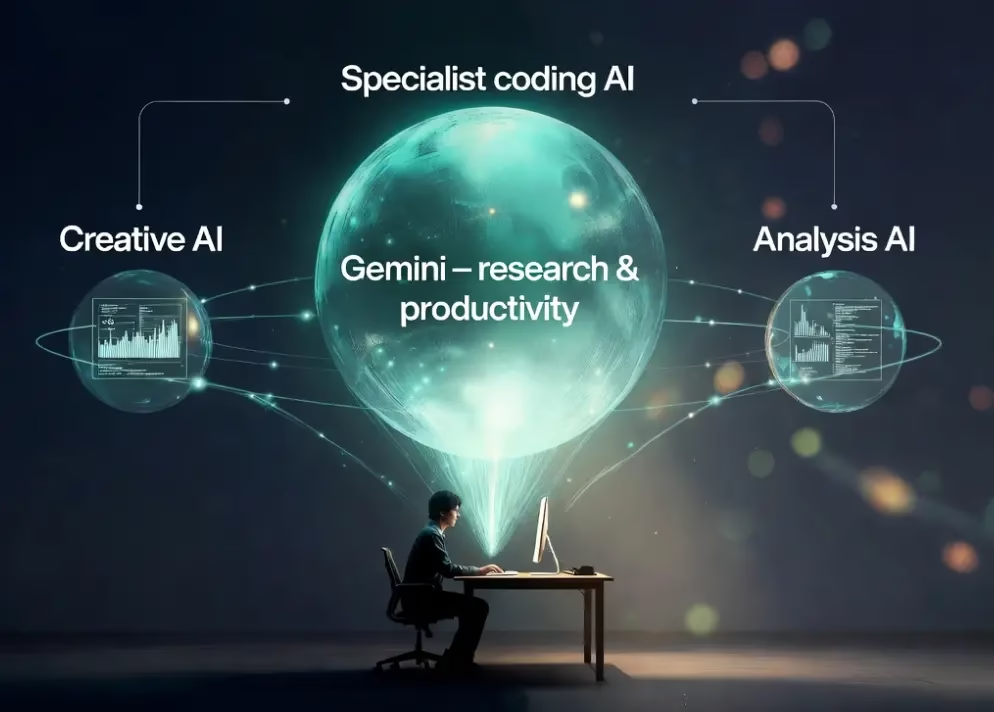
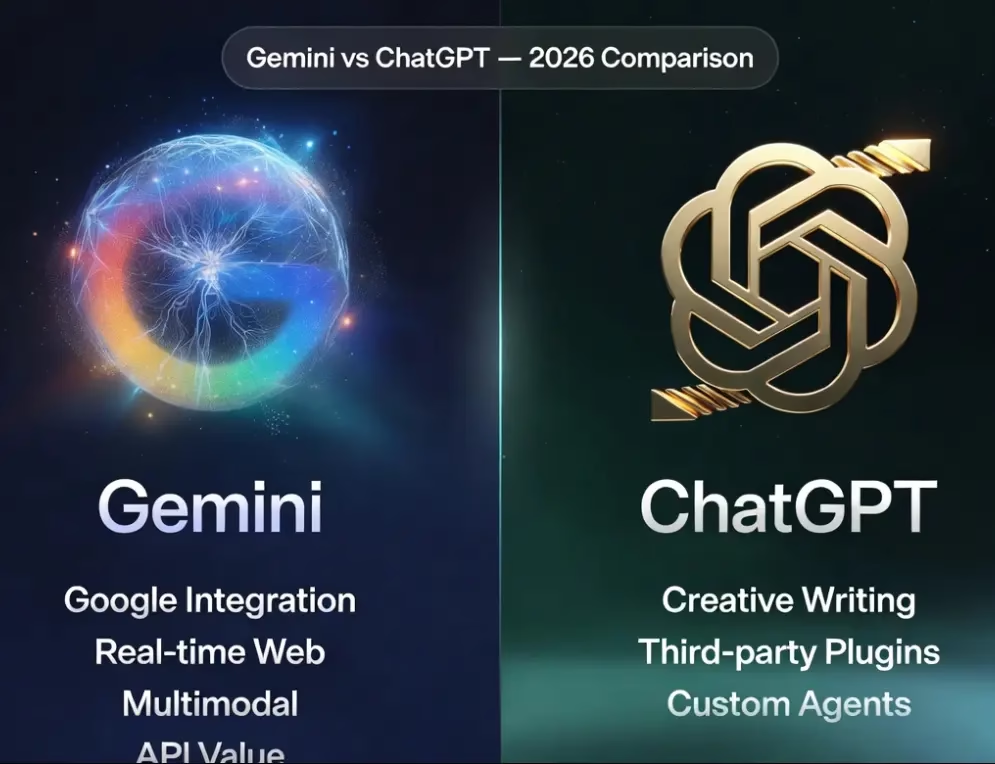
The bottom line: Choose Gemini if you live inside the Google ecosystem and want the best AI integration with the tools you already use. Choose ChatGPT if you want maximum flexibility, third-party integrations, and top-tier creative output. For most people, the answer is both — use Gemini as your primary research and productivity engine and a specialist tool for creative or coding work where it excels.
Where Google Gemini AI Still Falls Short — Honest Limitations
No tool is perfect, and Gemini has real limitations worth knowing before you commit to a subscription:
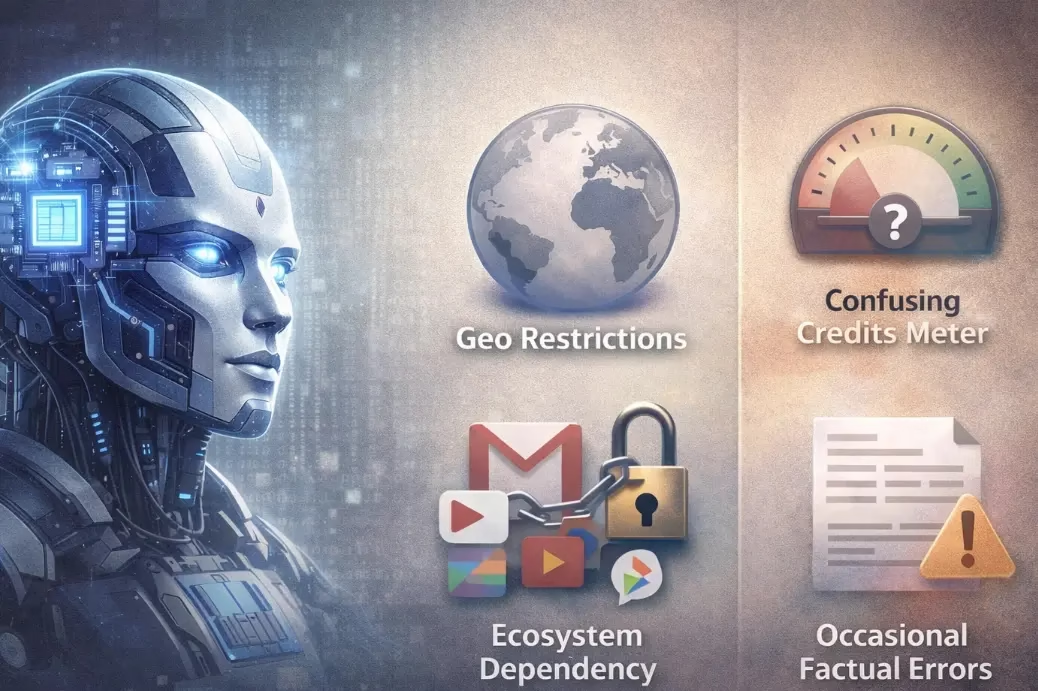
- Geo-restricted features: Personal Intelligence, Gemini 3 Pro in AI Mode, and several Ultra features are currently US-only. India gets Gemini and AI Pro but misses several key 2026 features for now.
- Confusing AI credits system: The AI credits model for Veo, Flow, and Whisk is non-transparent. It is not always clear how many credits a task will consume until after you use them.
- Less customisation vs competitors: ChatGPT’s custom GPTs and plugin ecosystem still outperform Gemini Gems for deep third-party integrations and workflow automation beyond Google’s own apps.
- Google ecosystem dependency: Gemini’s biggest strength is also its trap. If you do not use Gmail, Drive, or other Google products, Gemini loses most of its personalisation advantage over competitors.
- Generic outputs without good prompting: Like all LLMs, Gemini without careful prompting produces surface-level answers. You need to invest in prompt depth to unlock its real capability — especially for 3.1 Pro.
- Occasional factual errors: Despite real-time grounding, Gemini still makes mistakes on niche or rapidly changing topics. Always verify critical information from primary sources.
Honest insight: Gemini is powerful — but it is not yet a complete replacement for every AI tool. Use it as your primary AI layer and supplement with specialist tools where needed.

Tested Insight — What It’s Actually Like to Use Gemini 3.1 Pro
After extensive testing of Gemini 3.1 Pro across research workflows and content creation:
- Deep Research is genuinely impressive. For structured topic research where you need cited, comprehensive coverage, Gemini outperforms its competitors in breadth and organisation of output.
- The Google integration advantage is real, not marketing. Having Gemini pull context from Gmail and Drive mid-conversation is a workflow shift that is hard to go back from once you have experienced it.
- Canvas is underrated. Most users never explore it, but for long-form writing and iterative projects it is significantly more useful than the standard chat interface.
- Prompt depth matters enormously. Shallow prompts return shallow answers. Giving Gemini 3.1 Pro role context, output format instructions, and specific constraints produces dramatically better results.
- Voice quality in Gemini Live 3.1 is noticeably smoother. The lag reduction and longer context memory makes it feel like a genuine conversation rather than a query-response loop.
Bottom line: Gemini 3.1 Pro is a genuinely powerful tool. But it rewards users who invest in learning how to prompt it well. Out of the box, casual use returns good-but-not-exceptional results.
How to Get Started With Google Gemini AI
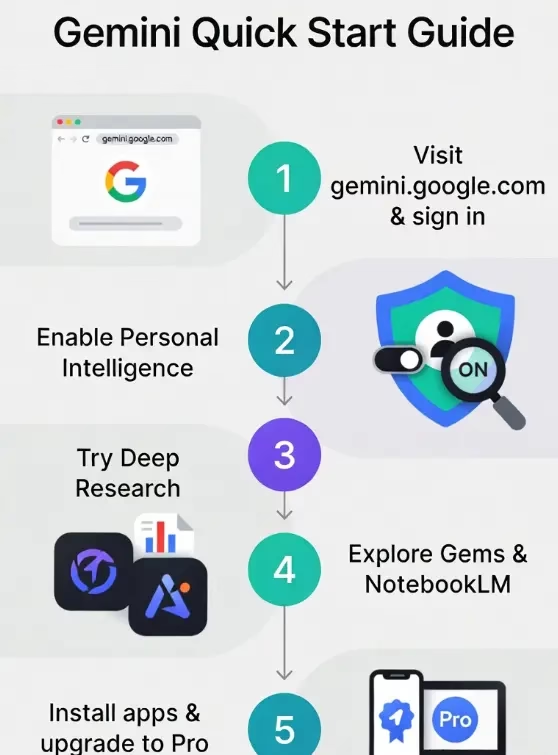
- Visit gemini.google.com — Sign in with your Google account. No credit card required for the free plan.
- Enable Personal Intelligence — Go to Settings and connect your Gmail, Photos, and Drive for personalised responses.
- Explore Gems — Browse Google Labs premade Gems or create one for a task you repeat daily.
- Try Deep Research — For any complex topic, switch to Deep Research mode and let Gemini compile a comprehensive, cited report in minutes.
- Install the mobile and desktop apps — The Gemini app (Android and iOS) and native Mac app offer faster, more integrated access than the browser.
- Start with the free tier — Push its limits before paying. The free plan is generous enough to assess whether the upgrade is worth it for your workflow.
- Upgrade to AI Pro if needed — If you are hitting daily limits on Deep Research or need Gemini 3.1 Pro consistently, the $19.99/month AI Pro plan includes a free first-month trial.

Frequently Asked Questions About Google Gemini AI
Is Google Gemini AI free to use?
Yes. The Gemini app is completely free with access to Gemini 3 Flash, 100 monthly AI credits, Deep Research, Canvas, Gems, Gemini Live, and 15 GB of Google storage. US free users also get limited access to the more powerful Gemini 3 Pro thinking mode. No credit card is required to get started.
What is the difference between Google AI Pro and Ultra?
Google AI Pro ($19.99/month) gives you higher access to Gemini 3.1 Pro, a 1M token context window, 1,000 monthly AI credits, the Jules coding agent, and Gemini integration in Gmail, Docs, and Sheets. Google AI Ultra unlocks the highest access tier to all models, Deep Think mode, full Veo 3.1 video generation, 25,000 AI credits, YouTube Premium, and $100/month in Google Cloud credits. Most users will find AI Pro sufficient.
What is Personal Intelligence in Gemini?
Personal Intelligence is an opt-in feature that securely connects Gemini to your Gmail, Google Photos, YouTube, and other Google apps to deliver personalised, context-aware responses. It is available free to all US Gemini users as of March 2026, with international expansion ongoing. You control which apps connect through Gemini’s privacy settings.
Can I use Google Gemini AI for coding?
Yes. Gemini 3.1 Pro is among the top-ranked models for coding tasks. Developers also get access to Jules (an async coding agent), Gemini Code Assist, Gemini CLI, and the Google Antigravity vibe-coding agent in AI Studio — which lets you build apps by describing them in plain language. The free API tier via Google AI Studio offers up to 1,500 requests/day.
Is Gemini available in India?
Yes. The Gemini app and Google AI Pro plan are available in India. Google AI Ultra is available in over 150 countries. However, some features — including Personal Intelligence in AI Mode and Gemini 3 Pro in AI Mode — are currently US-only with broader international rollout expected through 2026.
How does Gemini compare to ChatGPT in 2026?
Both are priced similarly at around $20/month for their Pro tiers. Gemini has a clear advantage in Google ecosystem integration, real-time web grounding, multimodal breadth (Veo video, Lyria music, Imagen image), and API pricing for developers. ChatGPT leads in third-party integrations, creative writing quality, and the depth of its custom GPT ecosystem. Most power users benefit from having both.
What is Gemini 3.1 Pro and how do I access it?
Gemini 3.1 Pro, released February 2026, is Google’s most capable publicly available AI model. It tied GPT-5.4 for the #1 spot on the Artificial Analysis Intelligence Index. You can access it via the Gemini app on a Google AI Pro or Ultra subscription, or via the Gemini API (at $2.00/1M input tokens, $12.00/1M output tokens for contexts under 200K).
Final Verdict — Should You Use Google Gemini AI?
Google Gemini AI in 2026 is no longer just a chatbot. It is becoming the default intelligence layer of everything Google touches — and since Google touches Search, Gmail, Maps, YouTube, Android, and Docs, that is an enormous surface area of your digital life.
Use Gemini if you:
- Already use Gmail, Drive, Maps, or other Google products daily
- Need an AI that understands your life context, not just your current chat
- Want the most generous free AI tier available in 2026
- Are a developer who wants cost-efficient API access at scale
- Need multimodal capabilities (image, video, voice, music) in one platform
Consider alternatives or use Gemini alongside them if you:
- Need deep third-party app integrations beyond Google’s ecosystem
- Prioritise top-tier creative writing output
- Are outside the US and want full access to every 2026 feature today
Final take: Do not rely on one AI. Use Gemini as your primary research and productivity engine. Combine it with specialist tools where needed for maximum advantage. Start with the free tier, explore it genuinely, then decide whether the Pro upgrade is worth it for your workflow.