


iFinD Data Recovery is a user-friendly tool designed to recover deleted files easily from various devices. Whether it’s your computer, Mac, SD card, USB, or mobile device, this innovative product ensures the secure and speedy retrieval of your important data.
The program simplifies recovering deleted files and folders. It can restore over 2000 file formats and supports file systems like NTFS, FAT, FAT16, FAT32, EXFAT, HFS+, APFS, and more.


In various scenarios like device recognition issues, formatting, partition loss, system crashes, empty Recycle Bin, virus attacks, RAW partitions, and more, iFinD Data Recovery proves exceptionally useful, almost like a data recovery miracle.
iFinD Data Recovery Home Giveaway
Head to the official iFinD Data Recovery page to download the software:
https://www.ifind-recovery.com/
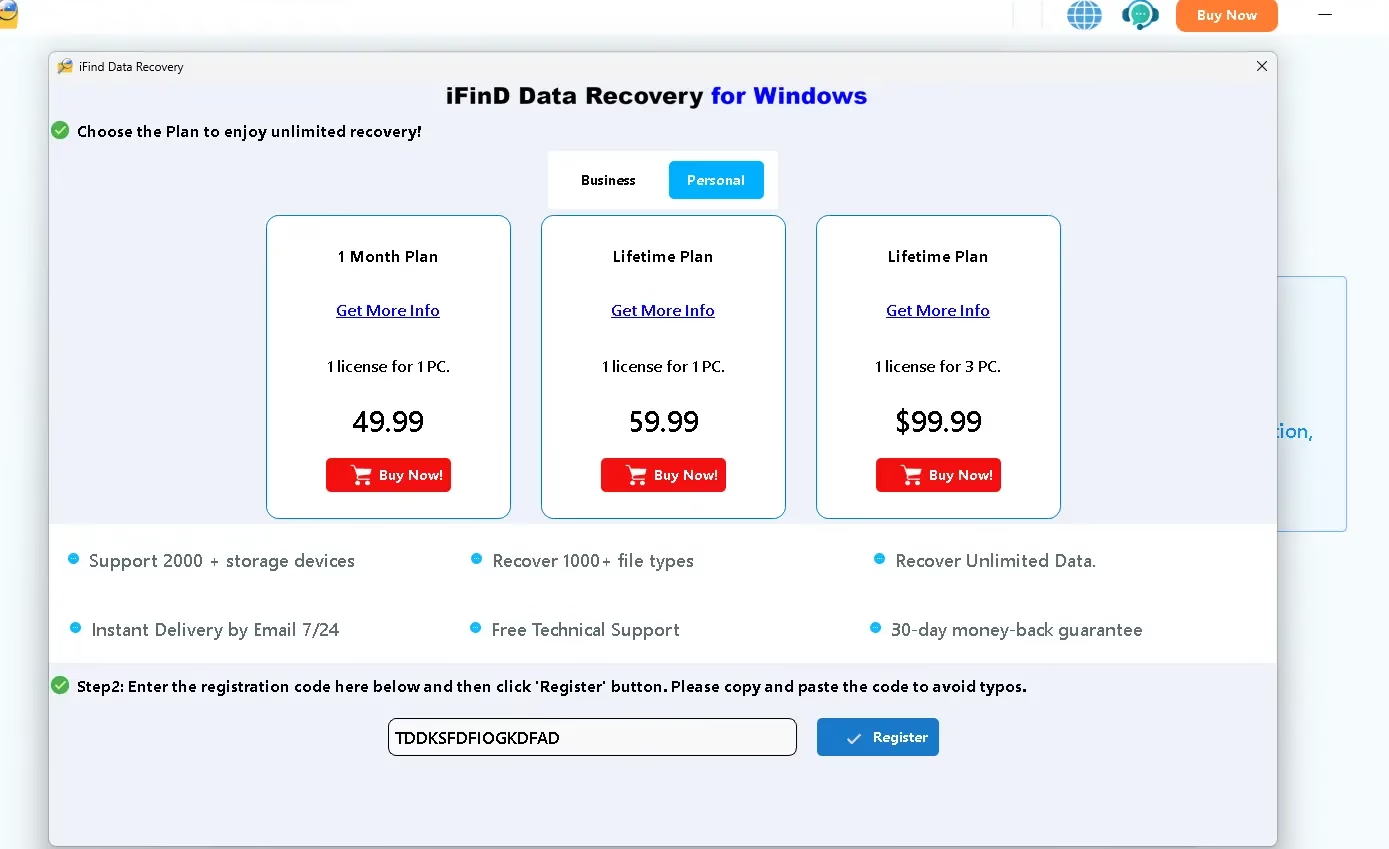
Install the software, launch it, and click the “Key” icon or the “Buy” button on the main panel. Then, enter the license code below and click the “Register” button.
TDDKSFDFIOGKDFAD
Note: The above code offers six months of free usage!

Key Features
- Can recover deleted, formatted, damaged, or lost data from desktops, Macs, SD cards, USBs, and mobile devices.
- Recover 2000+ file formats and systems, including NTFS, FAT, FAT16, FAT32, EXFAT, HFS+, APFS, and more. It supports HDDs, SSDs, USBs, pen drives, cameras, camcorders, and more.
- This utility efficiently fixes data loss concerns with AI scan and recovery technologies. Advanced 4K alignment recovery recovers SSD data, and raw photo recovery supports all major camera models.
- This application can recover data from corrupted, damaged, or formatted camera cards. SSD recovery is its speciality, with a 99% success rate.
- One gigabyte of data may be scanned and restored in one minute using AI technology.


How to Use iFinD Data Recovery?
Install and launch the software.
- On the primary interface, click “File Recovery” or “Partition Recovery” to scan and recover your desired files.
- Choose a disk and click “Scan.”
- Wait briefly for the recovered files and data.


