

Are you tired of worrying about your data privacy every time you use an AI chatbot? What if you could run a powerful, ChatGPT-level AI assistant entirely on your own computer — no internet required, no data leaving your device, and completely free? That’s exactly what Jan AI delivers. In this Jan AI review, we’ll explore everything you need to know about this groundbreaking open-source, offline AI app that’s taking the tech world by storm with over 5.3 million downloads.
Contents
- 1 What Is Jan AI? Your Private, Offline AI Powerhouse
- 2 Key Features of Jan AI
- 3 How Does Jan AI Work? The Technology Behind It
- 4 Practical Applications: What Can You Do With Jan AI?
- 5 Jan AI Interface: Clean, Intuitive, and Feature-Rich
- 6 Jan AI vs. Other Local AI Tools
- 7 System Requirements for Jan AI
- 8 How to Get Started with Jan AI
- 9 The Future of Local AI: Why Jan AI Matters
- 10 Conclusion: Is Jan AI Worth It?
What Is Jan AI? Your Private, Offline AI Powerhouse
Jan AI is a free, open-source desktop application that transforms your personal computer into a fully functional AI inference engine. Think of it as your own private ChatGPT — but one that operates entirely within the confines of your machine. Your conversations, data, and prompts never leave your device, addressing a primary concern many have with mainstream cloud AI services like ChatGPT or Google Gemini.
Built on the efficient “llama.cpp” inference engine, Jan AI supports a wide array of popular open-source large language models (LLMs), including Llama, Mistral, Gemma, and Qwen. It provides a user-friendly interface, making it accessible even for those without deep technical expertise. Whether you’re on Windows, macOS (Intel or Apple Silicon), or Linux, Jan AI is designed for broad compatibility, bringing powerful AI to nearly any modern desktop or laptop.
Key Features of Jan AI
Jan AI is packed with impressive features that make it stand out from other local AI solutions. Here’s what makes it the best offline AI app available today:
1. Uncompromised Privacy and Security
This is Jan AI’s most significant advantage. By running models 100% offline, sensitive information and proprietary data remain exclusively on your hardware. This makes Jan AI ideal for professionals, researchers, and businesses that handle confidential information and cannot risk exposing it to third-party cloud servers.
2. Full Offline Functionality
Once you download your chosen AI model, Jan AI operates without any internet connection. This makes it perfect for use in secure environments, while traveling, or when internet access is unreliable. You get consistent AI performance regardless of your connectivity.
3. Complete Control and Customization
Jan AI empowers users with full control over their AI experience. You can choose from a vast library of open-source models, select different quantization levels (Q4, Q6, Q8) to balance performance and quality, and even import custom GGUF models from platforms like Hugging Face. This level of customization extends to building specialized “assistants” within Jan, each tuned for specific tasks with custom system prompts and behaviors.
4. Cost-Effectiveness and No Subscription Fees
Forget about per-token fees or API credits. With Jan AI, your only costs are your hardware and electricity. This makes AI usage entirely predictable and free from recurring subscription charges — a significant advantage for heavy users or those experimenting extensively with AI models.
5. Developer-Friendly with an OpenAI-Compatible Local API
For developers, Jan AI is a game-changer. It exposes a local API server with OpenAI-equivalent endpoints (http://localhost:1337/v1). This means you can seamlessly integrate Jan into existing applications, scripts, and development workflows using familiar OpenAI SDKs, redirecting calls to your local AI engine. This capability unlocks the potential for building private AI applications without cloud dependencies, using tools like LangChain, Qdrant, or n8n.
How Does Jan AI Work? The Technology Behind It
Jan AI leverages several key technologies to deliver its powerful local AI capabilities:
GGUF Models
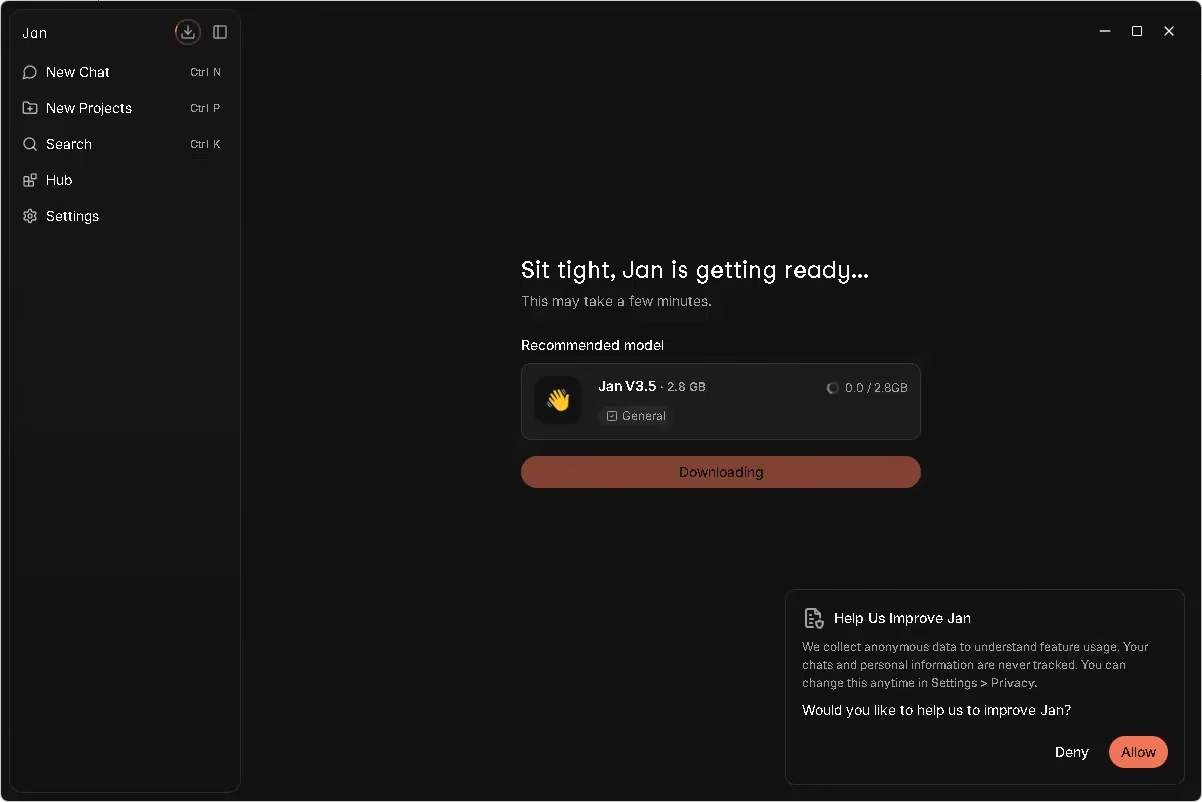
Jan AI primarily utilizes GGUF (GGML Unified Format) models. GGUF is a specialized format that optimizes LLMs for local inference, making them smaller and more memory-efficient while retaining their intelligence. This allows Jan to run powerful models that would otherwise require massive cloud infrastructure on your personal device. The recommended starter model is Jan V3.5 (2.8 GB), which is perfect for general-purpose use.
Hardware Acceleration
Jan AI is optimized to take full advantage of available hardware. It supports NVIDIA GPUs (with CUDA), Apple M-series chips (with Metal acceleration), and Intel processors (with AVX2 support), significantly speeding up inference times. Users can configure GPU layers (ngl) to maximize performance based on their specific hardware setup.
Model Hub Integration
Jan features a built-in Hub where you can browse, download, and manage AI models directly from within the app. No need to manually search external repositories — everything is streamlined into a single, elegant interface. Once installed, the AI model loads locally and is ready to use instantly.
Practical Applications: What Can You Do With Jan AI?
The versatility of Jan AI opens up a world of practical applications for everyday users, professionals, and developers:
- Private Research Assistant: Keep sensitive documents, notes, and research materials on your device while using AI to summarize, extract information, or brainstorm ideas — without worrying about data leaks.
- Coding Buddy: Get assistance with code generation, debugging, and refactoring without uploading your proprietary codebase to external servers. Connect Jan to VS Code or other IDEs via the local API.
- Creative Writing and Brainstorming: Generate text, explore creative ideas, and draft content entirely offline. Jan AI supports long context windows for extended creative sessions.
- Offline Document Analysis: Process and analyze confidential documents, contracts, or reports without sending a single byte to the cloud.
- Custom AI Assistants: Build specialized assistants with unique system prompts for customer service scripts, legal research, medical information lookup, or any domain-specific task.
- Local API for Developers: Power your own applications with a local AI backend, eliminating API costs and latency while keeping all data on-premise.
Jan AI Interface: Clean, Intuitive, and Feature-Rich
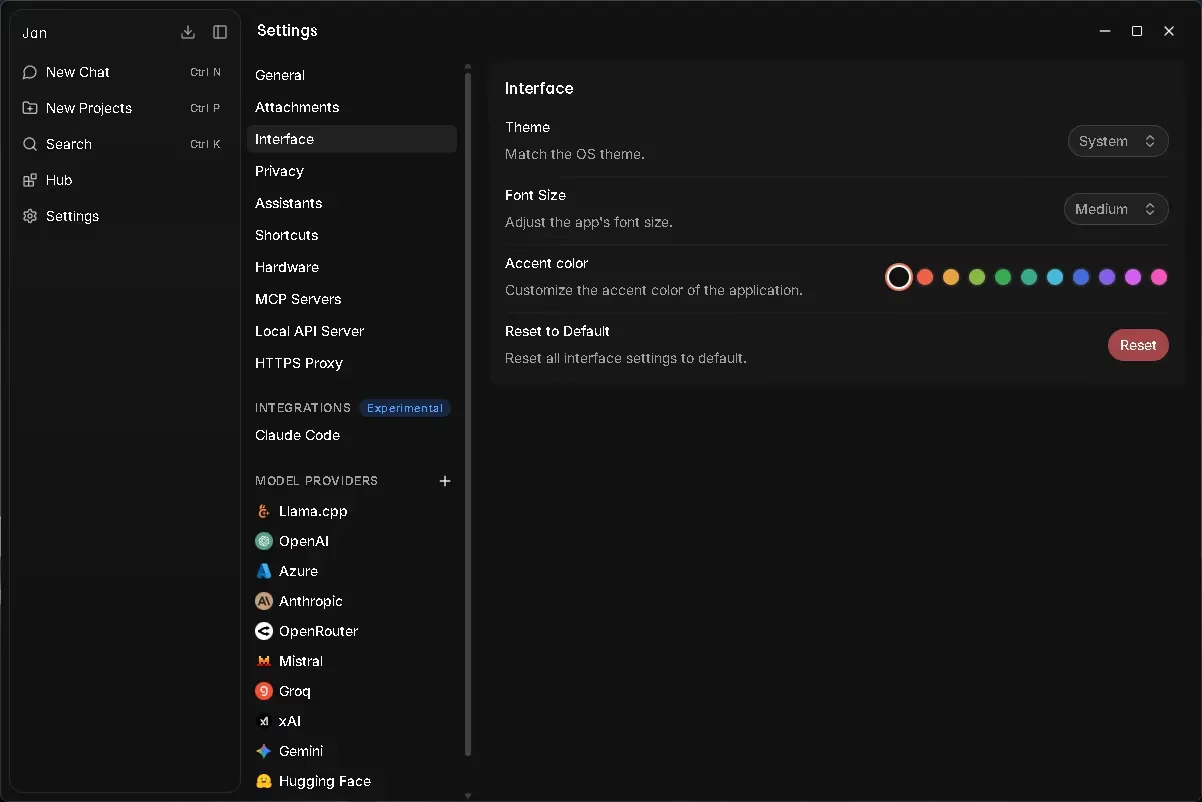
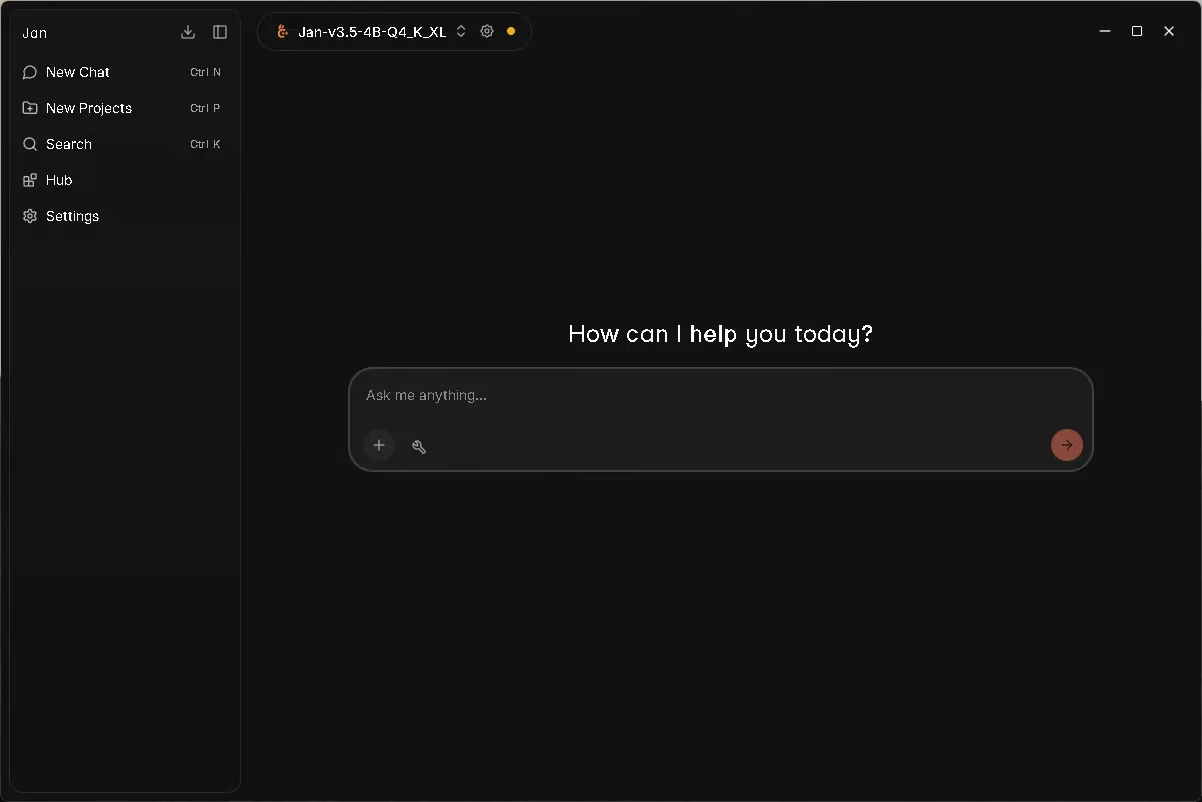
One of Jan AI’s greatest strengths is its beautifully designed, dark-themed interface that feels both modern and professional. The application features a straightforward sidebar navigation with options for New Chat, New Projects, Search, Hub, and Settings. The clean chat interface makes it easy to interact with your chosen AI model, with the active model displayed at the top (e.g., “Jan-v3.5-4B-Q4_K_XL”).
The Settings panel is particularly impressive, offering granular control over:
- Interface customization — Theme (System/Light/Dark), font size, and accent colors
- Multiple model providers — Including Llama.cpp, OpenAI, Azure, Anthropic, OpenRouter, Mistral, Groq, xAI, Gemini, and Hugging Face
- Privacy controls — Manage what data, if any, is shared for product improvement
- Hardware configuration — Fine-tune GPU usage and threading options
- MCP Servers and Local API — Advanced configuration for developer use cases
- Claude Code Integration — Experimental integration for coding workflows
Jan AI vs. Other Local AI Tools
When compared to other local AI tools like LM Studio or Ollama, Jan AI stands out for its combination of an intuitive GUI, robust feature set, and developer-friendly API. While Ollama is excellent for command-line users, Jan AI provides a polished desktop experience that’s accessible to non-technical users while still offering all the power that developers need. LM Studio is another strong competitor, but Jan AI’s open-source nature and active community give it a significant edge.
System Requirements for Jan AI
To get the best performance out of Jan AI, here are the recommended system requirements:
- RAM: Minimum 8GB (16GB or more recommended for larger models)
- Storage: At least 10GB free space for models (varies by model size)
- GPU: NVIDIA GPU with CUDA support recommended for faster inference; works on CPU too
- OS: Windows 10/11, macOS 12+, or Ubuntu/Linux
How to Get Started with Jan AI
Getting started with Jan AI is surprisingly simple, even for beginners:
- Visit the official Jan AI website at jan.ai and download the installer for your operating system (Windows, macOS, or Linux).
- Install the application — it’s a standard desktop installation with no complex setup required.
- On first launch, Jan AI will recommend downloading a starter model. The recommended Jan V3.5 (2.8 GB) is a great starting point for general-purpose tasks.
- Once the model finishes downloading, you can immediately start chatting with your local AI — completely offline and privately.
- Explore the Hub to discover and download additional models for specialized tasks.
The Future of Local AI: Why Jan AI Matters
As AI models become increasingly capable, platforms like Jan AI will only become more indispensable. The global conversation around AI privacy, data sovereignty, and the cost of cloud AI services is growing louder. Jan AI represents a compelling answer to these concerns — offering a more secure, controllable, and accessible AI experience for everyone.
The platform’s open-source nature means it benefits from continuous community-driven improvements. With an active Discord community of over 15,000 members and millions of downloads worldwide, Jan AI is not just a niche developer tool — it’s becoming a mainstream alternative to cloud-based AI for privacy-conscious individuals and organizations.
Conclusion: Is Jan AI Worth It?
Absolutely. Jan AI is one of the best free AI tools available in 2025 for anyone who values privacy, control, and the ability to run powerful AI models without relying on cloud services. Whether you’re a developer building AI-powered applications, a researcher handling sensitive data, or simply someone who wants a capable AI assistant without subscription fees, Jan AI delivers on all fronts.
It’s a testament to the power of open-source innovation and the growing demand for privacy-first technology. If you value privacy, control, and efficiency, Jan AI is definitely worth exploring as your personal AI powerhouse.
Download Jan AI for free from jan.ai and experience the future of private, local AI today.


Discover more from Techno360
Subscribe to get the latest posts sent to your email.