

Kaizen Speech Studio Pro — FREE 1-Year License (Worth $49)
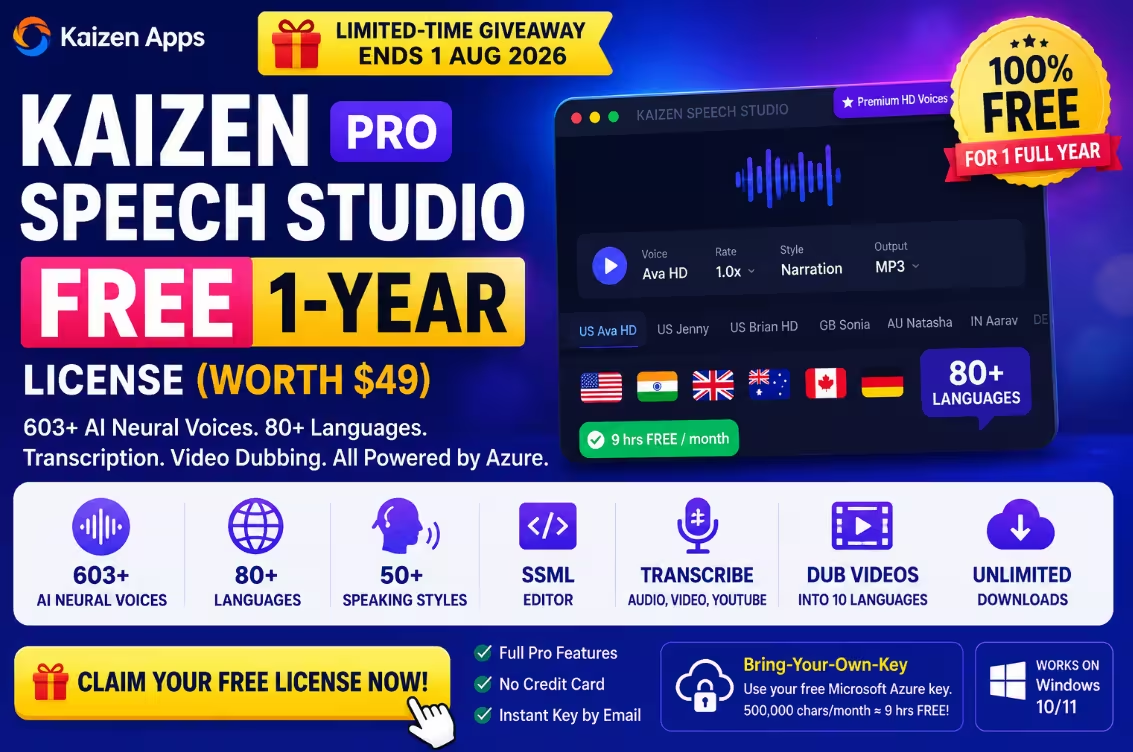
Unlock 603+ AI neural voices across 80+ languages, an SSML editor, transcription, and video dubbing — completely free for one full year. No credit card. No catch. Just claim, activate, and start creating studio-quality voiceovers.
✔ Full Pro features · ✔ No card needed · ✔ Instant key by email

If you create content — YouTube videos, audiobooks, e-learning courses, or podcasts — you already know that good voiceover work is expensive and slow. So when a polished, professional text-to-speech app gives away a full year of its Pro plan for free, it’s worth your five minutes.
Kaizen Speech Studio (from Kaizen Apps, built by StepForward Solutions in India) is running a giveaway where you can grab a 1-year Pro license at zero cost. That’s the same plan that normally sits behind a paid tier — voiced by Microsoft Azure’s premium neural engine, with hundreds of voices, dozens of languages, and a full transcription + video-dubbing toolkit baked in.
In this post, I’ll walk you through exactly what you’re getting, how to claim your free key step by step, and the one important thing you need to know before you start (hint: it involves a free Microsoft Azure key). Let’s go. 🚀
⚡ Quick Read — The 30-Second Summary
- What: Kaizen Speech Studio Pro — free for 1 full year (normally a paid plan).
- Who’s it for: YouTubers, course creators, audiobook narrators, marketers & accessibility users.
- Highlights: 603+ Azure neural voices · 80+ languages · 50+ speaking styles · SSML editor · audio/video/YouTube transcription · video dubbing into 10 languages.
- How to get it: Visit the giveaway page → enter your email + reason → click Claim my FREE License → key arrives in your inbox.
- Heads-up: It’s Bring-Your-Own-Key — voices run on your own free Microsoft Azure tier (500,000 chars/month ≈ 9 hrs, at no cost).
- Deadline: Claim & activate before 1 August 2026. Personal use, one license per email.
- Want forever? Optional Lifetime PREMIUM is 50% off → $49 (normally $99).
What Is Kaizen Speech Studio?
Kaizen Speech Studio is a Windows desktop app (Windows 10/11) that turns plain text into natural, studio-quality speech — and a fair bit more. Instead of paying for a closed cloud subscription, it taps directly into Microsoft Azure’s neural text-to-speech engine using your own Azure key, which keeps your data on your machine and your costs incredibly low.
Think of it as a complete voice + audio + video toolkit rather than a one-trick TTS reader. Here’s what’s inside:

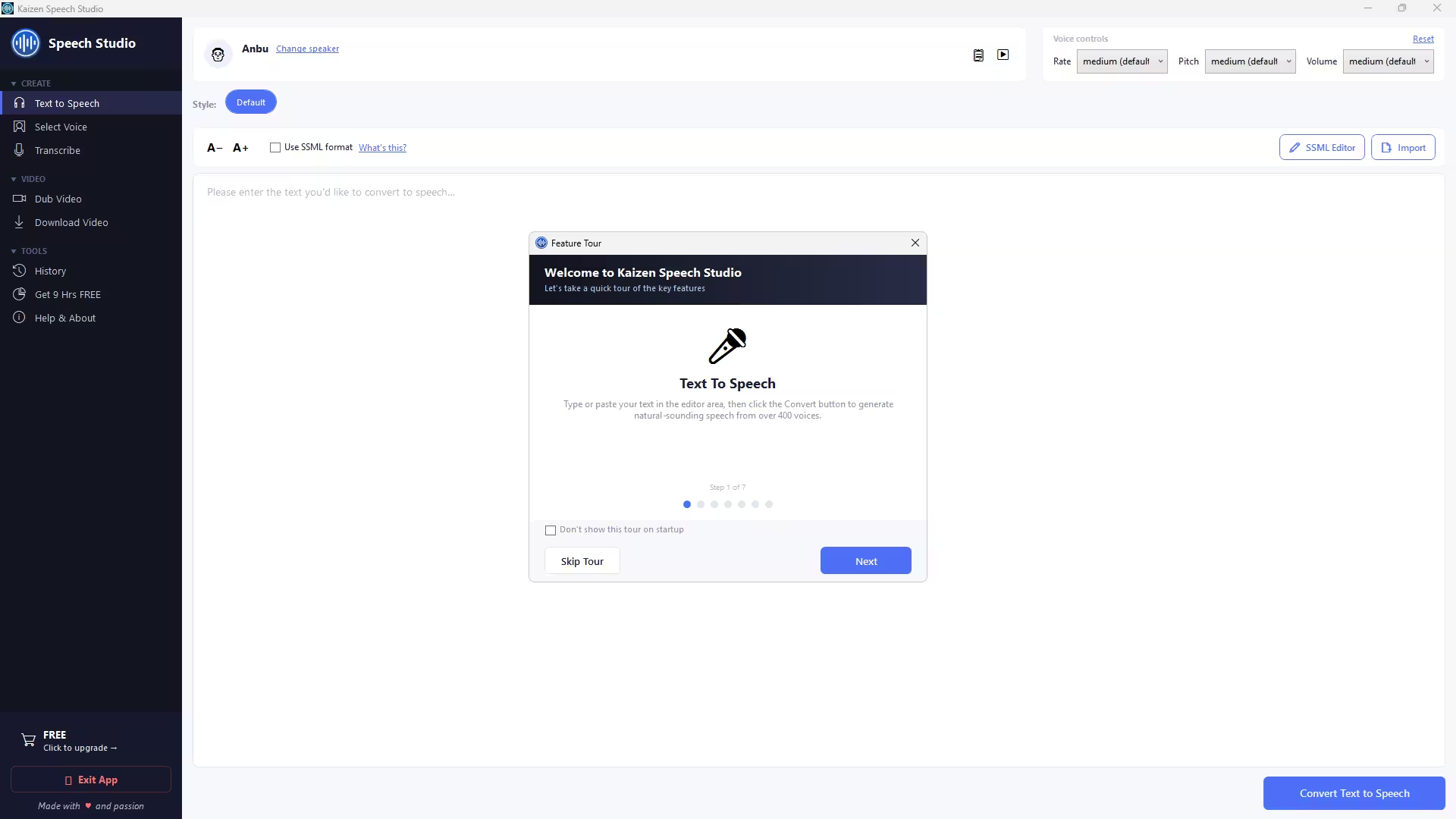
- 🎙️ 603+ neural voices — across 80+ languages and 50+ speaking styles (emotions, accents, age, gender). Preview every voice with a real sample before you commit.
- ✏️ Visual SSML editor — fine-tune pauses, emphasis, pronunciation and prosody, and save reusable presets so your brand voice stays consistent across projects.
- 📝 Transcribe anything — drop in an MP3, MP4, YouTube link or Zoom recording and get timestamped transcripts with speaker labels. Export to SRT, VTT, TXT or DOCX.
- 🎬 Video dubbing — upload a video, pick source & target languages and voices, and get automatic timing alignment with an editable transcript before the final render. Supports 10 languages.
- 🔉 Audio utility suite — WAV/MP3 conversion, trimming, silence detection and loudness normalization. Fast, keyboard-driven, no bloat.
It’s earned solid recognition too — the app reached #7 on Product Hunt and is featured on Peerlist, which is reassuring social proof for a giveaway like this.

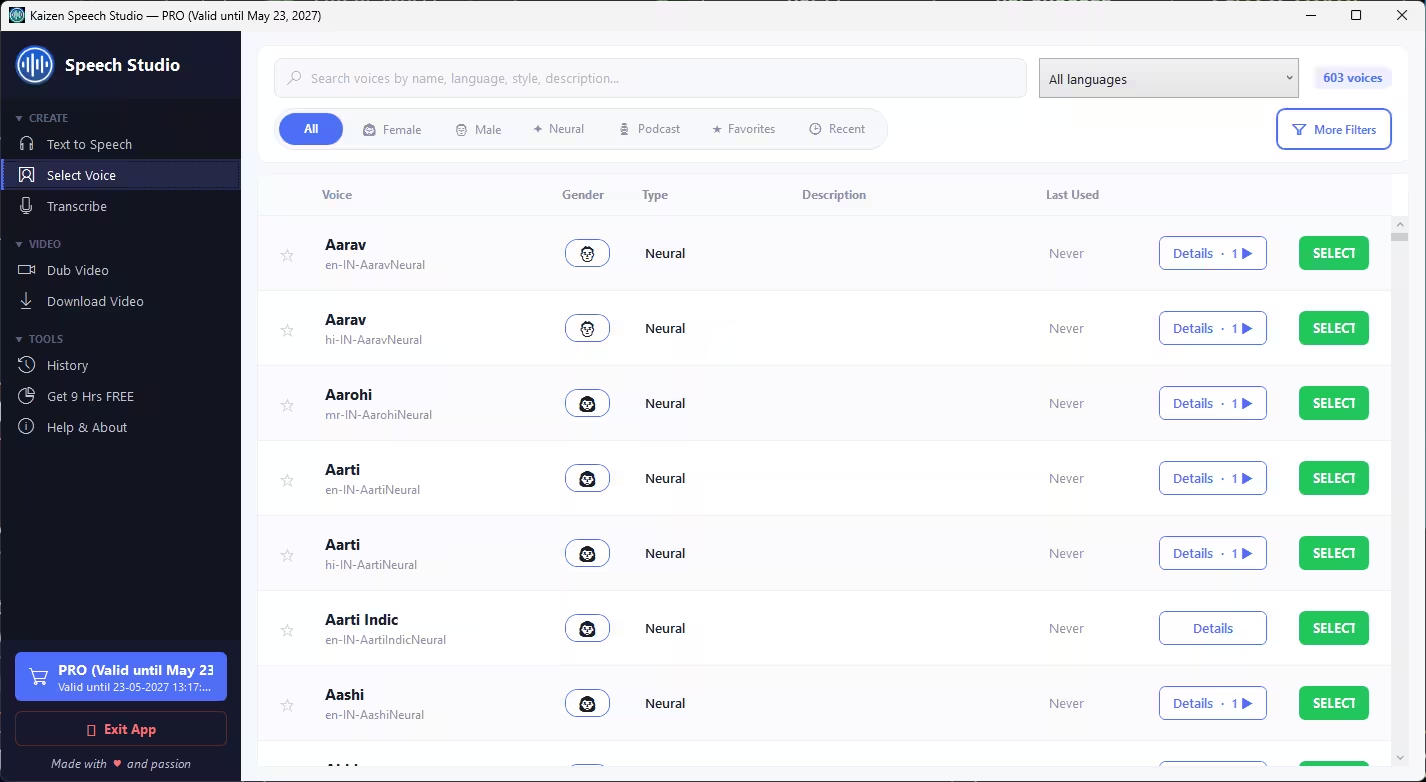
What You Get in This Giveaway
This isn’t a stripped-down trial. The free giveaway license unlocks the full 1-year Pro plan:
- ✅ All 603+ Azure neural voices
- ✅ 80+ languages and 50+ speaking styles
- ✅ SSML editor with reusable presets
- ✅ Transcription (audio, video, YouTube)
- ✅ Video dubbing into 10 languages
- ✅ Valid for 1 full year from the activation date
The only conditions: you need to activate before 1 August 2026, it’s for personal, non-commercial use, and it’s one license per email, one device per license. Fair enough for a freebie.
How to Claim Your FREE Kaizen Speech Studio Pro License (Step by Step)
The whole process — from claiming the key to your first voiceover — takes about five minutes. Follow along.
Step 1 — Open the Giveaway Page
Head over to the official giveaway page:
🔗 kaizen-apps.com/giveaway-speech-studio.html

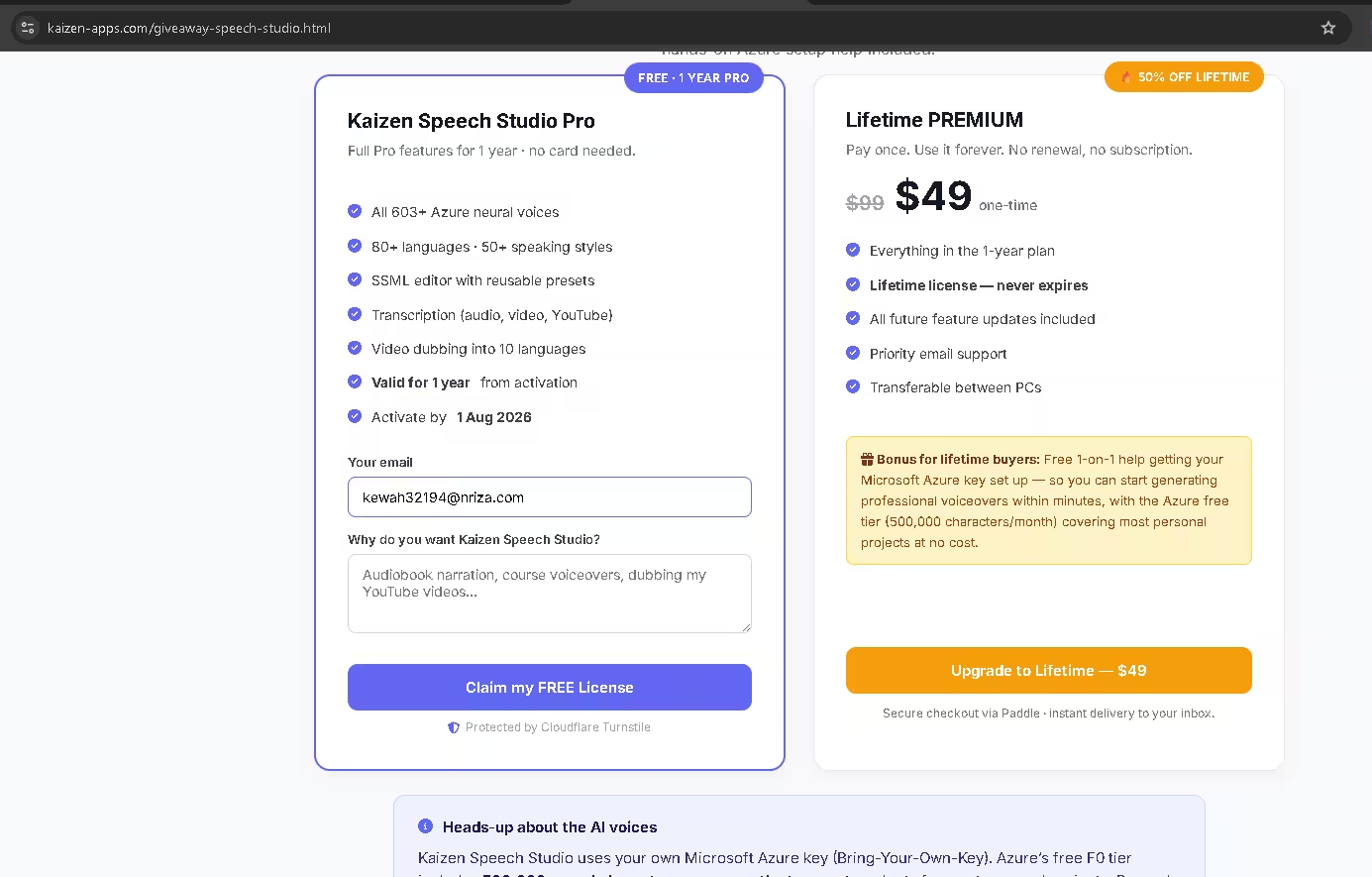
Step 2 — Enter Your Email & Reason
On the “Kaizen Speech Studio Pro” card, type your email address in the Your email field, then add a short line under “Why do you want Kaizen Speech Studio?” (e.g. “Audiobook narration, course voiceovers, dubbing my YouTube videos”). This helps the team understand their users — keep it genuine.
Step 3 — Click “Claim my FREE License”
Hit the big Claim my FREE License button. The page is protected by Cloudflare Turnstile, so it may run a quick verification. Within moments, your license key is generated and emailed to you.

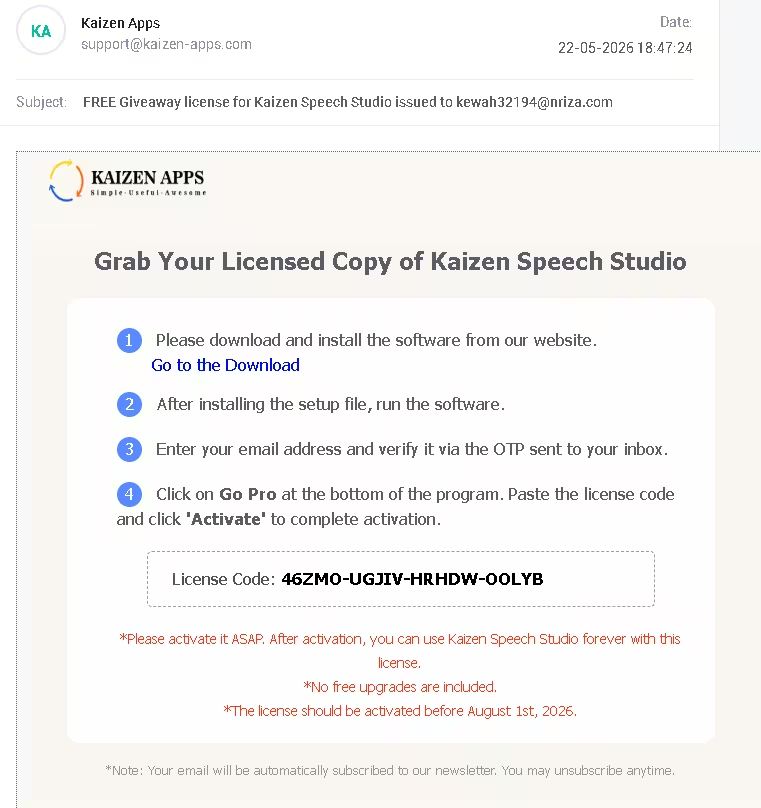
Step 4 — Download the Software
Download the Windows installer directly:
⬇️ Download KaizenSpeechStudioInstaller.exe
Run the installer and follow the on-screen setup wizard. It’s lightweight and works on Windows 10 and 11.
Step 5 — Launch & Verify Your Email
Open the app. On first run, enter the same email you used on the giveaway page and verify it using the OTP sent to your inbox.

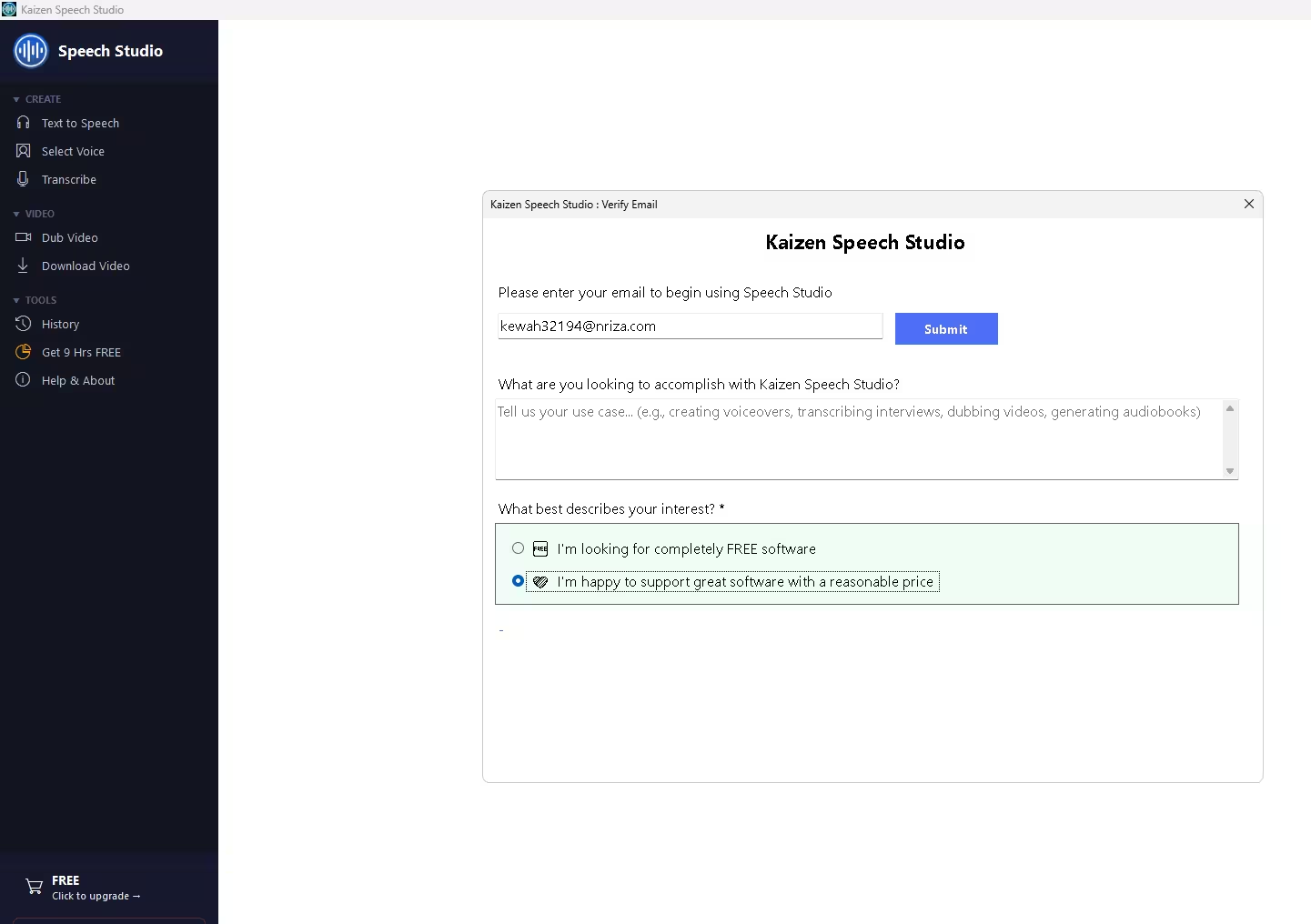
Step 6 — Enter Your License Key & Activate
Click the “FREE — Click to upgrade” button at the bottom-left of the app to open the Upgrade to PRO window. Paste your license key into the “Already have a license key?” field and click Activate.

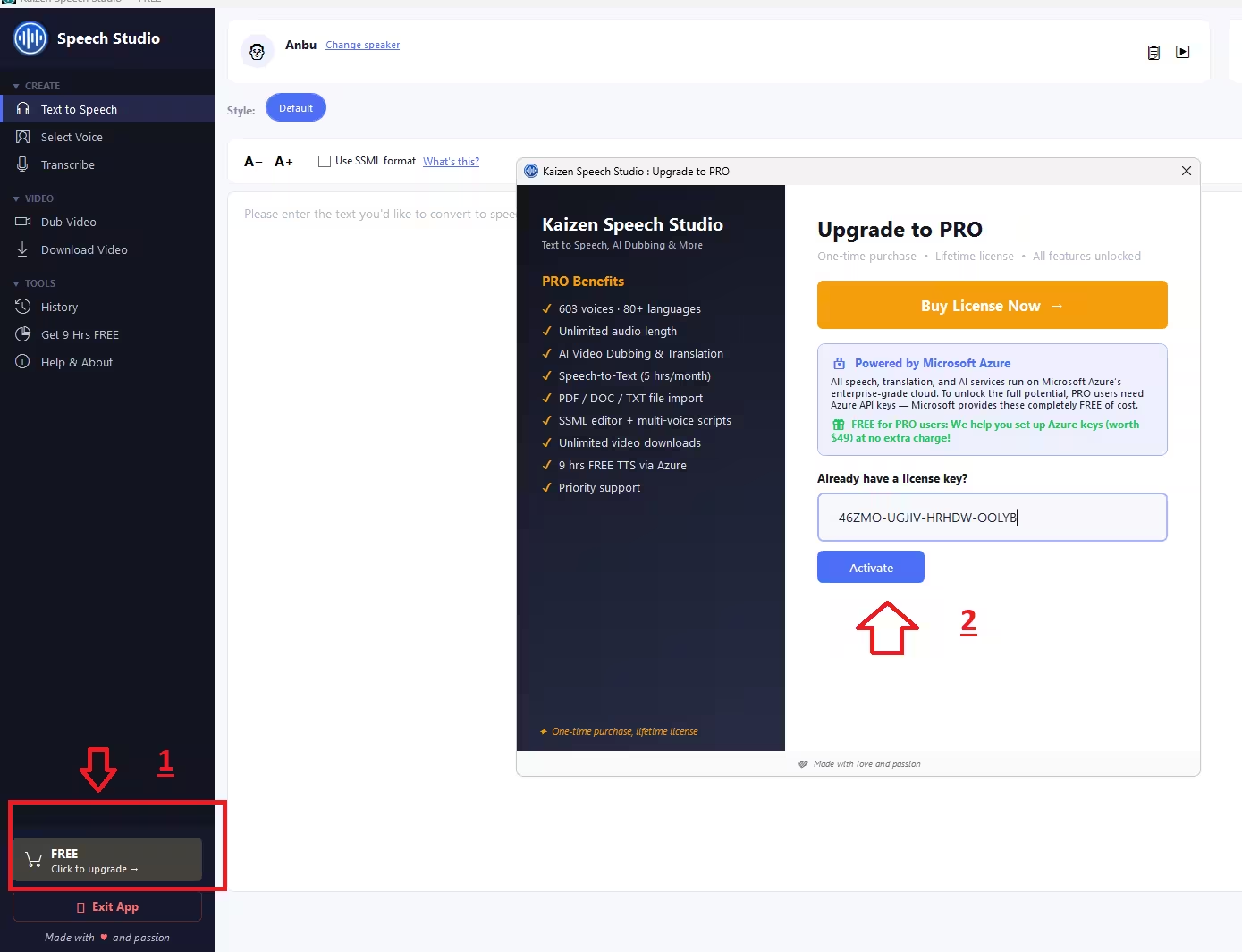
You’ll see a green “Activation Successful — PRO” confirmation, and the badge in the corner flips to PRO with your 1-year validity date. 🎉

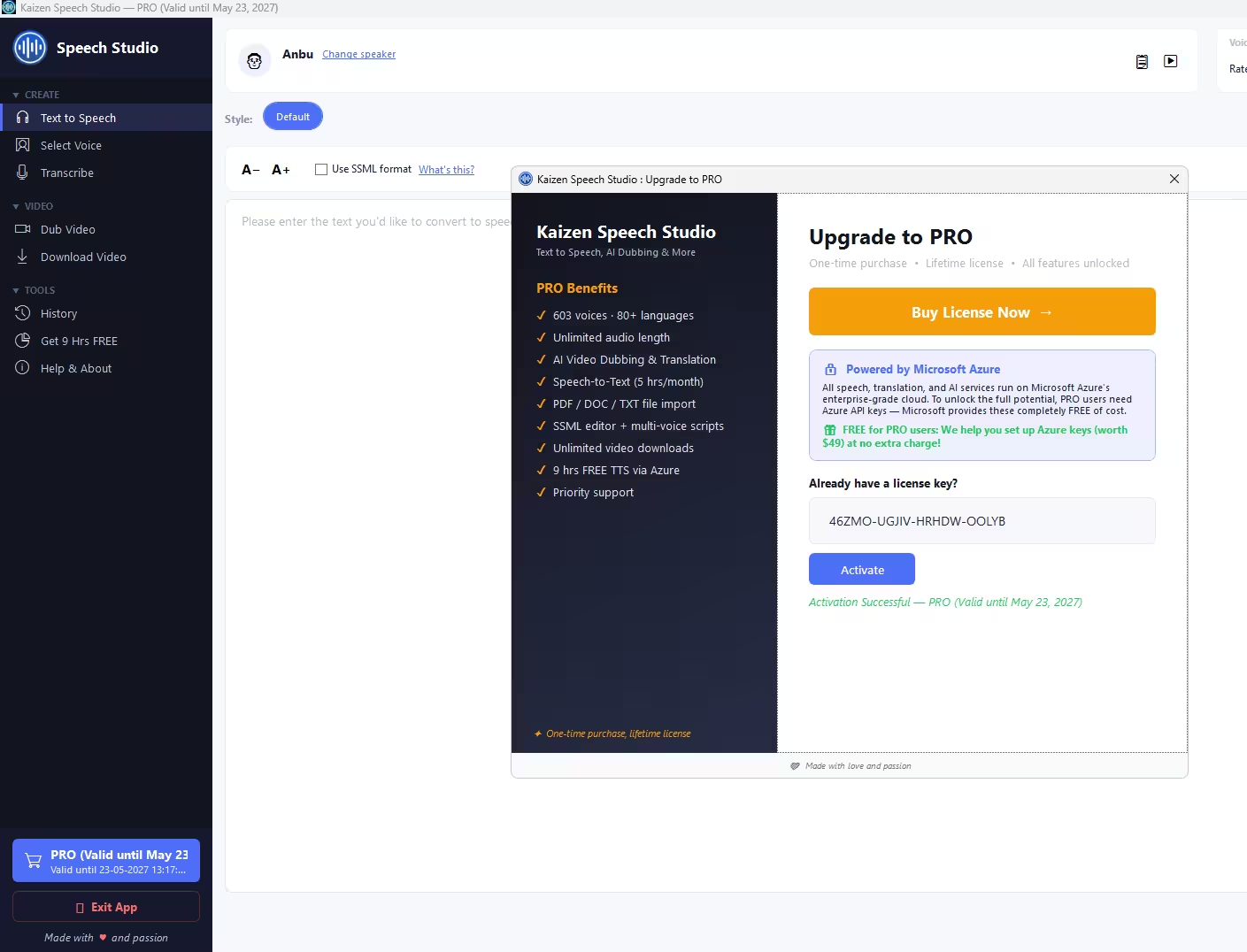
Step 7 — Connect Your Free Azure Key & Generate
The final step: the app walks you through pasting in your free Microsoft Azure key (more on this below). Once connected, pick a voice, paste your text, hit render — and you’ve got your first AI voiceover.
⚠️ Important: The “Bring Your Own Key” Detail
Kaizen Speech Studio doesn’t bundle its own paid voice servers — instead, the voices run on your own Microsoft Azure account. This is actually a good thing: your text and audio stay private, and the cost is far lower than wrapped subscriptions.
Microsoft Azure’s free F0 tier gives you 500,000 neural characters every month at no cost (≈ 9 hours of audio) — plenty for most personal projects. Beyond that, Microsoft bills you directly at roughly $16 per million characters (about 150 pages of text). The app guides you through creating the free Azure key on first run.
Optional: The Lifetime PREMIUM Upgrade (50% Off → $49)
The free 1-year license is the headline here, but if you fall in love with the app and want it forever, there’s a tempting upgrade running alongside the giveaway:
- 💎 Lifetime PREMIUM — $49 one-time (normally $99, so 50% off)
- ♾️ Never expires — pay once, use forever, no subscription
- 🆕 All future feature updates included
- 📧 Priority email support
- 💻 Transferable between PCs
- 🎁 Bonus: free 1-on-1 help setting up your Azure key
Totally optional — the free year stands on its own. But at $49 lifetime with no renewals, it’s a reasonable shout for anyone who voices content regularly.
[ INSERT IMAGE — Lifetime PREMIUM pricing card ]
Who Should Grab This?
This giveaway is a genuine win if you’re a:
- YouTuber / video creator who needs voiceovers or wants to dub videos into other languages
- Course creator or educator producing e-learning narration at scale
- Audiobook or podcast maker wanting consistent, natural narration
- Marketer creating ads, explainers and social clips
- Anyone who needs accessibility audio or transcription for meetings and interviews
Frequently Asked Questions
Is Kaizen Speech Studio Pro really free in this giveaway?
Yes. You get a full 1-year Pro license at no cost — no credit card required. The license unlocks all Pro features for one year from the activation date. You only ever pay if you choose the optional Lifetime PREMIUM upgrade ($49).
How do I claim my free license key?
Go to the giveaway page, enter your email, write why you want the app, and click Claim my FREE License. Your license key is emailed to you instantly (and shown on the page).
When does the giveaway end?
You must claim and activate your license inside the app before 1 August 2026. After that date, unclaimed keys can no longer be activated.
Do I need a Microsoft Azure account?
Yes. Kaizen Speech Studio is Bring-Your-Own-Key and runs on Microsoft Azure neural voices. You’ll need a free Azure account with a Speech resource — the app walks you through the setup. Azure’s free tier covers 500,000 characters (≈ 9 hours) per month at no cost.
Can I use the voices commercially?
The giveaway license is for personal, non-commercial use. For business or commercial projects, you should buy a regular license. (Note: the underlying Azure voices themselves do allow commercial use under Microsoft’s terms, but the free giveaway license is restricted to personal use.)
What’s the difference between the free license and Lifetime PREMIUM?
The free license gives you Pro features for 1 year. Lifetime PREMIUM ($49, 50% off) never expires, includes all future updates, priority support, PC transfer, and free Azure-setup help.
Which operating systems are supported?
Kaizen Speech Studio is a Windows 10/11 desktop app. There’s no Mac or Linux version at the time of writing.
✅ The Verdict
A full year of Pro features for free — 603+ neural voices, transcription and video dubbing — is a genuinely strong deal, especially for content creators. The only thing to wrap your head around is the free Azure key, and the app holds your hand through it. Claim it now, activate it, and even if you only use it occasionally this year, you’ve lost nothing. If you voice content regularly, the $49 lifetime upgrade is the cherry on top.
Rating: 9/10 — high value, low effort, real product. Just don’t miss the 1 Aug 2026 deadline.
Disclaimer: Giveaway terms, pricing and deadlines are set by Kaizen Apps and may change. Always verify details on the official giveaway page before claiming. This article is for informational purposes and is not sponsored.