


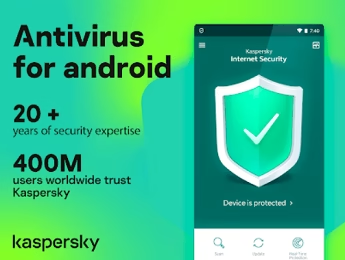
Kaspersky Mobile Security is a complete security solution for your mobile which protects your mobile phone from inside out. It not only defends your smartphone against mobile malware but also protects it from physical theft.
Kaspersky Internet Security for Android is a FREE-to-download antivirus solution to help keep your phones and tablets – which can be even more vulnerable than computers–as well as your private information secure from online dangers.
Key Features :
- Privacy Protection–for your eyes only
You have exclusive control over which of your contacts and phone numbers you want to keep ‘private’. Hide and unhide phonebook entries, SMSs, and call logs at the touch of a button. - Locate a lost or stolen smartphone
You can locate a lost or stolen smartphone using the inbuilt GPS Find function. - Secure contacts, photos, and files from unauthorized access
You can store all your digital assets in encrypted folders and remotely block or wipe your smartphone if it’s lost or stolen. - Block unwanted calls or SMS
You can filter out annoying calls, and SMS by assigning contacts to blacklists and whitelists. - Parental control
You can restrict your children’s calls and SMS (e.g. block premium-rate numbers) and keep track of their whereabouts using GPS Find. - Protect your smartphone from malware and network attacks
Kaspersky Mobile Security provides all you need to protect your smartphone from harm, including real-time anti-malware scans, automatic updates, blocking of dangerous network connections, and much more.
Kaspersky Mobile Security or Internet Security Premium Free for 91 Days:
[Old Promo Still Working] – Free 90 days Subscription
From your Android device, download and install the free version of Kaspersky Mobile Security from the Google Play store.
Launch the app, tap on the menu (hamburger button), select the Free version, then tap on “Activate Premium Version”.
Next, tap the “I Have a License” option and select ‘Enter the Activation Code’, then enter the below code.
BYK9U-EHE8S-J1WY8-SG1CN
Finally, hit the “Next” button and enjoy 90 days of Free subscription.


Update[20/04/2020]: New code that offers 130+ days subscription
Code : 146AU-CNHEP-Z3C4D-92QZF
Is Kaspersky Mobile Security free for Android?
Kaspersky Mobile Security has a free basic version on Google Play. Techno360 shares free 90-day Premium license codes that unlock all advanced features including anti-theft, call filter, Safe Money, and privacy protection at no cost.
What features does Kaspersky Mobile Security Premium include?
Kaspersky Mobile Security Premium includes real-time malware protection, anti-phishing, anti-theft (locate/lock/wipe), call and SMS filter, privacy protection, app lock, Safe Browsing, and protection against dangerous Wi-Fi networks.
Does Kaspersky Mobile Security drain battery?
Kaspersky Mobile Security is optimized to have minimal battery impact. It runs lightweight background scans and only performs intensive scanning when the phone is charging. Most users report less than 5% additional battery drain with real-time protection enabled.
Is Kaspersky safe to use in 2024?
Kaspersky remains one of the highest-rated antivirus solutions in independent tests by AV-Test and AV-Comparatives, consistently achieving perfect detection scores. The mobile security app is especially well-regarded for Android protection by security researchers globally.
Does Kaspersky Mobile Security work on iOS?
Yes, Kaspersky offers a version for iOS called Kaspersky Security Cloud for iOS, available on the App Store. However, due to Apple’s security restrictions, the iOS version has fewer features than the Android version, focusing mainly on safe browsing, VPN, and privacy checking.


