


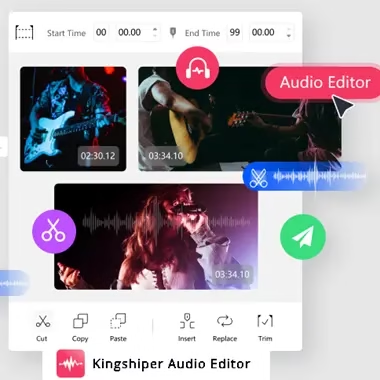
KingShiper Audio Editor is a comprehensive audio editor with a wide range of editing features that allows you to edit, enhance and convert audio files without sacrificing quality.
About KingShiper Audio Editor:
There are a plethora of options available, both as web services and executables, for editing media content, which has become an integral part of most users’ everyday duties.
KingShiper Audio Editor caters to these requirements. It provides users with a desktop solution that lets them add audio content and edit it in various ways. This functionality includes clipping, trimming, adding effects like fade-in and fade-out, and mixing it all.


This audio editing program benefits everyone. Beginners and pros alike can use it for tasks such as altering music, creating ringtones, or dubbing. Its powerful audio editing tools let even beginners edit audio quickly.
Import and export over 30 audio formats for easy file enhancement and project compatibility. These formats include MP3, MP2, OGG, FLAC, M4A, WAV, AMR, AC3, WMA, and others.
You can customise the sound to your preference with this audio editor, whether you’re working on vocals or instrumentals.
By removing the vocals or instrumentals, you can remix or create karaoke versions of your favourite songs. Another great feature is the real-time preview, which allows you to fine-tune your changes easily.


User-friendly design with several on-screen controls for app operation:
The design of KingShiper Audio Editor successfully combines simplicity with functionality, creating an accessible and capable tool all in one. We find that the various on-screen controls provide easy and responsive operations.
Thanks to these dedicated buttons, working with the app is more like genuinely mixing audio on dedicated instruments, similar to those found on analogue controllers and consoles.
An effective toolkit for different processing jobs and adaptability:
KingShiper Audio Editor offers a comprehensive range of tools and features, enabling you to customize your audio files to meet your specific requirements, from basic to intermediate audio processing.
The lack of batch processing capabilities in the application is one drawback; users with multiple files will need to execute the processing repeatedly to achieve the same results.

Key Features:
- Multiple audio formats are supported, including MP3, MP2, OGG, FLAC, M4A, WAV, AMR, AC3, WMA, and more.
- Trim audio clips, combine multiple files into one, or remove unneeded parts with ease.
- To make your tracks unique, you can add new audio segments or delete old ones.
- Get rid of static, hums, and background noise to make your recordings sound better.
- Make the transitions between tracks more seamless by progressively raising or lowering the overall volume of the audio.
- Change the tempo of your audio. Experiment with different keys. This will create various effects.
- Adjust the playback speed or tempo without affecting the pitch; this feature is helpful for a variety of editing and creative tasks.
- Make your karaoke or a cappella version of a song with the simple click of a button by separating the vocals and instrumentals.
- To make the audio flow more smoothly, cut away the silent parts.
- Level the audio so it sounds balanced and clear.
- Eliminate ambient noise to enhance audio clarity.
- Make adjustments to the voice recordings’ volume, tempo, and clarity.
- Make your unique alarm or ringtones for your smartphone.
- You can verify the accuracy of the changes before saving them.
For more information about the software, visit the developer page.
Get KingShiper Audio Editor Full Version for Free:
Download the giveaway version installer from https://download.kingshiper.com/KSAudioEditorIns
Alternate links: [Link 1] / [Link 2] / [Link 3]
Go ahead and install the software on your PC.
Run the program. Click the “Login” button located on the main window. If a pop-up window appears, choose “Create Account.”
After you’ve entered your email and password, hit the “Create Account” button.
You will notice that your subscription or validity is for 6 months.
That’s it!

