


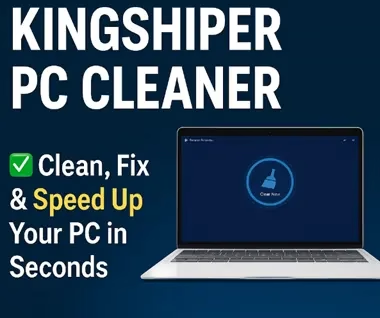
Kingshiper PC Cleaner could be the straightforward solution to your issues with slow performance, unexpected crashes, and unwanted files on your Windows PC.
No technical knowledge is necessary to use this all-in-one software, which provides a clutter-free method to revitalize your system.


⚙️ What Is Kingshiper PC Cleaner?
Kingshiper PC Cleaner is a lightweight optimization utility for your system. It’s made to:
- 🧹 Scrub junk files & temporary data.
- Optimize startup programs
- 🔒 Erase privacy traces (browser history, cookies).
- ⚙️ Address registry issues
- 🎞 Free up RAM
- 💻 Maximize the efficiency of the entire system
Whether you’re a beginner or just want a simple way to clean your PC, its user-friendly interface and one-click cleaning option will meet your needs.


✨ Key Features
✅ 1. Junk File Cleaner
Gets rid of Windows, browser (Chrome, Edge, and Firefox), and app cache, logs, and leftover files quickly. Saves a ton of space, but be careful not to delete too much—back up your important files first!
✅ 2. Registry Optimizer
Resolves issues with broken shortcuts and entry errors. Be careful with this tool, as registry problems are uncommon in newer versions of Windows and might cause system instability if edited incorrectly.
✅ 3. Privacy Shield
Clears all data from your browser, including history, cookies, and session ID. This feature is particularly useful when using computers in a shared environment.
🧰 4. Toolbox Extras
- Startup Manager: Disable bloatware boot-ups.
- File Shredder: Permanently delete sensitive files.
- Software Uninstaller: Remove apps and leftover files.
📈 Performance Impact
- Scan Speed: <2 minutes (tested on 8GB RAM/i5 SSD).
- Resource Use: Minimal CPU/RAM drain during operation.
- Effectiveness: Noticeable speed boost on older Windows PCs; newer systems see marginal gains.

👍 Pros vs. 👎 Cons
| Pros | Cons |
|---|---|
| 💸 100% free core features | 🚫 Limited deep-cleaning in the free version |
| 🖥️ User-friendly interface | 📣 Occasional upgrade prompts |
| 🔋 Low system footprint | 🌐 Basic browser cleaning (no niche browser support) |
| 🛠️ Helpful bonus utilities | ⚠️ Registry cleaner risks for novices |
🥈 Top Alternative:
BleachBit: Open-source and advanced customization.
Get Kingshiper PC Cleaner Free for 6 Months:
Download the giveaway version installer from any of these links:
[Link 1] / [Link 2] / [Link 3]
Just run the installer, follow the on-screen instructions to finish installing, and then launch the app.
On the main window of the program, click “Login.”

Once the window pops up, choose “Create Account.” Click “Create Account” once your email address and password have been entered.
That’s it! Your account is created, and you receive a 6-month subscription for free.


