


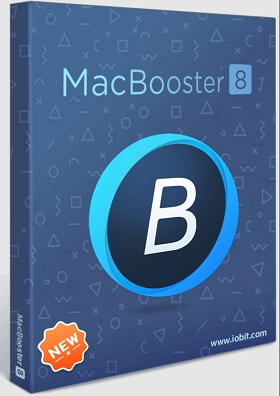
If your Mac has been feeling sluggish lately — taking forever to boot, running out of storage, or throwing up spinning beachballs — you already know the pain. MacBooster 8.2 Pro from IObit is a solid all-in-one Mac maintenance tool that tackles exactly these issues. It cleans up over 20 types of junk files, removes malware and spyware, and optimizes your Mac’s performance — all from a single dashboard.
The good news? You don’t have to pay for it right now. We’re sharing a free 6-month license for MacBooster 8.2 Pro — grab it before it expires.
What is MacBooster 8?
MacBooster 8 is a Mac optimization and security suite developed by IObit, a company well-known for tools like IObit Uninstaller and IObit Malware Fighter. While IObit primarily focuses on Windows, MacBooster is their dedicated solution for macOS users. It covers everything from junk cleaning and duplicate file removal to real-time virus protection and startup optimization.
It works on macOS X 10.9 and later — so whether you’re on an older Intel Mac or a newer system, it’s got you covered.
MacBooster 8.2 Pro — Key Features
1. Deep Mac System Cleanup
MacBooster scans and removes 20+ types of junk files in one go. This includes system caches, app leftovers, old logs, and trash bin contents. If you’ve been ignoring your Mac’s storage for a while, a single scan can free up several gigabytes instantly.
- System Junk Cleaner — Removes application caches, system logs, old downloads, and software leftovers that pile up over time.
- Large & Old File Finder — Quickly locates files taking up the most space so you can decide what to delete.
- Duplicate Finder — Finds exact copies of files scattered across your drive and lets you remove them safely.
- Uninstaller — Completely removes apps, including all associated files that a standard drag-to-trash deletion misses.


2. Performance Boost & Optimization
This is where MacBooster earns its keep for day-to-day use. Three tools work together to keep your Mac running at its best:
- Turbo Boost — Fixes disk permission issues and clears third-party app caches that bog down performance. Many users notice their Mac feeling noticeably snappier after running this.
- Memory Clean — Frees up inactive RAM so demanding apps like video editors or browsers get the memory they need.
- Startup Optimization — Lets you control which apps launch when your Mac starts up. Reducing startup items is one of the fastest ways to cut down boot times on any macOS system.
3. Full Mac Security Protection
Macs aren’t immune to threats. Adware, browser hijackers, and potentially unwanted programs (PUPs) are increasingly common on macOS. MacBooster addresses this with a built-in security suite:
- Virus & Malware Scan — Full scan of your macOS to detect and remove viruses, spyware, and malicious files.
- Malware Removal — Targets stubborn adware and malware that standard scans miss.
- System Risk Detection — Checks all your system security settings to make sure everything is properly configured.
- Privacy Protection — Clears browser cookies, tracking data, and malicious cache files that advertisers and third parties use to monitor your activity.
4. Photo Sweeper
If your Photos library has grown out of control, the Photo Sweeper module finds duplicate and similar-looking photos across your Mac and lets you clean them up in bulk. It’s surprisingly effective — one test found over 5,000 duplicate photos grouped across 1,600+ sets.
5. Lightning Booster
This feature allocates a portion of your RAM as temporary storage to speed up file read/write operations, which can help with tasks like video rendering or large file transfers.
Get MacBooster 8.2 Pro for Free
Step 1: Download the app from IObit’s official server:
https://download.iobit.com/mac/MacBooster_8.pkg
Step 2: Install and launch MacBooster 8 on your Mac.
Step 3: Click the “Input License Here” option and enter the license code below:
License Code: 022C8-6E92E-7B1BA-7C98A
Note: This license code provides a 3-month subscription (valid until 23/09/2026). Grab it now before it expires!
Is MacBooster Worth Using in 2026?
MacBooster 8 is a decent choice if you want a single app that handles cleaning, optimization, and basic security for your Mac. The Duplicate Finder and Startup Optimization modules are genuinely useful — especially on Macs with smaller SSDs where every gigabyte counts.
That said, it’s worth knowing that macOS itself handles a lot of memory management automatically, so some features like Memory Clean offer limited real-world gains on newer Macs. Where MacBooster truly shines is in cleaning up junk files from old applications and managing startup items — tasks that macOS doesn’t make easy through its native tools.
For a free license, it’s absolutely worth trying. If you’ve been looking for other Mac utility tools, check out our coverage of Magoshare AweCleaner for Mac and DoYourData Uninstaller Pro as well.
Terms and Conditions
- This offer is for home use only.
- No free software updates included.
- No free technical support.
- Supported OS: Mac OS X 10.9 or later (compatible with macOS Big Sur and later).


