

In the digital world, scams are always changing to use new attack methods. For example, phishing emails, sketchy websites, and fake SMS alerts are now commonplace.
Thanks to Malwarebytes’ smart move of adding its threat intelligence features directly to ChatGPT, finding scams is now easier, faster, and open to everyone. Users can verify questionable information directly within their chats.
Contents
What is the Malwarebytes–ChatGPT integration?
The Malwarebytes application inside ChatGPT allows users to analyse potentially dangerous content instantly. By simply mentioning @Malwarebytes in a chat, users can scan:
- 📩 Suspicious SMS messages or emails
- 🔗 Unknown or shortened links
- 📞 Unfamiliar phone numbers
- 🖼️ Screenshots containing scam indicators
Through a back-end connection to Malwarebytes’ global threat-intelligence database, ChatGPT gives a quick verdict along with an explanation—no technical knowledge needed.
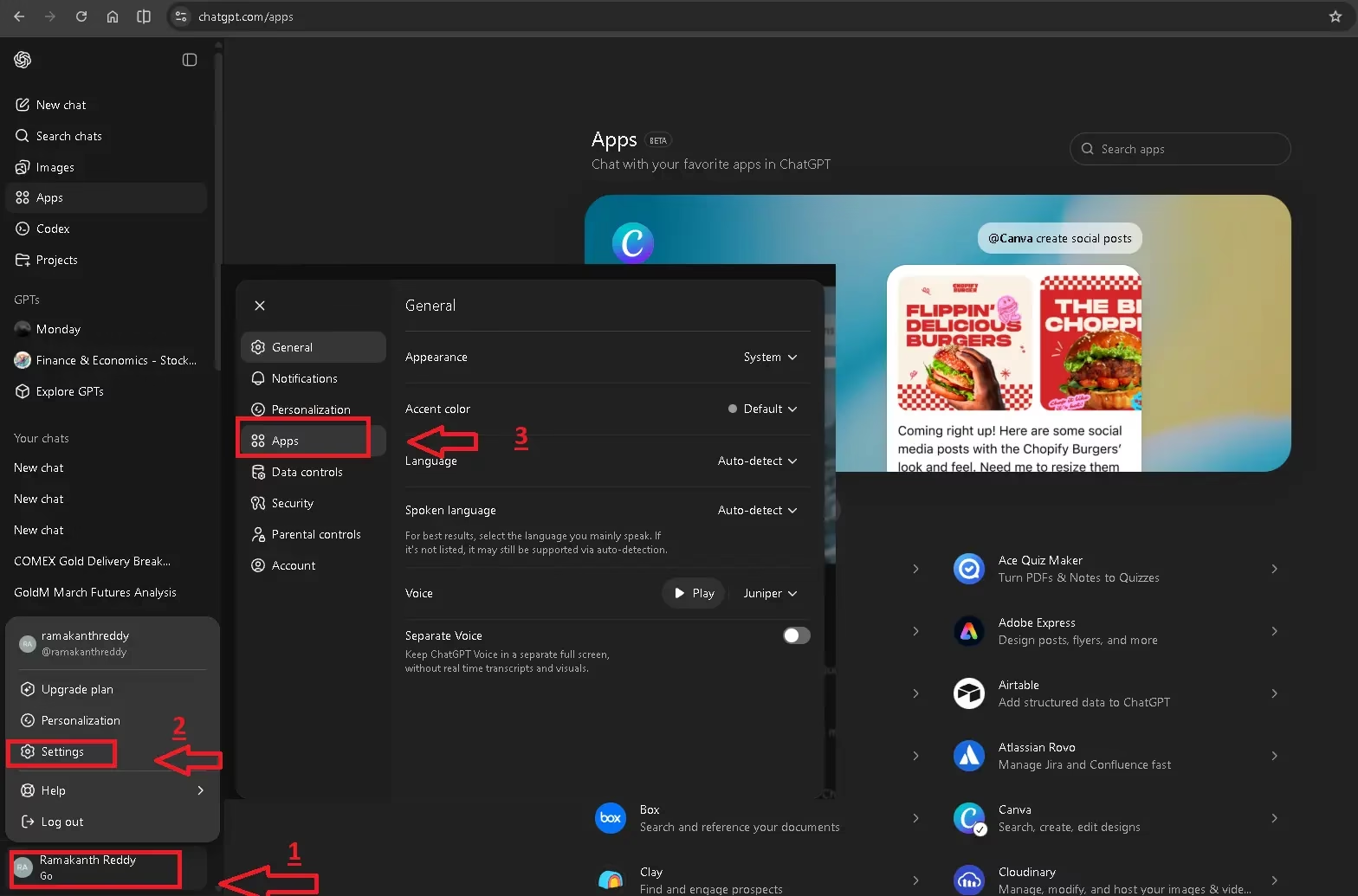
How to Activate Malwarebytes in ChatGPT
Getting started is straightforward and takes less than a minute:
- Open ChatGPT and click on your profile icon
- Go to Settings → Applications
- Search for Malwarebytes in the Apps section
- Click Connect and confirm
Note: You do not need a Malwarebytes account. All ChatGPT plans (Free, Plus, Team, and Enterprise) can use it at no cost.
Once it’s turned on, the app will always be there for future chats.
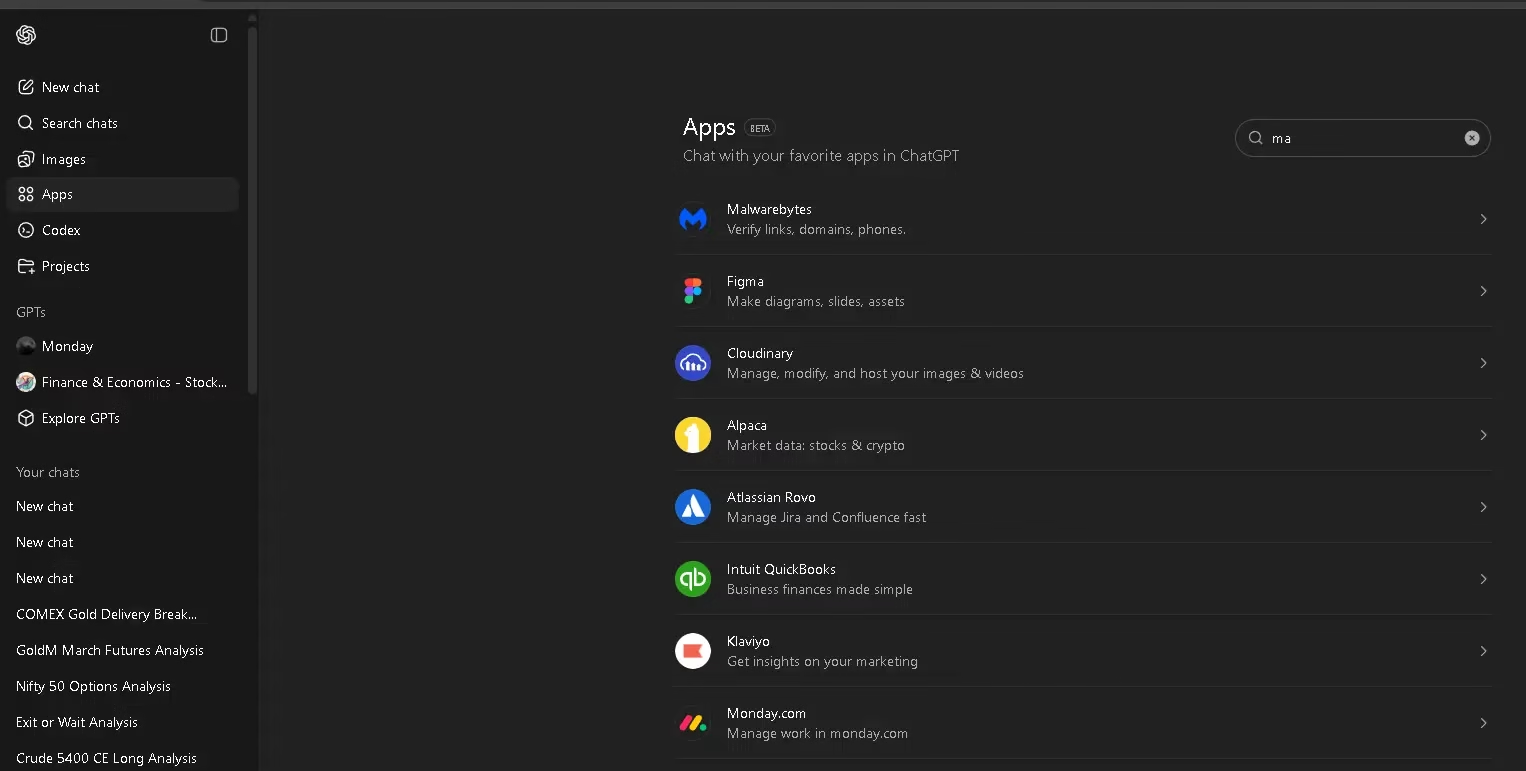
What can Malwarebytes scan inside ChatGPT?
📩 Text Messages & Emails
Copy and paste the entire message, and Malwarebytes will show you phishing patterns, scam tactics, and warning flags, along with a comprehensive explanation of why it’s dangerous.
📞 Phone Numbers
Enter an unknown number to see:
- Likely telecom operator
- Geographic origin
- Known scam or fraud associations
🔗 Suspicious Links
Whether it’s a full URL or a shortened link, Malwarebytes checks:
- Domain reputation
- Newly created domains (common in phishing)
- Hidden redirects and final destinations
🖼️ Screenshots
Send a screenshot of a message or webpage. ChatGPT looks at the picture, and Malwarebytes checks it for signs of a scam.
⚠️ Limitations You Should Be Aware Of
This integration is helpful—but not foolproof.
- It is not a full antivirus or real-time protection system
- It cannot block malicious sites automatically
- The database does not contain every phone number, domain, or link.
👉 Bottom line: A “clean” result does not guarantee safety. If something feels suspicious, trust your instincts. Human judgment still matters.
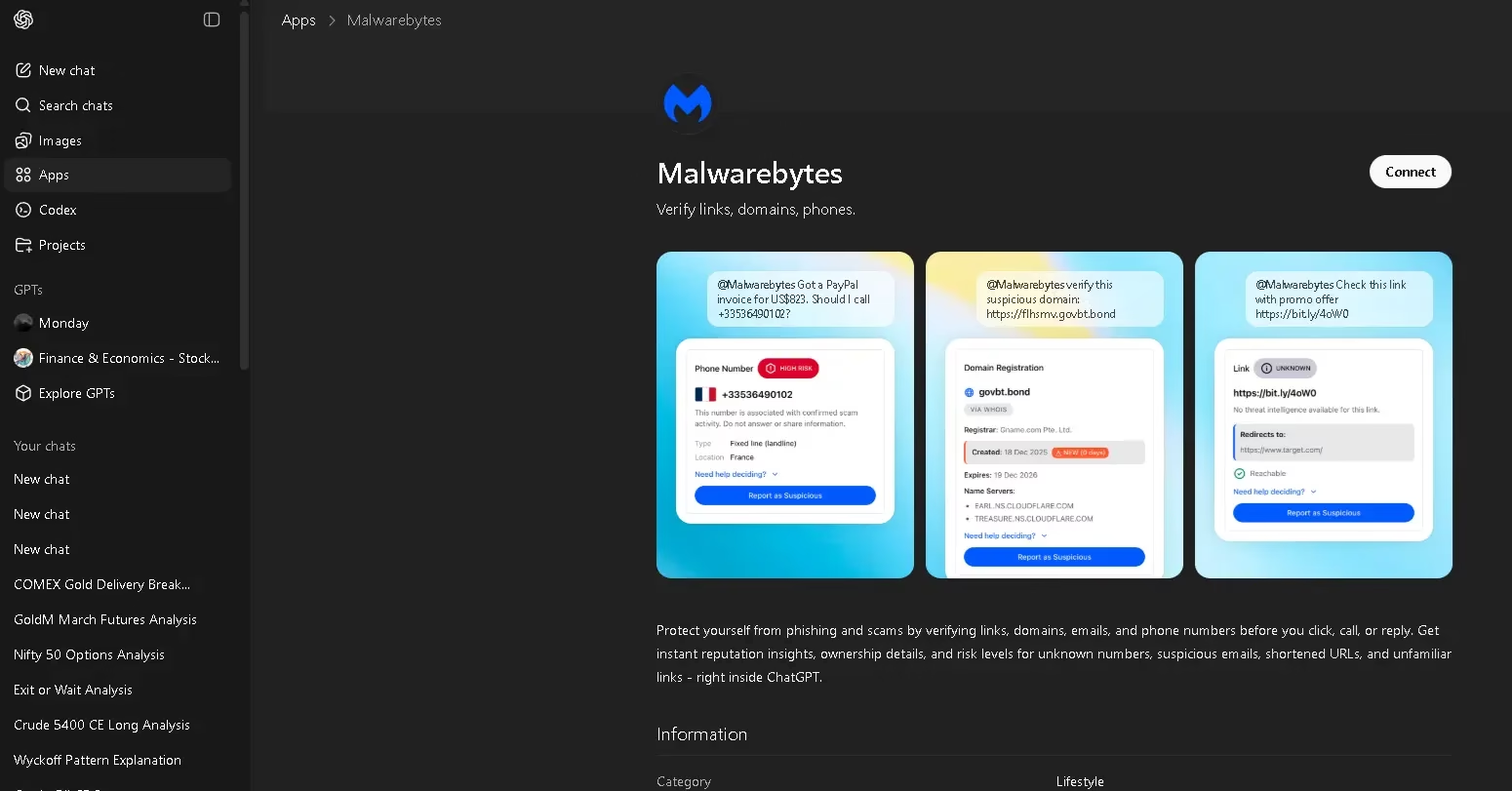
Why This Integration Matters?
The Malwarebytes–ChatGPT combination makes it easier for people to learn about cybersecurity. Users can now check for threats right away in plain English, so they don’t have to ignore or, even worse, click on messages that seem fishy.
For everyday users, this means:
- Faster decisions
- Fewer accidental clicks
- Better awareness of online threats
It’s a great initial line of protection for novices, especially before clicking on links or numbers they don’t know.
Final Verdict
While Malwarebytes in ChatGPT is a valuable tool for vulnerability detection, it should not serve as a substitute for comprehensive cybersecurity solutions. It can help you avoid frauds, phishing attacks, and expensive blunders if you use it carefully. However, it works best when you combine it with excellent security habits and common sense.
This integration is definitely worth turning on if you often get messages or links from people you don’t know.
[Source]


Discover more from Techno360
Subscribe to get the latest posts sent to your email.
You must be logged in to post a comment.