


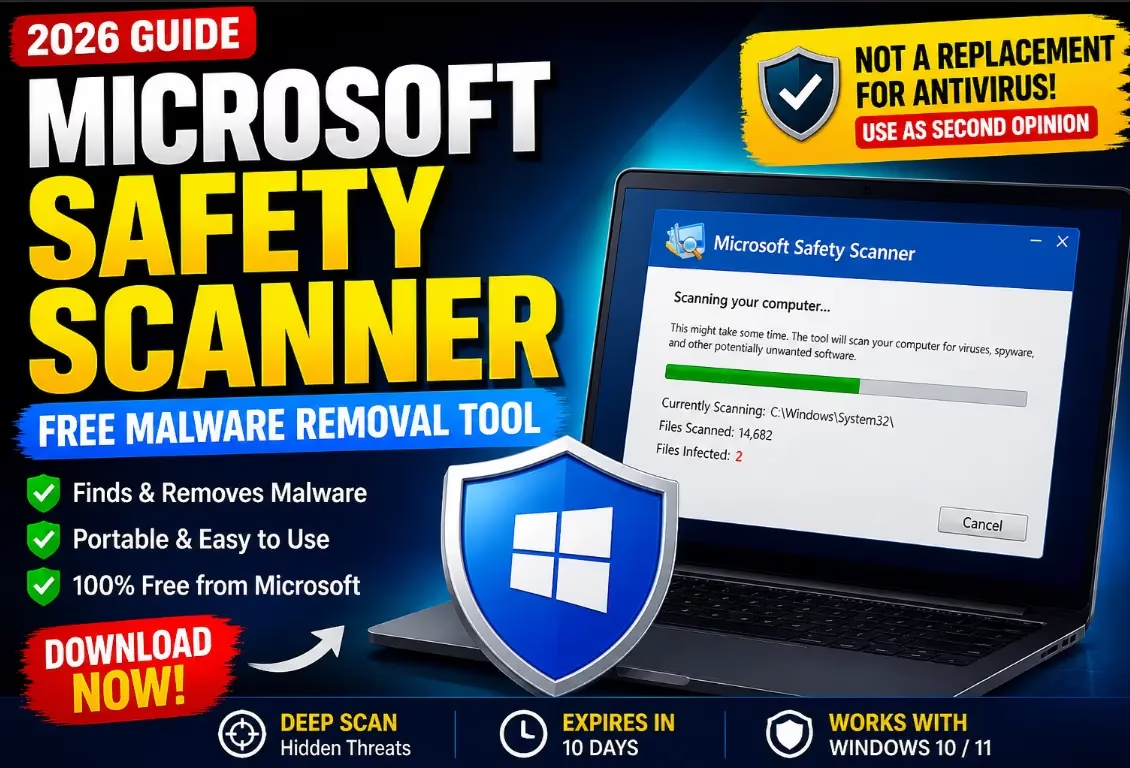
🛡️ Microsoft Safety Scanner (2026): Free Malware Removal Tool
Microsoft Safety Scanner (MSERT) is a free, portable, no-install malware removal tool from Microsoft — powered by the same engine as Windows Defender. Download, run, and clean hidden threats in minutes.
- ✅ 100% Free — No subscription needed
- ✅ No Installation — Portable .exe file
- ✅ Windows 10 & 11 — Fully compatible
- ✅ Defender Engine — Trusted detection
⏱️ Quick Read — What You’ll Learn in This Article
If your Windows PC feels infected but your antivirus shows nothing, Microsoft Safety Scanner can help.
It’s a free, portable malware removal tool from Microsoft designed to scan and clean infected systems — but there’s a catch: it’s not a full antivirus.
This guide explains what it actually does, when to use it, and where it falls short — so you don’t rely on it the wrong way.
🔍 Quick Verdict (Read This First)
- Best for: One-time malware removal
- Not for: Real-time protection
- Works with: Windows 10 / Windows 11
- Verdict: Useful as a second-opinion scanner, not a primary security solution
What is Microsoft Safety Scanner?
Microsoft Safety Scanner (MSERT) is a standalone malware removal tool that scans your Windows PC on demand and removes viruses, spyware, rootkits, and other malicious software. Unlike continuous protection software, it works only when you run it.
Microsoft Safety Scanner (MSERT) scans your PC for:
- Viruses
- Spyware
- Rootkits
- Other malicious software
Unlike traditional antivirus software, it:
- Doesn’t install permanently
- Doesn’t run in the background
- Must be downloaded fresh (expires after 10 days)
👉 Think of it as a “cleanup tool”, not a shield.


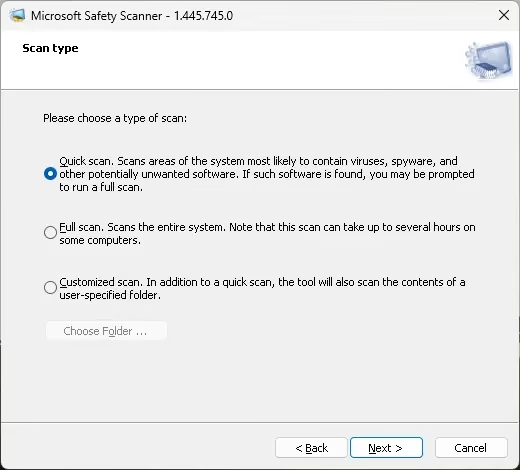
Quick, Full, or Custom Scans: You Choose
Microsoft Safety Scanner offers three primary scanning options to fit different situations:
- Quick Scan — Focuses on locations where malware most commonly hides
- Full Scan — Analyzes the entire system thoroughly (slower but thorough)
- Custom Scan — Lets you scan specific folders you suspect are infected

Post-Infection Analysis and Reporting
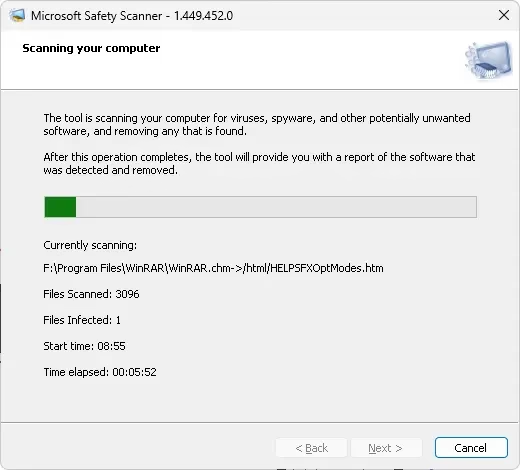
Once scanning is complete, Microsoft Safety Scanner provides in-depth reports that show your system’s health status, identified threats, and recommended actions — helping you understand and respond effectively.
Key Features
✔️ Portable and Lightweight
No installation required. Just download and run — ideal for infected PCs where installing software may be blocked.
✔️ Uses Microsoft Defender Engine
It leverages the same malware detection engine as Microsoft Defender Antivirus, so detection quality is solid and up-to-date.
✔️ Deep Scan Capability
Can detect hidden threats — including rootkits — missed by regular antivirus scans.
✔️ Completely Free
No subscription, no upsell, no account required. 100% free from Microsoft.
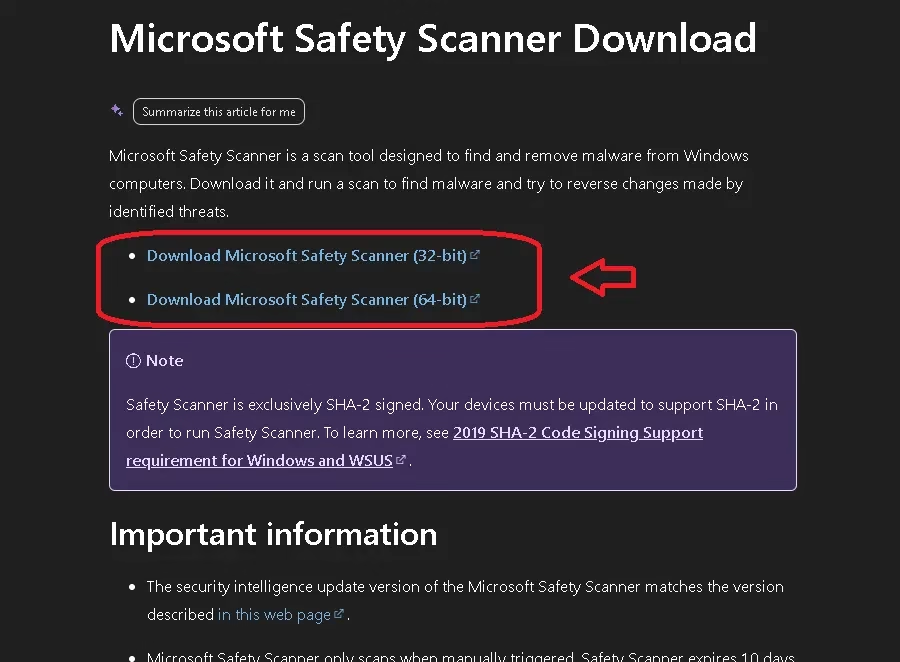

How to Download and Use Microsoft Safety Scanner
Step-by-Step Guide:
- Go to the official Microsoft Safety Scanner download page
- Download the correct version: 32-bit or 64-bit (most modern PCs use 64-bit)
- Run the downloaded
msert.exefile - Accept the license terms
- Choose your scan type (Quick, Full, or Custom)
- Click Next to start scanning
- Wait for results and remove any detected threats
Scan Types Explained:
- Quick Scan → Checks critical system areas (fastest)
- Full Scan → Scans entire PC — slow but thorough
- Custom Scan → Scan specific folders of your choice
👉 For suspected infections, always use Full Scan for best results.

⚠️ Limitations of Microsoft Safety Scanner (Most Important)
This is where most users misunderstand the tool. Knowing these limitations will help you use it correctly.
❌ No Real-Time Protection
Microsoft Safety Scanner does NOT continuously protect your PC. It only works when you manually run it.
❌ Expires After 10 Days
Each downloaded copy expires 10 days after download. You must re-download it to get the latest malware definitions.
❌ Not a Replacement for Antivirus
It cannot replace full security tools like Microsoft Defender or third-party antivirus software.
❌ No Automatic Updates
Each version is static — there are no live background updates like a traditional antivirus.
👉 Bottom line: This tool cleans infections — it does not prevent them.
Microsoft Safety Scanner vs Microsoft Defender
| Feature | Microsoft Safety Scanner | Microsoft Defender |
|---|---|---|
| Real-time protection | ❌ No | ✅ Yes |
| Installation required | Not required (portable) | Built-in to Windows |
| Expiry | 10 days | No expiry |
| Usage | Manual on-demand scans | Continuous protection |
| Purpose | Cleanup / second-opinion tool | Full antivirus solution |
| Cost | Free | Free (built-in) |
👉 Use both together, not interchangeably.
When Should You Use Microsoft Safety Scanner?
✅ Use it when:
- Your PC shows suspicious behaviour (slowness, pop-ups, crashes)
- Your main antivirus didn’t detect anything but you’re still suspicious
- You want a trusted second-opinion scan
- You downloaded risky or unknown files
❌ Avoid using it when:
- You need continuous, real-time protection
- You expect automatic threat blocking
- You want a full antivirus replacement
Real-World Use Case
Let’s say your PC slows down suddenly, random pop-ups appear, but Windows Defender shows no threats.
👉 Running Microsoft Safety Scanner can uncover hidden malware or rootkits that standard antivirus scans miss — giving you peace of mind or a definitive fix.
Pros and Cons of Microsoft Safety Scanner
👍 Pros
- 100% free with no strings attached
- No installation required — runs as a portable .exe
- Uses reliable Microsoft Defender detection engine
- Perfect for second-opinion or emergency malware scans
- Works on heavily infected PCs where full AV can’t install
👎 Cons
- No real-time protection
- Expires after 10 days — must re-download for fresh definitions
- Not suitable as a standalone security solution
- Limited features compared to full antivirus suites
⬇️ Download Microsoft Safety Scanner — Latest Version (May 2026)
| Tool Name | Microsoft Safety Scanner (MSERT) |
| Version | 1.449.452.0 (May 5, 2026) |
| Developer | Microsoft Corporation |
| File Type | Portable .exe (No Installation) |
| Platform | Windows 10 / Windows 11 (32-bit & 64-bit) |
| Price | Free |
| Valid For | 10 days from download date |
⬇️ Download Free (Official Microsoft)
🔒 Official download directly from Microsoft. Safe, clean, and ad-free.
Frequently Asked Questions (FAQ)
Is Microsoft Safety Scanner safe to use?
Yes. Microsoft Safety Scanner is developed and distributed directly by Microsoft. It is completely safe and contains no adware or bundled software.
Does Microsoft Safety Scanner remove all viruses?
It removes many known threats but no single tool guarantees 100% detection. Use it alongside Microsoft Defender for best results.
Why does Microsoft Safety Scanner expire after 10 days?
Microsoft designed it this way to ensure users always download a fresh copy with the latest malware definitions — keeping detection accurate.
Is Microsoft Safety Scanner better than Microsoft Defender?
No. It complements Defender but cannot replace it. Defender provides real-time protection; MSERT is an on-demand cleanup tool.
Can I use Microsoft Safety Scanner alongside other antivirus software?
Yes. Since it doesn’t install permanently or run in the background, it works well as a secondary scanning tool alongside any antivirus.
How long does a full scan take?
A full scan can take anywhere from 30 minutes to several hours depending on your PC’s storage size and speed.
Final Verdict — Is Microsoft Safety Scanner Worth Using?
Microsoft Safety Scanner is a genuinely useful tool — but only if you understand its role.
It is:
- ✔ A powerful on-demand cleanup tool for infected Windows PCs
- ✔ A trusted second-opinion scanner backed by Microsoft’s detection engine
- ❌ Not a full security solution or real-time antivirus replacement
👉 The smartest security setup for Windows users:
- Use Microsoft Defender Antivirus for daily real-time protection
- Use Microsoft Safety Scanner whenever something feels suspicious or off


