MobiKin Backup Manager for Android is a Windows tool that backs up your phone’s contacts, messages, call logs, photos, videos, music, documents and apps to your PC in one click, then restores them to the same phone or a completely different Android device whenever you need. It normally costs $39.95 (the official store currently lists it at $19.95), but you can grab a MobiKin Backup Manager for Android free license in this giveaway and keep your data safe without paying anything.
Our phones hold almost everything: family photos, chat history, contacts, work documents and app data. A lost phone, a failed update, a factory reset or a simple accidental delete can wipe it all out in seconds. The safest fix is to back up your Android device to a computer regularly, and this software makes that job quick enough that you will actually do it.
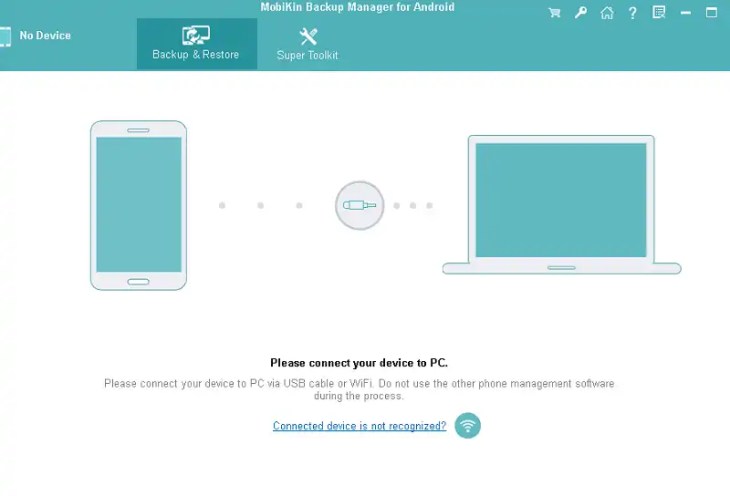
You can connect your phone in two ways: plug in a USB cable, or scan the QR code shown in the app to connect over Wi-Fi. From there you can back up everything with one click or pick only the data types you want.
MobiKin Backup Manager for Android at a Glance
- Latest version: 2.0.32 (Windows)
- Works on: Windows 11, 10, 8 and 7 (a Mac edition is sold separately)
- Regular price: $39.95 (listed at $19.95 on the official store at the time of writing)
- Android support: Android 6 up to Android 16 in the tech specs, and the developer advertises compatibility with the latest Android 17
- Devices: 8,000+ phones and tablets, including Samsung, Google Pixel, Xiaomi, OnePlus, Oppo, Motorola, Sony, Huawei, TCL and ZTE
- Users: the developer reports more than 740,000 users worldwide
- Refund policy: 30-day money-back guarantee on purchases
MobiKin Backup Manager for Android Features
- One-click backup: back up all your Android data at once, or tick only the categories you want.
- 8 data types: contacts, messages, call logs, photos, videos, music, documents and apps.
- Selective restore: preview backups by file name, size, date and item count, then restore only what you need to your old phone or a new one.
- Safe restore: restoring does not overwrite existing phone data, and you can choose whether to clear data first.
- Export for reuse: save data to your PC as HTML, CSV or vCard files so you can view, print or share it.
- Custom backup folders: add folders outside the default directory so older backups can be restored too.
- USB or Wi-Fi: connect with a cable or scan the QR code inside the app.
- Wide compatibility: 8,000+ Android phones and tablets from all major brands.
Why Back Up Your Android Phone to a PC?
Cloud storage fills up quickly, and it cannot help if you are locked out of your account or the phone is lost. A local backup on your own computer gives you a second copy that you control. It also makes switching phones easy: back up the old device, plug in the new one, and restore your contacts, messages, photos and apps without starting from scratch.
How to Back Up and Restore Android Data with MobiKin
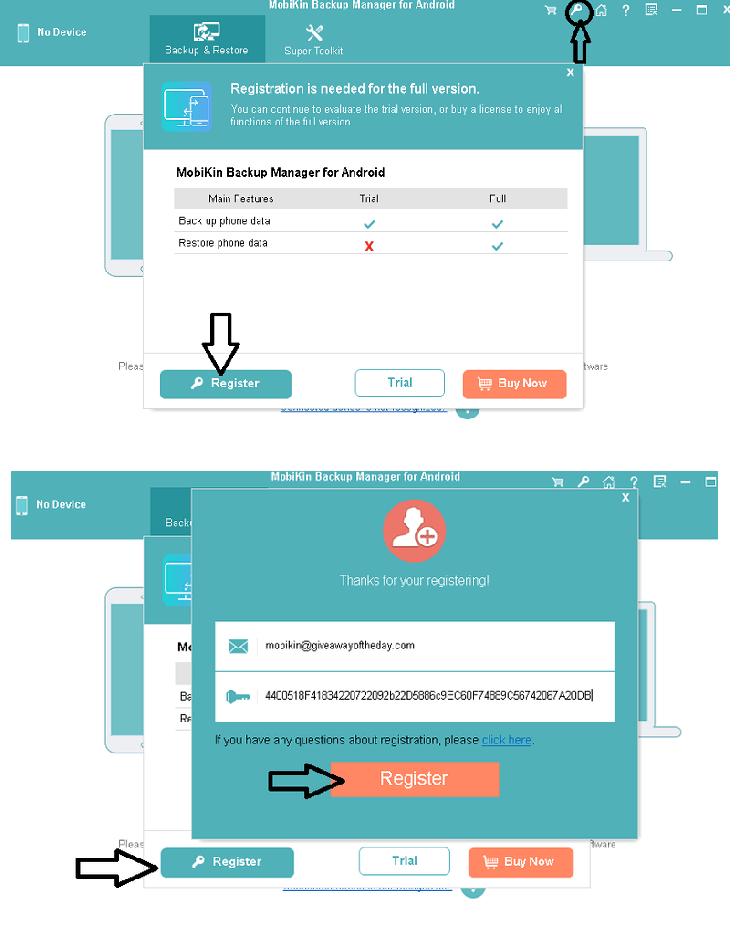
- Install and open the program on your Windows PC (see the free license steps below).
- Connect your Android phone with a USB cable, or scan the QR code in the app to connect over Wi-Fi. Turn on USB debugging if the app asks for it.
- Open the Backup section, choose the data types you want, and pick a folder on your PC.
- Click Backup and wait for it to finish.
- To restore, open the Restore section, select a backup, choose the items you need, and click Restore.
How to Get MobiKin Backup Manager for Android Free License
Share this giveaway on any network. One click unlocks the download links and codes below.
A new tab opens to share this page. Come back here — your content unlocks automatically.