


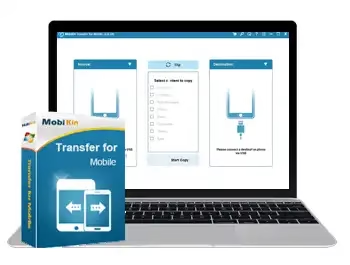
MobiKin Transfer for Mobile makes it easy to copy data from an iOS or Android device to another mobile phone without any limits. All transmissions are risk-free and can be completed with a single click.
When it comes to backing up data, whether or not you consider your smartphone an important piece of equipment doesn’t matter. With MobiKin Transfer for Mobile, you can easily move your data from one mobile device to another.
First, you need to use USB cables to connect your two phones to your computer. Whether the devices run Android or iOS, the app should be able to transfer the chosen files without any problems.
When it comes to Android phones, though, users already know that USB debugging must be enabled before they can connect.


Usually, the first phone you connect to is called the source device, and the second phone you connect to is called the target device. To swap the phones, just click “Flip.”
Once you connect the first phone, MobiKin analyzes it automatically and shows you a list of all the file types it found. You can now select the data to be transferred in the following step.
You can copy things like contacts, call logs, text messages, photos, music tracks, documents, videos, apps, and more. Once the transfer is started, you must ensure that the target smartphone has adequate free space to avoid an error.
MobiKin Transfer for Mobile Features:
-
- Android to Android Transfer—Between two Android phones, you can copy your contacts, texts, call logs, music, videos, photos, documents, and apps.
- iOS to Android Transfer -Sync everything from an iOS device to an Android phone, including SMS, music, videos, photos, and books.
- Clear Data Before Copying: Before transferring data, delete any saved data on your destination Android phone.
- You can easily and safely back up data from your iPhone or Android to your PC or Mac.
- Use an iTunes backup to restore your phone’s data.
Get MobiKin Transfer for Mobile for Free [Windows]:
Download the software from the developer page.
Install the software and launch the app. On the Main interface, click the “Key” icon, then click “Register.”
Please enter the activation details below and click the “Register” button.
Email: mobikin@giveawayoftheday.com
License code:2800BA304389C6A05270e252231839889D70F9B27965B7A2467A60CB


