


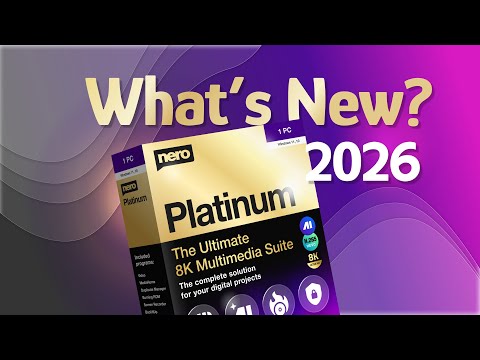
Nero Platinum 2026 SE is a software suite created by Nero AG, a German company specializing in software development. This multimedia suite offers a variety of tools designed for managing and editing audio, video, and photo files.
Nero Platinum 2026 changes the way you make personalized content with a new start view. Image Upscaler gives you smarter AI tools for crisper visuals, smoother upscaling, and faster editing.
With Screen Recorder, you can record in amazing 4K 60 FPS. Nero Video lets you enjoy dark-mode comfort, and MediaHome and DuplicateManager make it easier to keep your media organized so you can keep creating!
About Nero Platinum 2026 SE:
“Nero” is the standard for burning, copying, or ripping CDs, DVDs, and Blu-ray discs.
The “Nero Platinum 20260SE” multimedia suite includes over 20 professional Windows applications for burning, copying, and ripping CDs, DVDs, and Blu-rays, as well as for playing and managing music and video and backing up data.
You can make 4K and 8K movies or slide shows, cut clips, add sound, and use filters and transition effects with “Nero Video.” The “Wave Editor” ensures high-quality audio, and you can mix your own tracks with “SoundTrax” for a multichannel experience.
You can also manage all of your media files from one place, look for duplicate photos, optimize images with “PhotoSnap,” or use “Nero Face Beautifier” which uses AI to make your profile picture stand out on any social network.


The Platinum SE version of Nero includes several additional features and tools compared to the standard version, such as:
-
- Advanced video editing capabilities: The software includes a range of tools for editing and enhancing video files, including the ability to trim, split, and rotate video, as well as add transitions and effects.
- Audio editing and enhancement: The software includes a range of tools for editing and enhancing audio files, including the ability to remove background noise, adjust the volume, and add effects such as echo and reverb.
- Photo editing and management: The software includes tools for organizing, editing, and enhancing photos, including the ability to remove blemishes, adjust the colour and contrast, and apply filters and effects.
- CD and DVD burning: The software includes tools for creating and burning CDs and DVDs, including the ability to create labels and covers for the discs.
- File conversion: The software includes tools for converting audio, video, and photo files from one format to another, making it easy to transfer and play media files on different devices.
Get Nero Platinum 2026 SE Free for 1 Year:
Today, as part of the 2025 Advent calendar promotions, ComputerBild’s website is offering a free one-year license or subscription for the special edition of Nero Platinum.
Visit this giveaway page: https://www.nero.com/eng/promotions
Click the “Register” button and log in with your Nero account (or create a new account).
Check your inbox for a Nero email containing the download link for the Nero Core installer. Please download the software.


Run the installer and install the software. Then, open Nero Start and log in with your Nero account.
On Nero Start, click on “My Products.” You will see your software along with the 1-year license code for Nero Platinum SE.

