


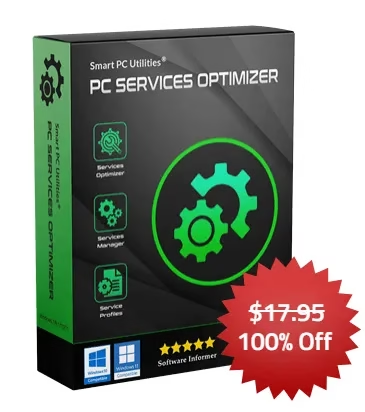
Do you want to boost your PC performance? If so, you need to check out PC Services Optimizer Pro. With this program, you can set up Windows services in the most efficient way possible, which will enhance your computer’s performance.
What is PC Services Optimizer Pro?
PC Services Optimizer is an application designed to control and enhance the settings of Windows services.
It optimizes your PC for speed and safety by tailoring Windows service settings to your specific habits and the software and hardware you have installed. Automatically and without risk, the software optimizes Windows services to improve efficiency and prevent slowdowns.
PC Services Optimizer has two different modes: Automatic TuneUp and Manual TuneUp. Automatic TuneUp is the easiest way to use the software.
It will ask you questions about your computer usage and then optimize your services configuration accordingly.
Manual TuneUp gives you more control over the optimization process. You can choose which services to disable and enable, and you can also create custom profiles for different tasks.
Not only it can optimize your PC services configuration, but it also provides several other tools to boost your PC’s performance.
These features include:
- A gaming mode that can disable unnecessary services to boost in-game performance
- A backup and restore feature that allows you to save and restore your services configuration
- A detailed help manual that can help you get the most out of the software


How does it work?
The application includes an advanced Services Diagnostics tool that identifies how you use the computer. You are prompted to answer a few questions before doing anything else.
For instance, you’re asked whether you use a scanner or a digital camera, a printer or a Tablet PC, prefer Windows Defender and Windows Firewall as security tools, or want transparent windows with 3D glass effects.
Based on your answers, PC Services Optimizer can start optimizing your computer, disabling the services you don’t need and thus improving the overall performance of the computer.


PC Services Optimizer Pro Giveaway: Free 1-Year License
Today, the SOS webpage is offering a PC Services Optimizer Pro fullversion license for free.
- To grab your license code, visit the SOS giveaway page.
- Click “I don’t use Facebook, Twitter, or LinkedIn!”.
- Enter your email address and any other mandatory information, and hit the “Give it to me now” button on the resulting minor form.
- The giveaway page will display the code, or look in your mailbox for an email from the SOS website; it contains the license key.
- Download the software from the developer page
Note: Don’t download the SOS installer; download the installer from the developer page.


- Install the software and launch the app. Then, click “Register” in the bottom right corner of the main window.
- On the activation screen, enter your name, email, and license code, and finally, click “Register.”
Conclusion:
PC Services Optimizer Pro is a powerful tool that can help you boost your PC performance. If you’re looking for a way to make your PC run faster and smoother, then this software is definitely worth checking out.
