


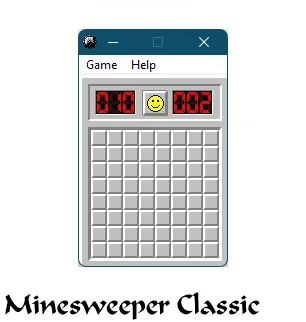
Minesweeper is an iconic puzzle game that has been synonymous with Windows for decades. This entertaining and addictive game has been around since the early 1990s with Windows 3.0 and has been included in every major Windows release up to and including Windows 7.
Although Microsoft has not included Minesweeper in newer editions, fans can still enjoy the classic game on Windows 10 and 11.
Introduction:
The fundamental idea behind Minesweeper is captivating, even for those who are unfamiliar with the game.
The game aims to uncover a grid of squares without setting off any mines. If a square doesn’t have a mine, you’ll see the number of mines nearby. This helps you uncover the grid while avoiding the mines.
Two ways to Play Minesweeper:
1.Xbox Studios Microsoft Minesweeper:
Yes, you can still play Minesweeper on Windows 11. It is not installed by default, but you can download it for free from the Microsoft Store.
Go to this link. Click on the “Get” button. Launch the app store and download the app. Once the download is complete, click on the “Play” button to start playing.


Here are some additional features of this app on Windows 11:
- New Themes: There are several new themes available, including Retro, Beach, and Forest.
- Play Modes: There are two play modes available: Classic and Adventure.
- Daily Challenges: There are five new daily challenges available each day.
- Achievements: There are over 100 achievements available to earn.
- Auto-Chording: This feature allows you to automatically chord adjacent squares, which can help you solve puzzles faster.
2.For the classic Minesweeper you’ll need to get the Best of Windows Entertainment Pack from Archive.org.
This free pack contains Minesweeper along with several other classic Windows games, including Solitaire, Freecell, Reversi, and more.
Here are the steps to download and install the classic game:
- Visit
- You can get winmine.exe, the Minesweeper executable file, or the entire bundle using the “Download Options” drop-down menu.
- After downloading, double-click the setup file to get started.


How to Play the Minesweeper Game:
The gameplay revolves around uncovering squares on a grid to determine where hidden mines are located.
Here are some key rules and tips:
- When you click on a square with no mine, numbers will appear showing how many mines are in the 8 surrounding squares
- Use these numbers as clues to avoid hitting the hidden mines
- You can mark squares that you think contain mines by right-clicking
- Take your time and use logic to uncover the board systematically
- Choose from various difficulty levels (beginner, intermediate, expert)
- The goal is to uncover all non-mine squares without detonating a mine!

Conclusion
While Microsoft no longer includes Minesweeper with Windows, this classic game is still accessible and just as entertaining to play on modern systems.
With the simple download steps outlined in this post, you can get the game on your Windows 11 or 10 computer. Just be careful not to hit any mines!


