


You’re about to launch a game…
Or maybe render a video…
Or run a heavy trading or analysis tool…
And suddenly your system feels sluggish.
You open Task Manager, start closing apps one by one, double-check background processes, and still wonder if something unnecessary is running.
This is precisely where SceneShift fits in—a small but powerful utility designed to close multiple programs and background applications in one go, without the usual hassle.
If you regularly need to free up CPU or RAM on Windows, SceneShift feels less like another tool and more like a shortcut your PC should have had all along.
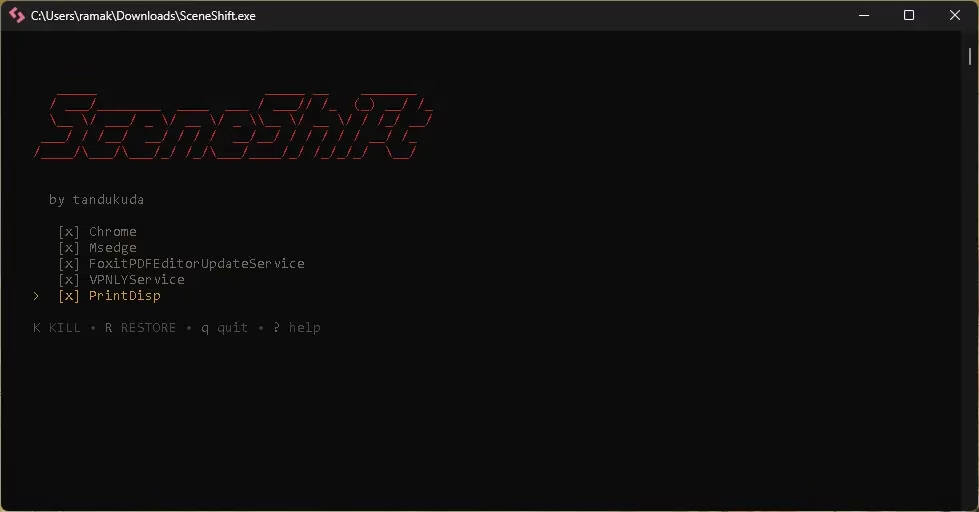

What Is SceneShift?
SceneShift is a lightweight, open-source Windows tool that allows you to:
- Select multiple applications or processes
- Close them instantly with a single key
- Restart everything just as easily when you’re done
Think of it as switching between “work mode” and “performance ”mode”—without manually managing tasks every time.
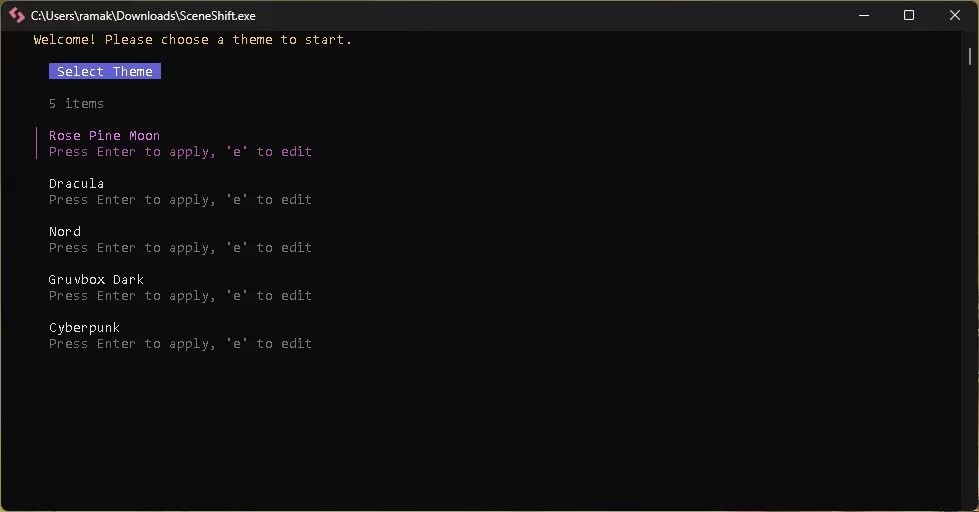
With SceneShift 2.0, everything is now handled directly from the main menu, eliminating the need to edit configuration files manually.
Here is how you can take control of your system resources:
- Quick Setup: Manage your program lists and themes directly within the app interface.
- Smart Keyboard Shortcuts: Efficiency is the name of the game here. By pressing the “?” key, you can instantly see all shortcuts.
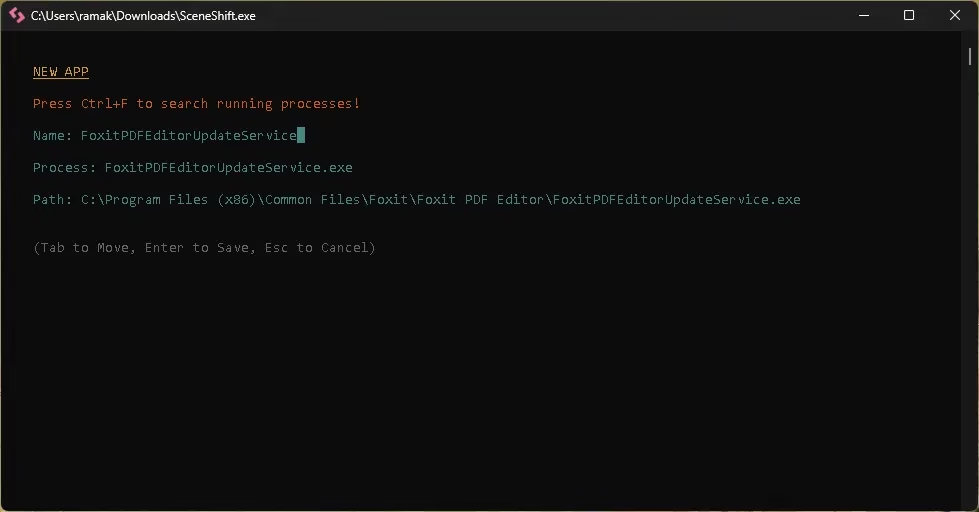
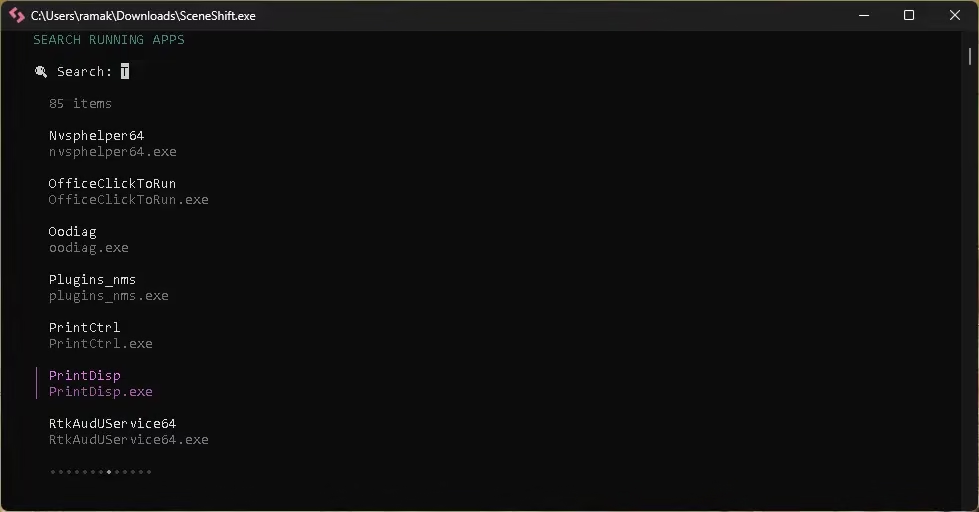
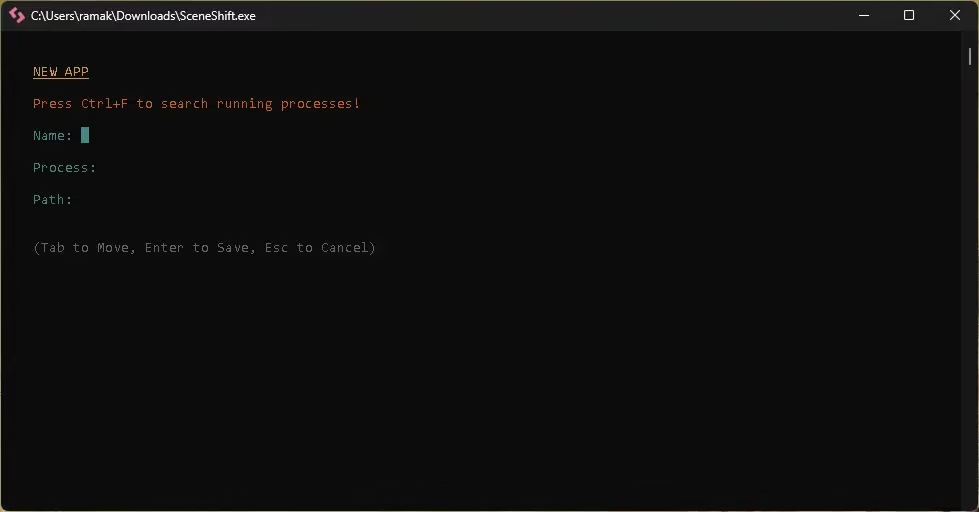
- Adding Processes: Simply hit “n” to add a new process. If you aren’t sure of the exact name, “Ctrl+F” displays all running processes, letting you pick the right
.exeand hit Enter. - Total Control: Once your list is built, you can use the spacebar to temporarily exclude specific programs from being terminated if you need them to stay open for a particular session.
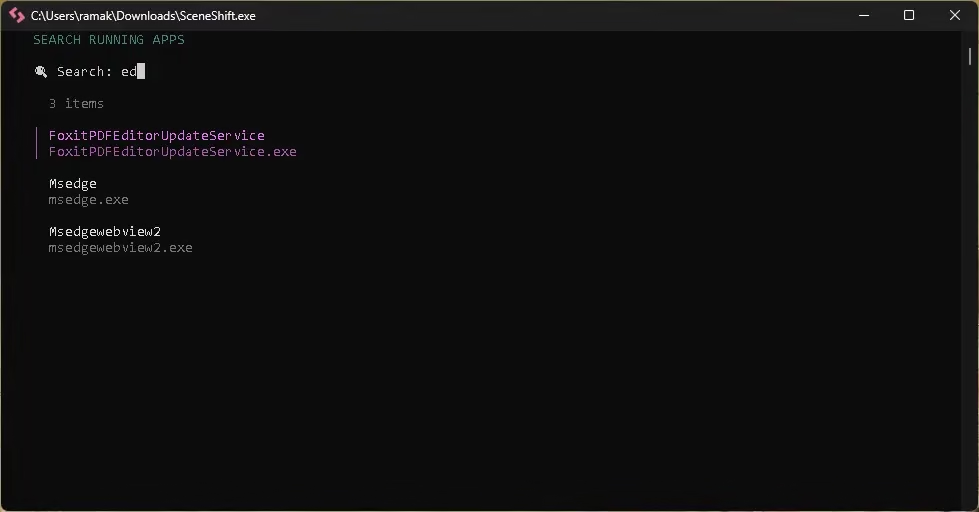
Keyboard-Driven & Efficient
SceneShift is built for speed and power users:
- Press
?to view all shortcuts - Press
nto add a new process - Use
Ctrl + Fto view all running processes - Select
.exefiles easily and confirm with Enter - Use the spacebar to exclude apps you don’t want closed
No mouse-heavy workflows. Just clean, fast control.
The “Big K” and “Big R”: Gaming Made Simple
The real magic of SceneShift happens when it’s time to get to work (or play).
When you are ready to dive into a resource-heavy application, you just press the large “K” (Kill). Boom. All those preselected background hogs vanish instantly, funneling every bit of power back into your primary task.
But here is the best part: when you’re done gaming, you don’t have to go back and reopen everything manually. Just press the large “R” (Restart), and SceneShift brings all those applications back to life. It’s like a “Work Mode” and “Play Mode” toggle for your entire PC.
💡 More Than Just a Game Booster
As much as gamers will adore the performance boost, SceneShift is really a productivity jewel. Think about having a “Deep Work” preset that closes your email, Slack, and browser tabs with one keypress and then opens them again when it’s time to check back in.
On the other side, it can double as a “Multi-Launcher” to launch your morning ritual by starting multiple specialized apps simultaneously.
Final Thoughts: Small Tool, Big Impact
In an era where software feels increasingly bloated, SceneShift is a breath of fresh air. It’s lightweight, portable, and does exactly what it promises without unnecessary fluff. If you find yourself constantly fighting for more RAM or just want a cleaner way to manage your digital environment, give this tool a spin.
Ready to optimize your PC? You can find more information and download the latest release directly from the official repository:
- GitHub: github.com/SceneShift
- Latest Releases: github.com/SceneShift/releases
For more PC optimization tips and the latest software giveaways, stay tuned to Techno360!


