


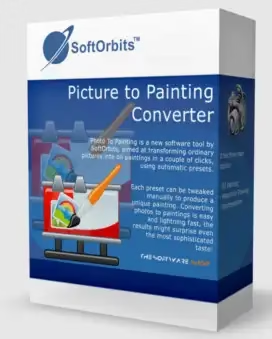
SoftOrbits Picture to Painting Converter is a Windows tool that lets you turn any picture into an oil painting with just a few clicks. It uses automatic presets to do this.
When you use this tool, you can make your photos look like paintings by applying a wide range of effects. You don’t need any knowledge of image editing to use it. For a simple way to turn pictures into drawings, you don’t have to learn how to use Photoshop. Instead, you can use an easier app like Picture to Painting Converter to do the job.


This Windows program lets you set up and use presets for three types of painting: oil, watercolour, and Impressionism. Despite the fact that you can choose from a number of ready-made profiles, you can also make more changes if you don’t like the results.
The app has an easy-to-use interface, and from its main window, you can start by importing the pictures you want to change. The Picture to Painting Converter supports the following file types: JPG, BMP, GIF, PNG, ICO, TIF, TGA, PSD, PCX, and WMF.
The application makes it easy for you to explore, choose, and try out the presets. Each painting style has a unique set of options that you can choose from.
SoftOrbits Picture to Painting Converter Features:
- Turn your picture into a canvas painting or make your photos into drawings.
- Offers a number of presets to choose from, including Oil Paintings, Watercolors, Impressionists, and more.
- Batch Mode -Supports converting a group of photos at the same time.
- Visual Watermarks – Protect your paintings by adding your signature or watermark.
- Cartoon and Comics Effects -By converting your photo to an illustration, you may turn it into a cartoon painting.
Software Home page: https://www.softorbits.net/picture-to-painting-converter/
SoftOrbits Picture to Painting Giveaway:
Download the giveaway version installer from https://download.softorbits.com/
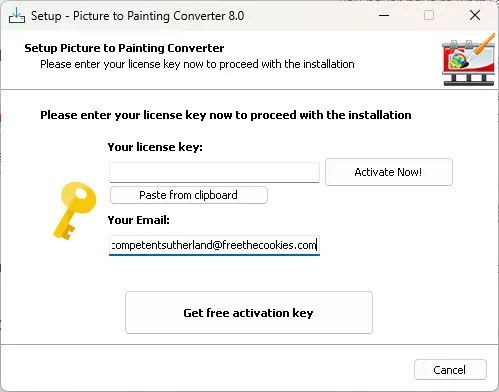
Run the installer which will download the required files, then you will notice an activation screen similar to the below screenshot.
In that activation window, enter your email address and click the “Get free activation key” button.

Next, check your email inbox for a confirmation email from SoftOrbits. Click the confirmation link in that email. This link will direct you to the giveaway page.
On the giveaway page, fill out a compact and click the “Done. Continue” button. The giveaway page will display the license code. Copy the code.
Next, on your desktop paste the license code you received in the activation screen and click the “Activate Now!” button.
That’s it. You have unlocked the full version, click the “Next” button to complete the installation process


