


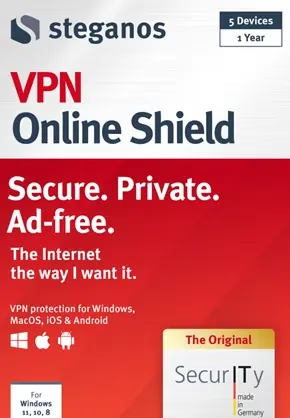
Steganos VPN Online Shield is the next-generation VPN solution from the German IT security company Steganos.
The software provides a risk-free online experience by encrypting all of your data and protecting your connection to the Internet.
Get a 256-bit AES encrypted, ad-free, private Internet connection whenever you want, wherever you are.


About Steganos VPN Online Shield:
This VPN app gives you access to the extensive Steganos pool of available virtual IP addresses, from which you can select the one that best suits your needs.
Use fast servers located all over the world to avoid being tracked and to increase your online security.
These days, connecting to the Internet can lead to problems for you and your computer. Social media tracking and computer malware lurk around every corner, and you will inevitably encounter them at some point.


Even if most solutions are difficult to set up and use for less experienced people, virtual private networks are becoming a secure and effective option to avoid these types of problems.
Protect your privacy and security online with Steganos Online Shield VPN, a program that uses virtual private network (VPN) technology to encrypt your Internet traffic and hide your correct location from websites you visit. Changing your IP address and tunnelling your web traffic through a private network allows you to do these things.
The program creates a new identity for your computer by assigning it a new IP address, which it then uses to surf the web in your place. This also eliminates the possibility of being followed around the web by things like cookies or targeted ads.


Key Features of Steganos VPN Online Shield:
- Always protected: Even if your VPN connection drops for any reason, your correct IP address will still be concealed.
- Get connected to hundreds of fast, secure servers all over the world.
- New generation VPN protocol (IKEv2 or OpenVPN).
- Easy to use across devices: The mySteganos account system simplifies license management on up to 5 devices.
- Safety in every public and private wireless and cellular network in the world.
- Free from the threat of hacking or data theft.
- Free of regional content blocks and censorship.
- Privacy at all times: at home, in the office, and on the go.
- It is now available on macOS, including iOS and Android.
- AES-256 encryption is used to keep your internet connection safe.
- Filters out Twitter and Facebook’s social tracking.
- Upon closing your browser, cookies are removed automatically.
Get Steganos VPN Online Shield Free for 1 Year:
First, create a Steganos account by visiting this page https://my.steganos.com/account/signup/
Next, visit this giveaway page:https://www.steganos.com/specials/cobi1224/sos
Enter the e-mail address and click the “Request Serial Number,” button.


Steganos will send you a confirmation email. You can either click the provided link in the email or copy and paste it into a new tab in your browser.
After that, Steganos will send you a second email with the serial number in just a few seconds. Copy this code.
Download the software from https://file.steganos.com/software/sosint.exe
Install the software, launch it, then click the “mySteganos” button, and log into your account (or create a new account by clicking the signup click).
Click “Enter Serial” and paste the serial code you received.
Next, hit “Redeem” and enjoy a 1-year subscription for free.
For macOS, get the app from here.
Android device users get the app from https://play.google.com/store/
Run the app, tap on the menu (3 dots), select “Enter Serial Number” and go ahead to activate with the code you received.
For iOS devices [iPhone/ iPad], get the app from the iTunes App Store.
