
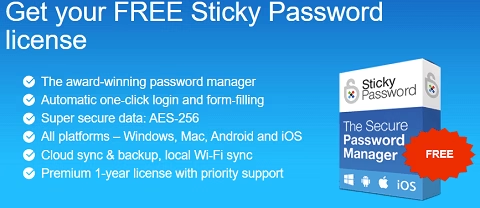
Offer status: Active at the time of writing • Platform: Windows, Mac, Android & iOS • Regular price: $29.99/year • Redeem by: October 18, 2026
⚡ Quick Read — 30 Seconds
- Price: Free 1-year Premium license for new Sticky Password users (regular price $29.99/year).
- What it does: Remembers and auto-fills every password, syncs across Windows/Mac/Android/iOS, and stores cards, IDs, and secure notes behind AES-256 encryption.
- The catch: New-user license only — you install, then redeem the code below. No social share required.
- Time to claim: About 5–10 minutes, install to activation. Code expires October 18, 2026.
Reusing the same three passwords everywhere, or storing them in a browser that is not designed to protect them, is one of the easiest ways to get an account taken over. Sticky Password is a dedicated password manager that fixes that: it generates strong unique passwords, remembers them for you, fills forms and logins automatically, and syncs everything across your devices behind a single master password.
Right now, new users can claim a full 1-year Sticky Password Premium license for free using the code in this article — normally a $29.99/year plan. I have laid out exactly what the software does, how to redeem the code, and where it falls short, so you can decide in under a minute whether it is worth installing.

Features worth knowing about
- Password autofill & generator: Fills logins and web forms automatically, and generates unique, customizable passwords (4–99 characters) for every new account.
- Digital wallet: Securely stores credit cards, passports, driving licenses, and personal notes, encrypted and unlocked only with your master password.
- Security dashboard: Flags weak, reused, and old passwords across your vault so you know exactly what to change first.
- AES-256 encryption, zero-knowledge: Your master password is never sent to or stored on Sticky Password’s servers — only you can unlock your vault.
- Flexible sync: Sync across devices over the cloud, locally over Wi-Fi, or skip syncing entirely and keep an offline-only database.
- Biometric login & 2FA: Unlock with a fingerprint on supported devices, and add two-factor authentication for extra protection.
- Secure sharing & emergency access: Share individual passwords with permission controls, and set up emergency access for a trusted contact.
- Portable Windows version: Run Sticky Password from a USB drive on a machine with nothing installed.
Sticky Password normally runs $29.99/year for the Premium plan (list price $39.99) that unlocks unlimited devices and cross-platform sync; there is also a free single-device tier with no sync. This giveaway hands new users a full year of Premium — every feature above, on every platform — at no cost.
A couple of honest caveats
This code is for new Sticky Password users only and is valid for one user across all of your own devices — it will not stack with an existing account. Redeem it before October 18, 2026, since giveaway codes stop working once they expire. Sticky Password also has no native Linux app and, per recent independent reviews, its interface feels dated next to newer managers — it is a solid, well-encrypted vault rather than the flashiest one on the market.
How to claim your free Sticky Password Premium license
The process is a quick install-then-redeem flow. Here is exactly how it works.
- Download the installer. Grab it straight from the developer’s website rather than a random mirror.
- Create or sign in to your Sticky Password account. During setup you will be asked to create an account (or log in if you already have one).
- Install the browser extension. Add the Sticky Password auto-fill extension to your browser so it can save and fill logins as you browse.
Share this giveaway on any network. One click unlocks the download links and codes below.
A new tab opens to share this page. Come back here — your content unlocks automatically.
