

If you struggle to fall asleep at night, your smartphone or tablet could be a major culprit. The blue light emitted by device screens interferes with your body’s natural sleep cycle — but the Twilight app for Android is here to fix that. With over 10 million downloads and a 4.4-star rating on the Google Play Store, Twilight is one of the most trusted free blue light filter apps available today.
What Is the Twilight App?
Twilight is a free Android application developed by Petr Nálevka (Urbandroid), first released on March 5, 2013, and continuously updated — most recently on February 9, 2026. The name “Twilight” refers to the transitional period between daylight and darkness, perfectly reflecting the app’s mission: to help your eyes and brain transition naturally from wakefulness to sleep.
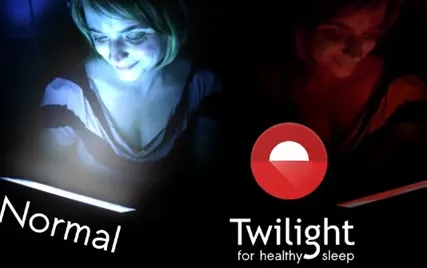
Unlike sleep-tracking apps or smart alarm clocks, Twilight focuses entirely on the pre-sleep experience. It works by filtering the blue light your screen emits after sunset, replacing it with a warm, reddish hue that is far easier on your eyes and far less disruptive to your body’s internal clock.

The Science Behind Blue Light and Sleep
To understand why Twilight matters, it helps to understand the science. Your eyes contain a special photoreceptor called melanopsin, which is sensitive to blue light in the 460–480nm wavelength range. When exposed to this type of light — especially in the hours before bed — melanopsin signals your brain to suppress the production of melatonin, the hormone responsible for making you feel sleepy.
The LCD and OLED screens on your smartphone and tablet emit significant amounts of blue light. Scientific studies have found that people who read on smartphones or tablets for approximately two hours before bed get, on average, about one hour less sleep than those who don’t. This disruption affects both how quickly you fall asleep and the overall quality of your rest.
Children are especially sensitive to this effect. If your kids are hyperactive after using a tablet before bedtime, blue light exposure is likely a contributing factor. Twilight addresses this problem at the source — your device’s screen.

How Twilight Works: Sun-Synced Blue Light Filtering
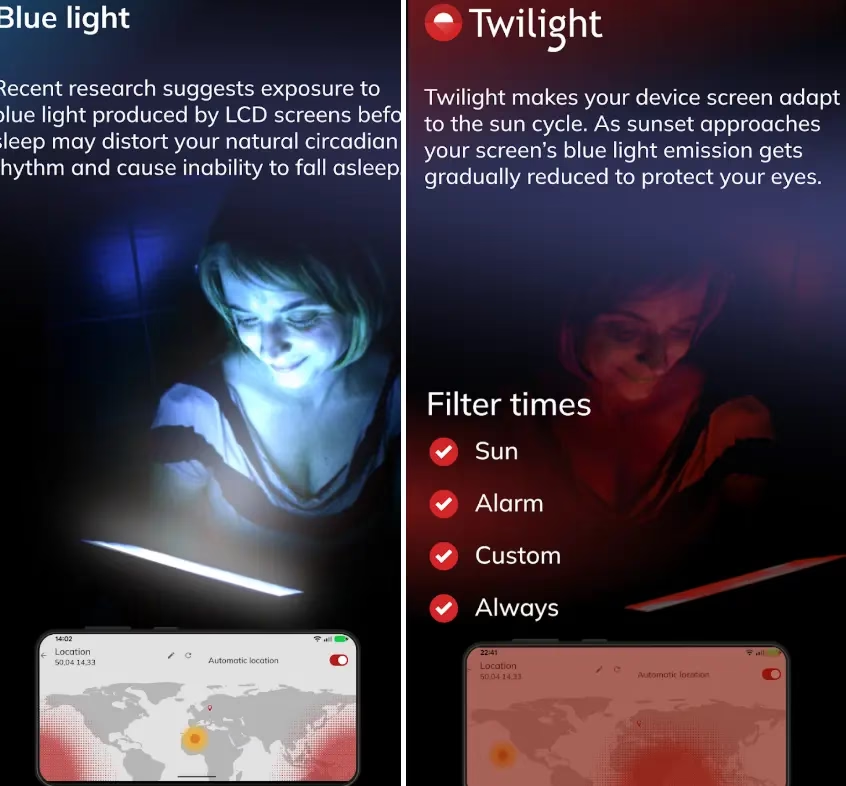
Twilight adapts your Android device’s display to the time of day automatically. Using your location data (or a manually set location), the app determines the exact times of local sunrise and sunset. After sunset, it gradually applies a soft red filter over your screen, reducing blue light emission and warming the color temperature of your display. As sunrise approaches, the filter fades away, restoring your screen to its normal, full-spectrum brightness.
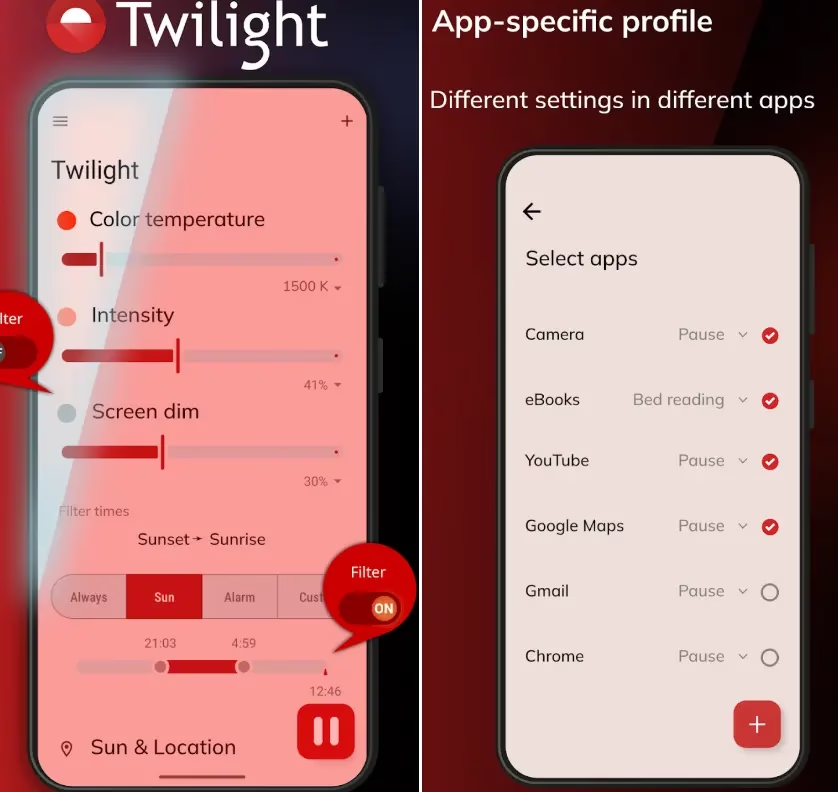
The result is a seamless, natural transition that mirrors the sun’s cycle — exactly how nature intended your eyes to adjust. The filter’s intensity, color temperature, and screen dimming level are all fully customizable through intuitive sliders in the app’s main interface, allowing you to find the perfect balance between readability and eye comfort.
Key Features of the Twilight App
Twilight is packed with smart features that set it apart from basic blue light filter apps:
- Sun-cycle filtering: The filter activates and deactivates automatically based on your local sunrise and sunset times, with no need to configure it manually each day.
- Adjustable color temperature, intensity, and screen dim: Tailor the filter to your personal preference. You can set the color temperature as low as 1500K for a very warm tone, and adjust the intensity and brightness independently.
- App-specific profiles: One of Twilight’s standout features is the ability to assign different settings to different apps. For example, you can set eBooks to use a “Bed reading” profile for maximum warmth while pausing the filter entirely when using the camera, YouTube, or Google Maps.
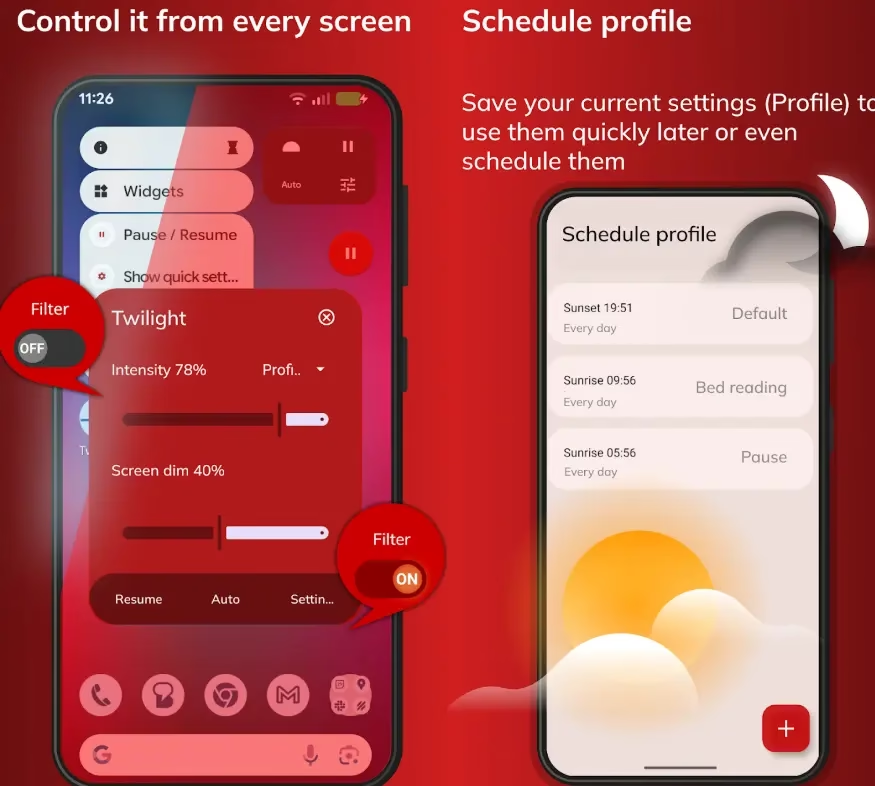
- Schedule profiles: Save your preferred settings as named profiles and schedule them to activate at specific times. For instance, you might use a “Default” profile at sunset, switch to a “Bed reading” profile at a set hour, and pause the filter entirely at sunrise.
- Control from every screen: Access Twilight’s quick controls from any screen via a persistent notification or widget, letting you toggle, pause, or adjust the filter without opening the app.
- Smart home integration: Twilight extends beyond your phone — it works with Philips HUE and IKEA TRÅDFRI smart light bulbs (bridge required), filtering the blue light in your entire room, not just your screen.
- Wear OS support: The app is compatible with Wear OS smartwatches, so your wrist display gets the same sleep-friendly treatment.
- Chromebook support: Twilight also works on newer Chromebooks, making it a versatile solution across your Android ecosystem.

Filter Timing Options
Twilight gives you four flexible filter timing modes to suit your lifestyle:
- Sun: Automatically follows your local sunset and sunrise times.
- Alarm: Syncs the filter with your alarm clock, ensuring your screen is at its warmest when you’re winding down before your scheduled wake-up time.
- Custom: Set your own specific start and end times for the filter.
- Always: Keep the blue light filter running at all times, regardless of time of day — ideal for users with light sensitivity or migraine sufferers.

Who Should Use Twilight?
Twilight is ideal for a wide range of users. If you find it difficult to fall asleep after using your phone at night, the app can make a noticeable difference in how quickly you drift off. Parents who let their children use tablets in the evening will appreciate how the filter helps calm hyperactivity and prepare young minds for sleep. People who suffer from light sensitivity, eye strain, or migraines will find the warm, dimmed display significantly more comfortable. And if you enjoy reading on your smartphone or tablet before bed, Twilight’s bed reading mode transforms the experience into something much closer to reading under warm lamplight.
App Details at a Glance
| Developer | Petr Nálevka (Urbandroid) |
| Version | 14.25 |
| Updated | February 9, 2026 |
| Downloads | 10,000,000+ |
| Rating | 4.4 ★ (445K+ reviews) |
| Content Rating | Rated for 3+ |
| Requires Android | Android 7.0 and up |
| Download Size | 11 MB |
| First Released | March 5, 2013 |
| Platform | Android, Chromebook, Wear OS |
Download Twilight for Android
Twilight is available for free on the Google Play Store. It is compatible with Android 7.0 and above, requires just 11 MB of storage, and has been verified to work on devices including the Realme RMX3741, Samsung SM-P615, and Redmi MiTV-MOOQ3. The app has earned an Editors’ Choice designation on Google Play, a testament to its quality and usefulness.
Download Twilight on Google Play
Final Verdict: Is Twilight Worth It?
Absolutely. Twilight is one of those rare apps that solves a real, scientifically documented problem in an elegant, user-friendly way. Its sun-synced filtering, app-specific profiles, smart home integration, and highly customizable controls make it far more sophisticated than a simple screen tint. Whether you’re a chronic insomniac, a night-time reader, a concerned parent, or simply someone who wants to protect their eye health, Twilight is a must-have addition to your Android device.
Best of all, it’s completely free to download. Give your eyes—and your sleep— the break they deserve.