


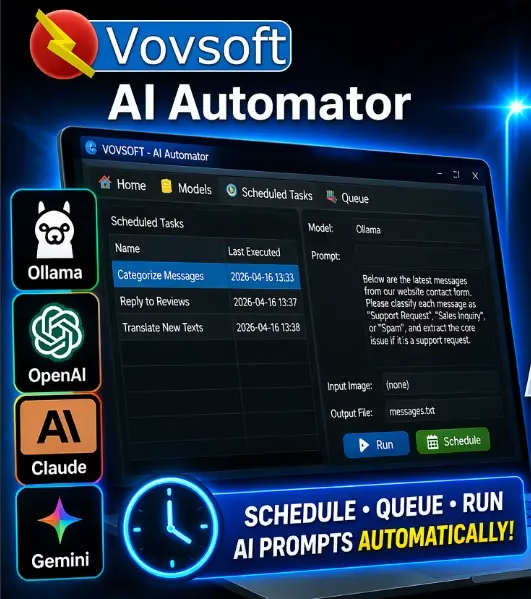
Looking for a smarter way to automate your AI workflows on Windows — without monthly subscriptions, server costs, or complex setup? You’re in the right place. Today on Techno360, we have an Vovsoft AI Automator giveaway that hands you a free lifetime license (worth $19) for this powerful AI prompt scheduler. Read on to discover what it does, how to use it, and how to grab your free copy.
What Is Vovsoft AI Automator?
Vovsoft AI Automator is a compact yet feature-packed Windows desktop utility developed by VOVSOFT, a trusted name in productivity software with dozens of popular Windows tools. Released on April 16, 2026, this tool does something refreshingly simple — it lets you schedule and automate AI prompt tasks that run silently in the background, without you lifting a finger after the initial setup.
Think of it as a task scheduler for AI. Instead of manually copy-pasting prompts into ChatGPT or Claude every morning, you configure your prompt once, point the software at your preferred AI model, set a time interval, and walk away. The results are automatically saved to an output file on your drive.
Best of all, it works with local AI models via Ollama (completely offline and private) and also connects to cloud-based APIs including OpenAI, Anthropic Claude, and Google Gemini.

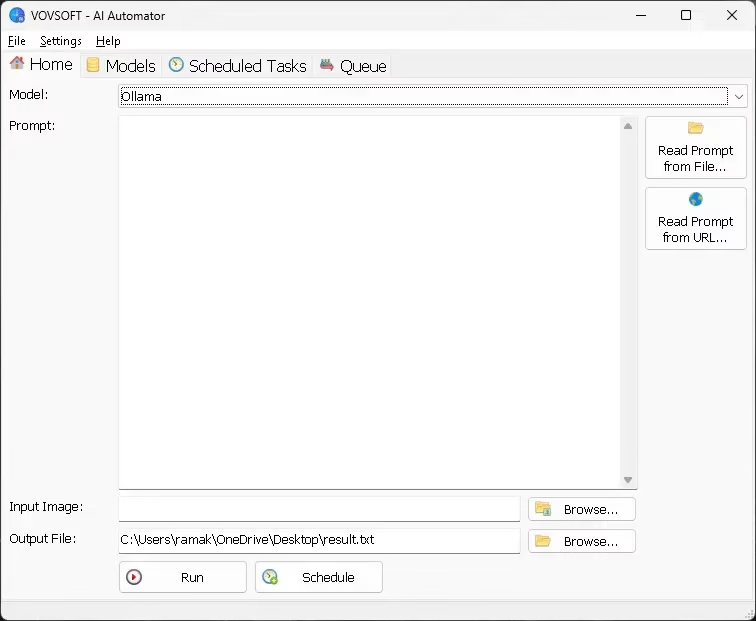
Key Features of Vovsoft AI Automator
🤖 Multi-Model AI Support
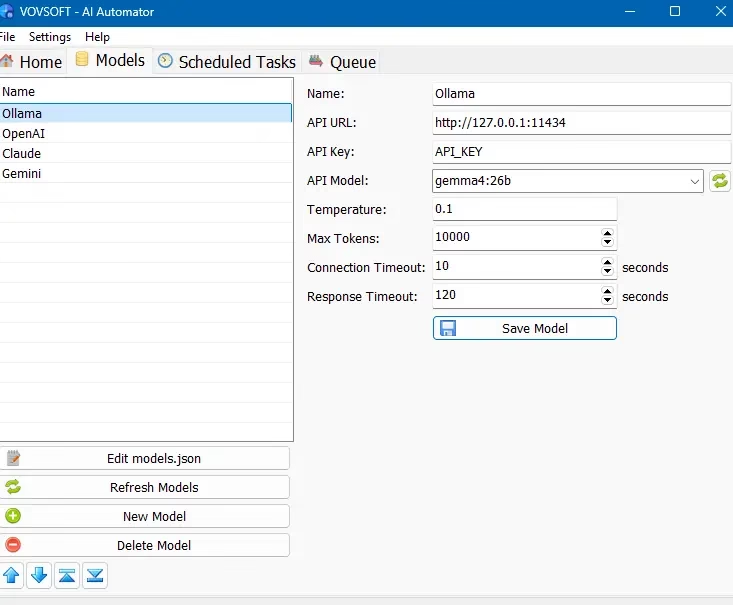
One of the biggest strengths of AI Automator is its flexibility with AI models. You can connect it to:
- Ollama — Run local open-source LLMs (like Gemma, LLaMA, Mistral) on your CPU or GPU for complete privacy and offline use.
- OpenAI — Connect via your OpenAI API key for GPT-4o or other models.
- Anthropic Claude — Use Claude 3 or Claude 4 via the Claude API.
- Google Gemini — Connect via the Google AI Studio API key.
Each model profile stores its own API URL, API key, model name, temperature, max tokens, and timeout settings — all easily configurable from the Models tab.

⏰ AI Task Scheduler
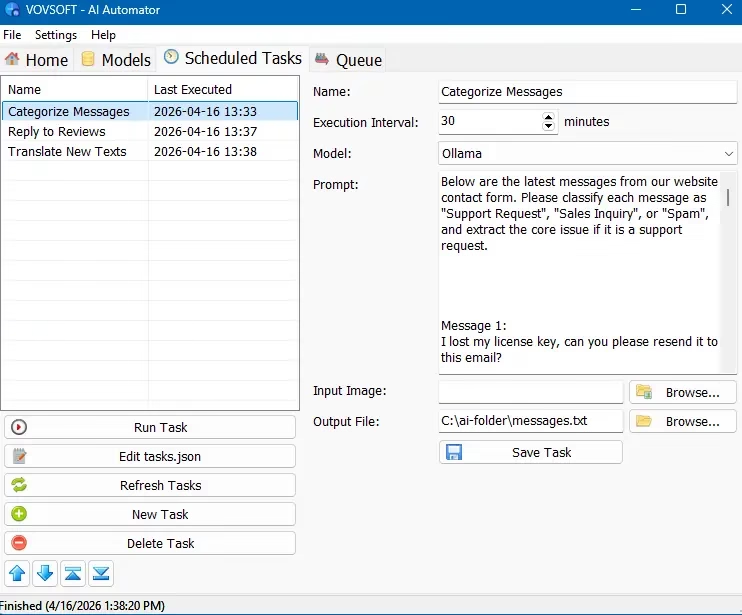
The Scheduled Tasks tab is where the real automation magic happens. You can create multiple named tasks, each with:
- Its own prompt text (or prompt loaded from a file or URL)
- A specific AI model to use
- An execution interval (in minutes) for recurring automation
- A designated output file where results are saved
- An optional input image for vision-capable models
Combined with the option to auto-run at Windows startup and minimize to the system tray, your AI workflows run silently in the background with zero manual intervention.

📋 Batch Prompt Queue
Need to process large volumes of prompts at once? The Queue system lets you load a batch of text or image inputs to be processed one after another. You can also manually edit the underlying tasks.json and models.json files to manage complex workflows outside the GUI — perfect for power users who need precise control at scale.
📂 Flexible Prompt Input
AI Automator offers three ways to feed prompts into the engine:
- Manual text input — Type or paste your prompt directly in the app.
- Read Prompt from File — Load prompts from a local
.txtfile, ideal for reusable or versioned prompt libraries. - Read Prompt from URL — Fetch prompt content from any web URL, enabling dynamic, remotely-managed prompts that update automatically.
🖼️ Image Input Support
For models that support vision (like GPT-4o or Gemma multimodal), you can attach an input image to your task. This opens up use cases like automated image captioning, visual data extraction, or scheduled screenshot analysis.
🔒 Privacy-First with Local Models
When using Ollama with a locally downloaded model, Vovsoft AI Automator works 100% offline. No data leaves your computer. This is a significant advantage over browser-based AI tools that route everything through third-party servers.
Real-World Use Cases for Vovsoft AI Automator
Still wondering what you’d actually use this for? Here are some practical, everyday automation ideas:
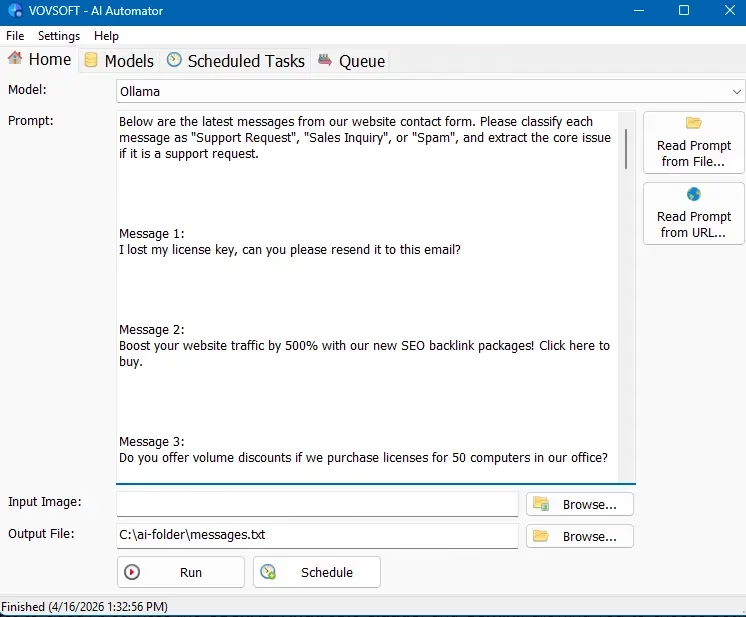
- 📧 Auto-categorize customer messages — Feed contact form submissions into AI to classify them as Support Request, Sales Inquiry, or Spam (as shown in the screenshots).
- 📝 Daily content briefs — Schedule a morning prompt that fetches a URL-based topic list and generates a content brief, saved to your desktop.
- 🌍 Automated translation — Translate new product descriptions or blog excerpts from English to regional languages on a schedule.
- ⭐ Auto-reply drafts for reviews — Generate draft responses to customer reviews, saved to a text file for human review before posting.
- 📊 Scheduled data summarization — Point it at a log file or data export (via file input), summarize it every hour, and save the summary for reporting.
- 🏠 Home server AI assistant — On a home server or always-on PC, run local Ollama models to process tasks without any API cost.

Why Vovsoft AI Automator Beats Complex Alternatives
You might wonder — why not just use n8n, Zapier, or a custom Python script? Here’s the honest comparison:
| Feature | Vovsoft AI Automator | n8n / Zapier | Custom Python Script |
|---|---|---|---|
| Installation complexity | ✅ Very Easy | ⚠️ Moderate | ❌ High |
| Works offline (local AI) | ✅ Yes (with Ollama) | ❌ No | ✅ With extra setup |
| No server/cloud required | ✅ Runs on your PC | ❌ Needs server | ✅ Yes |
| Predictable token usage | ✅ Transparent | ⚠️ Often unpredictable | ✅ Yes |
| GUI-based (no coding needed) | ✅ Yes | ✅ Yes | ❌ No |
| Cost | 💚 $19 one-time (Free today!) | 💸 Monthly subscription | 💚 Free (but dev time) |
The bottom line: for individuals, small teams, and power users who want zero-overhead AI automation on a Windows PC, Vovsoft AI Automator is the most practical and privacy-friendly option available today.
How to Install and Set Up Vovsoft AI Automator
Step 1: Download and Install
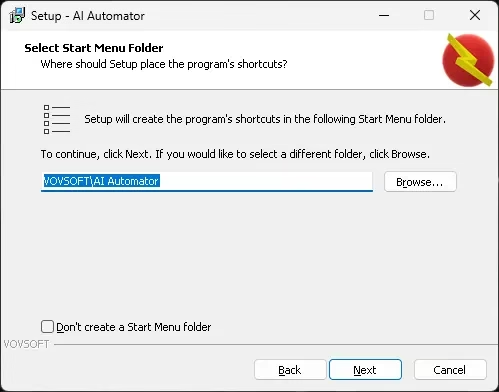
Use the giveaway installer link from the download section below. Run the .exe installer, follow the on-screen wizard (select your Start Menu folder), and click Next → Install → Finish.

Step 2: Set Up an AI Model
After launching the app, go to the Models tab and configure your preferred AI backend:
- For Ollama (Free, Offline): First install Ollama and pull a model (e.g.,
ollama pull gemma4:26b). Then in AI Automator, set API URL tohttp://127.0.0.1:11434and select your model from the dropdown. - For OpenAI / Claude / Gemini: Enter your API key and the corresponding model name (e.g.,
gpt-4o,claude-sonnet-4-5, orgemini-2.0-flash).
Adjust Temperature (creativity), Max Tokens, and Response Timeout to suit your task. Click Save Model.
Step 3: Create a Scheduled Task
Go to the Scheduled Tasks tab and click New Task. Fill in:
- Name — e.g., “Summarize Daily News”
- Execution Interval — e.g., every 60 minutes
- Model — pick from your configured models
- Prompt — type, load from file, or pull from URL
- Output File — choose where the AI’s response is saved
Click Save Task and then Run Task to test it immediately, or let it run on its next scheduled interval.
Step 4: Enable Startup & Tray Minimization (Optional)
Head to Settings and enable Run at Windows Startup and Minimize to System Tray. Once done, your AI automation engine runs silently every time Windows starts — no manual intervention ever needed.
🎁 Vovsoft AI Automator Giveaway — Free Lifetime License
✅ What You Get for FREE
- 💡 Full licensed version of Vovsoft AI Automator v1.0 (retail value: $19)
- 🔑 Lifetime license key — no expiry, no subscription
- 🤖 Full access to all features: task scheduler, model manager, queue, and flexible prompt input
- 🔒 Works with local Ollama models (completely offline) and cloud APIs
⚠️ Giveaway Version Terms (Please Read)
- 📌 Giveaway is for version 1.0 only
- 🚫 No free technical support from Vovsoft
- 🚫 No free upgrades to future versions
- 🚫 Strictly non-commercial use only (personal/home use only)
- 🚫 No resetting the free registration code
These are the standard terms for giveaway licenses from Vovsoft. If you need commercial use, upgrades, and support, consider purchasing the full license at $19 from Vovsoft.
📥 Download Links (Giveaway — Vovsoft AI Automator v1.0)
Choose any of the mirrors below. All links contain the same giveaway installer:
| Mirror | Download Link |
|---|---|
| 🔷 Dropbox | Download from Dropbox |
| 📦 Box.com | Download from Box |
| ☁️ GoFile | Download from GoFile |
🛡️ All files are sourced directly from the publisher. Always scan downloads with your antivirus before running. Techno360 is not affiliated with Vovsoft; this giveaway is shared as a free resource for our readers.
System Requirements
- OS: Windows Vista / 7 / 8 / 8.1 / 10 / 11 (32-bit & 64-bit)
- AI Backend: Requires either Ollama (local) or a valid API key for OpenAI, Claude, or Gemini
- Storage: Minimal (lightweight desktop app)
- Internet: Not required when using local Ollama models
Pros and Cons
👍 Pros
- Supports local (offline) AI models via Ollama
- Works with all major cloud AI APIs
- Scheduled task automation — truly hands-free
- Batch queue for large-scale processing
- Prompt from file or URL for dynamic workflows
- Lightweight, no server or cloud infrastructure needed
- Editable JSON config files for power users
- No subscription — one-time purchase ($19)
- Wide Windows compatibility (Vista to 11)
- Free giveaway version available today!
👎 Cons
- Requires Ollama + model download for offline use (extra setup)
- No built-in model marketplace — you manage models separately
- Giveaway version lacks technical support and upgrades
- Windows-only (no Mac or Linux version)
- v1.0 — early release, more features likely incoming
Frequently Asked Questions (FAQ)
What is Vovsoft AI Automator?
Vovsoft AI Automator is a lightweight Windows utility that lets you schedule, queue, and run AI language model prompts automatically—using local models via Ollama or cloud APIs like OpenAI, Claude, and Gemini.
Is Vovsoft AI Automator free?
The retail price is $19 for a lifetime license with upgrades and support. However, through this exclusive Techno360 giveaway, you can grab a free lifetime license for personal/non-commercial use.
Does Vovsoft AI Automator work offline?
Yes! When paired with Ollama and a locally downloaded model (like Gemma or LLaMA), it works completely offline — no internet needed. Cloud API connections require internet access.
What are the giveaway version restrictions?
The giveaway is for v1.0 only. It does not include free technical support, free upgrades to future versions, or commercial use. The registration code cannot be reset or transferred.
Which AI models does it support?
It supports any Ollama-compatible local model (Gemma, LLaMA, Mistral, etc.) and cloud APIs from OpenAI, Anthropic Claude, and Google Gemini. Each model can be configured with its own API key, temperature, and token limits.
Which Windows versions does it support?
It supports Windows Vista, 7, 8/8.1, 10, and 11 — both 32-bit and 64-bit editions.
Verdict: Is Vovsoft AI Automator Worth Grabbing?
Absolutely — especially when it’s free. Vovsoft AI Automator fills a very specific but genuinely useful niche: no-fuss, desktop-native AI automation that respects your privacy and doesn’t require cloud accounts, servers, or monthly fees. For bloggers automating content tasks, small business owners handling repetitive AI queries, or power users running local LLMs via Ollama, this is a gem of a tool.
Even if you don’t have a specific use case in mind right now, grabbing the giveaway version today locks in a free lifetime license — you can always find a workflow for it later. The retail price is a reasonable $19, but free is always better.
👉 Download the Vovsoft AI Automator Giveaway now and let us know in the comments how you’re using it!