


Vovsoft Hide Files is a Windows-based folder-locker software that enables you to secure your confidential files and folders.
Using this app, you can encrypt and decrypt your important documents and photos, videos, emails, and other data that you don’t want anyone to see. You can put passwords on any files that you don’t want anyone else to see.
Avert prying eyes from your files and folders. Set your password and make sure your files are safe. No one can get into your files unless they know your master password.


To hide files or folders on your PC, this program is what you need. It’s easy to use and can be used on a desktop or laptop computer. If you need software to protect your files and folders, this is the right choice.
In addition to hard drives and SSD drives, Vovsoft Hide Files can hide files on SD cards, USB flash drives, and SD/MMC cards. It can also hide files on NTFS and exFAT file systems.
This software lets you drag and drop files from Windows Explorer and get back your lost password. It can stop the process of locking if there is a problem with a file or a disk. This helps you keep your important data safe. However, it’s always a beneficial idea to back up important files and folders before you do anything else.
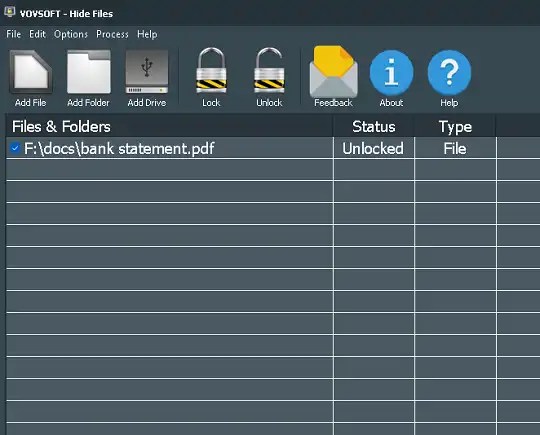

Vovsoft Hide Files Features:
- Can both encrypt and decrypt your private data.
- File protection software.
- Set a master password and keep your files safe with this app.
- Supports the NTFS, FAT32, and FAT16 file systems, as well as internal and external hard drives, solid-state drives, SD/MMC memory cards, and USB flash disks.
- This software can hide and encrypt batch files and open them in just a few seconds.
- Hide Files can lock and unlock your gigabytes of data in a matter of seconds.
- Drag and drop from Windows Explorer is supported, as well as the ability to get back a lost password.
- Windows 11/10/8.1/8/7/Vista/XP are supported operating systems.
Update [New giveaway for v10]:
- You can download the installer here: Desktop installer.
- Start the installation, wait until it completes, and then launch the application.
- An activation prompt will show up. Just click the button that says “Enter License Key.”
- Select “OK” once you’ve entered the license key.
To activate, enter the following license code: 2TUF5-KAQGW-JEGFM


Enjoy the full version.


