

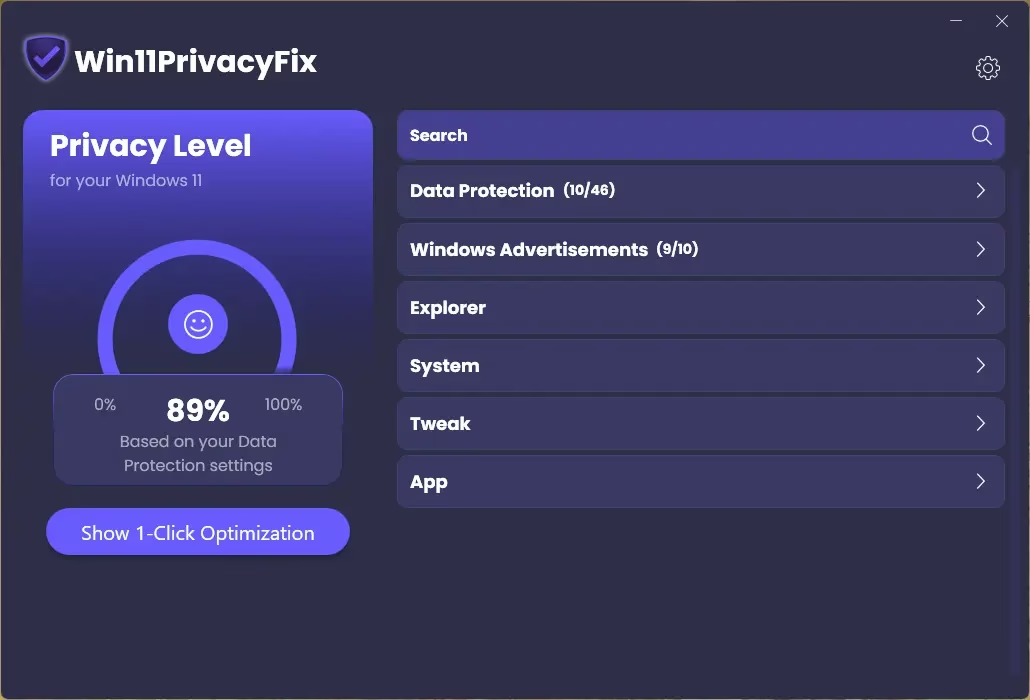
Win11PrivacyFix is a lightweight Windows 11 privacy tool that lets you shut down Microsoft’s data collection and tweak key system settings with a single click. It fits perfectly into Techno360.in’s focus on practical Windows utilities, especially for users worried about telemetry and background tracking.
Contents
What Is Win11PrivacyFix?
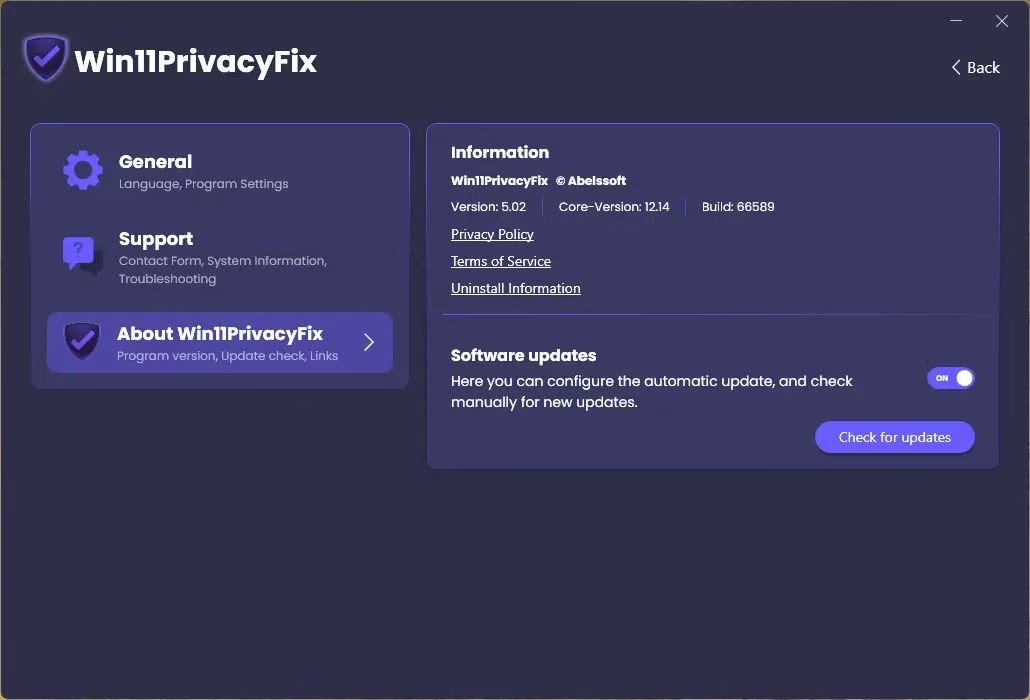
Win11PrivacyFix is a dedicated privacy and tweaking utility for Windows 11 that blocks Microsoft’s data collection mechanisms and offers quick controls over various system components. The current 2026 Plus version (v2026.5.02) is designed exclusively for Windows 11 and is available as a paid upgrade with immediate use after purchase.
-
Prevents Microsoft from collecting private data in the background.
-
Optimizes Explorer and background services for better performance and less tracking.
-
Gives back control over Windows telemetry, updates, and some UI behaviours.
Key Features & Privacy Tweaks
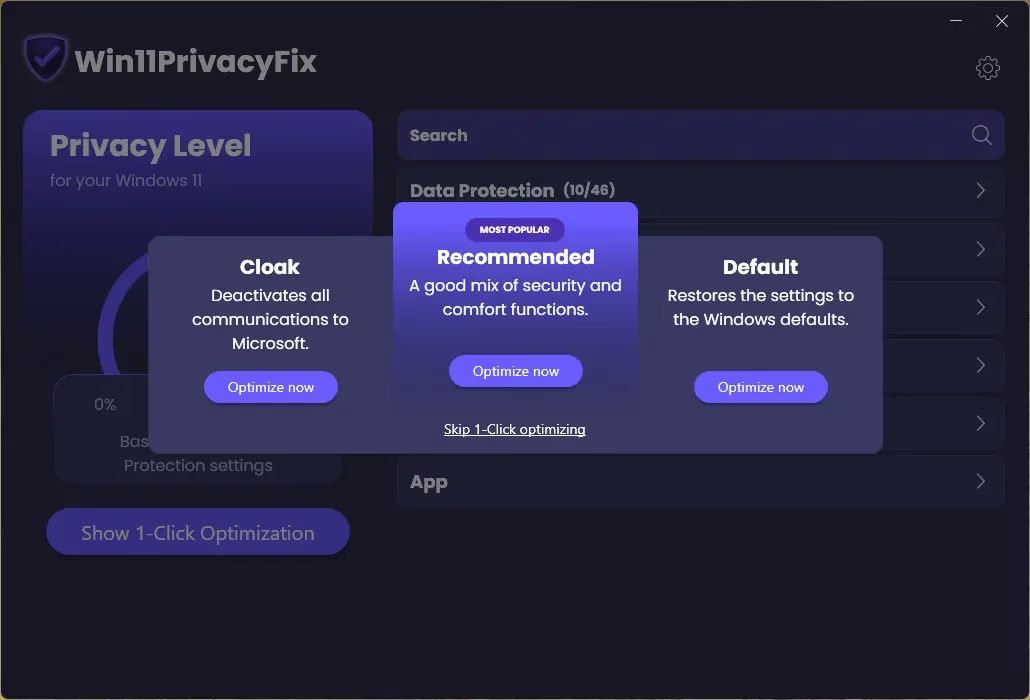
The standout benefit is its 1‑click optimization mode, which lets you decide what Windows 11 is allowed to know about you before you even start using the OS fully. For Windows users who routinely format, upgrade, or test builds, this makes hardening a fresh Windows 11 install extremely quick.
-
One‑click preset: Choose a privacy profile that automatically disables many tracking features and data-sharing endpoints.
-
Data sharing controls: Can prevent permanent microphone listening, constant keyboard logging transmission, and block Microsoft’s data collection servers.
-
Service & Explorer tweaks: Adjust Explorer behavior and background services to reduce unnecessary activity and improve responsiveness.
Customisation & Windows 11 UX Control
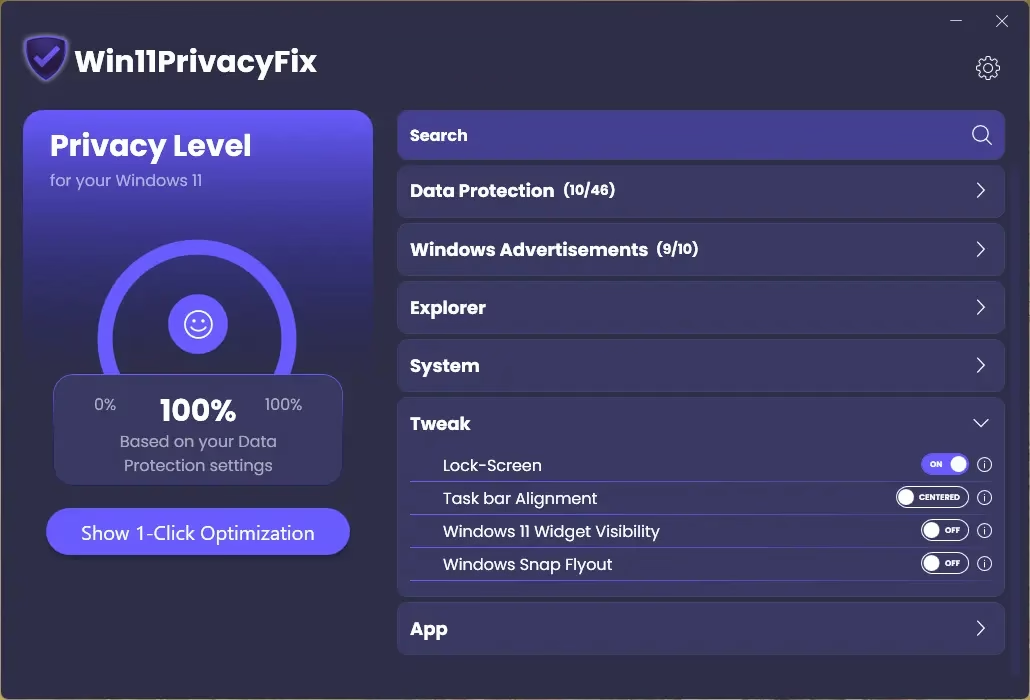
Beyond privacy, Win11PrivacyFix also acts as a small Windows 11 UX tweaker, giving you options that many users normally change through registry hacks or multiple system menus. This is especially useful for power users who dislike some of Windows 11’s default UI choices.
Start menu & taskbar: Switch back to a Windows 10–style Start menu and change taskbar alignment to suit your workflow.
-
Updates & reboots: Delay updates, disable web results in Windows search, and prevent forced reboots after updates.
-
Snap Assist & suggestions: Enable/disable the Snap Assist flyout and features like Bing search or page suggestions if you want comfort over strict privacy.
💰 Plus Version, Pricing & Limitations
Win11PrivacyFix is offered in a freemium model where the trial gives only basic functionality, while the Plus version unlocks the full feature set and support.
-
Price: The Plus version costs €9.95 with immediate activation and commercial-grade build quality (made in Germany).
-
Updates & support: Includes 6 months of free updates and new versions, plus free e‑mail support.
-
Trial limits: The Trial shows a donation screen and restricts users to basic privacy functions only.
Who Should Use It?
Win11PrivacyFix is best suited for users who want straightforward, GUI-based control over Windows 11 privacy without digging into Group Policy, registry edits, or multiple settings pages. It aligns well with Techno360.in’s audience of enthusiasts, testers, and regular users who frequently clean, tune, and harden their systems.
-
Ideal for:
-
Non-technical users who want one-click privacy.
-
Power users who want quick access to tweaks otherwise spread across Windows settings.
-
-
Not ideal if:
-
You already use hardened custom scripts (e.g., O&O ShutUp, custom PowerShell) and prefer granular, manual control.
-
Get Win11PrivacyFix 2026 Full Version for Free:
Download the giveaway version installer (build 66589) from any of these links:
Launch the installer; it comes pre-activated and doesn’t need a license code. Complete the installation and enjoy the full version.
For new users who have not yet installed any Abelssoft software on their PC.
The first time you run the app, an “Activation” window will appear. Simply enter your first name, last name, and email address. Click on the “Get Free Unlock Email Now” button.
Check your inbox for an email from Abelssoft (software@abelssoft.net). To validate your email address, please click the provided link and confirm to unlock fullversion.


Discover more from Techno360
Subscribe to get the latest posts sent to your email.