


Aiseesoft 4K Converter is a solid desktop tool for anyone who regularly works with high-resolution video files. Whether you want to downscale a 4K clip for sharing on social media, upscale an old SD video to sharper quality, or simply convert between different formats — this software handles it without much fuss.
Right now, Aiseesoft is running a limited-time giveaway where Windows users can grab a free full version license (worth $27). Here’s everything you need to know about the software and how to claim yours.
Aiseesoft 4K Converter — Professional 4K video conversion tool for Windows (Version 9.2.56)

About Aiseesoft 4K Converter
Aiseesoft 4K Converter does more than just convert 4K videos to lower resolutions. It also works the other way — upscaling SD and HD footage to 4K UHD using HEVC/H.265 and VP9 encoding. You can even convert 2D video content to 3D, which is handy if you have a 3D-compatible display.
The software supports a wide range of mainstream video and audio formats, so you rarely hit a compatibility wall. It also includes a decent set of built-in editing tools, so you can trim, crop, rotate, add watermarks, and tweak effects before exporting — no separate editor needed.
One thing worth mentioning: the conversion speed is noticeably faster on systems with NVIDIA or AMD graphics cards, thanks to hardware acceleration support.
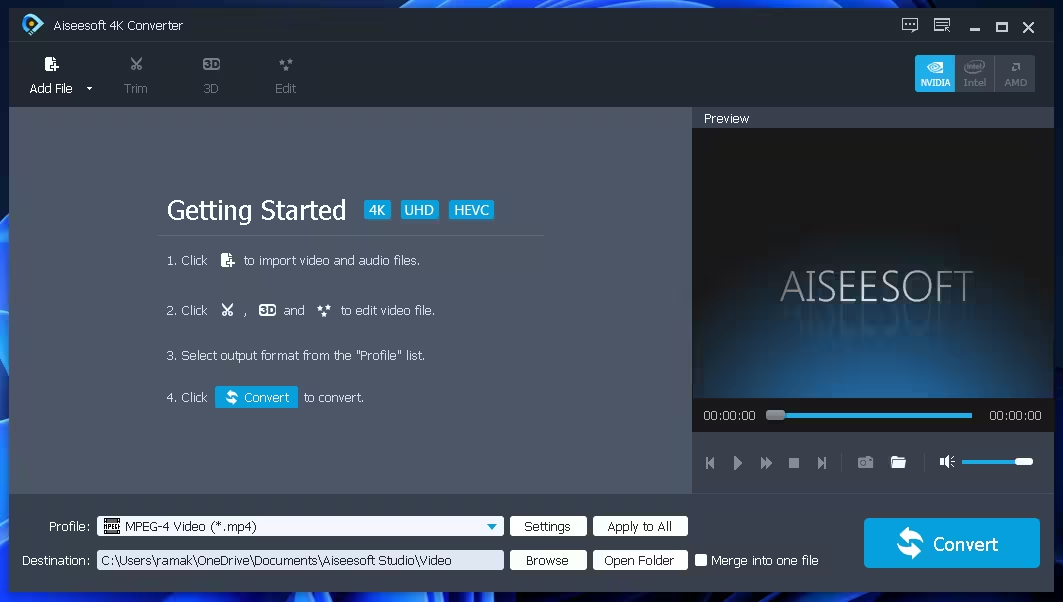
Aiseesoft 4K Converter main window — clean layout with easy video import, output profile selection, and one-click conversion

Key Features of Aiseesoft 4K Converter
- 4K to HD/SD Downscaling: Convert 4K UHD videos to 1080p, 720p, or standard definition with quality intact
- SD/HD to 4K Upscaling: Upscale older footage to 4K UHD using HEVC/H.265 and VP9 codecs
- 3D Video Conversion: Supports five 3D modes — Anaglyph (Red/Cyan), Side By Side (Full), Side By Side (Half-Width), Top and Bottom (Full), Top and Bottom (Half-Height)
- Wide Format Support: Handles all mainstream general video, audio, HD, and UHD formats
- 5.1 Audio Track Output: Supports surround sound output with volume control from 0 to 200%
- Hardware Acceleration: Works with NVIDIA CUDA, Intel Quick Sync, and AMD APP for faster encoding
- Built-in Video Editor: Includes Effect, Clip, Crop, Watermark, Rotate, and Merge functions
- Aspect Ratio & Zoom Control: Optional settings to fine-tune output video playback requirements
- Forced Subtitle Support: Embeds forced subtitles into output files
- Multi-Language Interface: Available in multiple languages, suitable for users worldwide
Supported Output Formats
Aiseesoft 4K Converter supports popular output formats including MP4, MKV, AVI, MOV, WMV, FLV, HEVC, VP9, H.264, and many more. It also supports device-specific presets for iPhone, iPad, Android phones, Samsung TVs, and other popular devices — making it easy to export directly for playback without manually tweaking codec settings.
Who Is This Tool For?
If you shoot in 4K on your phone or camera and need to convert files quickly before uploading or sharing, Aiseesoft 4K Converter is a practical choice. It’s also useful for:
- Content creators who need to downsize 4K footage for faster upload
- Users archiving old SD/HD videos who want sharper 4K versions
- Anyone who needs to convert between 4K formats like HEVC ↔ VP9 or H.264 ↔ H.265
- People who want basic video editing without learning a complex editor
If you’re looking for something more feature-rich, you might also want to check out the Aiseesoft Total Video Converter (also available free on Techno360) or the popular VideoProc Converter AI which adds AI-powered upscaling on top of standard conversion.
Giveaway: Get Aiseesoft 4K Converter Free (Windows)
This giveaway is for Windows users only (compatible with Windows 11, 10, 8.1, and 7). The software normally costs $27, and you’re getting a full activated version at no cost.
Steps to claim your free license:
- Visit the official giveaway page: https://www.aiseesoft.com/special/gotd/4k-converter/
- Enter your name and email address, then click the “Register” button
- Check your inbox for an email from registration@aiseesoft.com — it will contain your registration code
- Download the installer (40.6 MB): Download Aiseesoft 4K Converter for Windows
- Install and launch the software
- Enter your email and the registration code to activate the full version
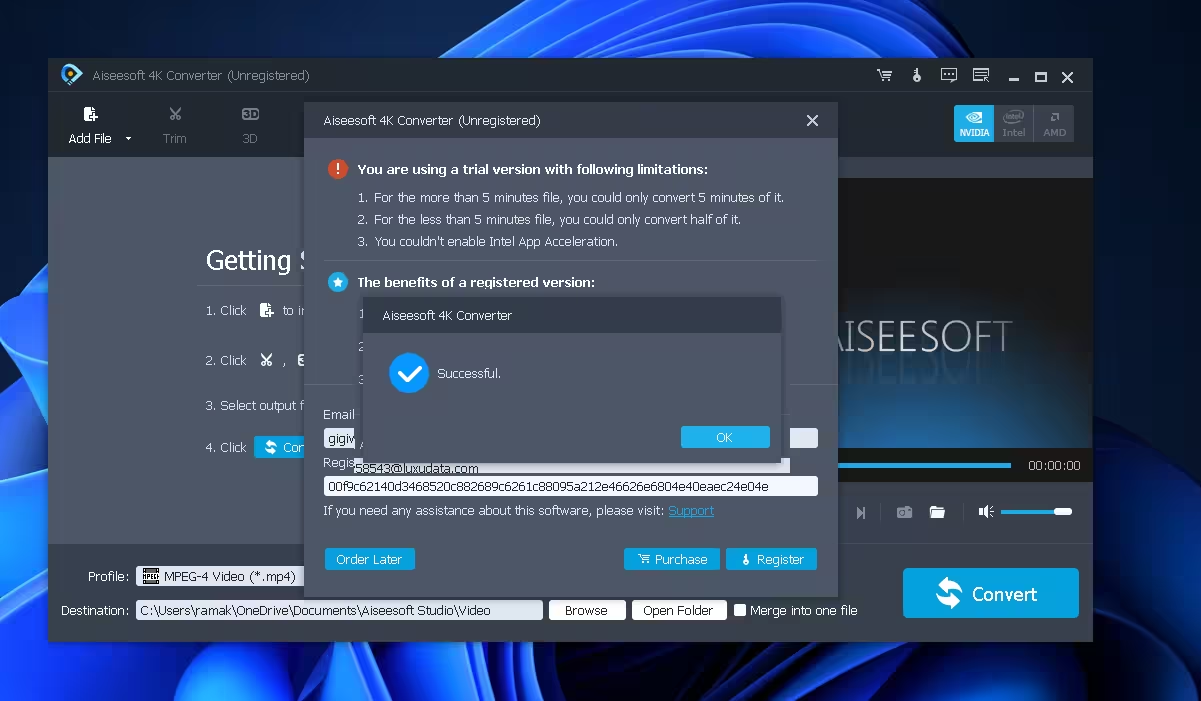
Note: Giveaway licenses are typically valid for personal use and may not include free future upgrades. If you need lifetime upgrades, consider purchasing a paid license from the official Aiseesoft website.

Alternatives Worth Checking Out
Not sure if Aiseesoft 4K Converter is the right fit? Here are some other free video converter giveaways we’ve covered on Techno360: