

If you’ve ever felt that Windows’ built-in tools barely scratch the surface when it comes to real performance tuning, you’re not alone. Third-party utilities have always filled that gap — but most either cost money, bloat your system, or overwhelm you with options.
Argente Utilities 3.0 adopts a refreshingly different approach: it provides a compact, straightforward toolkit that quickly sets you up and efficiently manages the most crucial PC maintenance tasks.
In this review, we break down everything Argente Utilities offers, how to get it for free, and whether it’s worth adding to your Windows toolkit.
Contents
What is Argente Utilities?
Argente Utilities is an all-round PC optimization suite designed for both newcomers and power users. It performs an in-depth analysis of your system—scanning for registry errors, disk space issues, spyware vulnerabilities, duplicate files, and more—and lets you fix all of these with one centralized interface.
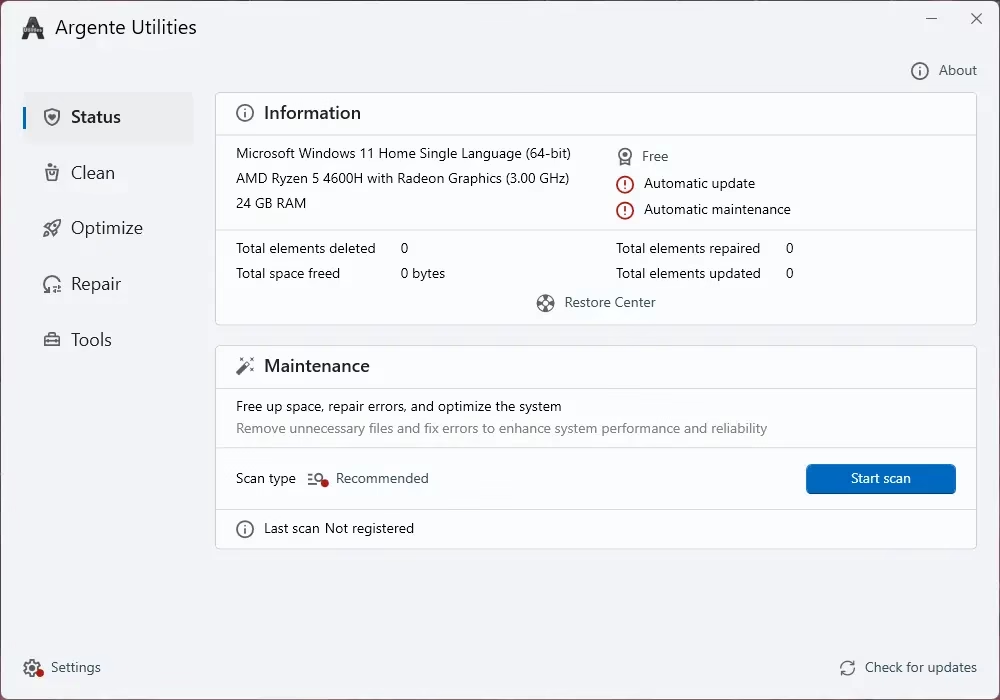
The key appeal here is its simplicity without sacrifice. You get a broad feature set that rivals paid tools, but the interface never overwhelms you. Setup takes just a few seconds, and you can start cleaning or optimizing your PC almost instantly after installation.
Argente Utilities – Key Modules at a Glance
The app is organized into four functional modules, each housing dedicated utilities:
1. Clean Module
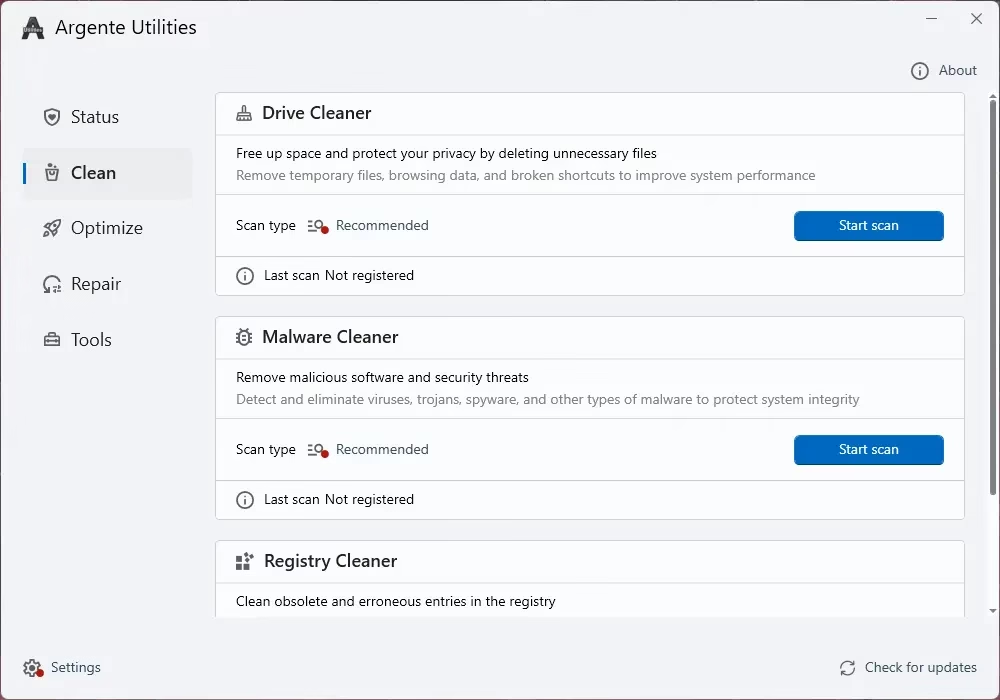
- Drive Cleaner – Frees up disk space and protects your privacy by removing unnecessary and temporary files.
- Malware Cleaner – Scans for and removes malicious software and security threats from your system.
- Registry Cleaner – Cleans obsolete and erroneous entries from the Windows Registry that can slow down your PC.
2. Optimize Module
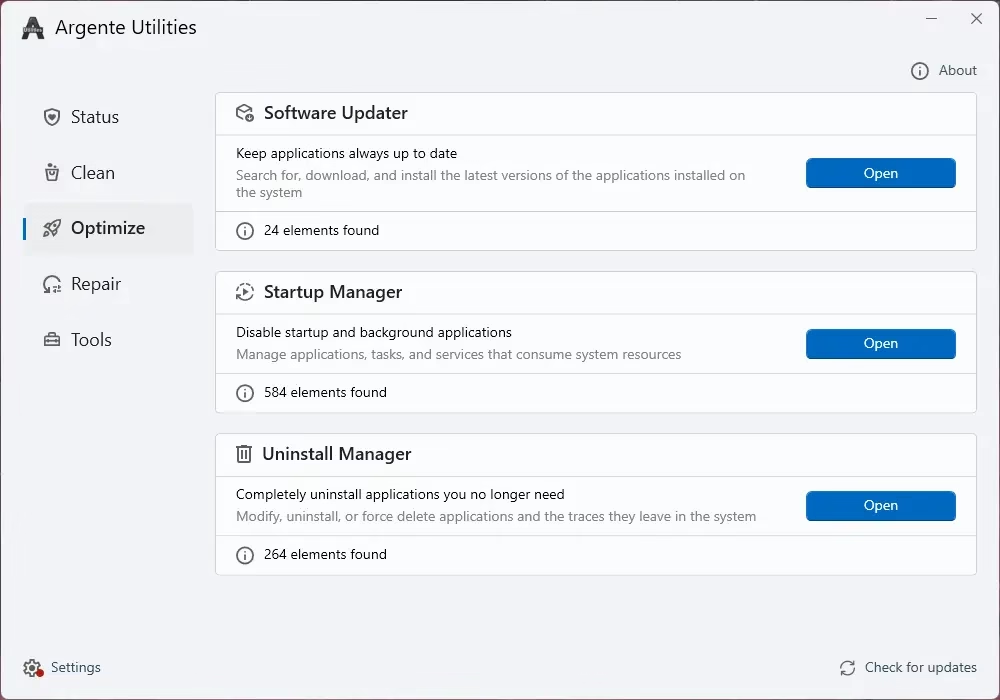
- Software Updater – Keeps your installed applications up to date automatically.
- Startup Manager – Lets you disable unnecessary startup and background applications to speed up boot times.
- Uninstall Manager – Completely removes applications along with their leftover files and registry entries.
3. Repair Module
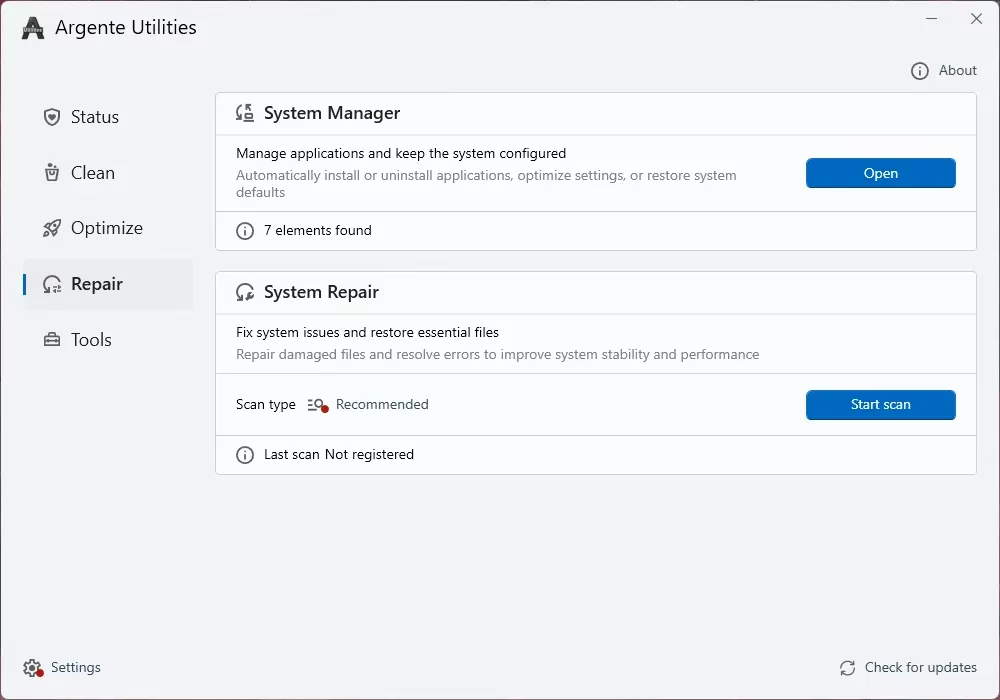
- System Manager – Helps manage applications and keep your system properly configured.
- System Repair – Fixes system issues and restores essential files that may have been corrupted or deleted.
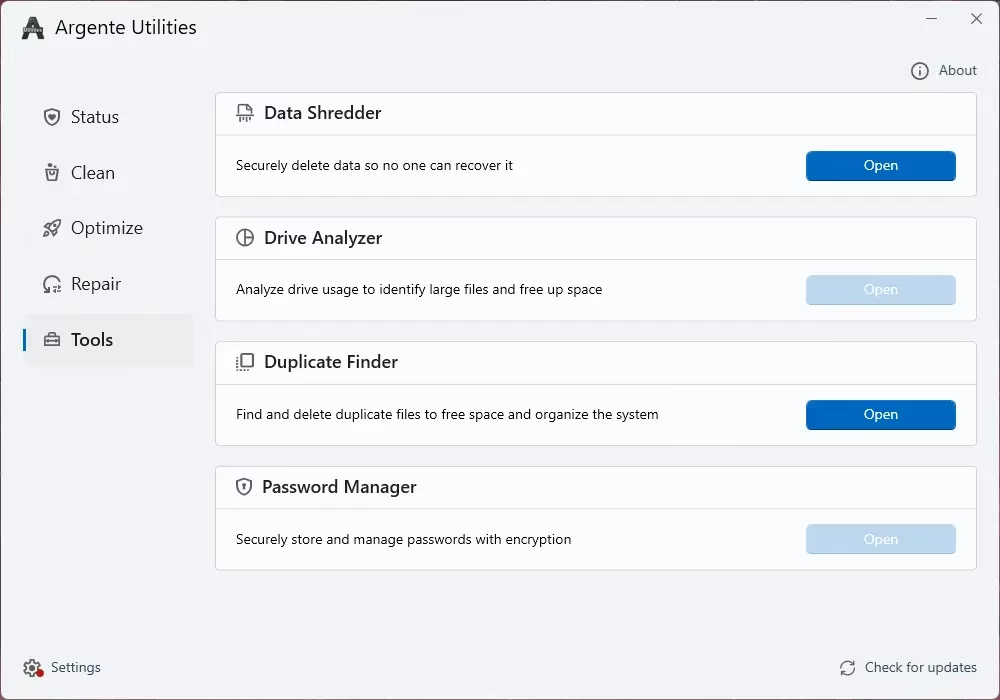
4. Tools Module
- Data Shredder – Securely deletes sensitive data so it cannot be recovered by anyone.
- Drive Analyzer – Analyzes drive usage to identify large files and help free up space.
- Duplicate Finder – Finds and removes duplicate files to free up storage and organize your system.
- Password Manager – Securely stores and manages your passwords with encryption.
Feature Breakdown
Clean Module
The Clean module is your first line of defense against PC slowdowns. The Drive Cleaner removes junk files and protects your privacy by wiping temporary data that accumulates silently over time.
The Malware Cleaner scans for security threats, while the Registry Cleaner hunts down obsolete and erroneous Windows Registry entries that can cause crashes, slowdowns, and errors.
Optimize Module
This is where Argente Utilities shines for long-term performance. The Startup Manager lets you disable unnecessary background apps that quietly eat up your RAM every time Windows boots — one of the fastest ways to speed up your PC.
The software updater ensures your installed apps are always current, reducing security vulnerabilities. And the Uninstall Manager goes beyond Windows’ default uninstaller to ensure apps are completely removed, with no leftover files or registry traces.
Repair Module
For those dealing with system instability, the Repair module provides tools to manage applications, keep system settings properly configured, and restore essential system files that may have been corrupted or accidentally deleted.
Tools Module
This is arguably the most feature-rich section. The Data Shredder securely deletes sensitive files beyond recovery—useful before selling or donating a PC. The Drive Analyzer helps identify large files eating up disk space.
The Duplicate Finder locates and removes redundant copies of files to free up storage. And perhaps most surprisingly for a free tool, there’s a built-in password manager that stores and manages credentials with encryption.
What We Like About Argente Utilities
- Completely free for personal use
- Near-instant setup — ready to use within seconds
- Lightweight footprint — won’t slow down older PCs
- Covers both basic and advanced maintenance needs in one app
- Includes a password manager — rare for a free utility suite
- Centralized interface — no juggling between multiple apps
- “Set it and forget it” usability—great for non-technical users
How to Download & Activate Argente Utilities 3.0 for Free
Getting Argente Utilities for free is straightforward. Here’s how:
- Visit the official download page at argenteutilities.com/en/downloads and download the installer.
- Run the installer and complete the quick installation process (takes only a few seconds).
- Launch the app — you’ll see an activation screen on first run.
- Head to argenteutilities.com/en/profile, create a free account, and verify your email.
- You’ll receive a license code. Enter it in the activation screen to unlock the full app completely free.
Frequently Asked Questions
Yes, Argente Utilities is free for personal use. You just need to create a free account on the developer’s website to receive your license code — no payment required.
Yes, Argente Utilities 3.0 is compatible with modern versions of Windows, including Windows 10 and Windows 11.
Yes. It is an official, signed application distributed through the developer’s website. As with any registry cleaning tool, it is good practice to create a system restore point before running deep system scans.
Argente Utilities bundles additional tools like a password manager, data shredder, duplicate finder, and software updater in a single free package—features that most competing tools either omit or put behind a paywall.
After downloading and installing the app, visit the official profile page at argenteutilities.com/en/profile, create a free account, and verify your email. Your license code will be sent to you, which you can then enter in the app’s activation screen.
Final Verdict
Argente Utilities delivers a surprisingly comprehensive set of PC maintenance tools in a lean, easy-to-use package that asks nothing but a free account registration.
Whether you’re a casual user who just wants a quick cleanup or a power user who needs startup control, secure file deletion, and duplicate management—this tool checks all the boxes.
If you’ve been looking for a free, all-in-one PC maintenance tool that doesn’t require you to juggle a dozen different apps, Argente Utilities 3.0 is well worth the download.
→ Download Argente Utilities 3.0 Free


Discover more from Techno360
Subscribe to get the latest posts sent to your email.
You must be logged in to post a comment.