


Last updated: August 25, 2026
Offer status: Official ASCOMP giveaway — 1-year Professional license, free. Confirmed active as of the update date above. Links below go directly to the official ASCOMP registration page; always verify the offer is still live before registering.
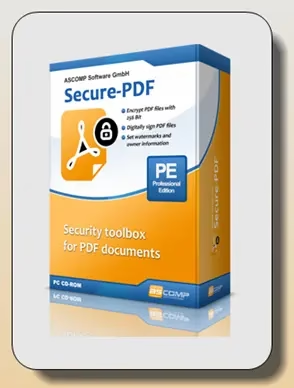
ASCOMP Secure-PDF Pro is a lightweight Windows utility built for one job: locking down PDF files. Instead of a full editor, it focuses on encryption, digital signing, and watermarking — and for a limited time, ASCOMP is giving away a full 1-year Professional license for free (regularly $19.90 for a private license / $39.90 for a company license).
What Is ASCOMP Secure-PDF Pro?
Secure-PDF Pro isn’t trying to replace Adobe Acrobat or a full PDF editor — it does one narrow thing well: protecting PDF documents you already have. If you regularly send contracts, invoices, reports, or other sensitive PDFs and want them password-protected, signed, or watermarked without paying for (or learning) a bloated suite, this is the kind of tool built for that single purpose.
It runs as a native Windows desktop app, works offline once activated, and doesn’t require you to upload files anywhere to process them.
Key Features
- AES encryption up to 256-bit – Password-protect your own or other people’s PDF files so only someone with the correct password can open them.
- Digital signing – Sign PDFs using a PKCS#12 certificate, so recipients can verify the document is authentic and hasn’t been altered since signing.
- Signature images – Alternatively, apply a visual signature image instead of a certificate-based one.
- Watermarking – Add text watermarks and owner information to a PDF.
- Permission controls – Restrict what a recipient can do with an encrypted document (viewing vs. editing/printing, depending on settings applied).
- Windows-native and lightweight – Small install footprint, no subscription-style cloud processing.


System Requirements
| Requirement | Details |
|---|---|
| OS | Windows 7, 8, 8.1, 10, 11; Windows Server 2012 and newer |
| Processor | Intel-compatible or Windows on ARM |
| RAM | 2 GB minimum (4 GB recommended) |
| Disk space | 50 MB |
(Source: ASCOMP’s official product page. Always double-check current specs on ascompsoftware.com before installing.)
How to Claim the Free 1-Year License
- Visit the official giveaway page. Use ASCOMP’s registration link (not a third-party mirror).
- Enter your first and last name, email address, and country, then click “Send.”
- Check your inbox for a confirmation email from ASCOMP Software. This usually arrives within a few seconds. Didn’t get it? Check your spam or junk folder before trying again.
- Click the confirmation link in that email — it takes you to your ASCOMP account page, where the full-version installer is available to download.
Already have an ASCOMP account? Just log in at ascompsoftware.com/login/ with your customer ID and password, then click “Download Full Version.”


- Run the downloaded Windows installer and complete setup as normal.
- Launch Secure-PDF Pro, enter your 10-digit customer ID when prompted, and the app unlocks the full version.
That’s it — you now have a working 1-year Professional license for free.
Important Notes Before You Register
- This is a 1-year subscription, not a lifetime license — it’s a time-limited giveaway, not the regular perpetual purchase.
- Only use ASCOMP’s own official pages to register. Don’t use “free key” listings from third-party sites — the license is tied to your registered email and customer ID.
- After the free year ends, standard pricing applies if you want to continue ($19.90 private / $39.90 company license, per ASCOMP’s normal pricing — confirm current pricing on their site, as it can change).
- Windows only — there’s no Mac or Linux version.
- The free giveaway period can end without notice. If the registration link above isn’t working when you read this, the promotion has likely closed.
Who Is This Useful For?
- Freelancers and small businesses who need to send password-protected contracts or invoices without an Acrobat subscription
- Anyone digitally signing PDFs occasionally and wanting a lightweight, dedicated tool for it
- Privacy-conscious users who want to encrypt sensitive documents before emailing them
- People who just need watermarking/owner-info stamping on PDFs they distribute
It’s not the right pick if you need full PDF editing (text/image editing, merging, OCR) — for that, you’d want a broader PDF suite.
Related Reading
FAQ
How long is the free license valid?
One year from activation, as a Professional edition license — not a lifetime license.
Is this an official giveaway?
Yes — it’s run directly through ASCOMP Software’s own registration page, not a third-party key reseller.
What happens after the 1-year period?
The software reverts to trial/limited functionality unless you purchase a standard license to continue.
Does it work offline after activation?
Yes, once activated with your customer ID, Secure-PDF Pro runs locally and doesn’t require an internet connection to encrypt, sign, or watermark files.
Can I use it commercially under this giveaway?
The giveaway provides the Professional edition; check ASCOMP’s license terms for commercial-use specifics, as private vs. company licensing may differ even within the same giveaway.
Before You Go
Always confirm the offer is still active on ASCOMP’s official page before registering — free giveaways like this typically run for a limited time. If you found this useful, subscribe for more free software giveaways as we find them.