


WINDOWS GIVEAWAY · FULL VERSION
Claim the full program with a free Ashampoo account

Quick Read
- What: Ashampoo’s Windows tool for burning and copying CDs, DVDs and Blu-ray discs, plus backups, audio CD ripping and disc covers.
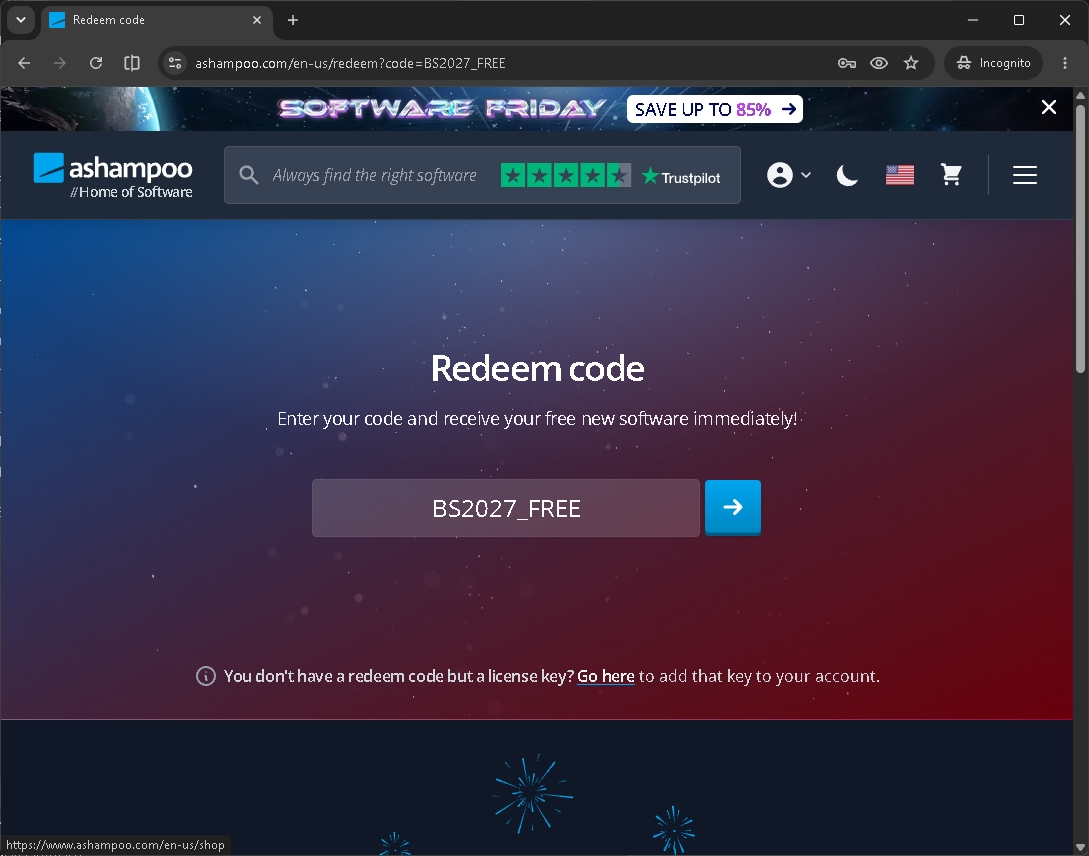
- Giveaway: Publisher code BS2027_FREE claims the full 2027 version at no cost, according to Ashampoo’s offer email.
- How: Redeem the code, sign in or create an Ashampoo account, then download the product from your account.
- Catch: An account is required, and the redeem page asks permission to send product news by email. Ashampoo says you can object to marketing email at any time.
- Deadline: No end date is shown in the offer email. It lists the code validity as unlimited, but the redemption page could still be withdrawn.
What Is Ashampoo Burning Studio 2027?
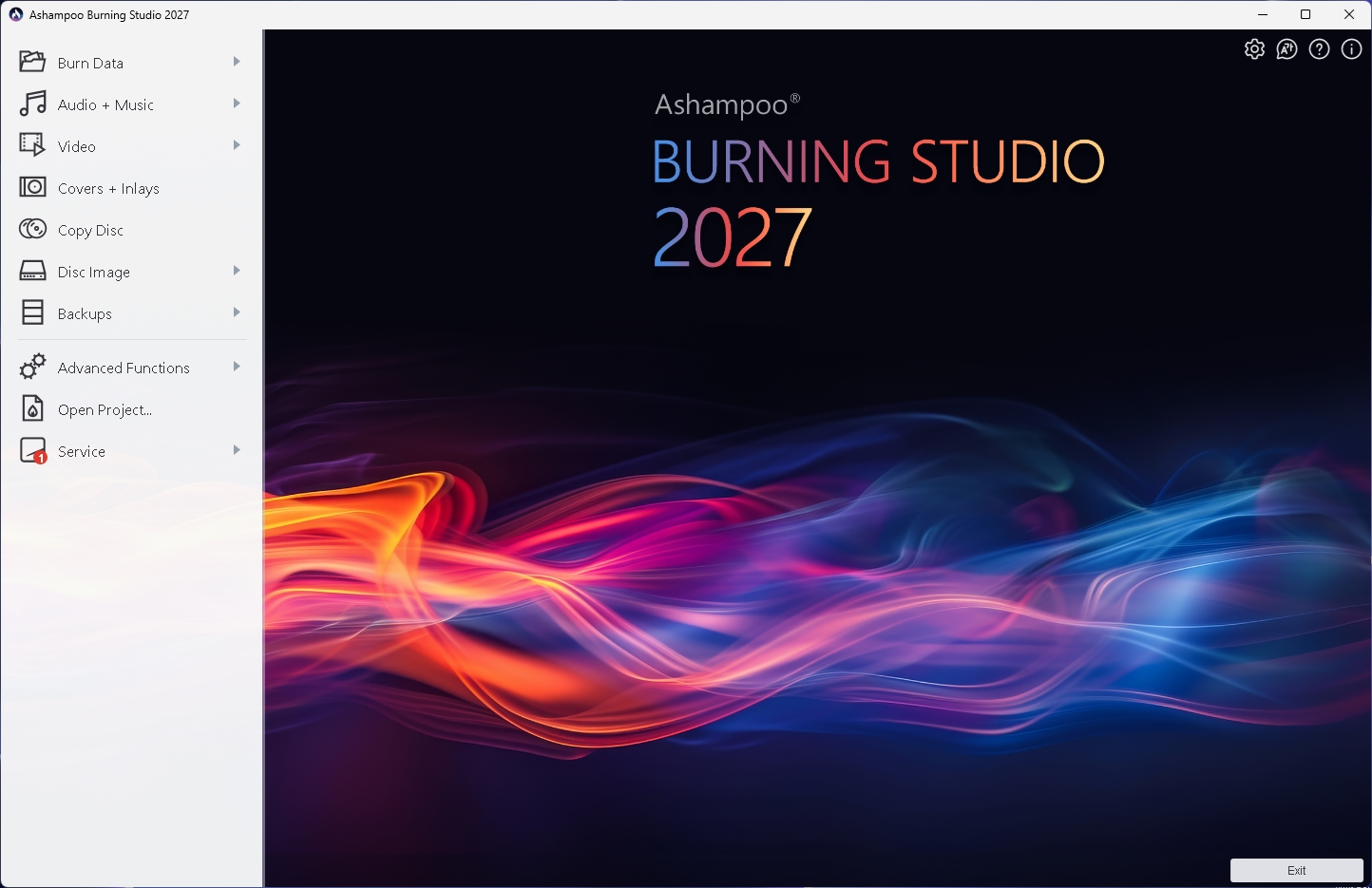
Ashampoo Burning Studio 2027 is a Windows disc-authoring utility. It can burn or copy data, music and video discs; create disc images; rip audio CDs; and design covers and inlays. Ashampoo also lists backup tools for external drives and mobile devices.
See the official Ashampoo product page for its current feature list and system requirements.
The giveaway email describes this offer as the full version with a lifetime license and no functional limits compared with the regular paid edition. We treat that as Ashampoo’s statement; the email does not explain whether future major versions are included, so do not assume an upgrade to a later release.
What You Can Do With It
- Burn and copy discs: Work with CDs, DVDs and Blu-ray discs, including multi-disc projects.
- Make and browse disc images: The product page lists ISO and CUE/BIN support.
- Rip and create audio CDs: Ashampoo lists audio CD ripping and CD-Text support.
- Back up files: Save data to optical discs, USB storage or external drives; the product page also lists backups from mobile devices.
- Design disc packaging: Create and print covers and inlays.

Giveaway Terms
| Item | Details |
|---|---|
| Giveaway code | BS2027_FREE |
| Offer | Full version with a lifetime license and no functional limitations versus the paid edition, according to Ashampoo’s offer email. |
| Redemptions and validity | Ashampoo’s email says both are unlimited. |
| Availability | Ashampoo’s email says worldwide. |
| Account | Required to unlock the download and activate the program. |
| Email consent | The redeem page says the free product is offered in exchange for permission to send news and product information. It says you may object to marketing use at any time. |
| Deadline | No calendar deadline stated in the email. The email describes the code validity as unlimited; if the code stops working, the offer has likely ended. |
| Windows support | Ashampoo lists Windows 10 (x64 and ARM) and Windows 11 (x64 and ARM). |
| Requirements | 2 GB RAM, a standard sound card, and an internet connection for activation. Ashampoo says it rechecks the license periodically. |
| Regular US price | The US product page showed $15 on sale from $30 when checked on November 28, 2026. Store prices and promotions vary. |
A couple of things to know
The offer requires an Ashampoo account and email marketing consent during redemption. The license also needs periodic internet checks. Ashampoo’s email calls it a lifetime license, but does not say that future major versions are included.
How to Get Ashampoo Burning Studio 2027
- Open the official Ashampoo redemption page. The code may already be filled in; if not, copy and paste it from the box below.
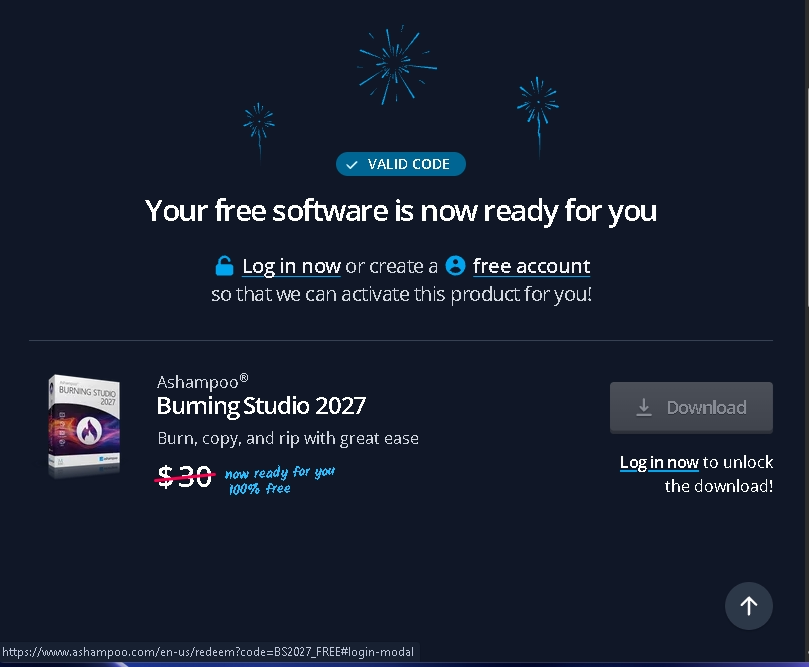
- Submit the code. When Ashampoo confirms it is valid, sign in to your Ashampoo account or create a free account.
- Review the email consent shown on the redemption page, then continue if you agree. Ashampoo says you can object to marketing email later.
- After signing in, select Download on the Burning Studio 2027 offer in your account.
- Download the official Burning Studio 2027 installer (about 105 MB) from Ashampoo’s server, or use the Download button in your account. Run it and follow the setup prompts. In our test, Windows identified the publisher as Ashampoo GmbH & Co. KG.
- Open Burning Studio 2027. If activation asks you to sign in, use the same Ashampoo account that claimed the offer, then finish the activation prompt.
Redeem the Free License Download the Installer
Giveaway code — copy and paste
BS2027_FREE



Troubleshooting
If the Download button remains locked, make sure you are signed in to the same Ashampoo account used during redemption. If the product does not activate, check the account and internet connection, then contact Ashampoo support from its official help desk.
Hands-On: Claiming and Activation
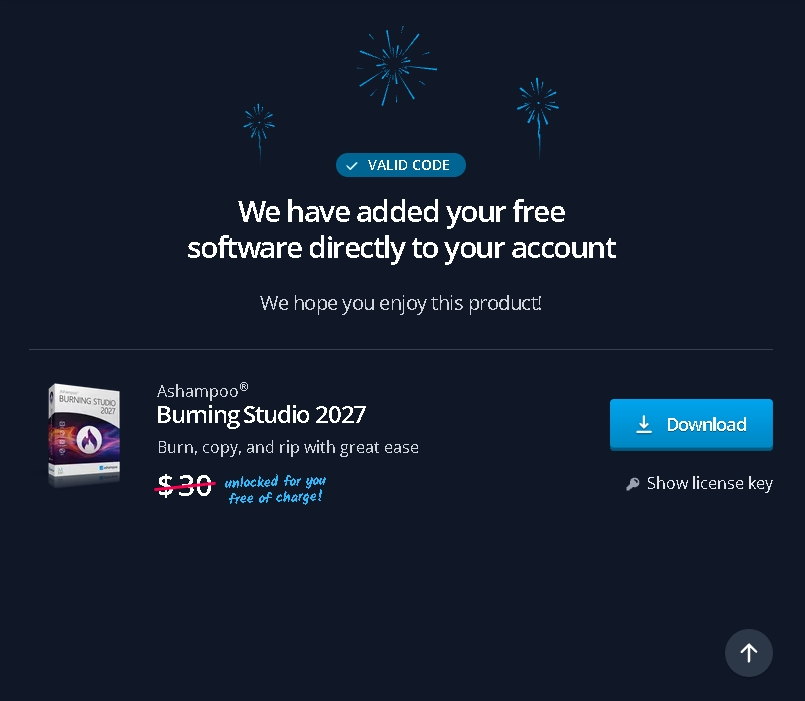
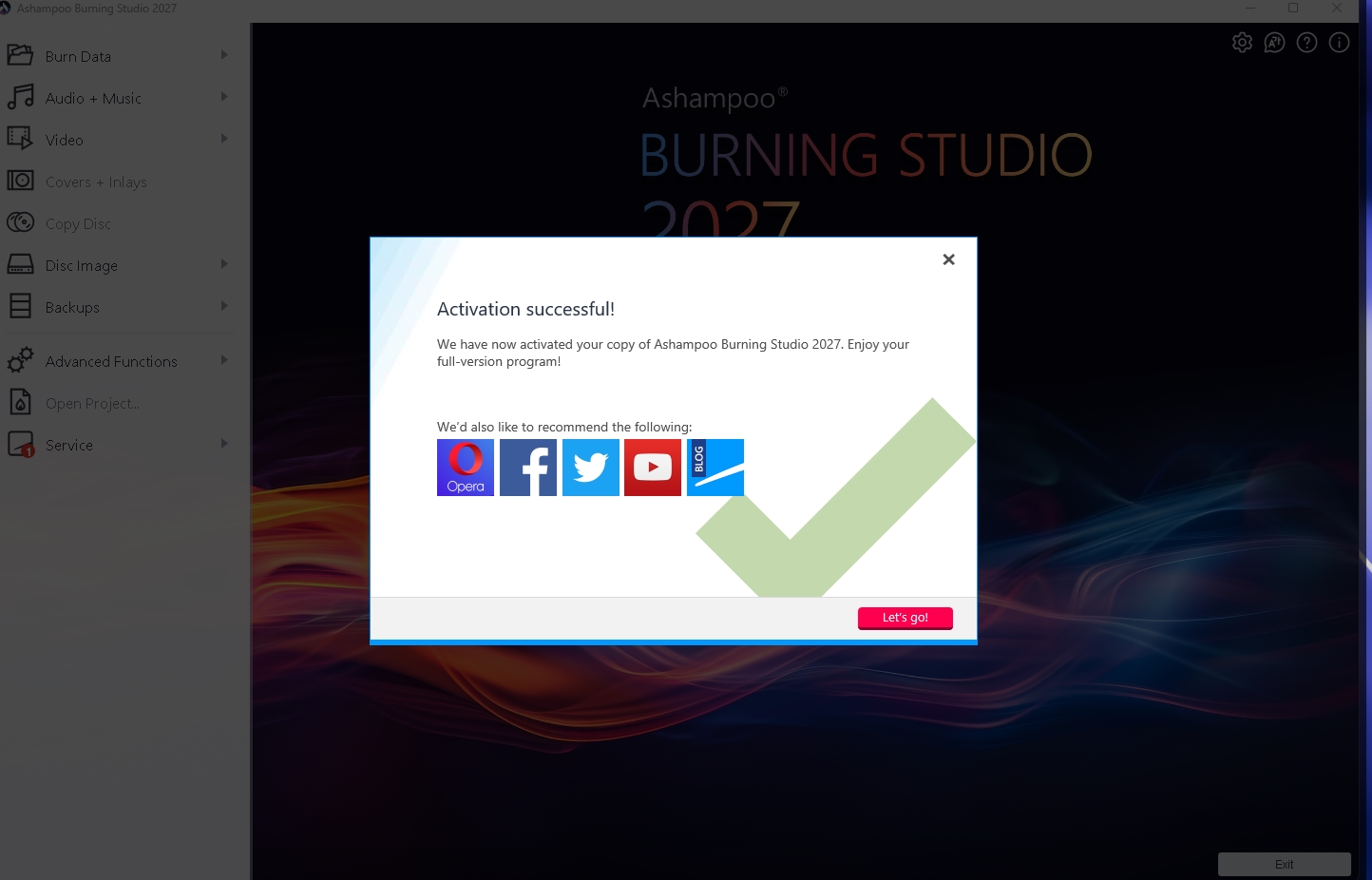
Our test screenshots show the giveaway code being accepted, the account download becoming available, activation completing successfully, and Burning Studio 2027 opening to its main window. They document a successful claim and launch. They do not show a disc being burned or a backup being restored, so we have not treated those functions as independently tested.
Is Ashampoo Burning Studio 2027 Safe?
The screenshots show the installer running under the Ashampoo GmbH & Co. KG publisher name, and the download route is linked from Ashampoo’s own offer. That identifies the apparent publisher in our test, but it is not a malware scan or a guarantee about every copy. Download only from the official Ashampoo page and check the Windows publisher prompt before approving installation.
Ashampoo’s requirements also say activation needs an internet connection and the program license is checked regularly. If you need software that can be activated and used entirely offline, this may not fit.
Who Should Grab It?
Ashampoo Burning Studio 2027
Grab it if you still burn or copy optical discs, rip audio CDs, make disc images, or want one utility for disc-related backups and covers.
Ashampoo Burning Studio 2027
Skip it if you need offline activation, future-version upgrades included, or only want a tool for a disc drive you do not have.
More Ashampoo Tools on Techno360
If your projects involve editing or organizing audio as well as burning discs, see our Ashampoo Music Studio 2027 giveaway guide.
Techno360 Verdict
Ashampoo Burning Studio 2027 is a useful free pickup if you still work with CDs, DVDs or Blu-ray discs. Ashampoo describes the giveaway as its full version with a lifetime license, and our test shows the code claim and activation working. Keep in mind the required account, marketing email consent and periodic license checks; future major-version upgrades are not specified.
Pros
- Publisher says the offer is the full version with no functional limits.
- Burning, copying, ripping, disc images, backups and cover design in one app.
- Offer email lists worldwide availability and unlimited redemptions and validity.
Cons
- Requires an Ashampoo account and marketing email consent during redemption.
- Activation and periodic license checks require internet access.
- Future major-version upgrades are not explained in the offer email.
Frequently Asked Questions
Is Ashampoo Burning Studio 2027 really the full version?
Ashampoo’s offer email says it is the personal full version with a lifetime license and no functional limitations versus the paid edition.
What is the giveaway code?
The code shown in Ashampoo’s email and our redemption screenshot is BS2027_FREE. Copy and paste it into the official redemption page.
When does the offer end?
The email does not give a calendar deadline and describes the code validity as unlimited. Ashampoo can still remove the redemption page, so it is best to claim it soon.
Do I need an Ashampoo account?
Yes. The redemption flow asks you to sign in or create an account before unlocking the download. The redeem page also requests permission to send product emails; it says you may object to marketing use later.
Does the license include future versions?
The offer email calls this a lifetime license for Burning Studio 2027 but does not explain upgrade rights for later major versions. Treat the offer as covering the 2027 product unless Ashampoo confirms otherwise.
Which Windows versions are supported?
Ashampoo lists Windows 10 (x64 and ARM) and Windows 11 (x64 and ARM), with 2 GB RAM and an internet connection for activation.