


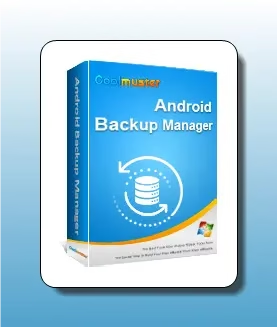
Offer Status: 🟢 ACTIVE | Platform: Windows 11 / 10 / 8 / 7 | Official Partner: Coolmuster
Disclaimer: This is an official promotional giveaway provided by Coolmuster. We do not host cracked or unauthorized software. The license key provided is strictly for personal, non-commercial use only.
Why We Are Featuring Coolmuster Android Backup Manager
Losing phone data is something most of us have experienced at least once — a factory reset gone wrong, a stolen device, or simply upgrading to a new Android phone with no clean way to carry everything over. Coolmuster Android Backup Manager is built specifically to solve that problem on Windows.
We have been testing this tool on a Windows 11 PC paired with a Samsung Galaxy device, and the backup process genuinely takes under two minutes for a full device backup including contacts, SMS, call logs, photos, videos, music, documents, and apps. The restore is equally straightforward — pick the backup file, select the data types, and hit restore. No cloud account needed, no subscription hidden behind essential features.
If you are comfortable using Google Drive or Samsung Cloud for basic syncing, you may not need a dedicated tool like this. But if you want a local, offline backup sitting on your hard drive that you fully control, this one-year Pro license is absolutely worth grabbing while the giveaway is live.
Pros & Cons
| ✅ What We Liked | ⚠️ What Could Be Better |
|---|---|
| One-click full backup and restore | USB drivers may need manual installation on some PCs |
| Works offline — no cloud account required | Wi-Fi connection can be slower on large backups |
| Supports 14 data types including apps | Interface design feels a bit dated |
| Selective restore by data category | No Mac version available |
| Compatible with almost all Android devices | Free version limits restore functionality |
| Both USB and Wi-Fi connection supported |
What Can Coolmuster Android Backup Manager Back Up?
One thing that stands out about this software is the sheer range of data it covers. Unlike some tools that only handle contacts and messages, Coolmuster Android Backup Manager supports:
- Contacts — exported in a readable format, not just a binary blob
- SMS & MMS messages
- Call logs
- Photos & videos
- Music files
- Documents
- Apps (APK files)
- And more — basically the full picture of your Android data
You can back up everything in one shot or choose specific categories. For example, if you just want to quickly save your contacts and SMS before a phone repair, you can do that in under 30 seconds.
Connecting Your Android Device
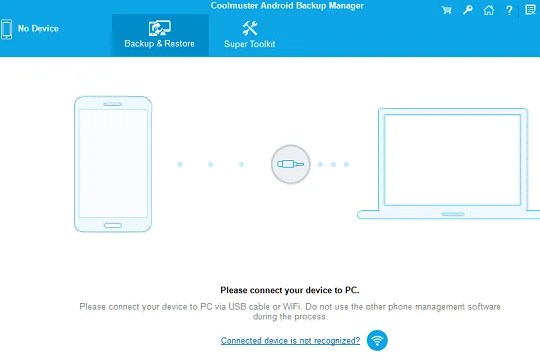
Coolmuster Android Backup Manager gives you two options to connect your phone to your PC:
- USB Connection — faster and more reliable, recommended for large backups
- Wi-Fi Connection — useful when you cannot find your cable
First-time users will need to enable USB Debugging on their Android device. The software actually walks you through this step-by-step, which is a nice touch if you have never done it before.

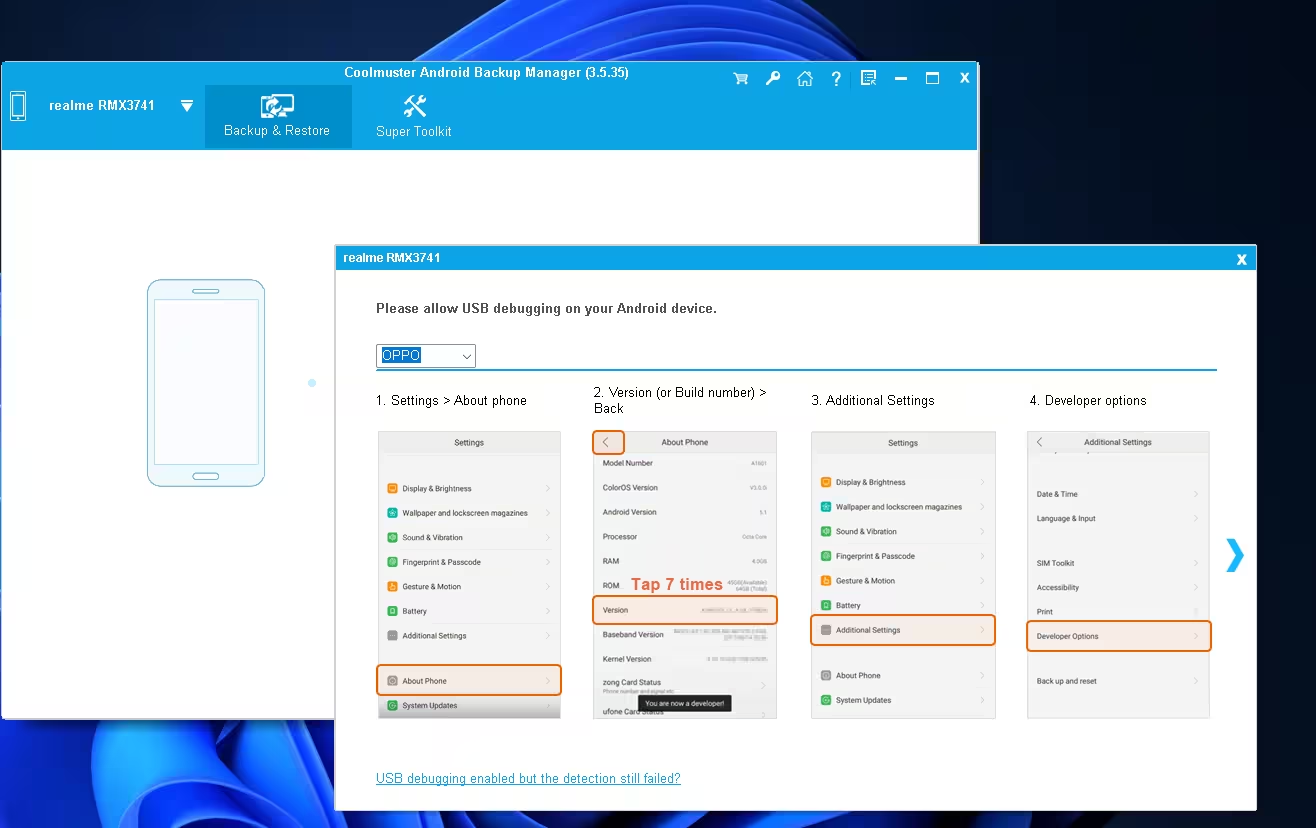
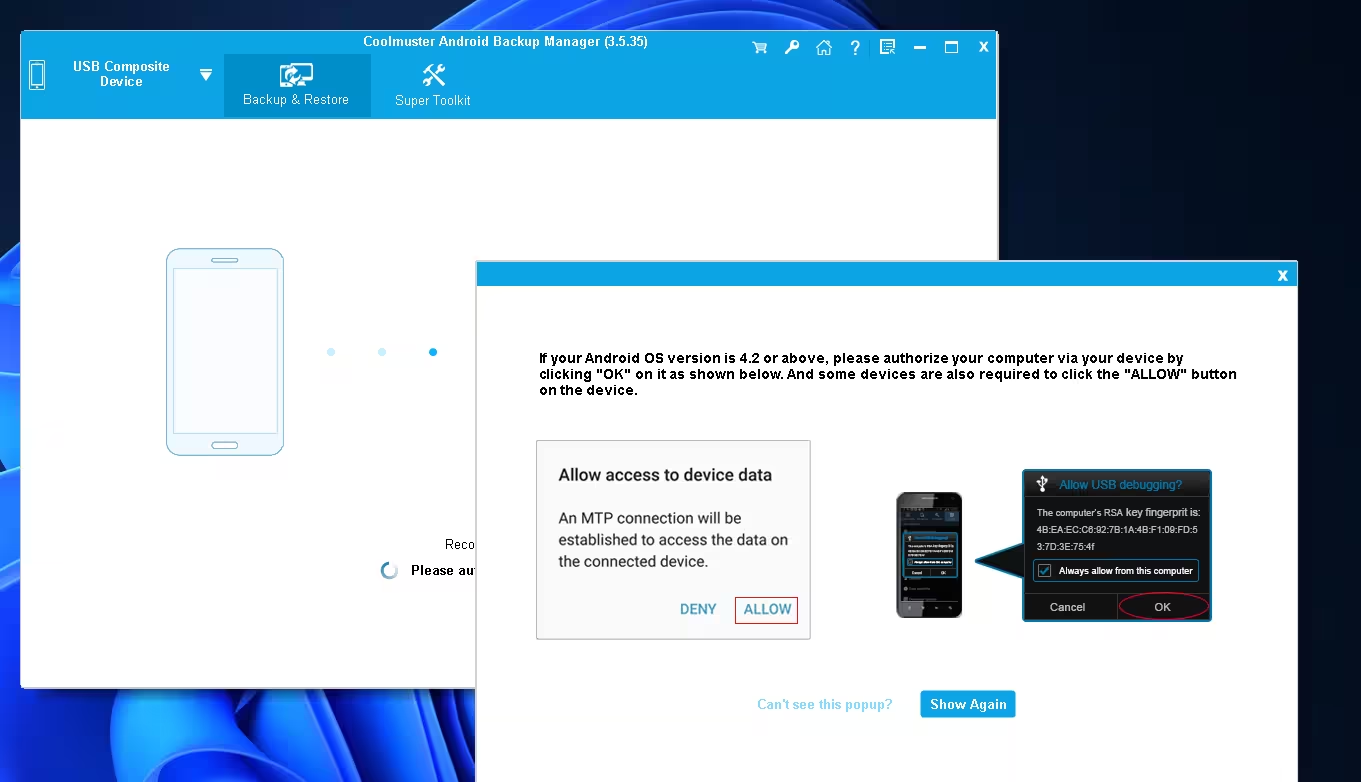
Once you turn on Developer Options and enable USB Debugging, the app detects your phone automatically. You will then see a prompt on your Android screen asking you to allow access — just tap "Allow" and you are in.

How to Claim and Activate Your Free 1-Year License
Follow these steps carefully to make sure your license registers correctly before the giveaway window closes.
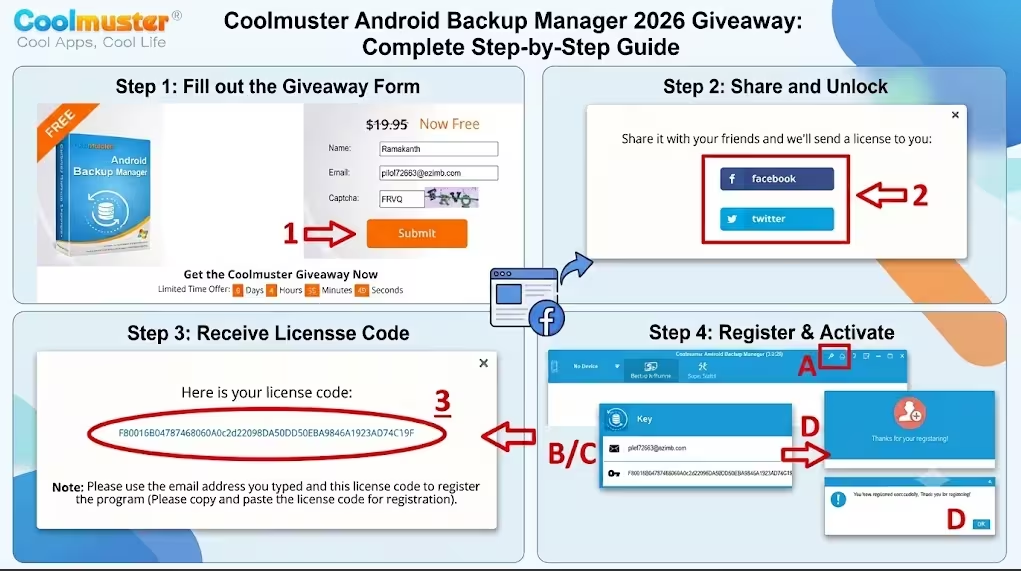
- Visit the Official Giveaway Page: Head to Coolmuster’s official giveaway page .
- Fill in the Registration Form: Enter your name and email address. A valid email is required — the license key gets sent there.
- Share to Unlock: The giveaway requires a quick share on Facebook or Twitter to generate your license code. This is a standard requirement for Coolmuster giveaways.
- Copy Your License Key: After sharing, your unique 1-year license key is displayed on screen. Copy it carefully.
- Open Coolmuster Android Backup Manager: Launch the installed software on your Windows PC.
- Enter the Key: Go to the registration screen, enter your email and paste the license key, then click Register.
👉 Click Here to Claim Your Free Coolmuster Android Backup Manager License
Note: This giveaway will be available for the next 6 days. The license activates for exactly 365 days from the date of registration.
Coolmuster Android Backup Manager vs. Free Alternatives
Is it worth grabbing this over free tools? Here is a quick honest comparison:
| Feature | Coolmuster Android Backup Manager (Pro) | ADB Backup (Free/Built-in) | Google Drive Backup |
|---|---|---|---|
| One-Click Full Backup | ✅ Yes | ❌ Requires command line | ✅ Yes (partial) |
| Selective Data Restore | ✅ Yes (by category) | ❌ No | ❌ Limited |
| Offline / Local Storage | ✅ Saves to PC | ✅ Yes | ❌ Cloud only |
| App Backup (APKs) | ✅ Yes | ⚠️ Limited by app | ❌ No APK backup |
| Wi-Fi Connection | ✅ Yes | ❌ No | ✅ Yes |
| Ease of Use | Beginner-Friendly | Technical / Command Line | Very Easy |
Bottom Line: If you are comfortable running ADB commands in a terminal, the free route works. But if you want a clean Windows GUI, selective restore, and local storage all in one package — this Pro license is a solid pick for anyone who takes their phone data seriously.
System Requirements
- OS: Windows 11, 10, 8, 7 (32-bit and 64-bit)
- Processor: 1GHz or faster
- RAM: 256 MB or more
- Storage: 200 MB free disk space (plus space for backups)
- Android: Compatible with Android 4.0 and above including Android 14/15
- Connection: USB cable or Wi-Fi on the same network
Frequently Asked Questions
Does this work with Android 14 and Android 15?
Yes. Coolmuster has confirmed compatibility with Android 14 and Android 15 devices. Most major brands including Samsung, OnePlus, Xiaomi, Realme, Oppo, and Motorola work without issues.
Will my data be safe during the backup process?
The software performs a read-only transfer, meaning it copies data without modifying or deleting anything on your phone. Your original files stay completely intact.
What happens after the 1-year license expires?
You can still use the free version after expiry. The free version allows backup but limits some restore features. You would need to renew if you want uninterrupted Pro access.
Can I back up WhatsApp messages?
The software backs up app data in general, but dedicated WhatsApp backup/transfer tools tend to work better for WhatsApp specifically. Check out our guide on MobiKin Recovery for WhatsApp if that is your primary need.
More Free Android Tools You Should Know About
If you found this giveaway useful, here are some other free licenses we have covered for Android management and data tools:
- FoneLab Android Data Backup & Restore — Free 1-Year License
- MobiKin Backup Manager for Android — Free License
- Apeaksoft Android Data Recovery — Free 1-Year Giveaway
- Coolmuster Android SMS + Contacts Recovery — Free for 1 Year
- iReaShare Android Manager — Free License
Final Verdict
Coolmuster Android Backup Manager does exactly what it promises — no bloat, no confusing options, no mandatory cloud sign-up. The one-click backup and category-based restore make it genuinely useful whether you are switching phones, heading into a repair shop, or just want peace of mind knowing your data is safe on your PC.
The regular price is $19.95/year, so getting it free for a full year through this giveaway is a decent deal. Grab it while the promotion is still live.
👉 Get Your Free Coolmuster Android Backup Manager License Now