
🎁 Giveaway · Installed on Windows 11 · Updated 20 Oct 2026
Shred files, wipe free space and format drives so deleted data is much harder to recover
Abelssoft’s €29.95 shredder is free again through a new giveaway installer. The giveaway is intended to provide the full feature set, including the Plus-only free-space wipe and partition formatting. Install it and confirm your email address once to activate it.
€29.95Usual Plus price
v5.0Giveaway build
7 → 11Windows versions
4.8 MBInstaller size
⚡ Quick Read
- 🛡️ What it is: a Windows file shredder that overwrites data before deleting it, with seven deletion methods.
- 💶 Normal price: €29.95 for the Plus version on Abelssoft’s site.
- 🔢 Giveaway build: reports Version 5.0 in Settings; Abelssoft currently lists v5.5.15.
- 💻 Works on: Windows 11, 10, 8.1, 8 and 7 (publisher listing).
- 📧 Activation: name and email, then click the confirmation link Abelssoft sends.
- ⚠️ Watch out: overwriting is not a reliable way to sanitise SSDs. Shredding cannot be undone.
What changed in this update
I first covered this giveaway in September 2025. Abelssoft’s offer is running again, so you can get the FileWing Shredder full version free once more. This post now points to a fresh installer, reflects what the current giveaway build shows on a Windows 11 PC (build 26100), and corrects a few details from the original article, such as the price, which Abelssoft lists in euros.
The old mirror links have been replaced by a single direct download from our download server (dl.elab360.com). Abelssoft has not published an end date for the offer, so grab it while the activation server still accepts registrations.
What FileWing Shredder does
When you delete a file in Windows, the space it occupied is marked as free, but the data often remains on disk until something overwrites it. That is why recovery tools work, and why a shredder exists. FileWing Shredder writes patterns over a file before removing it. Abelssoft says it offers seven deletion methods that overwrite data up to 35 times. Older reviews, such as AddictiveTips, name them as quick deletion, GOST, DoD (E), DoD (ECE), Schneier, VSITR and Gutmann; I haven’t re-checked that list in Version 5.0.
The app has three functions, each on its own icon in the left sidebar:
📂
Shred files and folders
Pick individual files, whole directories or the Recycle Bin.
🧹
Clean free space
Overwrite the empty area of a drive, which destroys leftovers from files you deleted the normal way.
💽
Format a drive
Format a partition using the same deletion methods, which is designed to make its old contents hard to recover.
Free version vs the full version
The free download is limited to shredding files and folders, as gHacks noted in its review, and Abelssoft’s page lists donation screens as a trial limitation. The giveaway is intended to give you the paid feature set.
| Feature | Free version | Full (giveaway) |
|---|---|---|
| Shred files, folders, Recycle Bin | ✅ Yes | ✅ Yes |
| Overwrite free space | ❌ No | ✅ Yes |
| Secure partition formatting | ❌ No | ✅ Yes |
| Donation screens | Yes | None |
How to get FileWing Shredder full version free
- 1
Download the installer. Get the FileWing Shredder giveaway installer (about 4.8 MB).
- 2
Install and launch. Run it, click through the FileWing Shredder Setup Wizard, then open the app.
- 3
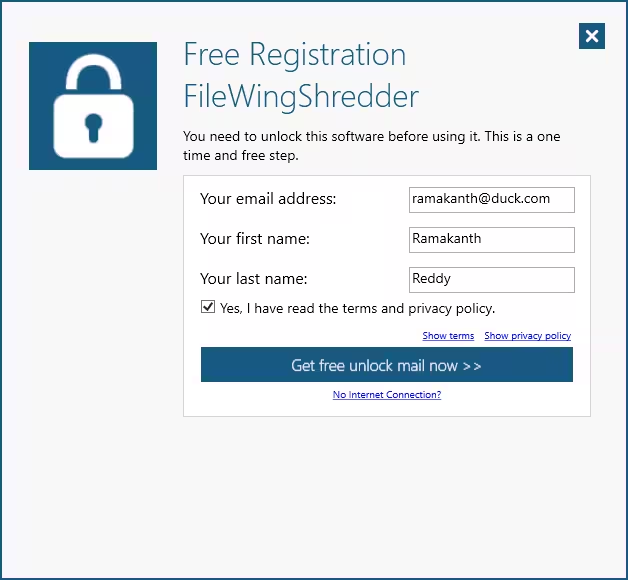
Enter your details. If the Free Registration window appears, enter your email address, first name and last name.
- 4
Request the email. Tick the box confirming you have read the terms and privacy policy, then click Get free unlock mail now.
- 5
Confirm your address. Open the email from Abelssoft (software@abelssoft.net) and click the confirmation link. Check your spam folder if it does not arrive within a few minutes.
- ✓
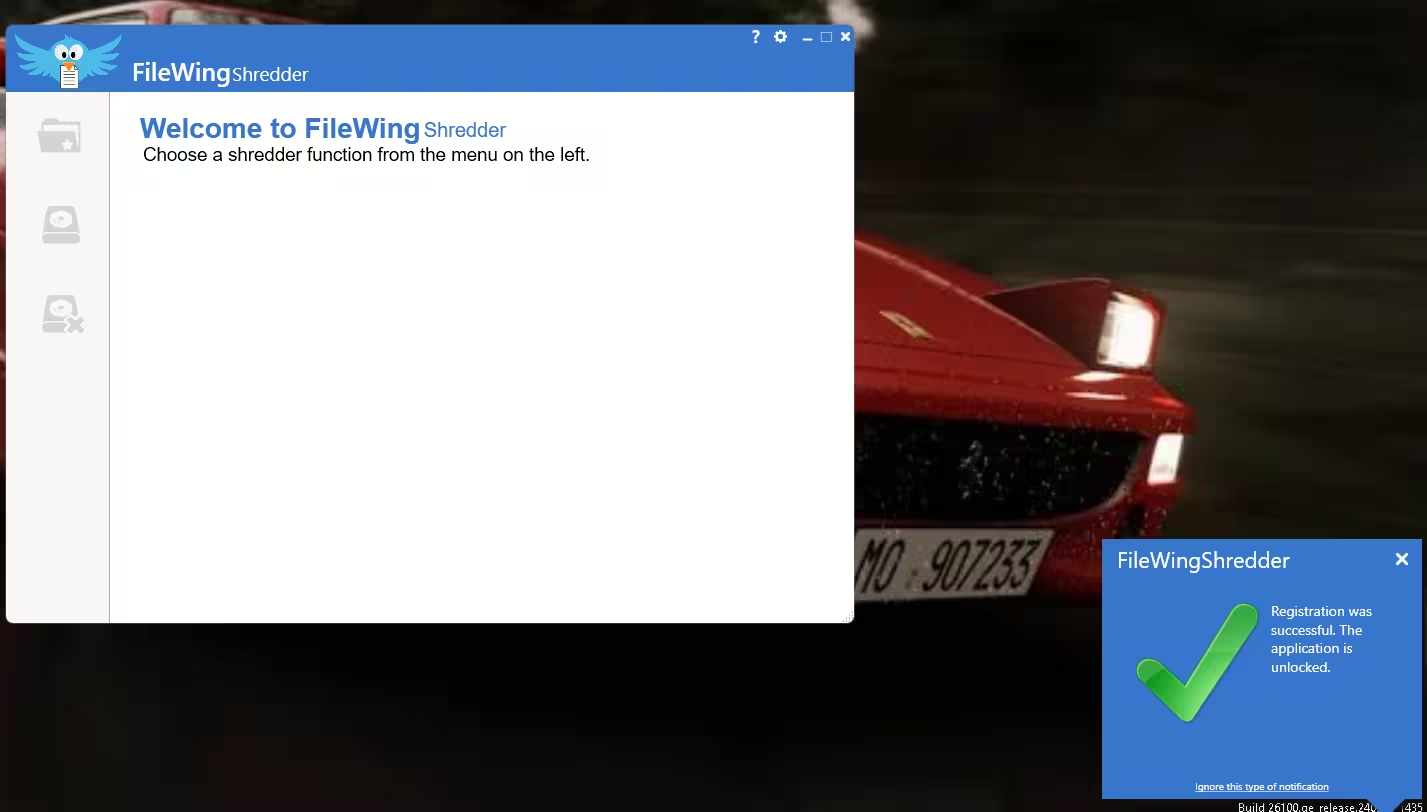
Check activation. Return to FileWing Shredder and look for the successful registration notification. Once it appears, the activated version is ready to use.
💡 Already activated an Abelssoft giveaway on this PC?
According to the giveaway instructions, the registration window may not appear if Abelssoft giveaway software is already installed on your PC. I haven’t verified this for every existing installation, so open the app and check whether the free-space and format functions are available rather than assuming it is activated.
What I checked on my PC
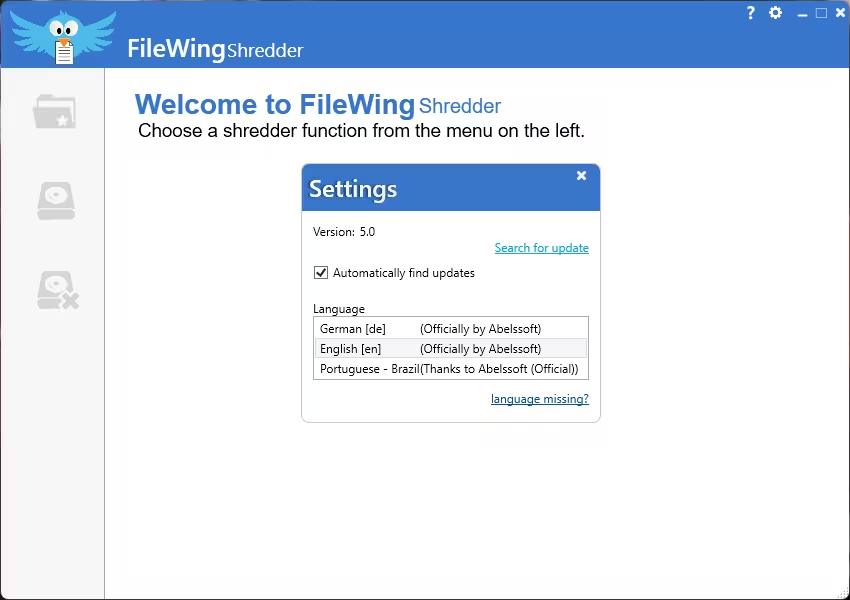
I installed the giveaway build on Windows 11, completed the email registration and got the “Registration was successful” notice on the first attempt. After that, the file-shredding and free-space screens opened normally; I did not re-test the format function in this build. The Settings panel reports Version 5.0, with “Automatically find updates” ticked by default, and lists German, English and Brazilian Portuguese as interface languages.
Shredding files and the Recycle Bin
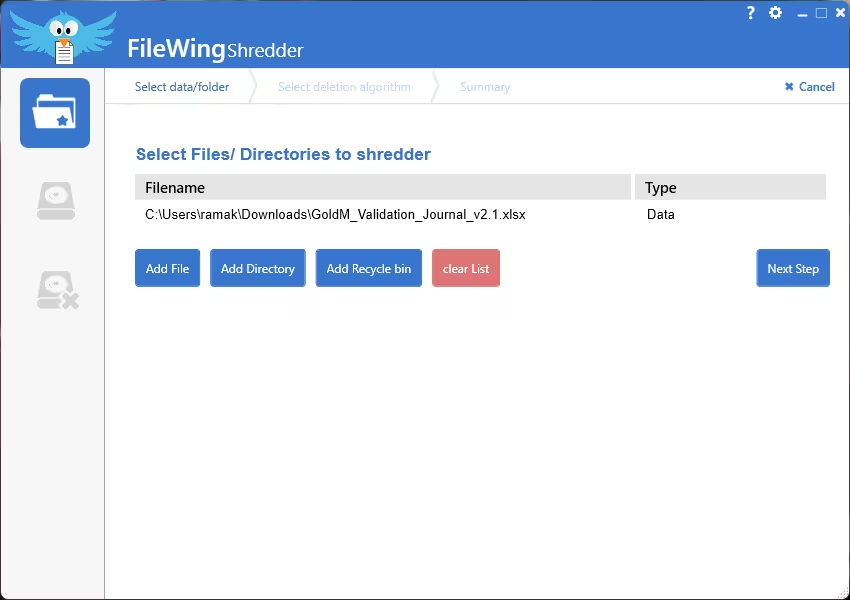
The first sidebar icon opens a list where you add items with Add File, Add Directory or Add Recycle bin, then move on to choose a deletion method. I added a test spreadsheet to the list. I did not run a recovery tool afterwards, so I can’t confirm independently how well each method resists recovery.
Cleaning free space
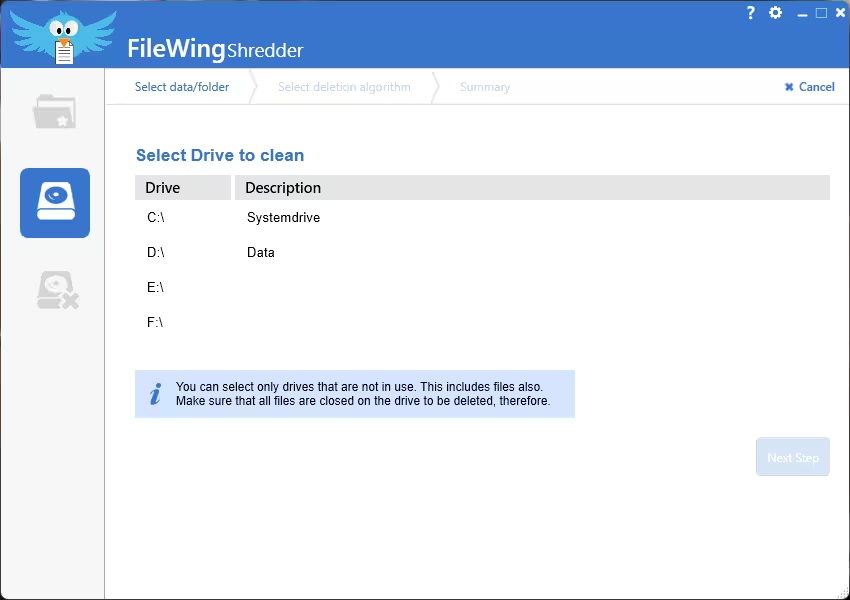
The second icon lists your drives so you can overwrite their free space. The app warns that you can only select drives that are not in use, so close any open files on that drive first.
Formatting a drive
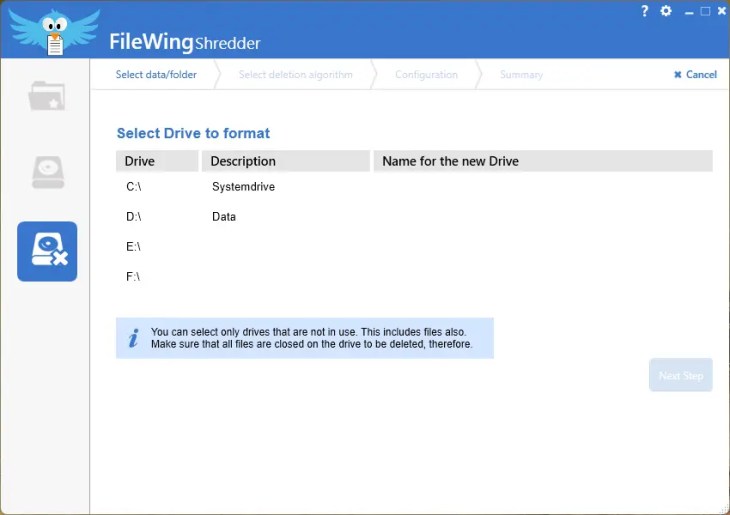
The third icon formats a partition with a deletion method of your choice and lets you name the new drive. Treat it like any format: everything on that partition goes. I didn’t re-test this screen in Version 5.0; the screenshot below is from my 2025 installation.
Limitations to know before you shred
- 💾 SSDs are different. NIST notes that ordinary overwriting may not reach every area of flash storage that uses wear-levelling, and recommends dedicated sanitisation commands. For an SSD you are selling, use the manufacturer’s secure erase tool or full-disk encryption plus a reset.
- ☁️ Copies elsewhere survive. Shredding a local file does nothing to versions in OneDrive, backups or email attachments.
- ↩️ There is no undo. Double-check the list before you confirm, especially when adding whole directories.
- 📄 Licence terms are unclear. The installer I tested reports Version 5.0, while Abelssoft’s website lists Version 5.5.15. Abelssoft’s standard Plus licence includes six months of updates, but I couldn’t confirm the giveaway has the same terms, so don’t assume updating will keep the full features.
- 📧 Email is required. You can’t activate the full version without registering an address.
If you shredded something by mistake, a recovery tool is unlikely to help. For files deleted the normal way, see our guide on how to recover deleted files on Windows 11 for free. Need a different eraser? We’ve also covered iReaShare Data Wipe and Coolmuster Data Erasure, and you’ll find more in our free software giveaways.
FAQs
Is the FileWing Shredder giveaway a lifetime licence?
Abelssoft hasn’t published licence duration or update terms for this giveaway. Don’t treat it as a lifetime licence or expect free future upgrades; treat it as a licence for the version you install.
Which deletion method should I pick?
More passes mean a much longer run. For everyday files on a hard drive, a faster method such as DoD is a practical choice; more passes don’t by themselves guarantee a specific security outcome, especially on SSDs.
Does FileWing Shredder work on SSDs?
It will run, but overwriting an SSD from Windows may miss blocks the drive’s controller has remapped. Use the manufacturer’s secure erase utility to wipe a whole SSD.
Can I shred files on a USB stick or external drive?
The drive list shows every connected drive, including external ones. The same flash-memory caveat applies to USB sticks.
I didn’t get the activation email. What now?
Check spam and promotions folders for a message from software@abelssoft.net, and make sure you typed the address correctly in the registration window.
📊 Verdict
FileWing Shredder is a straightforward Windows utility with three main functions: file shredding, free-space cleaning and drive formatting. This giveaway is intended to provide the Plus feature set without the usual €29.95 purchase price. I confirmed successful registration and tested the file-selection and free-space screens on Windows 11, although I did not retest drive formatting in Version 5.0.
The FileWing Shredder full version suits anyone getting rid of sensitive documents on hard drives or preparing an HDD for sale. For SSDs, pair it with your drive maker’s secure erase tool.
👍 Good
Plus features included in the giveaway, simple step-by-step screens, Recycle Bin shredding, seven methods.
👎 Not so good
Email registration required, unclear update terms, overwriting is limited on SSDs.