
🎮 Browser Easter Egg
Type a sum that equals 150 and Firefox turns into a Snake console
The Nokia-style game is hidden behind Firefox’s address bar calculator. It needs no add-on, no download and no internet game site, just the right number.
⚡ Quick Read
- The trick: type
100+50(or any sum that equals 150) in the Firefox address bar. Don’t press Enter. - The trigger: click the small Firefox logo next to “= 150” in the drop-down.
- Controls: arrow keys. Eat the dots, avoid the walls and your own tail.
- Version: it arrived in Firefox 151 (May 2026), despite the “150” theme.
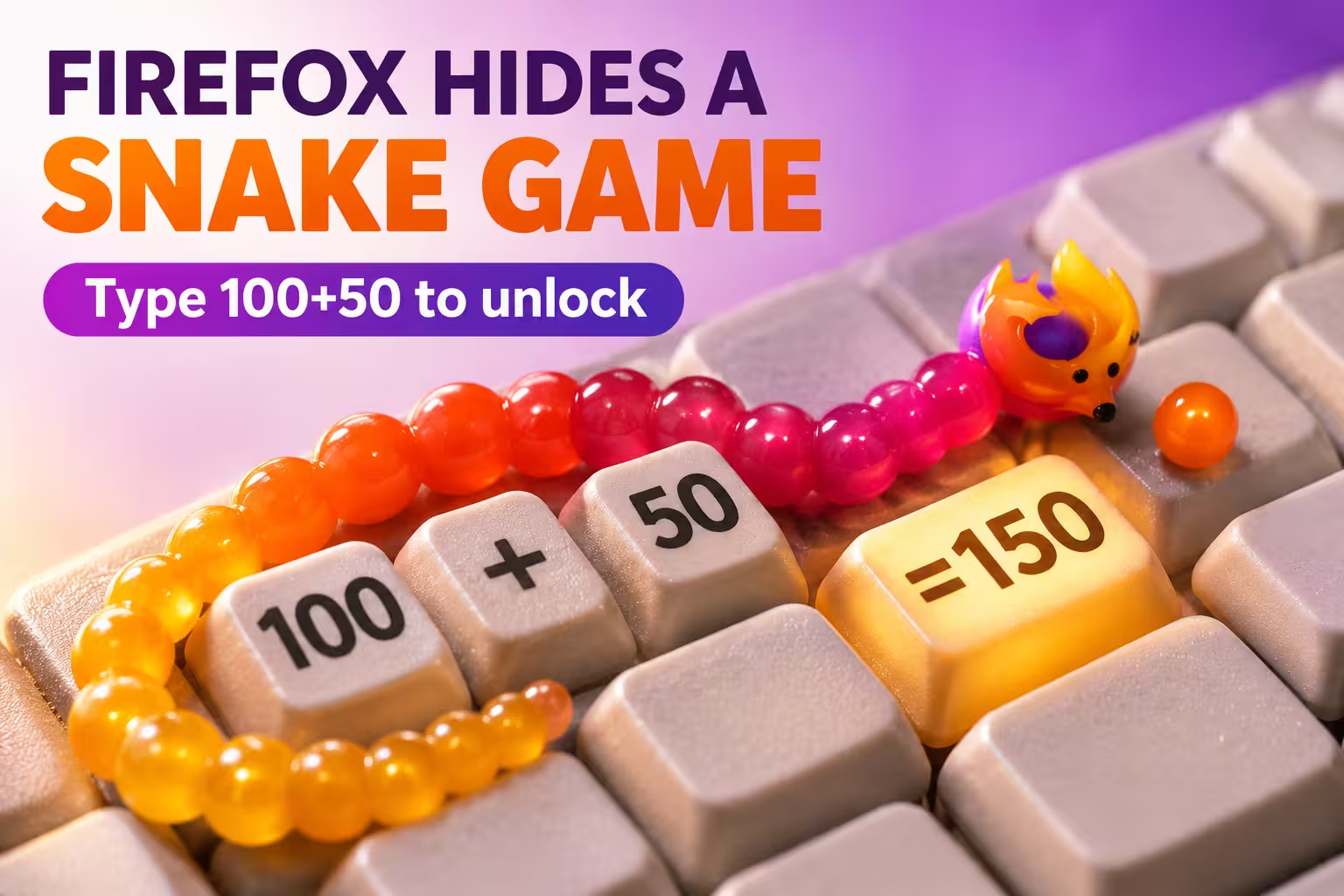
Remember Snake on old Nokia phones? You steered a growing line of pixels around a tiny screen, trying not to bite your own tail. Mozilla has quietly built a version of that classic into Firefox. You don’t reach it through a menu or a secret URL. It sits inside the address bar’s built-in calculator and only appears when the answer is exactly 150.
Mozilla hasn’t announced it. The Easter egg surfaced in June 2026 when a Reddit user typed 25*6 to do some quick maths and found a game instead. German Firefox blogger Sören Hentzschel wrote it up in November, and tech sites have picked it up since. Here’s how to open it, which versions have it, and what to do if the Firefox icon doesn’t appear.
It’s an Easter egg: a small, deliberate surprise that developers hide in software. Firefox has had a calculator in its address bar since Firefox 137. Normally you type a calculation, the answer appears in the drop-down, and a copy button sits beside it. When the answer is 150, a tiny Firefox logo appears as well. Click it and a dark game panel opens right inside the address bar drop-down.
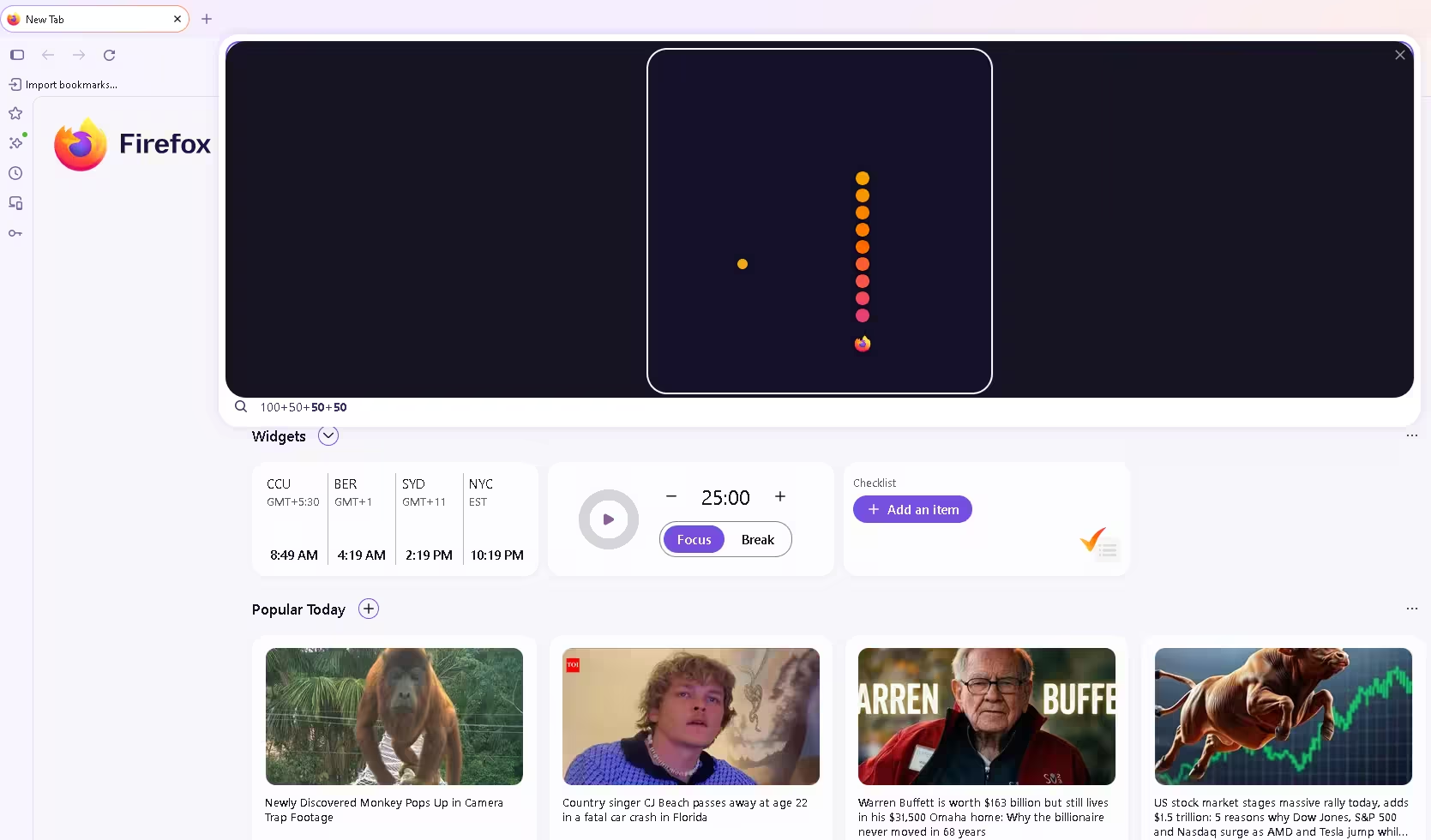
The game is a faithful take on classic Snake, styled for Firefox. The snake is a trail of orange-to-pink dots, its head is the Firefox logo, and you chase small orange dots around a rounded play area.
How to play Snake in Firefox: step by step
- Open Firefox on your computer and make sure it’s up to date (menu → Help → About Firefox).
- Click the address bar and type
100+50. Don’t press Enter, because that sends the sum to your search engine. - Look at the drop-down. Next to the result = 150 you’ll see a copy icon and a small Firefox logo.
- Click the Firefox logo, not the result text. Clicking anywhere else in the suggestion list won’t start the game.
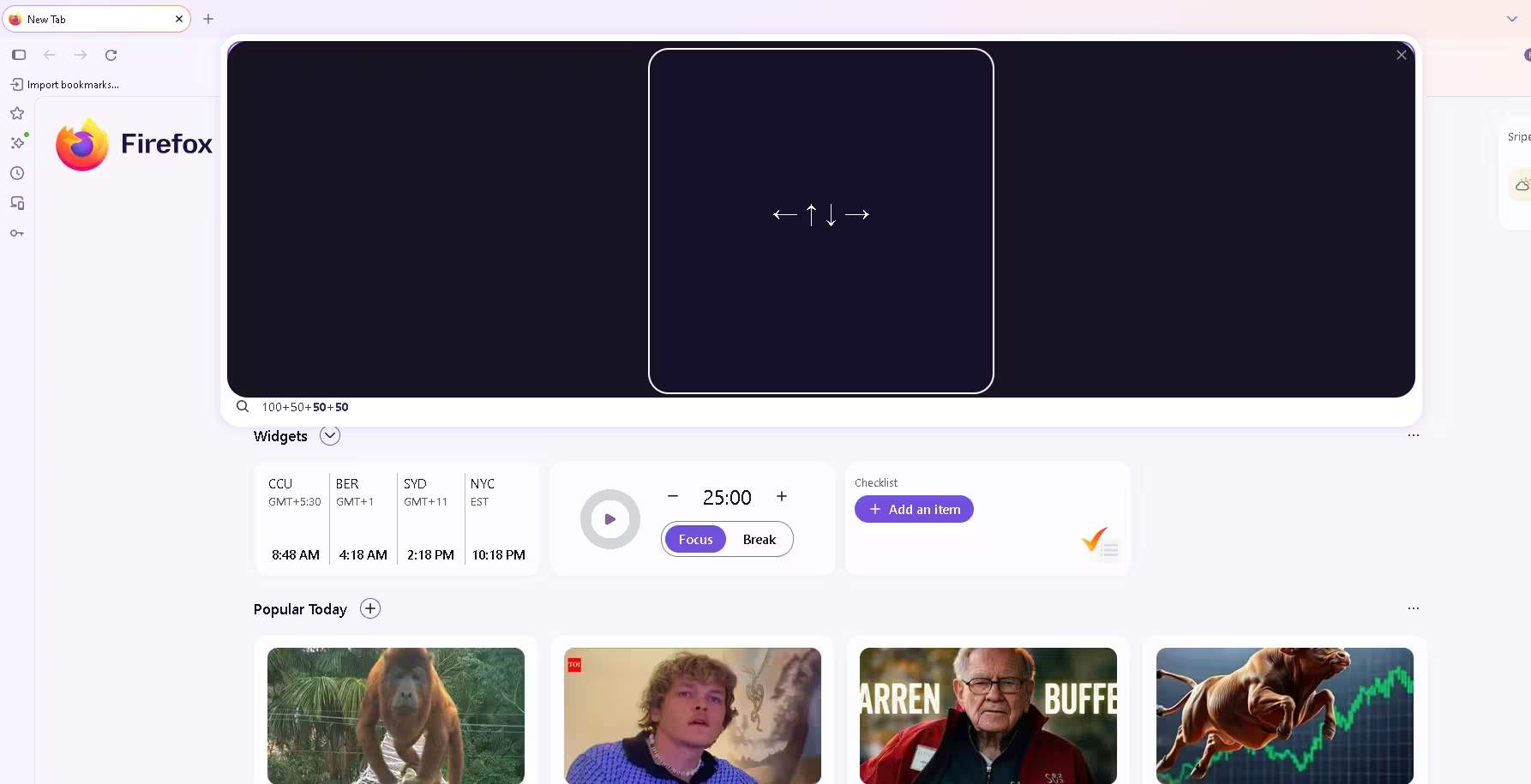
- The game panel opens and shows the arrow keys (← ↑ ↓ →) as instructions.
- Press any arrow key to start moving and play.
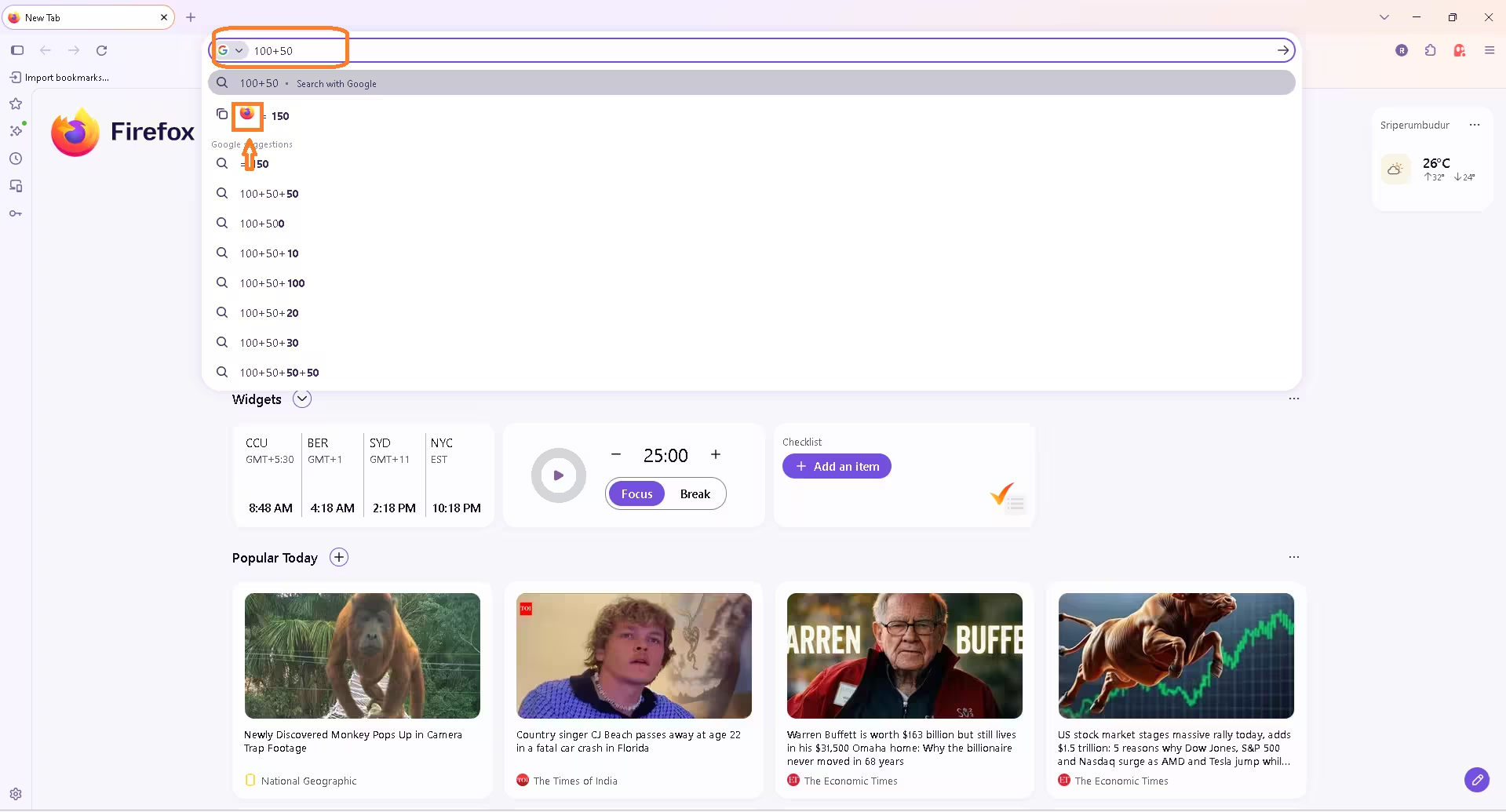
Tip: if Google (or another engine) is your default search engine and search suggestions are on, you may see “= 150” twice. The top row comes from Firefox’s own calculator and is the one with the Firefox logo. The second row is a Google suggestion and won’t open the game.
Other calculations that open the game
100+50 isn’t special. Any expression the calculator can solve works, as long as the answer is exactly 150. The calculator supports addition, subtraction, multiplication, division, exponents (^) and brackets.
| Type this | Operation | Result |
|---|---|---|
100+50 |
Addition | 150 ✅ |
151-1 |
Subtraction | 150 ✅ |
25*6 |
Multiplication | 150 ✅ |
300/2 |
Division | 150 ✅ |
15^2-75 |
Exponent + subtraction | 150 ✅ |
100+51 |
Addition | 151 ❌ no game |
How the game works: rules and controls
If you’ve played Snake before, you already know the rules:
- Steer with the arrow keys (up, down, left, right).
- Eat the orange dots that appear on the board. Each one makes your snake longer.
- Avoid the walls of the play area.
- Don’t run into your own tail. The longer you get, the harder this becomes.
- Close the game with the ✕ in the top-right corner of the panel.
Which Firefox versions have the Snake game?
Some reports say the game has been around “since Firefox 150”, and you can see why: the trigger number is 150. According to Sören Hentzschel, who covers Firefox development closely, the game actually shipped in Firefox 151, released on 19 May 2026. So the number is a tribute to the 150-release milestone, not the version that introduced the game. Firefox’s stable channel has since moved on to version 159, so if you keep Firefox updated you already have it.
| Detail | What we know |
|---|---|
| Address bar calculator | Available since Firefox 137 |
| Snake Easter egg added | Firefox 151 (19 May 2026) |
| Bug where suggestions covered the game | Fixed in Firefox 159 (Mozilla Bugzilla) |
| Firefox ESR | Works in ESR 153, according to Sören Hentzschel (not documented by Mozilla) |
| Platforms tested | Desktop Firefox (Windows shown above) |
Firefox icon not showing? Try these fixes
- Update Firefox. You need Firefox 151 or later. Go to menu → Help → About Firefox to check and update.
- Check that the answer is exactly 150. 149.99 or 151 won’t work.
- Don’t press Enter. Enter sends the sum to your search engine and closes the drop-down.
- Look for the right row. With search suggestions on, the Firefox calculator result is the one with the copy button and logo.
- Check the calculator is enabled. Mozilla says the address bar calculator is an experimental feature, rolled out gradually, and needs Remote improvements to be turned on. If typing a sum gives you no calculator result at all, that’s the first thing to check.
- Advanced users only: the calculator is controlled by the experimental preference
browser.urlbar.suggest.calculator. Typeabout:configin the address bar, accept the warning, search forcalculatorand see what it’s set to. If it’s false, you can switch it to true. This isn’t an official Mozilla fix, so change only this one preference and set it back if anything misbehaves. - Game half-hidden behind suggestions? In some earlier versions, the address bar results drop-down covered the game so only its top edge was visible. Mozilla’s bug tracker lists this issue as fixed and verified in Firefox 159, so updating should solve it.
Does it work on Firefox for Android or iPhone?
So far, every confirmed report and screenshot comes from desktop Firefox on Windows, macOS and Linux. Mozilla hasn’t documented the Easter egg, and the game depends on arrow keys, so treat it as a desktop feature for now.
Browser Easter eggs have a long history. Chrome’s offline T-Rex runner is the most famous; you can open it any time at chrome://dino. Microsoft Edge has its own surfing game at edge://surf. Firefox’s Snake stands out for where it hides: you don’t need a special URL, just a bit of maths in a box you already use every day.
If you enjoy quick games you can play without installing anything, see our list of 30 free browser games to play in Chrome without downloading.
✅ Techno360 Verdict
The hidden Snake game is a small but charming touch. It takes two seconds to open, needs nothing installed, and it’s a good excuse to explore the address bar calculator many Firefox users don’t know about. It won’t replace a real game, but it’s a fun bit of nostalgia for a coffee break.
Try it now: type 100+50 in Firefox’s address bar and click the fox.
Frequently asked questions
Type any calculation that equals 150 (for example 100+50) in the Firefox address bar without pressing Enter, then click the small Firefox logo next to the result.
Why does the Firefox Snake game use the number 150?
The number appears to celebrate Firefox reaching its 150th version. The game itself shipped one release later, in Firefox 151.
Which Firefox version do I need?
Firefox 151 or newer on desktop. According to Firefox specialist Sören Hentzschel, the game also works in Firefox ESR 153.
Why don’t I see the Firefox icon next to 150?
Update Firefox, make sure the result is exactly 150 and that you didn’t press Enter. If you see no calculator result at all, the calculator may not be enabled for your profile yet. See the troubleshooting section above, including the advanced about:config option.
Is the Firefox Snake game available on Android?
There are no confirmed reports of it on Firefox for Android or iOS yet. It’s a desktop Easter egg played with the arrow keys.
Is the Firefox Snake game safe to play?
Yes. The game opens directly inside Firefox’s address bar. You don’t need to download a game, install an extension or visit a third-party gaming website.
Want more Firefox tips? Read our guide to the free VPN built into Firefox 149, or try Zen Browser, a Firefox-based browser built for speed. Chrome users can dig into our Chrome flags for power users.
Sources: Sören Hentzschel · Mozilla Support: Firefox address bar calculator · Mozilla Bugzilla: bug 2077358 · OMG! Ubuntu · PiunikaWeb